Volume Booster - Loud Speaker
- 80.37K
- 4.6
- Installs
- 10.00M
- Price
- Free
Screenshots

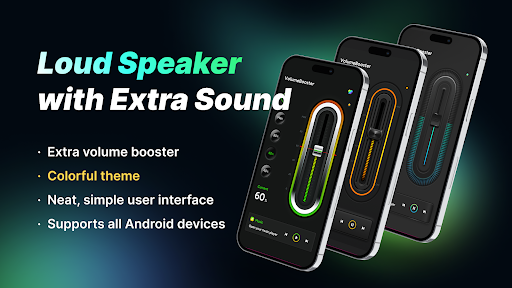
Analysis by Reviewed APKs
Volume Booster - Loud Speaker is a simple audio utility for people who want a little more volume from music, videos, games, or calls. It works with a phone speaker, headphones, and Bluetooth audio, with quick controls for setting a boost. After looking at what it offers, I see it as a handy, focused volume tool rather than a replacement for a music player or a full sound-editing app.
A Little More Volume
Picture settling in to watch a video on your phone while making dinner, only to find the built-in speaker is hard to hear over the kitchen noise. Volume Booster - Loud Speaker is meant for that sort of moment: open it, choose a higher level, and keep watching. It can also boost music, games, and calls, so the same basic control may help across different listening situations.
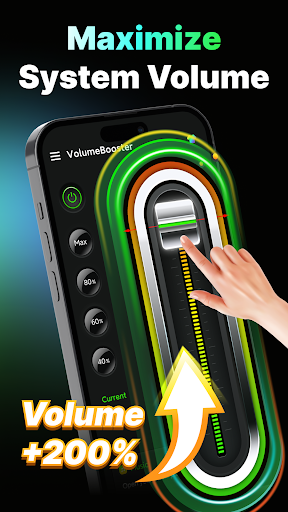
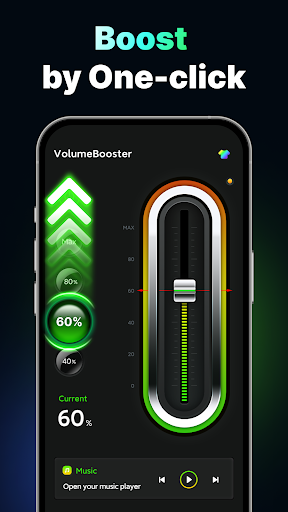
When I first considered how I would use it, the appeal was the speed. Instead of digging through several phone settings, I could reach for a dedicated control and select a preset such as 40%, 60%, 80%, or maximum. The app also lets you choose a music player to start playback with the booster. That keeps the job practical: get audio going, adjust the level, and get back to what I was doing.
A Focused Audio Tool
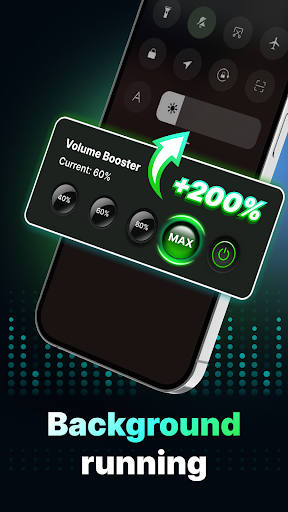
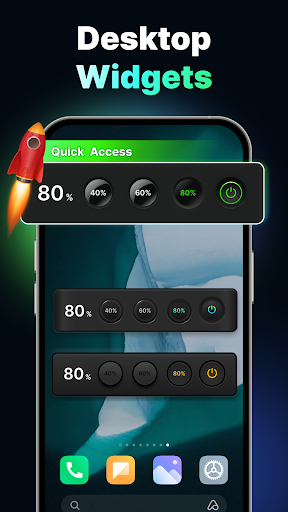
The obvious alternative is the phone’s usual volume control, which is already available for everyday listening. This app adds a separate booster with quick percentage choices, a one-swipe adjustment, and a small desktop widget for quick access. It also describes support for headphones and Bluetooth devices, not just the built-in speaker. Those extras make it more of a shortcut for changing perceived loudness than another place to browse songs.
That focus is useful, but it also defines what the app is not. It is not presented as a music library, streaming service, or detailed sound-mixing workspace. The description talks about boosting volume, not building playlists or tuning an equalizer. If I wanted extensive audio customization or a new way to discover music, I would look elsewhere. For a straightforward volume adjustment, its narrower purpose is easier to understand.
Small Habits That Help
A good way to make a volume tool useful is to treat it as a quick adjustment, not something to leave at maximum by default. I would start at a moderate preset, check whether the audio is clear enough for the room, and move up only if needed. The app offers several preset levels as well as a one-swipe control, so it supports both quick changes and a little more precision.
The widget may suit a routine where I regularly switch between quiet listening and a louder video or game. I could keep that shortcut available and use it when the situation changes, rather than reopening the app and hunting for a control. For music, choosing a player from within the app can make starting playback part of the same workflow. These small conveniences matter most when I want fewer taps.
More From Our News Desk

Zoom Meetings, Google Meet, or Teams: Which Is Easiest to Join?

How I Build a Free Streaming Lineup With Tubi

Why Crunchyroll Is the Default Anime App for So Many Fans

YouTube TV: A Practical Guide to Cutting Cable

Rummikub and the Small Comfort of Phone Games

TeamViewer Remote Control or AnyDesk for Helping Family?
Who Might Find It Useful
I would recommend Volume Booster - Loud Speaker to someone who often finds their phone audio too quiet and wants a direct way to raise it for music, video, games, or calls. It may be especially convenient for people who switch among the phone speaker, headphones, and Bluetooth audio, since the app describes support for all three. The preset controls and widget also suit anyone who values quick access over a complicated setup.
It may not be the right choice for someone looking for a full music player, a streaming catalog, or extensive audio shaping. The app’s core job is boosting and controlling volume, not organizing a listening collection. I would also keep expectations measured: a volume tool cannot change the basic character of the speaker or headphones being used. People who are happy with their existing volume controls may not need another utility.
Volume Booster - Loud Speaker is a Music & Audio app from Coocent. On Google Play it has over 10 million installs and a 4.6-star rating from about 80,000 ratings. It is free to download, contains ads, and offers in-app purchases priced from $0.49 to $7.49 per item. Its content rating is Everyone.
The listed app version is 1.4.8. It was released on December 3, 2020, and its last update is dated August 25, 2026. The available details give no minimum Android version, so check Google Play for device compatibility before installing.
A Closer Look at Volume Control
A Simple First Look
The app’s stated design goal is a neat, simple interface that is quick to learn. That fits the kind of utility I want when a video is already playing and I only need to adjust the sound. The controls are centered on choosing a level or making a quick change, rather than navigating a long list of audio features.
Getting started is meant to be straightforward: choose a music player if you want to begin playback through the app, then adjust the boost to suit the moment. The available description emphasizes fast access and a short learning curve. I like that approach for an occasional tool, since I would not want to spend an evening setting up a complicated audio system just to hear a clip more clearly.
The Everyday Experience
Day to day, the main idea is to make volume adjustments available in one place. The app says it can boost music, video, game, and call audio, and offers controls for different applications. In practice, that broad purpose makes it relevant to more than a single listening habit: I might want it for a song one minute and a video the next.
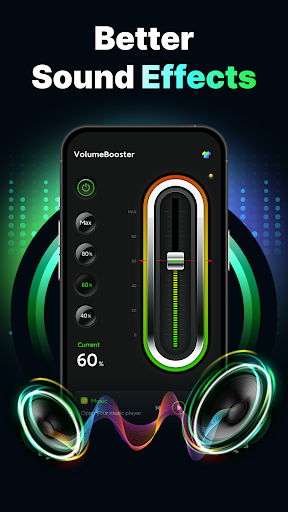
The preset buttons offer a quick route when I do not need fine control. Picking 40%, 60%, 80%, or maximum is easier than repeatedly tapping a phone’s volume key to find a level. For a more deliberate adjustment, the one-swipe control is another option. The simple controls are the point here; they make the app feel like a small utility rather than something that asks for constant attention.
Useful Ways to Boost
One standout detail is that the app is described as working with the phone speaker, headphones, and Bluetooth audio. That gives it a broader role than a control meant only for the built-in speaker. If I connect a Bluetooth speaker for a room or use headphones while listening, the app’s intended volume controls still cover those setups.
The desktop widget is another practical touch. A shortcut can be more useful than an elaborate feature when the task is simply to raise or lower the level. I also like the choice of starting music through a selected player, since it connects playback with the app’s main purpose. These features are modest, but each supports the same straightforward goal instead of distracting from it.
A Routine for Listening
For a quiet evening, I would start a song or video at an ordinary level, then use the app if the sound gets lost in the room. I would try one of the middle presets first and adjust from there. That makes the booster a situational tool: useful when the environment changes, without making maximum volume the default for every track or clip.
A similar routine could work when moving from headphones to a Bluetooth speaker. I would check the level after changing the audio device, then use the app’s quick control if I need more volume. The widget may help if I make these adjustments often. Keeping the process simple—start the content, check the sound, make a small adjustment—seems more practical than constantly tweaking settings.
Keep Expectations Sensible
A booster can raise the volume level, but louder is not automatically better. I would make changes gradually and pay attention to whether the result remains comfortable and clear for the device and setting. The description promises volume enhancement, not a new speaker or a detailed sound-quality overhaul, so I would judge it by whether its controls help with my particular listening situation.
The app also includes ads and offers paid in-app items, which may matter to people who prefer utilities without either. Its feature set is intentionally focused, so anyone expecting a built-in equalizer, custom sound profiles, or a music catalog may find it limited. For me, the best way to assess it is as a quick volume companion, not a one-stop audio solution.
Volume Booster - Loud Speaker has a clear purpose: make volume adjustments quicker and offer a boost across music, videos, games, calls, and several audio devices. The presets, swipe control, player selection, and widget are all aimed at getting to that adjustment with little fuss. It is most appealing when the phone’s normal controls do not feel convenient enough.
I would try it if I regularly need a quick volume boost and do not expect a full-featured audio player or sound studio. The ads and in-app purchases are worth keeping in mind, and the app’s focused feature set will not suit everyone. For people who want a simple volume utility, though, its direct approach makes sense.
Volume Booster Frequently Asked Questions
What is Volume Booster - Loud Speaker used for?
Volume Booster - Loud Speaker is used to boost and control audio volume for music, videos, games, and calls. It offers preset levels, a one-swipe adjustment, and a small desktop widget. The description says it supports the phone speaker, headphones, and Bluetooth audio. It is a volume utility, rather than a music streaming service or a full music library.
Which devices support Volume Booster - Loud Speaker?
Volume Booster - Loud Speaker is an Android app distributed through Google Play. The listed details do not give a minimum Android version, so compatibility can vary by device and software version. Check the Google Play store page for the current requirements on your phone before installing.
Is Volume Booster - Loud Speaker free?
The app is free to download, contains ads, and offers in-app purchases priced from $0.49 to $7.49 per item. Store pricing or available purchase options can vary, so check Google Play for the current details before deciding whether to buy anything.
Can Volume Booster - Loud Speaker work with headphones?
Yes. The app description says it supports headphones as well as the phone speaker and Bluetooth audio. Its controls are intended for boosting volume across music, video, games, calls, and different applications. The exact experience may depend on your device and audio setup.
Who should try Volume Booster - Loud Speaker?
It may suit people who want quick access to a louder volume setting for everyday audio and appreciate preset levels or a widget. It may be less suitable for someone looking for an advanced equalizer, streaming catalog, or dedicated music player. Its main purpose is volume control, so the best fit is someone who wants that focused function.
Pros
- Quick preset levels and one-swipe adjustment make volume changes straightforward.
- Designed to support phone speakers, headphones, and Bluetooth audio.
- A small desktop widget offers a quicker route to volume controls.
- Can boost audio for music, videos, games, and calls.
Cons
- Contains ads and offers paid in-app purchases.
- Focused on volume boosting rather than music discovery or detailed sound editing.
- The minimum Android requirement is worth checking before installation.
- Category
- Music & Audio
- Version
- 1.4.8