Bass Booster & Equalizer
- 385.23K
- 4.5
- Installs
- 10.00M
- Price
- Free
Screenshots
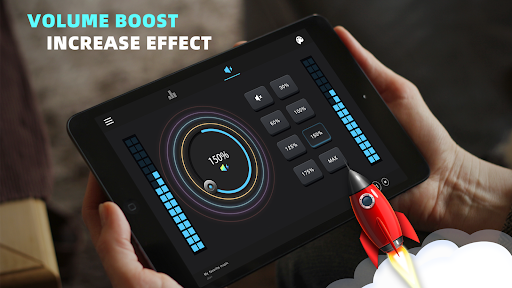
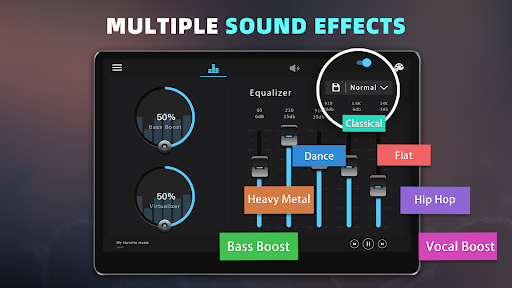
Analysis by Reviewed APKs
Bass Booster & Equalizer is an Android sound-effects app for people who want to adjust how music and video sound through their device. It offers bass and volume boosts, a five-band equalizer, surround effect, and presets rather than replacing your music player. I like the idea of making quick sound tweaks without rebuilding a listening routine, though the results will depend on the device and audio you use.
A quick listening adjustment
When I first opened Bass Booster & Equalizer, I pictured using it during an ordinary evening playlist: start music in the player I already use, open the app, and adjust the sound while listening. Its core job is to add effects to music or audio playing elsewhere, with controls for bass, volume, and equalization. That makes it a companion to a player, not a place to browse or organize a music collection.
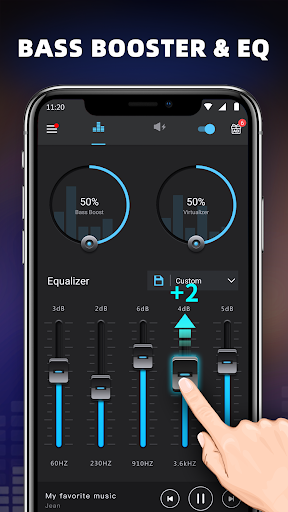
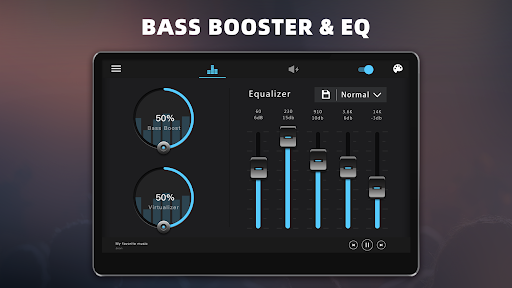
For a familiar rock track, I might try one of the genre presets, then move to a custom equalizer setting if I want a different balance. The five-band equalizer gives me a straightforward way to shape the sound, while the bass boost offers a separate adjustment. I’d make small changes and listen as I go; the point is to find a setting that suits my headphones or speaker, not to chase the biggest possible boost.
An add-on, not a player
The obvious alternative is to use the sound settings already available in a music player or on the device. Bass Booster & Equalizer is useful when I want a separate set of effects that can work alongside most music and video players. It includes ten equalization presets as well as customizable settings, so I can start with a ready-made profile and make adjustments instead of relying on a single fixed sound mode.
It is not a streaming service, a music library, or a tool for finding new artists. I still need to start playback in another player, and the app’s description also explains that video effects work while it runs in the background. That distinction matters: I’d consider it when I want to alter playback, not when I want playlists, recommendations, downloads, or a new media catalog.
Small habits that help
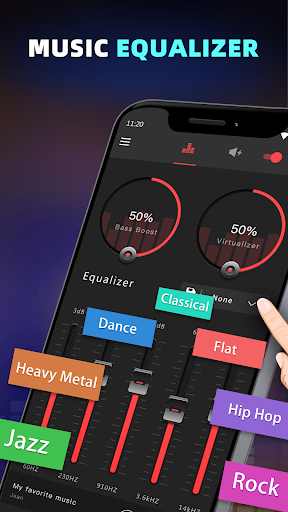
I’d begin with a preset rather than moving every control at once. The available choices include Normal, Classic, Dance, Flat, Folk, Heavy Metal, Hip Hop, Jazz, Pop, and Rock. Trying one against a song I know well gives me a useful reference point. If it is close but not quite right, I can switch to a customizable preset and adjust the five bands gradually.
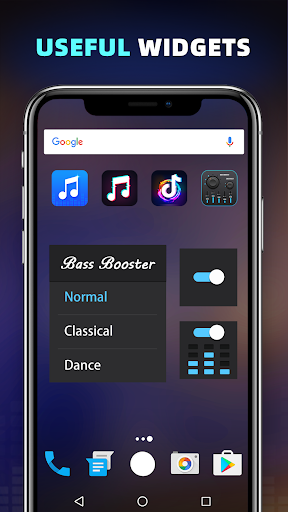
I’d also keep the notification control in mind when using the effects. The app describes leaving it active while music or video plays, and says its notification close button can be used to close the app and remove it from the status bar. Widgets are another option for making controls more accessible. A short listening check after changing settings is a sensible habit, especially when switching between headphones and the device speaker.
More From Our News Desk

Zoom Meetings, Google Meet, or Teams: Which Is Easiest to Join?

How I Build a Free Streaming Lineup With Tubi

Why Crunchyroll Is the Default Anime App for So Many Fans

YouTube TV: A Practical Guide to Cutting Cable

Rummikub and the Small Comfort of Phone Games

TeamViewer Remote Control or AnyDesk for Helping Family?
Who may enjoy the extra control
I’d recommend Bass Booster & Equalizer to Android listeners who like adjusting sound and want bass, volume, surround, and equalizer effects in one companion app. It should appeal most to people who already have a regular music or video player and are happy to make a few listening adjustments. The preset selection is approachable, while the custom option gives curious listeners room to experiment.
It may not suit someone who wants an all-in-one music service, detailed audio production tools, or a player with a built-in library. The app is focused on playback effects, and its results can depend on the device, player, and listening setup. Ads are present, too, so anyone who strongly prefers an ad-free experience should factor that into the decision before installing.
Bass Booster & Equalizer is a free Android app from Coocent in the Music & Audio category. Google Play shows over 10 million installs and a 4.5-star rating from around 385,000 ratings. The app contains ads, and the supplied store facts say it does not offer in-app purchases. Its content rating is Everyone.
The current version in the supplied app facts is 1.9.9. It was released on October 12, 2016, and its listed last update is August 18, 2026. A minimum Android version is not included in the supplied details, so check Google Play for the requirement that applies to your device.
Making Sound Tweaks Part of Listening
Starting with a sound check
My first impression is that this app is designed around adjustment rather than discovery. The basic idea is to have music playing in another app, then open Bass Booster & Equalizer and change its effects while listening. That order is practical: I can hear what a setting does against an actual song instead of guessing from a label alone.
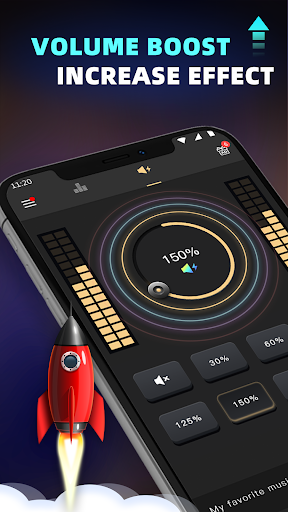
The available controls cover several different kinds of change. Bass boost and volume boost address low frequencies and loudness, while the five-band equalizer offers another way to shape the sound. There is also a stereo surround sound effect. I’d try one change at a time, because it is easier to tell what I like when I’m not changing several effects together.
How it fits each day
In daily use, the app makes the most sense as a small companion to existing listening habits. I can start a song in my usual player, open the equalizer app, and adjust the effect level or frequency. The description says it works with most music and video players, so the idea is to keep the player I already use rather than move my listening into a new one.
For video, the process is similar: adjust the effects, leave the app running in the background, and start the video in its player. That arrangement is convenient when I want to try a different sound for a clip or film, but it is still an extra step. I would not expect the app to manage playback or content; its role is to affect the sound.
Presets and extra controls
The ten presets give the app a useful starting point for different listening preferences. Normal and Flat offer alternatives to more genre-named settings such as Jazz, Rock, Dance, or Hip Hop. I like having these choices because they let me compare a few established profiles before I spend time on a custom one. They are options to test, not a promise that one preset will suit every recording.
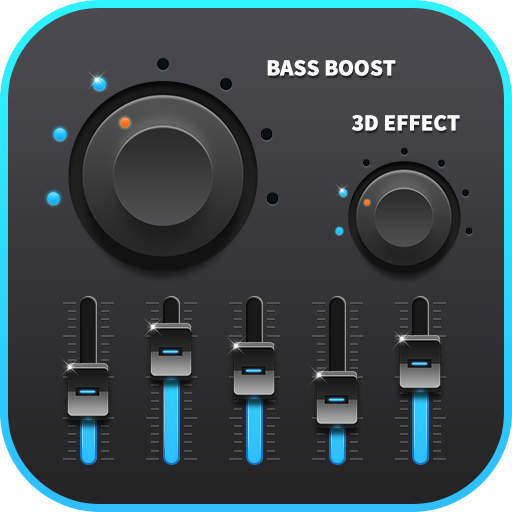
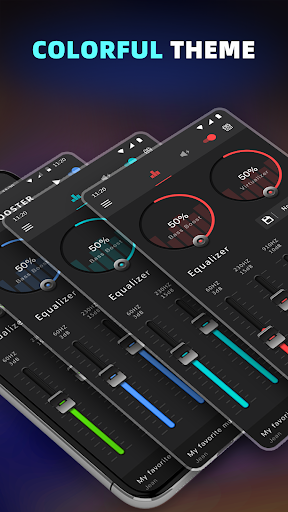
The five-band equalizer and customizable preset give me a route beyond those ready-made choices. Bass boost, volume boost, and stereo surround add separate effects, while a spectrum display provides a visual element during use. The app also includes notification control, three widgets, and 16 colorful themes. Those extras are relevant to accessibility and appearance, though the main appeal remains changing playback sound.
A simple listening routine
A routine I’d use is to start with a familiar track at a comfortable volume, select a preset that seems close, and listen for a little while before making a small adjustment. If the preset is not quite right, I can try the customizable option and adjust the equalizer. This slow approach makes comparisons more useful than turning every effect up immediately.
I’d repeat the check when changing from headphones to the device speaker, since those are different listening setups. The app’s description specifically suggests headphones for a better result, but it also offers a volume boost for the speaker. Keeping changes modest and testing the sound in the situation where I’ll actually listen gives me a practical way to decide whether a setting helps.
Limits to keep in view
The biggest limitation is the app’s narrow purpose. It adjusts audio effects but does not supply music or video, so it depends on another player and adds a separate step to listening. Compatibility is described as working with most music and video players, rather than every player, which means I’d test it with the apps I actually use before building it into a routine.
Sound adjustments are personal, and a stronger effect is not automatically a better one. The device, headphones, speaker, and source audio all influence what I hear. Ads are also part of the free app experience. Those points do not rule it out, but they make it best for listeners who are comfortable experimenting and can accept an ad-supported companion tool.
Bass Booster & Equalizer does one clear job: it gives Android listeners a collection of sound effects and equalizer controls to use with other music and video players. I appreciate the mix of presets and customization, along with practical extras such as notification control and widgets. Its value depends on whether I want those adjustments enough to use a separate app.
I’d try it if I enjoy tuning playback and want a simple place to experiment with bass, volume, and equalization. I would skip it if I’m looking for a player, streaming catalog, or ad-free experience. For the right listener, it is a straightforward companion; just make changes gradually and judge the result with your own setup.
Bass Booster & Equalizer Frequently Asked Questions
What is Bass Booster & Equalizer used for?
Bass Booster & Equalizer is used to adjust sound effects while music or video plays in another player. Its features include bass and volume boost, a stereo surround effect, and a five-band equalizer with presets and a customizable option. It is an audio companion rather than a music or video library.
Can I use Bass Booster & Equalizer on an iPhone?
The supplied app information describes Bass Booster & Equalizer as an Android app. Check Google Play for device compatibility and installation details. If you are looking for an iPhone version, check the relevant app store, since availability can vary.
What Android version does Bass Booster & Equalizer require?
The minimum Android version can vary by release and device. Check the Google Play store page for the requirement that applies to your phone or tablet before installing. The app is described as working with most music and video players, though compatibility with a particular player may vary.
Does Bass Booster & Equalizer cost money?
The supplied Google Play facts describe Bass Booster & Equalizer as free and say it contains ads but does not offer in-app purchases. Store details can change over time, so check Google Play for the current cost and ad information before downloading.
Who should try Bass Booster & Equalizer?
It may suit Android listeners who already use a music or video player and want separate controls for sound effects. The presets are useful for quick experiments, while the customizable equalizer offers more control. It may not suit people seeking a music catalog, playback library, or ad-free app.
Pros
- Combines bass, volume, surround, and five-band equalizer effects.
- Offers ten presets plus a customizable equalization option.
- Works alongside most music and video players.
- Includes notification control, widgets, and multiple themes.
Cons
- Requires another player for music and video playback.
- Contains ads, which may interrupt an otherwise simple routine.
- Audio results depend on the player and listening equipment.
- Category
- Music & Audio
- Version
- 1.9.9