Apple Music
- 763.58K
- 4.6
- Installs
- 100.00M
- Price
- Free

Screenshots
Analysis by Reviewed APKs
Apple Music is a subscription music app for people who want a large song catalog, tailored recommendations, and ways to listen beyond a basic playlist. I see its strongest appeal in the mix of familiar listening tools and extras like lyrics, artist programming, offline downloads, and car playback. It suits regular listeners who like exploring as much as replaying favorites, though it is not a one-time music purchase.
Music For The Daily Loop
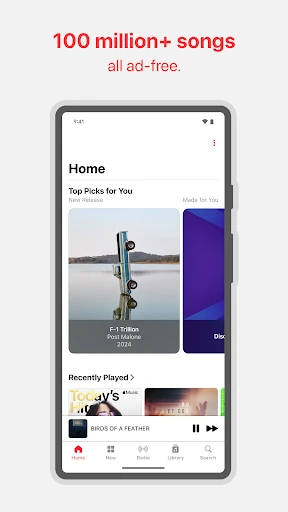
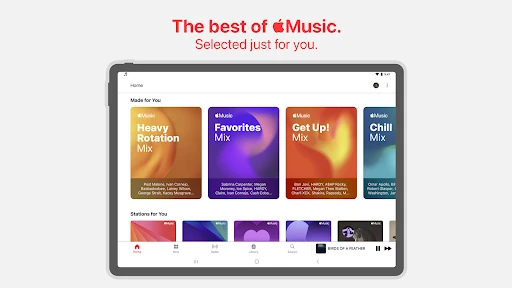
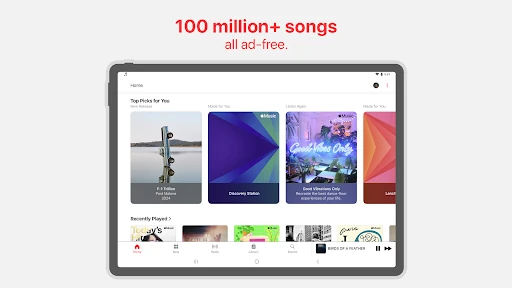
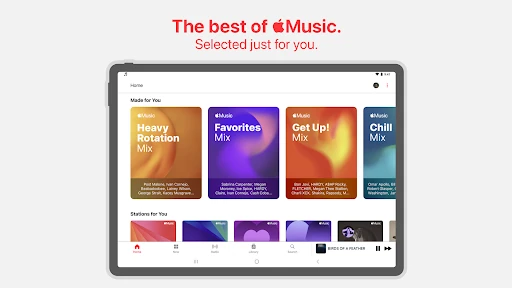
When I picture using Apple Music on an ordinary weekday, it starts with a familiar routine: pick a playlist for breakfast, switch to a personalized mix on the commute, then search for a particular album later. The Home area is designed to offer personal picks, mixes, and a Discovery Station, so the app can serve both a planned listen and the moment when I just want something to play.
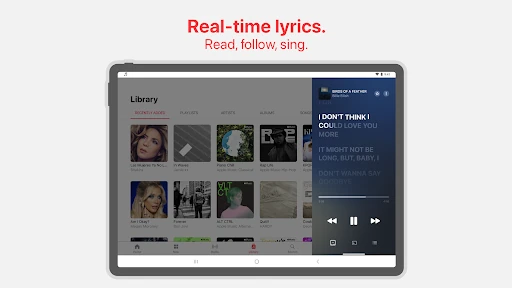
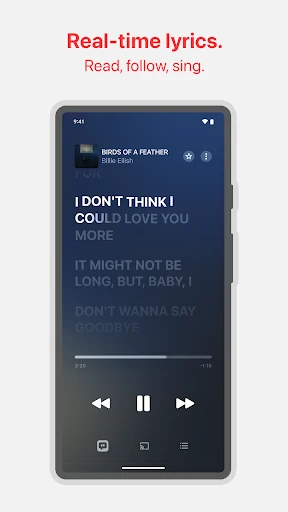
The small conveniences matter here. Lyrics can follow a song beat by beat, and selected tracks offer translations or pronunciations, which makes singing along or understanding a line easier. If I know I will be without a connection, I can download music for offline listening. AutoPlay can keep music going after a selection ends, so a short queue need not become a silent one.
Streaming, Not A Music Locker
Apple Music makes the most sense when I want an ongoing listening service rather than a place to buy one album and keep it as a standalone purchase. It combines access to a catalog of over 100 million songs with personalized playlists and stations, artist-focused programming, and tools for sharing. That breadth gives it more to do than simply replaying files I already have, especially when I want suggestions or something new.
It is not a general entertainment bundle or a podcast-and-audiobook hub in the material described here; the focus is music and music-related content. Nor is every feature equally useful to every listener. Someone who mainly wants to play a small collection may not care about recommendations, live performances, or collaborative playlists. I would compare its subscription approach with other music services, while checking current plan details before choosing.
Small Habits That Help
I would make the Home recommendations part of a light discovery habit: check a personalized mix when I want background music, then use the Discovery Station when I have time to hear unfamiliar tracks. That keeps exploration low-pressure. If I find a song worth returning to, I can download it for offline listening rather than relying on a connection during a later trip.
Lyrics are useful when listening is more active than background noise. I can follow along with a favorite track, and translations or pronunciations on supported songs add another way to engage. For shared listening, playlist collaboration and SharePlay offer options to involve friends. These tools are best treated as occasional additions, not chores; the core payoff is still having music ready when a routine calls for it.
More From Our News Desk

Zoom Meetings, Google Meet, or Teams: Which Is Easiest to Join?

How I Build a Free Streaming Lineup With Tubi

Why Crunchyroll Is the Default Anime App for So Many Fans

YouTube TV: A Practical Guide to Cutting Cable

Rummikub and the Small Comfort of Phone Games

TeamViewer Remote Control or AnyDesk for Helping Family?
Who Will Enjoy Apple Music
I would recommend Apple Music to people who listen throughout the day and want one place for familiar albums, personalized suggestions, and artist-related programming. It is especially appealing if offline downloads, lyrics, Chromecast streaming, Android Auto, or shared listening fit your routine. The catalog size gives curious listeners room to browse, while playlists and stations help when choosing a specific album feels like too much work.
It may be a weaker fit if you rarely listen to music, prefer buying individual tracks, or do not want a recurring subscription. The extra features also depend on the song, device, plan, and region, so I would not choose it solely for one particular capability. Listeners who want a very simple player for a fixed personal collection may find the broader discovery and subscription model unnecessary.
Apple Music is developed by Apple and is available on Android. On Google Play, it has over 100 million installs and a 4.6-star rating from about 764,000 ratings. The app is free to download, with in-app purchases; the reported in-app product price range is $5.99 to $199.99 per item. It contains no ads and has a Teen content rating.
The Google Play version is listed as varying by device, and no minimum Android version is provided in the supplied app details. Apple Music was released on November 10, 2015, and the supplied last-update date is October 29, 2026. Subscription availability, features, and pricing can depend on country, region, plan, or device, so I would check the current store details before subscribing.
A Closer Look At Everyday Listening
A Familiar First Step
When I first open a music app, I want a quick route to something I recognize and a useful nudge toward something new. Apple Music’s Home recommendations are built around that balance, with personalized picks, mixes, and a Discovery Station. That gives the opening experience a clear purpose: choose a comfortable listen now, or let the service suggest a direction.
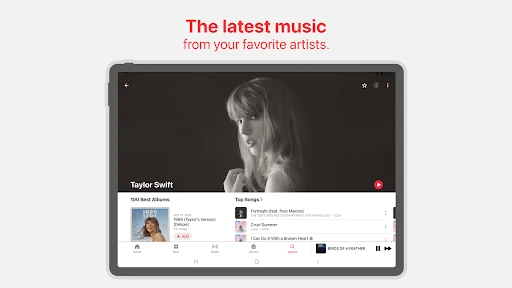
The app also makes a point of putting music itself first. Its selection includes over 100 million songs, while artist interviews, live performances, and radio shows add context around listening. I like that this can make an artist page or a favorite track feel like a starting point rather than the end of the session.
Listening Day To Day
In daily use, the most practical feature may be the one that removes a small interruption. AutoPlay can continue the listening session when a chosen selection finishes, while downloads let me prepare music for an offline stretch. Those are useful for a commute, a workout, or a long day when I would rather not keep rebuilding a queue or depend on a connection.
Personalized playlists and stations address the other common problem: deciding what to play. I can turn to a mix when I want a familiar mood, then move to a Discovery Station when I feel like exploring. The approach is convenient, though recommendations are suggestions rather than a substitute for searching when I already know the exact song or album I want.
More Than The Track
Lyrics give Apple Music a more hands-on side. The beat-by-beat display makes it easier to follow a song as it plays, and translations or pronunciations are available for some songs and languages. I would not expect those options to appear on every track, but when they do, they add something useful for singing along or getting a clearer sense of the words.
The app also includes artist interviews, live performances, and exclusive radio shows. These are appealing when I want to stay with an artist after an album ends, without switching to a separate source for every piece of related content. Concert information can help surface nearby shows and tour dates, though its usefulness naturally depends on location and what is available.
A Commuter-Friendly Routine
A practical routine might begin at home, where I choose a playlist or station for the day and download the music I expect to want offline. On the way out, Android Auto gives the app a place in a compatible car setup. If I am listening through a Chromecast-supported device, I can send music there instead of keeping playback on the phone.
When friends are involved, SharePlay supports real-time listening, and playlist collaboration offers a way to build a shared queue. I would use those options for a drive or a get-together where people want a say in what plays. The point is not to make every session social; it is nice to have a shared option available when listening becomes a group activity.
Keep The Fine Print In View
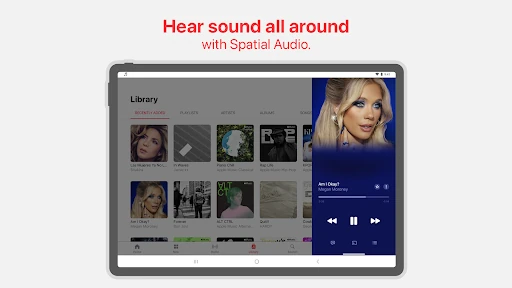
Some of Apple Music’s headline extras have practical limits. Spatial Audio is not available for all content, and lossless audio at its highest stated resolution requires additional equipment such as a USB digital-to-analog converter. Lyrics translations and pronunciations cover selected songs and languages. I would treat these as useful possibilities, not guarantees for every album or listening setup.
Features and availability can vary by country, region, plan, or device. Optional permissions for notifications, contacts, camera, and location support related features, but the app can be used without granting them; some functions may then be unavailable. Collaboration also has age and regional restrictions. Those caveats do not undermine the core music service, but they are worth considering if a specific extra is the main reason to subscribe.
Apple Music is a capable choice for everyday listening, with a large catalog, personal recommendations, offline downloads, and enough artist and sharing features to keep it from feeling like a bare player. I especially like the way lyrics, AutoPlay, and car support can fit naturally into ordinary routines.
I would recommend it to regular listeners who want discovery as well as dependable access to favorites. If you only need a small personal music library or want to avoid a subscription, its broader service may be more than you need. Check the current plan and feature availability for your region before making the call.
Apple Music Frequently Asked Questions
What is Apple Music used for?
Apple Music is a music streaming app for listening to songs, playlists, and stations, including personalized recommendations. It also offers lyrics on supported tracks, downloads for offline listening, artist-focused content, concert information, and sharing features. Availability of particular songs and extras can vary by region, plan, or device.
Which devices can run Apple Music?
The app is available on Android, and its described features include Chromecast streaming and Android Auto support. Device compatibility can affect which features are available. Apple Music is also described as supporting listening on other devices, but check the relevant store or device information for current compatibility details.
What Android version does Apple Music require?
The supplied app details do not give a minimum Android version. The Google Play version is described as varying by device, so I would check the current Apple Music page in Google Play on the device you plan to use. Requirements and feature availability can change with device compatibility.
Does Apple Music cost money?
Apple Music is free to download and includes in-app purchases. The reported in-app product prices range from $5.99 to $199.99 per item. Subscription prices and available plans can vary by region, so check Google Play for current local details before signing up. Subscriptions automatically renew unless canceled in time.
Is Apple Music right for casual listeners?
It can suit casual listeners who want recommendations, playlists, and a large catalog ready when they need it. However, people who only play a small collection or prefer buying music individually may not need its subscription-focused service. Features vary by plan, region, and device, so consider which tools you would actually use.
Pros
- A catalog of over 100 million songs, plus personalized mixes and stations.
- Offline downloads, AutoPlay, lyrics, and car playback support everyday listening.
- Artist interviews, live performances, and radio shows add music-focused extras.
- Sharing options include SharePlay and collaborative playlists.
Cons
- Subscription pricing and feature availability can vary by region and plan.
- Lyrics translations and pronunciations are available only for selected songs and languages.
- Some high-resolution audio setups require additional external equipment.
- Category
- Music & Audio