BandLab: Music Maker & Studio
- 838.63K
- 4.4
- Installs
- 100.00M
- Price
- Free

Screenshots
Analysis by Reviewed APKs
BandLab: Music Maker & Studio is a music-making app for recording vocals and instruments, building beats, and editing songs on a phone or across mobile and web. It suits curious beginners as well as musicians who want a portable place to sketch and polish ideas. I like how much creative ground it covers, though its many tools and optional paid extras mean it can take time to find a comfortable workflow.
From voice memo to song idea
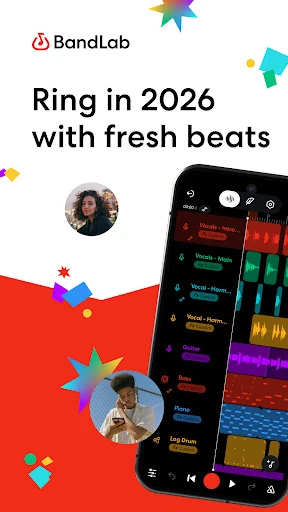
When I first opened BandLab, I thought about the half-formed song ideas that tend to show up when there’s no proper studio nearby. The app brings recording, instruments, loops, and effects into one place, so a vocal melody can become the start of a multitrack project rather than another note buried in a voice-memo folder. I could imagine recording a rough chorus, then adding a beat or a few instrument parts while the idea was still fresh.
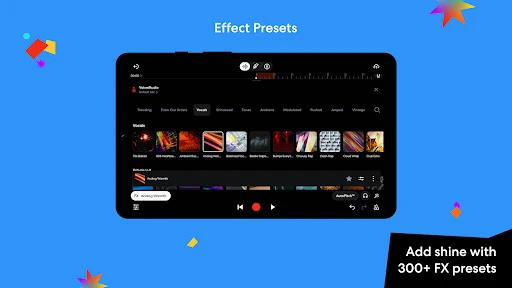
For a low-pressure evening session, I’d start with a vocal or instrument recording and build around it with loops, the Drum Machine, or virtual instruments. If the take needs work, the app offers tools including AutoPitch effects, vocal presets, and Takes for assembling a performance from multiple recordings. That makes BandLab useful for moving from a rough sketch toward a more considered demo without having to switch between separate recording and beat-making apps.
A studio, not just a beat pad
BandLab sits somewhere between a quick idea-catcher and a more involved music-production workspace. A basic beat-making app may be simpler when all I want is to tap out a groove, while a dedicated audio editor may be a better fit for a narrow editing job. BandLab’s appeal is the combination: recording, arranging, effects, AI-assisted tools, and editing are all part of the same offering, with projects usable on mobile and web.
That breadth also means it isn’t simply a one-button song generator or a replacement for learning how recording and mixing work. SongStarter and other AI tools can help prompt ideas, but shaping a track still involves choices about takes, parts, effects, and levels. I’d pick BandLab for experimenting and building demos; someone who only wants to listen to music, or make a beat with the fewest possible controls, may prefer a more focused app.
Small habits that help
I’d get more out of BandLab by saving a quick sketch as a project as soon as it has a promising hook, then returning to it with a specific next step in mind. One session might be only about recording a cleaner vocal; another could be about finding a loop or adding a bass part. This keeps the app’s broad choice of instruments and effects from turning every short creative break into a tour of every available tool.
It also helps to treat effects as finishing choices rather than the first stop. I’d record a take, compare the available vocal options, and make small changes before adding more layers. For beat ideas, trying a sample or a drum kit before piling on instruments can keep the arrangement manageable. Since BandLab supports mobile and web editing, switching devices can fit a routine where a phone captures an idea and a larger screen is used later.
More From Our News Desk

Zoom Meetings, Google Meet, or Teams: Which Is Easiest to Join?

How I Build a Free Streaming Lineup With Tubi

Why Crunchyroll Is the Default Anime App for So Many Fans

YouTube TV: A Practical Guide to Cutting Cable

Rummikub and the Small Comfort of Phone Games

TeamViewer Remote Control or AnyDesk for Helping Family?
Who may enjoy BandLab
I’d recommend BandLab to aspiring songwriters, vocalists, beat-makers, and musicians who want a flexible place to develop ideas without paying an upfront purchase price. Beginners can explore recording and virtual instruments, while more experienced creators may appreciate multitrack projects, audio and MIDI editing, effects, and options for working on mobile or web. Its free tools provide plenty to investigate before deciding whether a paid plan’s additional features matter to a particular workflow.
It may be less appealing to someone who wants a very simple recorder with almost no learning curve, or to a producer who expects every advanced feature to be included at no cost. BandLab’s toolset is broad, and some capabilities are tied to Pro or Max plans. Ads and in-app purchases are also part of the app’s store details. I’d suggest it to people who enjoy exploring creative options, rather than anyone looking for a purely hands-off result.
BandLab: Music Maker & Studio is a Music & Audio app from BandLab Technologies. On Google Play it has over 100 million installs and a 4.4-star rating from about 839,000 ratings. It is free to download, with in-app purchases priced from $2 to $350 per item, and it contains ads. The content rating is Teen.
The supplied app facts give version 11.35.3, a release date of June 8, 2015, and a last update date of October 27, 2026. No minimum Android version is provided in those facts, so check Google Play for the requirement that applies to your device. BandLab’s description says music creation is available on Android, iOS, and web.
A Closer Look at Making Music
A broad first impression
BandLab makes a strong first impression through the sheer range of creative jobs it aims to handle. The description brings together recording, beat-making, vocal processing, editing, and AI music tools, rather than presenting a single-purpose recorder. For a newcomer, that can be exciting: there are several possible starting points, whether the first idea is a voice, a rhythm, or a loop.
That same range can make choosing a starting point feel less obvious. I’d keep the first session modest: record a short idea, try one instrument or loop, and leave the more advanced options for later. The app’s mobile and web availability gives it room to grow with a project, but a few focused sessions are likely easier than trying to understand every feature at once.
Making a track day to day
The core experience is about building a song in layers. BandLab supports recording vocals and instruments, multitrack projects, and audio and MIDI editing across mobile and web. That makes it practical for a small daily routine: capture a melody, add a rhythm, and revisit the project when there’s time to work on another part. Cloud storage for songs is included in the description, which supports keeping ideas available as they develop.
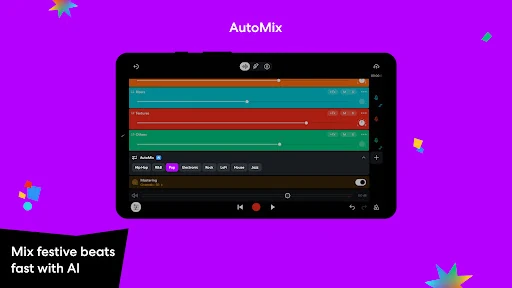
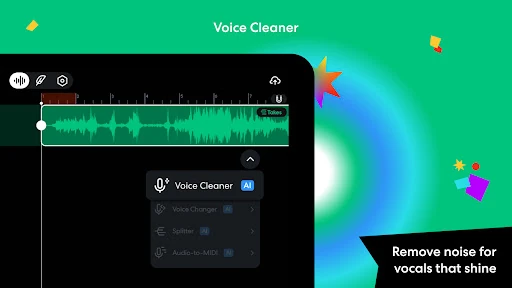
Once a recording is in place, the app offers several ways to shape it. AutoPitch effects, vocal presets, and Voice Cleaner address different parts of vocal work, while effects and audio presets can change the character of a track. AI AutoMix is described as adjusting levels and panning. Those options can help with experimentation, but the best result still depends on listening and deciding what actually suits the song.
Tools with creative range
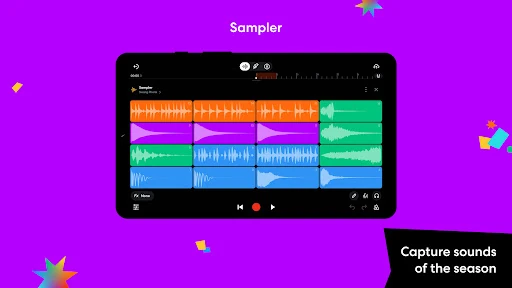
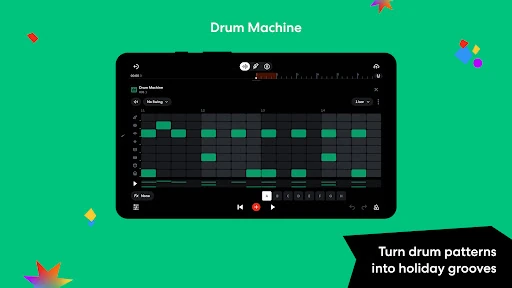
For beat-making, BandLab combines a curated sample library, Sampler, a Drum Machine, Looper packs, and a collection of virtual instruments. The description gives the library more than 436 virtual instruments and more than 60 effects, with additional premium options available. That range makes it possible to start from a preloaded groove or build from recorded sounds, depending on whether I want a quick prompt or a more personal starting point.
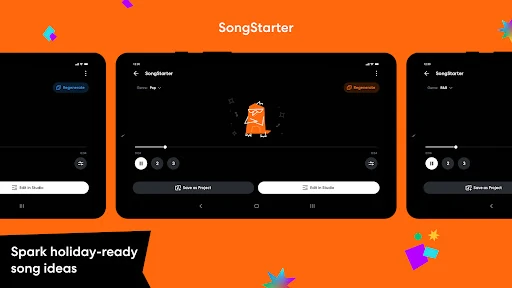
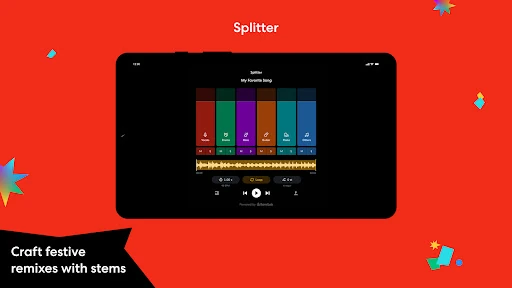
The AI features are varied rather than limited to generating a finished track. SongStarter can spark royalty-free ideas, Splitter can separate a song into stems, and Audio-to-MIDI can turn recorded vocals, instruments, or drums into MIDI. Vocal tools also include Takes for combining performances and Retune for note-by-note pitch adjustments. These are useful creative options, though they are best understood as aids for a project, not substitutes for choosing and arranging its musical parts.
A practical session routine
A simple session could begin with a chorus recorded on the phone, followed by a few takes to find a performance worth keeping. From there, I’d try a vocal preset or a light touch of pitch correction, then add a drum pattern or loop to establish the feel. If the arrangement starts to take shape, another instrument can fill out the idea. Keeping each session focused on one task makes a large toolkit feel more approachable.
For a later polish pass, the description points to mastering presets, AI AutoMix, and audio editing controls. I’d use those after the song’s main parts are in place, listening for whether the changes help rather than applying every available effect. When a project needs more detailed attention, the option to edit on web as well as mobile provides another way to continue working without treating a phone screen as the only workspace.
Keep the trade-offs in view
BandLab’s free-to-use positioning comes with a distinction worth noticing: the description identifies Pro and Max plans that unlock more features. Examples include extra AutoPitch effects, additional instruments, more stem options, and further mastering controls. A creator may be perfectly happy with the free tools, but someone who depends on a particular advanced option should check whether it belongs to a paid tier before building a routine around it.
There is also a lot to learn if all someone wants is a quick recording with no production decisions. Between instruments, presets, loops, editing, and AI-assisted features, the app can invite more tinkering than a short idea deserves. Google Play also notes ads and in-app purchases. I’d approach BandLab as a flexible creative workspace, not a promise that every feature or every session will be effortless.
BandLab is a versatile option for turning a passing musical idea into something more complete. Recording, beat tools, virtual instruments, editing, and vocal features live under one roof, while mobile and web support offer flexibility as a project grows. Its biggest strength is choice; its main drawback is that a broad set of tools can take patience to navigate.
I’d try it if I wanted a free starting point for songwriting, vocal demos, or beat experiments and didn’t mind learning as I went. It is less suited to someone who wants a bare-bones recorder or expects every advanced feature to be free. For curious creators, though, BandLab offers a lot of room to explore.
BandLab Frequently Asked Questions
What is BandLab: Music Maker & Studio used for?
BandLab is for making and editing music. Its described tools include recording vocals and instruments, building beats with samples and virtual instruments, editing audio and MIDI, and applying vocal or mixing effects. It also offers AI-assisted tools for generating ideas and working with audio. It is a creative workspace, rather than a music-listening app.
Which devices can I use BandLab on?
BandLab’s description says it supports music creation on Android, iOS, and the web, with audio and MIDI editing across mobile and web. For specific device compatibility, check the store or platform details for your device, since requirements can vary.
What Android version does BandLab require?
The Android version requirement can vary by device and app release, so check the Google Play store page for the requirement that applies to your phone or tablet. The app’s description identifies Android as one of its supported platforms.
Is BandLab free, and does it have in-app purchases?
BandLab is free to download and use, and it offers in-app purchases. The supplied Google Play facts give a price range of $2 to $350 per item. The description also says Pro and Max plans unlock additional features, so check Google Play for current purchase details.
Is BandLab suitable for beginners?
It can suit beginners who want to explore recording, beats, and song ideas, since the app brings several creative tools together. Its range may feel like a lot at first, so it is sensible to start with one recording or beat-making task. Experienced creators may also find features to explore, while users wanting a very simple recorder may prefer a narrower app.
Pros
- Combines vocal recording, beat-making, instruments, and editing in one creative workspace.
- Supports music creation on mobile and web, with cloud storage for songs.
- Offers a broad set of AI-assisted tools for ideas, vocals, and audio.
- Free to download, with plenty of described tools to explore.
Cons
- The wide selection of tools may feel overwhelming during a first session.
- Some advanced features require Pro or Max plans.
- Google Play notes ads and in-app purchases.
- Category
- Music & Audio
- Version
- 11.35.3