StarMaker: Sing Karaoke Songs
- 3.87M
- 4.4
- Installs
- 500.00M
- Price
- Free

Screenshots

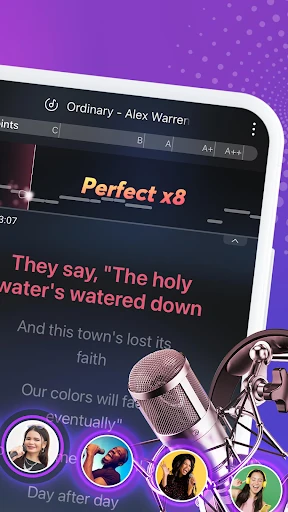
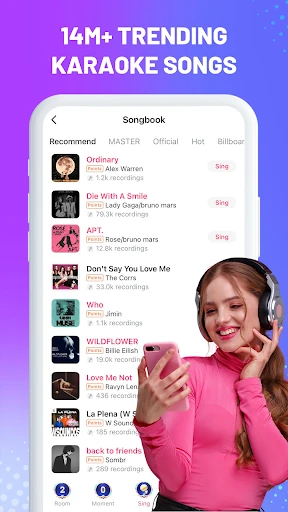
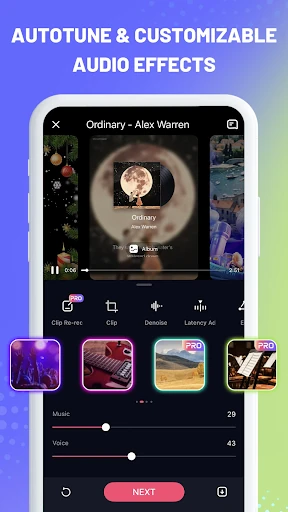
Analysis by Reviewed APKs
StarMaker: Sing Karaoke Songs turns an Android phone into a place to sing along, record a performance, and share it with other music fans. I’d point casual singers, karaoke regulars, and friends who enjoy making duets toward it. After spending time with its mix of lyrics, audio effects, video tools, and community features, I found it more playful than a plain karaoke player, though its social side may not suit everyone.
A karaoke break at home
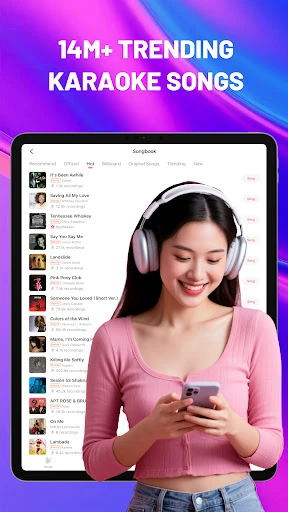
When I first opened StarMaker, I thought of the small gaps in an ordinary evening: waiting for dinner, winding down after work, or having friends over with nothing planned. I could choose a song, follow its rolling lyrics, and record myself singing over the backing music. That makes the app easy to approach without arranging a full karaoke setup. A phone and a song you know are enough to get started.
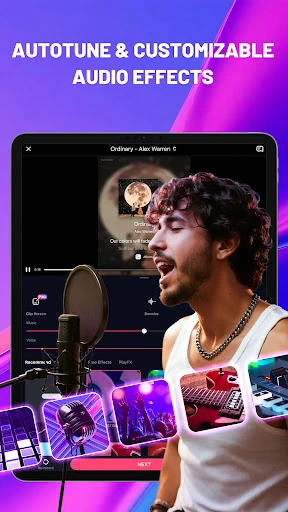
The recording tools give that quick sing-along a second step. I could try vocal effects, including options such as Warm or Vinyl, and make a video with a visual filter or template. I like that the app supports both audio-focused singing and selfie-style music videos, because not every performance needs to become a production. Still, I’d treat the edits as playful finishing touches rather than a substitute for practicing a song.
More than a song player
The obvious alternative is a basic karaoke app or a video service where I can sing along to a track. StarMaker goes further by pairing karaoke recordings with effects, video editing, duets, group singing, and rooms where people can interact. That broader mix is its main distinction: it can be a solo pastime, but it also gives singers ways to perform with friends or take part in a music community.
I wouldn’t choose it as a dedicated vocal-training course, a professional recording studio, or a simple offline music player. Its description mentions pitch correction and learning to sing, but the experience centers on performing songs and sharing music, not a structured curriculum. And while there is a community element, someone who wants a private, no-social-features karaoke session may prefer a more straightforward player.
Small habits that help
I’d get more from StarMaker by keeping a short list of songs I’m curious about, rather than spending every session browsing. Picking one familiar track makes it easier to focus on singing and compare how different audio effects change the feel of a recording. If I’m short on time, the Hook feature offers a way to sing a favorite section instead of recording a whole song.
For a more social session, I’d decide in advance whether I want a duet, a group performance, or just to listen to other covers. The app supports all of those kinds of activity, alongside rooms and Family communities. I’d also be selective about permissions: the app says optional access can be declined, though related features may not work properly without it. That lets me tailor the experience to what I actually plan to use.
More From Our News Desk

Zoom Meetings, Google Meet, or Teams: Which Is Easiest to Join?

How I Build a Free Streaming Lineup With Tubi

Why Crunchyroll Is the Default Anime App for So Many Fans

YouTube TV: A Practical Guide to Cutting Cable

Rummikub and the Small Comfort of Phone Games

TeamViewer Remote Control or AnyDesk for Helping Family?
Who may enjoy singing here
I’d recommend StarMaker to people who already enjoy karaoke and want more than lyrics on a screen. It suits casual singers who like recording takes, trying vocal or video effects, and sharing a performance. Friends can use the duet and group options to make a familiar song into a shared activity, while more community-minded users can explore rooms, covers, and Family groups.
It may be a weaker fit for someone who wants a purely private practice tool, dislikes social features, or expects formal singing lessons. The app offers pitch correction, but its central appeal is making and enjoying performances rather than teaching a step-by-step course. People who prefer a minimal interface may also find the range of recording and community options more than they need for an occasional sing-along.
StarMaker: Sing Karaoke Songs is a Music & Audio app from SKYWORK AI PTE. LTD. On Google Play, it has over 500 million installs and a 4.4-star rating from around 3.9 million ratings. It is free to download and contains ads, with in-app purchases. The listed price range for in-app items is $0.49 to $199.99, so spending is optional but can vary by item.
Google Play gives the app a Teen content rating and lists Android 6.0 as its minimum requirement. The current listed version is 9.4.5. StarMaker was released on November 11, 2013, and its most recent listed update was February 9, 2026. Those details are useful when checking whether the app suits your device and expectations before installing.
A closer look at singing and sharing
Getting started
My first impression was that StarMaker wants singing to feel approachable, not formal. The basic idea is clear: choose a song, follow the lyrics, and sing along with backing music. From there, I could record, add effects, or make a video. That gradual path works well for a newcomer who wants to try one song before deciding whether the editing and community options are worth exploring.
The app describes several permissions as optional, including microphone, photos or media, storage, contacts, location, calendar, and Bluetooth. I’d grant only what matches the activity I’m trying: recording needs microphone access, while saving or making videos can involve media access. StarMaker says it can still be used without optional permissions, although some features may not work as intended.
The everyday experience
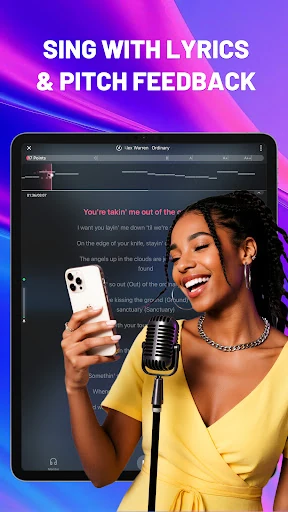
The rolling lyrics are the practical center of a session. I can keep my attention on the song rather than trying to remember every line, and the backing music gives the performance a karaoke feel. The described library spans different styles, including Pop, Hip Hop, R&B, and Folk. That variety makes the app easier to return to when my mood changes, even if I’m only looking for one song.
Recording changes the experience from simply singing along to making something I can revisit or share. I can experiment with an audio effect, use pitch correction, and decide whether the result should be a recording or a music video. I appreciate that these are optional creative steps. Some evenings I’d just sing a hook and leave it there; other times I’d spend longer shaping a take.
Effects, videos, and duets
The effects are among the app’s most noticeable extras. StarMaker names audio choices such as Distant, Warm, Vinyl, Party, and Fascinating, and its description also highlights pitch correction. I’d use these as ways to change the character of a recording, not as a promise that every take will sound polished. The point is to have a few different directions to try when a plain recording feels flat.
Video tools add another layer, with filters such as Vintage, Paris, Sunset, Urban, and Spring, plus templates for making music videos with lyrics displayed. For a shared performance, Hook lets me sing a chosen section, while duet options support performances with friends or artists. These features give the app several formats for the same basic impulse: sing a song, then decide how much of the result to present.
A routine with friends
For a low-key get-together, I’d use StarMaker as an activity everyone can join in different ways. One person could pick a familiar track and sing, another could join a duet, and anyone who would rather not perform could listen to covers. The app also describes rooms for interaction and sing games, so a session can move beyond taking turns recording without needing to become a serious competition.
For solo use, I’d keep a smaller routine: choose a song I know, record one take, then try a different effect only if I’m curious. I might use Hook when I want a quicker session, or make a video when I feel like sharing a more complete performance. Keeping the goal small helps the app feel like a fun musical break instead of another task that needs perfect results.
Limits to keep in mind
StarMaker’s breadth is also a possible drawback. Singing, editing, videos, duets, rooms, and community features create more to explore than a basic karaoke player offers. That can be appealing if I want a social music hobby, but distracting if I only want lyrics and backing vocals. The app also contains ads and offers paid in-app items, so the free download does not mean every part of the experience is free of interruptions or optional purchases.
I’d also keep expectations grounded around the recording tools. Effects and pitch correction can change a performance, but the app’s description doesn’t make it a replacement for lessons or professional audio work. The social options may be enjoyable for people who like sharing, while those who prefer to keep singing private may not use much of the app’s broader community. It’s best suited to casual performance and music play.
StarMaker is a flexible karaoke app for people who want to sing, record, and optionally share what they make. I like that a simple sing-along can grow into an edited video, a duet, or a group session without changing the app’s basic purpose. The effects and social tools add variety, though they are more than a minimalist karaoke fan may want.
I’d try it if karaoke is already part of my downtime or if I want a playful way to make music with friends. I’d look elsewhere for structured vocal lessons or a strictly private practice tool. With ads and optional in-app purchases in the mix, it is worth considering how much of its social and editing side I expect to use.
StarMaker Frequently Asked Questions
What is StarMaker: Sing Karaoke Songs used for?
StarMaker is used to sing karaoke songs with backing music and rolling lyrics, record performances, and add audio or video effects. It also supports singing hooks, duets, group performances, rooms, and music-community interactions. I’d think of it as a karaoke and sharing app rather than a structured singing course or a conventional music player.
Which devices can run StarMaker: Sing Karaoke Songs?
The supplied store information is for the Android app on Google Play. Its minimum listed requirement is Android 6.0. Device compatibility can depend on the phone or tablet, so I’d check the Google Play store entry for the device I plan to use before installing.
Does StarMaker: Sing Karaoke Songs cost money?
StarMaker is free to download, but it contains ads and offers in-app purchases. Google Play lists in-app item prices from $0.49 to $199.99. Purchases are optional, and the item prices can vary, so I’d check the current store details if I want to know what a particular purchase costs.
Does StarMaker: Sing Karaoke Songs teach singing?
The app includes karaoke lyrics, recording tools, effects, and pitch correction, which can make singing and reviewing a performance more engaging. Its described focus is singing songs and sharing music, rather than following a formal course. It may suit casual practice, but I wouldn’t treat it as a substitute for structured lessons.
Who is StarMaker: Sing Karaoke Songs best for?
I’d recommend it to karaoke fans who enjoy recording performances, trying effects, or singing with friends. People interested in covers, rooms, and community features may also find plenty to explore. It may be less appealing if you want a very simple private karaoke player or a dedicated vocal-training app.
Pros
- Rolling lyrics and backing music make casual karaoke sessions easy to start.
- Audio effects, pitch correction, and video filters add creative options.
- Hooks, duets, rooms, and group singing support shared performances.
- The free download gives singers a way to try the core experience.
Cons
- Ads and optional purchases may interrupt or complicate the experience.
- Its social and editing features may feel excessive for simple karaoke.
- Pitch correction and effects do not make it a structured singing course.
- Category
- Music & Audio
- Version
- 9.4.5