TurboTax
- —
- —
- Installs
- 500.00K
- Price
- Free

Screenshots


Analysis by Reviewed APKs
TurboTax is a Canadian tax-preparation app for people who want to organize their tax information, get guidance, and submit a return to the CRA from a phone or other device. It suits filers who appreciate a guided process and the option to ask tax experts for help. My overall take is that its strongest appeal is combining tax filing with year-round receipt organization, rather than treating everything as a once-a-year scramble.
A calmer tax-season routine
Picture opening TurboTax after dinner with a few tax slips still to gather and no desire to make a special trip to a desktop computer. The app can connect to a CRA My Account for Auto-fill my return, which imports tax slips, and it offers access to Canadian tax experts for help with deductions and credits. That gives the process a practical starting point: gather information, work through the return, and ask for guidance when a question comes up.
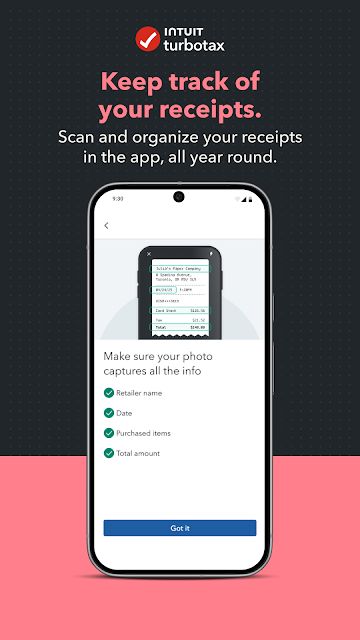
The receipt tracker is useful even before filing season arrives. I can see the appeal of scanning and organizing receipts as expenses happen, instead of sorting through a drawer months later. The app also describes support for personal and business expenses. That makes TurboTax more than a filing-day tool, though the value of the tracker depends on whether I build it into an existing routine.
Filing help, not tax authority
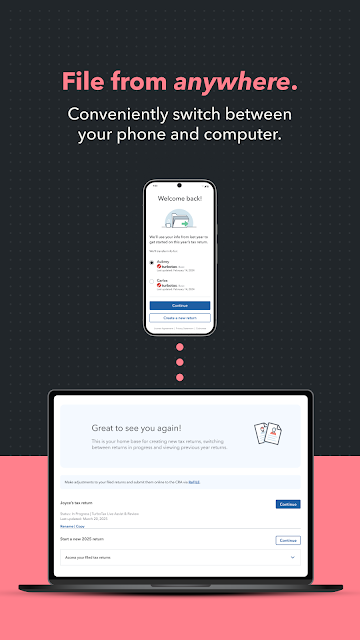
Compared with handling a return entirely on paper or assembling information manually, TurboTax brings importing, expert guidance, and filing into one app. Its ability to switch between a phone, laptop, or tablet and pick up where I left off also makes it a better fit for people who move between screens. It is an option for preparing a Canadian return, not simply a calculator for occasional number checks.
The distinction that matters is that TurboTax is a preparation service, not a government entity. It can help guide a return, but the CRA and relevant provincial or local tax authorities remain the sources for specific tax requirements. I would not treat the app as a substitute for checking an official requirement when a tax situation needs a definitive answer. Its focus is Canadian income tax, not general budgeting or everyday banking.
Small habits that help
I would start by connecting a CRA My Account when ready to use Auto-fill my return, then check the imported slips against the records I already have. Importing can reduce repetitive entry, but taking a moment to review information is a sensible part of preparing any return. Keeping the work in one place can also make it easier to spot which documents or questions still need attention.
For the receipt tracker, a small repeatable habit is more realistic than a grand filing system: scan receipts when I have them in hand, and use the app to keep personal or business expenses organized through the year. If I begin on my phone and want a larger screen later, I can switch to a laptop or tablet and continue where I left off. That continuity is a practical convenience, not a reason to skip careful review.
More From Our News Desk

Zoom Meetings, Google Meet, or Teams: Which Is Easiest to Join?

How I Build a Free Streaming Lineup With Tubi

Why Crunchyroll Is the Default Anime App for So Many Fans

YouTube TV: A Practical Guide to Cutting Cable

Rummikub and the Small Comfort of Phone Games

TeamViewer Remote Control or AnyDesk for Helping Family?
Who may find it useful
I would recommend TurboTax to Canadian filers who want a guided route through preparing a return and like having access to tax experts if they need help. It is especially appealing if importing slips from a CRA My Account or keeping receipts organized throughout the year would save you time. The option to move between mobile and larger devices is another plus for anyone who does not want to finish the whole task on a phone.
It may be a weaker fit for someone looking only for a simple expense tracker, since the app’s central job is Canadian tax preparation. It also may not suit someone who prefers to work directly from official tax information without a preparation service, or who expects the app itself to settle every complicated tax question. I would approach it as a tool for organizing and preparing a return, with official tax sources available for specific requirements.
TurboTax is a finance app for Android, developed by Intuit Canada ULC. Google Play shows over 500,000 installs. It is rated Everyone, and the app version in the provided facts is 8.12.0. The app first appeared on March 28, 2019, and its recorded last update is October 11, 2026.
The app is free to download, with no in-app purchases or ads indicated in the provided facts. The minimum Android version is not included in those facts, so check the Google Play entry for current device compatibility. Store figures and app details can change over time, so the live Google Play page is the best place to confirm what applies when downloading.
A closer look at tax season
Getting started
When I first opened the app, the main appeal was easy to understand: it is designed to help with a Canadian income tax return, while also giving users ways to keep records organized. The CRA connection is a meaningful part of that first impression. Auto-fill my return can bring tax slips into TurboTax through a CRA My Account, rather than requiring every detail to be entered from scratch.
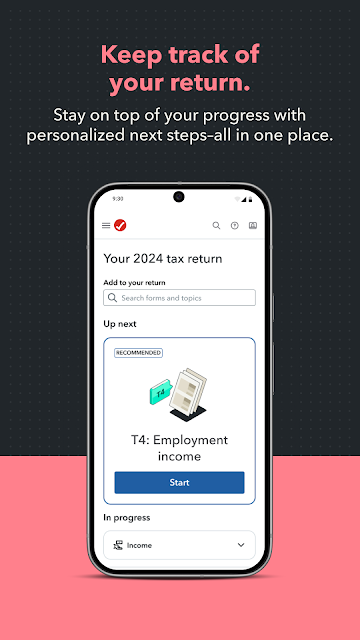
I would treat the first session as a setup and orientation rather than expecting to finish everything in one sitting. The app supports continuing across a phone, laptop, or tablet, so there is room to start wherever convenient and return on another device. That is useful for a task that may involve collecting documents, checking details, and pausing to ask a question.
The day-to-day experience
The everyday value is less about opening TurboTax daily and more about reducing friction when tax work comes around. Auto-fill my return can bring in tax slips, while access to Canadian tax experts offers a route to guidance on deductions and credits. Together, those features address two common sticking points: re-entering information and figuring out what questions to ask.
I also like that the app’s role does not have to begin and end with filing season. The receipt tracker is described as a way to scan and organize receipts throughout the year, including personal and business expenses. If used steadily, that can make records easier to gather later. If I forget to use it for months, though, it will not magically organize a pile of old receipts for me.
Features with practical value
Auto-fill my return is the standout convenience for a filer whose tax slips are available through a CRA My Account. The key benefit is having a direct way to import that information into the preparation process. It does not remove the need to review the return, but it can cut down on manual entry and give the filing session a more organized starting point.
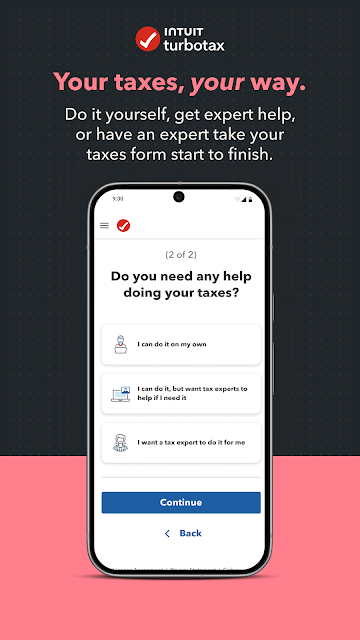
The expert-help option is another useful distinction. TurboTax says Canadian tax experts can guide users through claiming deductions and credits or handle a return from start to finish. I would see that as support for people who want help with the process, rather than a promise that every question will have an instant or identical answer.
Device switching and receipt organization round out the feature set. Being able to continue on a laptop or tablet after starting on mobile suits a task that can stretch across several sessions. The receipt tracker gives the app a year-round purpose, especially for someone who wants to keep personal or business expenses together.
A workable filing routine
A practical routine might begin well before filing: scan receipts as they arrive, use the tracker to keep them organized, and make a note of questions that need attention. When tax slips are ready, I would connect the CRA My Account for Auto-fill my return and compare the imported information with my own records. That sequence spreads the work out instead of leaving every task for one evening.
During the return itself, I would use the expert-help option when I need guidance on deductions or credits, then move to a laptop or tablet if a larger screen feels more comfortable. I would still pause to check the completed information before submitting. The app can help organize and prepare a return, but a deliberate review remains part of a responsible workflow.
Limits to keep in mind
TurboTax is focused on Canadian tax filing, so it is not a general-purpose finance app for tracking a household budget or managing banking. Its usefulness also depends on the filer’s comfort connecting a CRA My Account for importing slips and using an app as part of a tax process. Someone who prefers doing everything from official government resources may reasonably choose a different approach.
Expert access can be reassuring, but I would not assume that an app replaces official sources for specific tax requirements. TurboTax itself says it does not represent a government entity and points users to the CRA and provincial or local tax authorities for those requirements. The app’s usefulness is in guidance, organization, and preparation; users still need to review what they submit.
TurboTax’s strongest case is a practical combination: import tax slips from a CRA My Account, get access to Canadian tax experts, organize receipts, and move between devices as needed. Those features suit someone who wants support and prefers to spread tax work across the year instead of facing it all at once.
I would try it if I were preparing a Canadian return and wanted a guided process with record-keeping built in. I would not choose it as a replacement for official tax sources or as a general finance tracker. Used for its intended purpose, it looks like a convenient way to keep tax preparation moving.
TurboTax Frequently Asked Questions
What is TurboTax used for?
TurboTax is used to prepare and submit a Canadian income tax return to the CRA. It can import tax slips through Auto-fill my return when connected to a CRA My Account, provide access to Canadian tax experts, and help organize receipts for personal or business expenses.
Which devices can I use TurboTax on?
The app is available on Android through Google Play. Its description also says you can switch between a laptop, mobile app, or tablet and continue where you left off. Check the store entry for current device compatibility and availability on your device.
What Android version does TurboTax require?
The Android version requirement can vary as the app is updated. Check TurboTax’s Google Play page for the current minimum version and device compatibility before installing.
Does TurboTax cost money?
The app is free to download, and the provided app facts indicate no in-app purchases or ads. Tax-preparation service terms can matter when using TurboTax, so check the current Google Play information and the service terms for details that apply to your situation.
Is TurboTax suitable for every Canadian filer?
It may suit Canadian filers who want a guided preparation process, expert access, receipt organization, and the option to switch devices. It is not a government entity, and the CRA and provincial or local tax authorities are the sources for specific tax requirements. Whether it fits your needs depends on your return and preferred way of working.
Pros
- Imports tax slips through CRA Auto-fill my return when connected to a CRA My Account.
- Offers access to Canadian tax experts for help with deductions and credits.
- Supports continuing across a phone, laptop, or tablet.
- Receipt tracker can help organize personal and business expenses year-round.
Cons
- Focused on Canadian tax preparation, not general budgeting or banking.
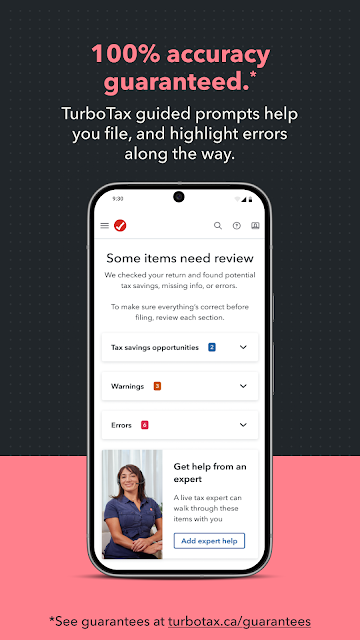
- Users should still review imported information and submitted return details carefully.
- Specific tax requirements should be checked with the relevant official tax authority.
- Category
- Finance
- Version
- 8.12.0











