TSB Mobile Banking
- 272.78K
- 4.5
- Installs
- 1.00M
- Price
- Free

Screenshots
Analysis by Reviewed APKs
TSB Mobile Banking is for personal TSB customers who want to check accounts, make payments and manage cards from an Android phone. I found its appeal in the useful everyday jobs gathered in one place, from moving money to putting a card on hold. It is a bank’s own account app, not a general-purpose budgeting service, and that focus makes it a practical companion for existing customers.
A Quick Check Between Errands
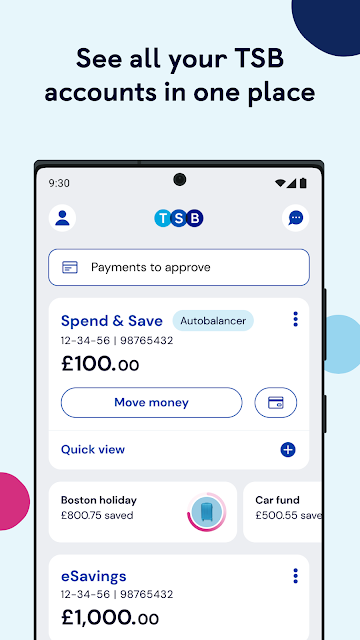
When I first imagined using TSB Mobile Banking in a normal week, the simplest scenario felt the most convincing: checking my balance before a grocery shop, then reviewing a card transaction afterward. The app brings TSB accounts together, so there is no need to switch between separate account views just to get a basic sense of where things stand. Retailer logos alongside transactions can also make a purchase easier to recognize at a glance.
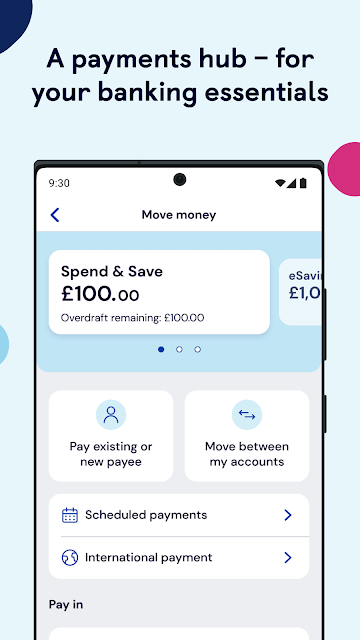
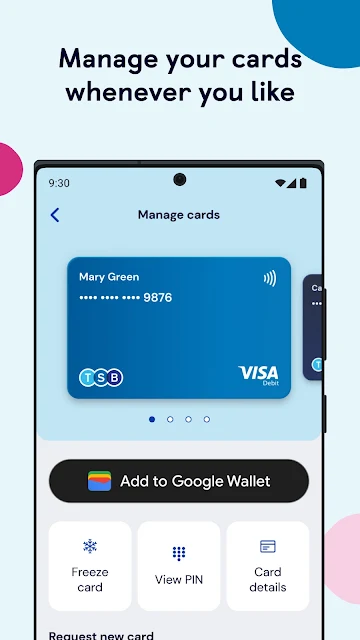
The app is useful when a small banking task pops up away from home. I could use it to make a payment, transfer money, or check a standing order or Direct Debit without waiting to sit down at a computer. If I misplaced a card, the option to freeze it would be handy to have close by. These are familiar banking jobs, but having them available in one mobile app makes routine interruptions easier to handle.
A Bank App, Not a Budget Coach
The obvious comparison is with online banking through a browser, or with a general money-management app. TSB Mobile Banking is most compelling if you already bank personally with TSB and want direct access to your accounts and card controls. Its focus is practical account management: balances, payments, transfers, card details and savings features. I see it as a mobile route into TSB banking rather than a replacement for every kind of financial tool.
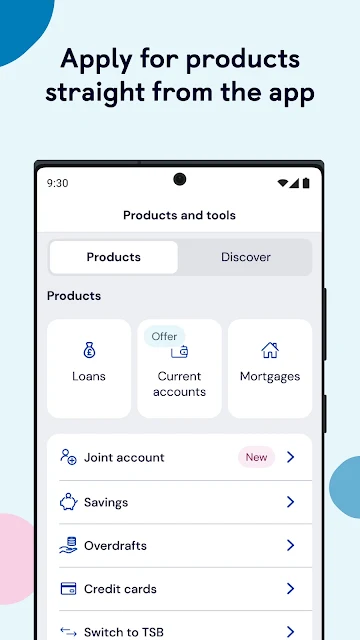
That distinction matters if you are looking for a service that brings accounts from several banks together or offers a broad financial plan. The description centers on managing TSB accounts, with spending tools and Savings Pots alongside core banking tasks. It is also not a way for non-customers to manage an existing TSB account; the app is intended for personal TSB Internet Banking customers. New product applications require UK residency, according to the app description.
Small Habits That Help
I would get the most from the app by making short, repeatable checks instead of opening it only when something goes wrong. A quick balance glance before a regular expense, followed by a look at recent transactions later, can help keep everyday activity visible. Spend & Save tools are there for tracking spending, while retailer logos can make the transaction list less of a wall of unfamiliar names.
Savings Pots and Save the Pennies offer another simple habit to build into a routine. I would use the app to move money into a pot when it suits my plans, then check back as part of a regular account review. Card controls are worth remembering before a stressful moment, too: knowing that the app can freeze or unfreeze a card, show its PIN and details, or order a replacement gives those options a useful place in the routine.
More From Our News Desk

Zoom Meetings, Google Meet, or Teams: Which Is Easiest to Join?

How I Build a Free Streaming Lineup With Tubi

Why Crunchyroll Is the Default Anime App for So Many Fans

YouTube TV: A Practical Guide to Cutting Cable

Rummikub and the Small Comfort of Phone Games

TeamViewer Remote Control or AnyDesk for Helping Family?
Who Will Get the Most From It
I would recommend TSB Mobile Banking to existing personal TSB customers who want common banking tasks within reach on an Android phone. It suits people who check balances on the move, make occasional payments, keep an eye on card activity, or want to use TSB’s savings and spending features. Biometric login options may also appeal to anyone who prefers a quick way into an account over typing login details each time.
It may be less useful to someone who does not bank with TSB, or to a customer looking for one app to manage accounts across different banks. The app’s stated purpose is personal TSB banking, so its strengths are tied to that relationship. Anyone who prefers to handle finances only on a computer may not need a phone app for the same tasks. An Android device running version 9.0 or above is required.
TSB Mobile Banking is made by TSB Bank plc. On Google Play, it has over 1 million installs and a 4.5-star rating from around 273,000 ratings. The app is free to download, and the supplied store information says it contains no ads and offers no in-app purchases. Its content rating is Everyone, which is a straightforward store detail rather than a measure of how complex banking tasks may feel.
The supplied app details give version 8.27.0, a release date of March 15, 2018, and a last update date of October 6, 2026. The app’s description says it is intended for personal TSB Internet Banking customers. The store figures provide a useful snapshot, while the account eligibility and terms remain matters customers should review with TSB.
Everyday Banking, Kept Within Reach
A Focused First Impression
When I first opened the app, I liked that its purpose was easy to understand: it is a mobile place to manage TSB accounts, not a collection of unrelated financial extras. The main appeal is having common account and card jobs available from a phone. That focus can be reassuring for an existing customer who simply wants to check in, move money or deal with a card without making a bigger project of it.
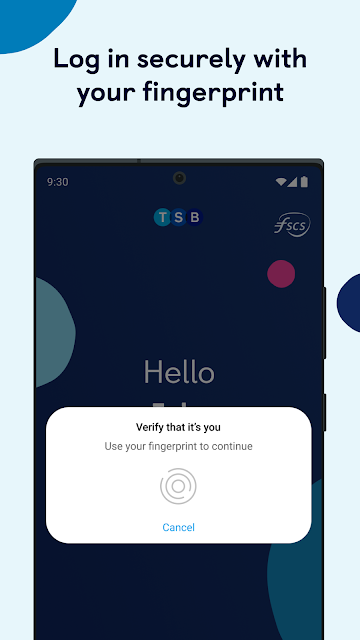
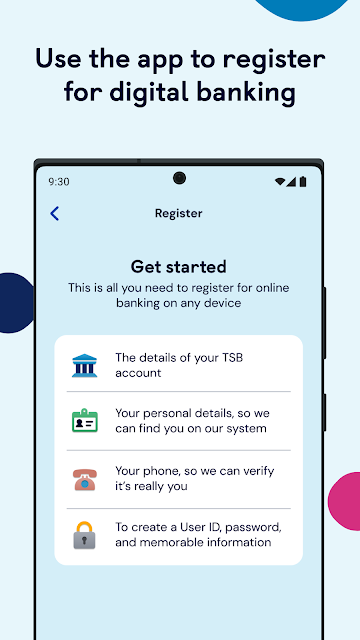
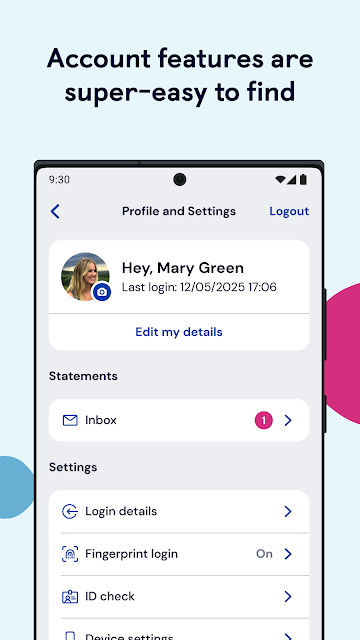
Getting started comes with an important eligibility detail. The app is intended for personal TSB Internet Banking customers, and the description sets Android 9.0 as the minimum operating system. It also supports fast login with Face ID or fingerprint. I would treat biometric access as a convenience for returning to the app, rather than as a reason to overlook the usual care needed when using a banking service.
Routine Account Tasks
Day to day, the app covers the basics I would expect to reach for most often: checking balances, making payments and transferring money. It also lets customers manage standing orders and Direct Debits, which gives it more value than a simple balance-checking tool. I can see it fitting naturally into the few-minute gaps that appear during a day, when a computer is not nearby but a banking task still needs attention.
The practical benefit is not that every money decision becomes effortless. It is that several familiar account actions sit together in a phone app. I would still take care when making payments or changing recurring arrangements, but being able to review and manage them directly is useful. The app’s role is to provide access to TSB banking tasks; it does not remove the need to check details before confirming an action.
Card and Savings Extras
Card controls are among the features that feel most useful in an unexpected moment. The app can freeze or unfreeze a card, show its PIN and card details, and let a customer order a replacement. I like having those options grouped with everyday account access; they are easy to remember when needed, and a card-related problem is exactly when searching around for the right service can feel especially inconvenient.
The savings options give the app a second purpose beyond paying bills and checking balances. Customers can move money into Savings Pots and use Save the Pennies, while Spend & Save tools are intended to help track spending. The app also supports adding a card to Google Pay. These features broaden its day-to-day usefulness without changing its central identity as TSB’s own mobile banking app.
A Simple Weekly Check-In
A realistic routine might be to check the balance before a regular weekly shop, then look through recent transactions afterward. Retailer logos can help identify purchases in that list, while the Spend & Save tools offer a way to keep an eye on spending. If I had money set aside for a particular purpose, I could also use a Savings Pot and revisit it during the same check-in.
For recurring commitments, I would use the app to keep track of standing orders and Direct Debits, rather than waiting until a payment surprises me. On another day, I might transfer money or review card details. The point is to keep these small tasks together, not to spend more time in the app. A short, regular glance seems a better fit than treating mobile banking as an all-day activity.
Limits to Keep in Mind
The clearest limit is that this is built for TSB personal customers. Someone hoping to manage accounts from several banks in one place may find the app’s scope too narrow. It also requires Android 9.0 or above, so an older phone may not meet the stated requirement. Those are practical boundaries, not flaws in the basic idea, but they shape who can actually make use of it.
Mobile banking also depends on the phone and its connection. TSB notes that signal and device functionality can affect its app and services, and that use in some countries may be restricted by local rules. If login trouble comes up, the description points customers toward an interactive guide, and it also mentions a service-status check. Keeping those limits in mind helps set realistic expectations for banking away from home.
TSB Mobile Banking looks like a sensible everyday tool for the people it is designed to serve. It combines account checks and payments with card controls, savings features and spending tools, without pretending to be a cross-bank money hub. I especially like the practical value of having a card freeze option and routine account tasks close at hand.
I would recommend it to personal TSB customers who use Android 9.0 or newer and want to manage their banking from a phone. If you are not a TSB customer, or want one app to cover several banks, it is probably not the right fit. For its intended audience, it covers a useful range of everyday needs.
TSB Frequently Asked Questions
What is TSB Mobile Banking used for?
TSB Mobile Banking lets personal TSB customers manage accounts from an Android device. Its listed features include checking balances, making payments, transferring money, managing standing orders and Direct Debits, and controlling cards. It also offers Savings Pots, Save the Pennies, Spend & Save tools, and the option to add a card to Google Pay.
Which devices can run TSB Mobile Banking?
The app is available for Android, and its description says a device must run Android 9.0 or above. It is intended for personal TSB Internet Banking customers. Device compatibility can change over time, so check the Google Play listing for the current requirement before installing it.
Does TSB Mobile Banking cost anything?
The supplied Google Play information describes TSB Mobile Banking as free, with no in-app purchases and no ads. Banking services and account terms are separate from the app download, so check TSB’s current information and the store listing for details that may vary.
Can I use TSB Mobile Banking without a TSB account?
The app is intended for personal TSB Internet Banking customers, so it is not presented as a general account app for people who bank elsewhere. The description also says UK residency is required to apply for new products. Check TSB’s current eligibility information if you are considering becoming a customer.
Is TSB Mobile Banking a good fit for me?
It may suit a personal TSB customer who wants account access, payments and card controls on an Android phone. It may not suit someone looking to manage multiple banks in one app or anyone whose device does not meet the stated Android 9.0 minimum. Current compatibility and service details are worth checking in the store.
Pros
- Combines everyday TSB account tasks, payments and recurring payment management.
- Includes practical card controls, including freezing a card and ordering a replacement.
- Savings Pots and spending tools add useful options beyond balance checks.
- Biometric login support can make repeat access more convenient.
Cons
- Designed for personal TSB customers, limiting its appeal to other bank customers.
- Requires Android 9.0 or above, which excludes some older devices.
- Mobile access can be affected by phone functionality and network signal.
- Category
- Finance
- Version
- 8.27.0











