thinkorswim Mobile: Trading
- 13.16K
- 2.9
- Installs
- 1.00M
- Price
- Free

Screenshots
Analysis by Reviewed APKs
thinkorswim Mobile: Trading is a market research and trading app for people who want to follow accounts, study charts, and manage orders from a phone or tablet. I found its strongest appeal in the range of tools it brings together, especially chart studies and simulated trading. It is built for engaged investors, though its breadth may feel like a lot if you only want a simple portfolio snapshot.
A market check between errands
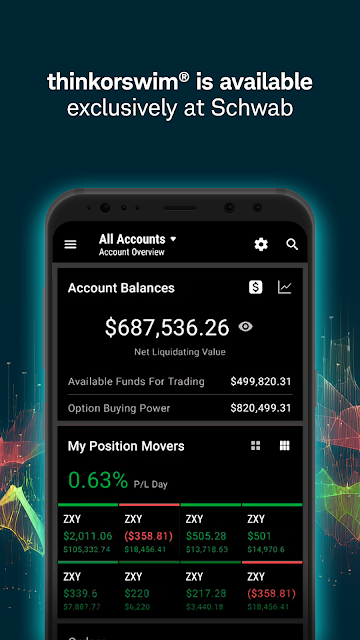
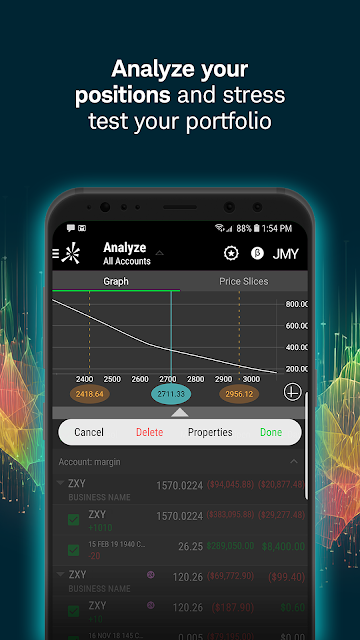
Imagine checking a position during a lunch break, then wanting more than a glance at its price. In thinkorswim Mobile, you can review account balances and positions, pull up quotes and charts, and look at studies before deciding what to do next. Watchlists, alerts, and orders are also available to track and modify, so the app can support a continuing routine rather than a one-off market check.
I can picture using it at a kitchen table in the morning: review a watchlist, open a chart, compare it with company or economic events, then save an order to revisit. If a question comes up, the app offers live chat with a trading specialist during support hours. That combination makes it useful for keeping research and account activity close at hand, while still requiring care with decisions made on a small screen.
More than a portfolio glance
Compared with a basic brokerage app focused on balances and straightforward trades, thinkorswim Mobile puts more emphasis on analysis and control. Its description includes advanced orders with conditions, charts with hundreds of studies, and products such as stocks, options, futures, and forex. That breadth is a meaningful distinction for someone who wants to examine a trade idea and manage orders without switching between several tools.
It is not simply a passive investing dashboard, nor is it a shortcut to knowing what to buy. The app supplies research tools, account information, educational videos, and market programming, but users still have to interpret what they see and understand the risks of each product. Someone who wants only a quick balance check may find the depth unnecessary, while a beginner may prefer time to learn the terminology.
Small habits that help
A little organization should make a feature-rich trading app easier to revisit. I would keep a focused watchlist, use alerts for items I am actively following, and check saved orders before placing or changing anything. Those habits help avoid treating every market movement as urgent. The app also supports chart drawings that sync within the thinkorswim suite of platforms, which can make repeated chart work less fragmented.
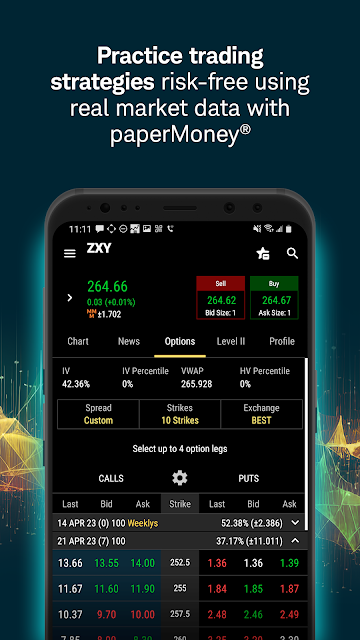
For learning, paperMoney offers a way to try strategies with hypothetical funds and live market data. I would treat it as practice, not as a prediction of how a real trade will behave: the app explains that executions, costs, and other elements are simulated. Educational videos and company profiles can add context, while a consistent review routine can keep research from turning into impulsive tapping.
More From Our News Desk

Zoom Meetings, Google Meet, or Teams: Which Is Easiest to Join?

How I Build a Free Streaming Lineup With Tubi

Why Crunchyroll Is the Default Anime App for So Many Fans

YouTube TV: A Practical Guide to Cutting Cable

Rummikub and the Small Comfort of Phone Games

TeamViewer Remote Control or AnyDesk for Helping Family?
Who may get the most from it
I would recommend thinkorswim Mobile to people who already follow markets and want charting, order management, and account information together on a mobile device. It also has a useful practice angle for someone exploring strategies through paperMoney before using real funds. People who need to monitor watchlists and saved orders while away from a computer may appreciate having those tasks available in the same app.
It may be a poor fit for someone who wants a very simple, low-attention way to invest, or who finds dense financial tools stressful. The app covers complex products, and its own disclosures note that investing can involve losses, including losses beyond an initial investment for some products and strategies. I would approach it as a toolkit that rewards familiarity, not as a source of ready-made decisions.
thinkorswim Mobile: Trading is published by The Charles Schwab Corporation. On Google Play, it has over one million installs and a 2.9-star rating from about 13,000 ratings. The app is free to download, and the supplied store facts indicate no in-app purchases or ads. Its content rating is Everyone.
The listed Android version is 123.1. The app was released on July 27, 2010, and its last update is dated October 20, 2026. The minimum Android version is not included in the supplied app facts, so check Google Play for device compatibility. The description says it requires a wireless signal or mobile connection, and functionality can vary by operating system and device.
A closer look at mobile trading
A busy first impression
When I first opened the idea of this app, what stood out was its scope: it is meant to handle research, account management, and trading rather than one narrow task. Quotes, charts, studies, positions, and order tools all belong to the same experience. That can be reassuring when you want to move from looking at a symbol to checking how it relates to your own account.
There is a learning curve in that density. The app does not present itself as a stripped-down beginner interface, and a new user may need time to understand which tools matter to their routine. I would start with a watchlist and a chart rather than trying to explore every product and setting at once. A wireless or mobile connection is required, and responsiveness can depend on connection limits and market conditions.
Following positions day to day
The everyday experience centers on keeping track of information and acting on it when appropriate. You can view balances across accounts, manage positions, and follow watchlists, alerts, and orders. That mix makes the app relevant both before and after placing a trade: a user can research a symbol, review an existing position, or revisit an order without treating each step as a separate activity.
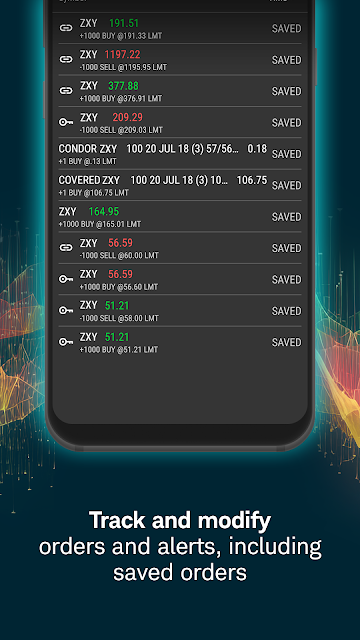
I like that the description includes saved orders and the ability to track and modify orders, rather than limiting the app to placing something new. Advanced orders can be created or changed with conditions. Those capabilities bring useful control to a phone, but they also make deliberate review important. Small screens encourage quick actions, so I would pause to verify the details before submitting or editing an order.
Charts, practice, and context
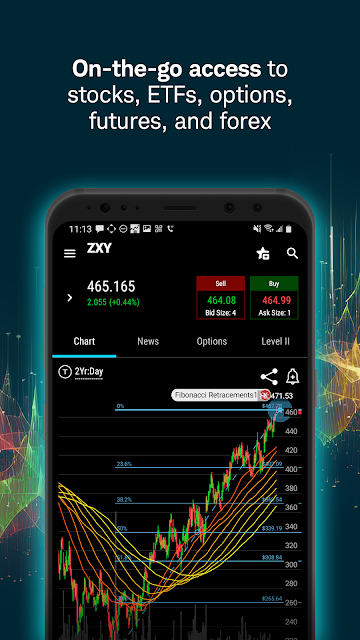
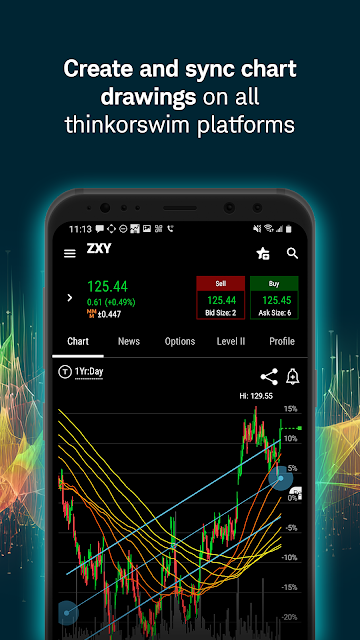
Charting is one of the app's more substantial features. It supports multi-touch charts with hundreds of studies, and users can overlay company and economic events to compare market history with relevant context. Drawings sync within the thinkorswim suite of platforms. This is more than a tiny sparkline beside a quote; it gives chart-focused users a way to inspect information on a mobile device.
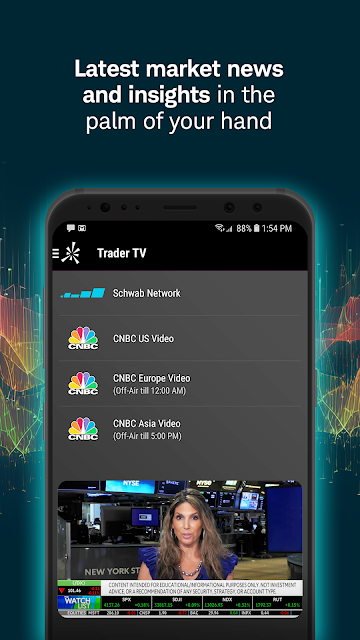
PaperMoney adds a separate practice space, using hypothetical funds alongside live market data. That can help someone work through a strategy without placing a real trade, but simulated activity is not the same as live execution. The app also includes educational videos, company profiles from Trefis, and live programming from Schwab Network and CNBC. Together, these features broaden the app beyond order entry.
A measured daily routine
A practical routine might begin with checking balances and positions, then reviewing only the watchlist items that matter that day. I would open a chart when a specific question comes up, use studies or event overlays to examine context, and leave alerts in place for items worth revisiting. This keeps the app useful without making every notification or price change a reason to trade.
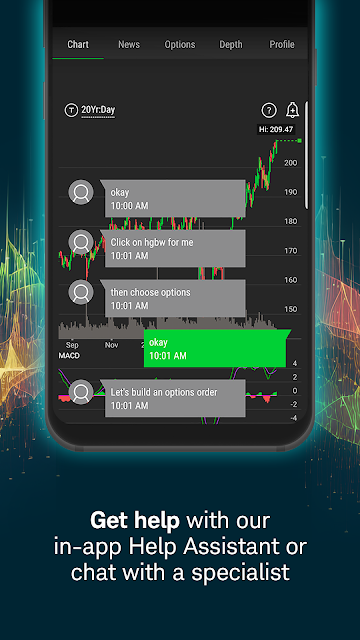
If I were testing an unfamiliar strategy, I would use paperMoney and keep notes about what I was trying to learn. I would also treat educational content as context rather than a substitute for understanding product risks. Live chat with a trading specialist during support hours offers another route when help is needed, and screen sharing can take place without leaving the app.
Limits behind the toolkit
The breadth that makes thinkorswim Mobile capable can also make it feel demanding. A user who wants only a plain account summary may not need hundreds of chart studies or advanced order conditions. The app's 2.9-star Google Play rating is a modest store score, so I would not assume every user will find the experience smooth or intuitive. It is worth checking whether its approach suits your own needs.
Mobile trading also has practical constraints. The description says service availability and response times are subject to market conditions and the limits of a mobile connection, and functionality can differ by operating system or device. More importantly, the app covers products and strategies that carry risk. Paper trading is simulated, and results in that setting do not establish how a live trade will turn out.
thinkorswim Mobile is a substantial companion for people who want to research markets, manage positions, and work with orders away from a computer. Its charting, paperMoney practice, and account tools make it more versatile than a simple balance-checking app. The trade-off is a learning curve and a lot of information to handle on a phone.
I would try it if you already have a clear interest in trading tools and are willing to learn the interface carefully. If your needs are limited to a simple portfolio view, a lighter app may suit you better. Whichever route you take, treat simulated results as practice and make decisions with the risks of each product in view.
thinkorswim Mobile Frequently Asked Questions
What is thinkorswim Mobile: Trading used for?
It is used to manage positions and account balances, view quotes and charts, work with watchlists, alerts, and orders, and place trades. It also includes paperMoney for simulated strategy practice, educational videos, and market programming. Available products described include stocks, options, futures, and forex. Investing and trading involve risk, and simulated activity does not replicate every part of live trading.
Which devices can run thinkorswim Mobile: Trading?
The app is available on Android through Google Play, and its description refers to use on a phone or tablet. Functionality can vary by operating system and device. Check the Google Play store page for current device compatibility and requirements before installing, especially if you are using an older Android device.
What Android version does thinkorswim Mobile require?
The minimum Android version may vary or depend on the current release and your device. Check the Google Play store page for the latest compatibility details. The app also requires a wireless signal or mobile connection, and connection limits or market conditions can affect availability and response times.
Does thinkorswim Mobile: Trading cost money?
The app is free to download on Google Play, and the supplied store facts show no in-app purchases or ads. Trading products and services have their own terms and risks, so do not interpret the download price as a statement about every possible trading cost. Check the store and relevant account information for current details.
Is thinkorswim Mobile suitable for new traders?
It may suit a learner who is prepared to spend time with charts, educational videos, and paperMoney, which uses hypothetical funds for simulated trading. It is not a substitute for understanding the risks of a product, and simulated performance may differ from live trading. People seeking a very simple investing interface may find the app's range of tools more than they need.
Pros
- Combines account balances, positions, watchlists, alerts, and order management in one mobile app.
- Offers charts with hundreds of studies and overlays for company and economic events.
- PaperMoney supports strategy practice with hypothetical funds and live market data.
- Live chat with a trading specialist includes in-app screen sharing during support hours.
Cons
- The depth of charting and order tools may take time to learn.
- A wireless or mobile connection is required, and responsiveness can depend on conditions.
- The app covers complex products that carry substantial investment risks.
- Category
- Finance
- Version
- 123.1











