Text Free: Second Phone Number
- 592.54K
- 4.5
- Installs
- 50.00M
- Price
- Free

Screenshots
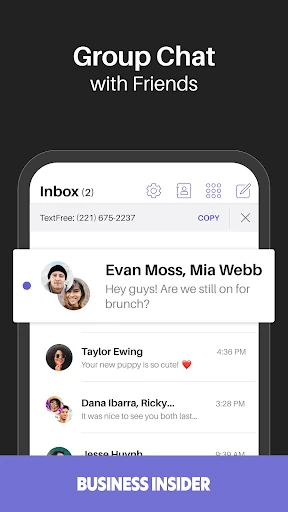
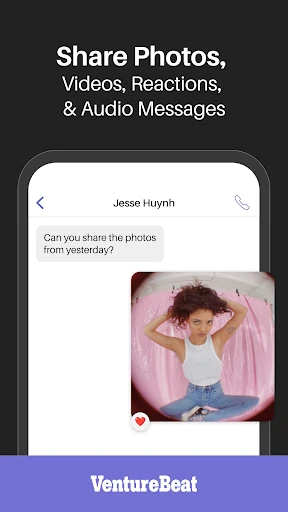
Analysis by Reviewed APKs
Text Free: Second Phone Number gives you a separate number for calls and texts on your smartphone, using Wi-Fi or mobile data instead of a traditional carrier line. It suits people who want to keep a personal number private or separate work and everyday conversations. I like the straightforward idea: one app for a second line, with a free ad-supported option, though the ads and paid extras are part of the trade-off.
A Separate Line for Everyday Life
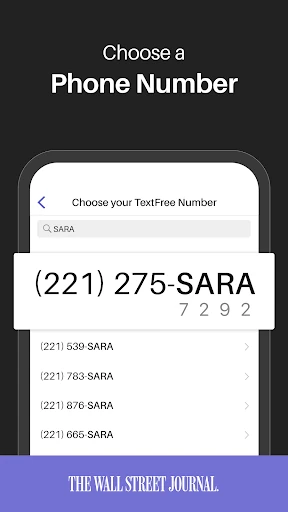
When I first considered where TextFree might fit, I thought about the little moments when handing out my main number feels like more than I want to do. A marketplace pickup, a job inquiry, or a conversation tied to a side project can all use a separate contact number. TextFree is built around that job: it provides a number for calls and texts without requiring another phone or SIM card.
The practical appeal is that the second line lives on the smartphone I already carry. If I’m connected to Wi-Fi or mobile data, I can use the app to communicate through that number rather than relying on a separate carrier plan for the line. Texts can include photos, GIFs, and PDFs, so the number is useful for more than short plain-text replies.
A Companion, Not a Carrier Replacement
TextFree makes the most sense as an additional way to communicate, not as a reason to expect every part of a carrier phone plan from one app. Its number is a dialable U.S. or Canadian number, and calls and texts run over an internet connection. That can be handy when I want another contact point, but the service depends on Wi-Fi or mobile data being available.
Compared with carrying a second phone, this is the simpler arrangement: the app and its number stay on the device I already use. It is also distinct from a messaging app that only works between people with the same service, since the description presents TextFree numbers as usable for calling and texting. Still, it is not a traditional carrier line, and its free version includes ads.
Small Habits That Help
I’d make the purpose of the number clear before I start sharing it. Keeping it for a particular kind of contact—such as marketplace conversations or work inquiries—makes the separation more useful than treating it as a second number for everything. It also gives me a simple rule for deciding which conversations belong in TextFree and which should stay on my main line.
A second useful habit is to remember what the service needs: an internet connection. Before counting on the app for a time-sensitive call or message, I’d check that Wi-Fi or mobile data is available. If I’m considering the paid Plus option, I’d compare its ad-free use and other listed extras with how often I actually use the line, rather than upgrading just because the option is there.
More From Our News Desk

Zoom Meetings, Google Meet, or Teams: Which Is Easiest to Join?

How I Build a Free Streaming Lineup With Tubi

Why Crunchyroll Is the Default Anime App for So Many Fans

YouTube TV: A Practical Guide to Cutting Cable

Rummikub and the Small Comfort of Phone Games

TeamViewer Remote Control or AnyDesk for Helping Family?
Who May Find It Useful
I’d recommend TextFree to someone who wants a separate number for everyday calls and texts without carrying another device. It could suit people handling side-project conversations, job searches, dating-app contacts, or online purchases who would rather not share their personal number in every situation. The ability to send photos, GIFs, and PDFs also makes the line more practical for ordinary exchanges.
It may be a less natural fit for someone who needs a conventional carrier connection or expects to use the number without internet access. The free experience is ad-supported, so anyone who finds advertisements distracting should weigh that before settling in. Plus adds paid features, including ad removal, but the subscription is optional; people who only need occasional second-line communication may prefer to start with the free version.
Text Free: Second Phone Number is a communication app from Pinger, Inc. On Google Play it has over 50 million installs and a 4.5-star rating from around 593,000 ratings. The app is free to download and use with ads, and it offers in-app purchases. The listed in-app product range is $1.99 to $99.99 per item.
Google Play gives the app an Everyone content rating. The supplied app details identify version 13.28.1, a release date of February 2, 2011, and a last update of October 12, 2026. TextFree works through Wi-Fi or mobile data, and its numbers are described as U.S. or Canadian. The Android version requirement can vary, so it is worth checking the app’s Google Play page for compatibility with a particular device.
How TextFree Fits a Second Line
Getting Oriented
The first impression is that TextFree has one clear purpose: give me a second number for calls and texts. That focus is helpful because I don’t have to think of it as a broad social platform or a replacement for every communication tool on my phone. The number is intended to work directly on the smartphone, with no extra handset or SIM card required.
The service uses Wi-Fi or mobile data, so the basic setup idea is easy to understand even before getting into the details. I’d want a connection available when I’m using the line, just as I would with other internet-based communication. The app is ad-supported, which is worth knowing from the outset rather than discovering only after I’ve started relying on it.
Calls and Texts in Practice
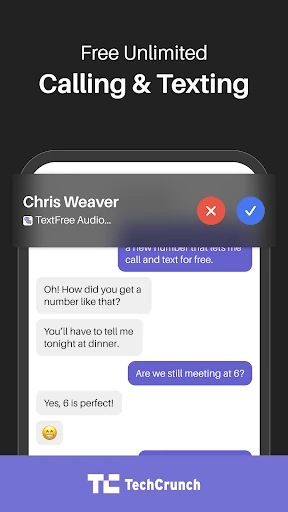
Day to day, the useful part is having calls and texts associated with a number other than my primary one. I can imagine using it to arrange a pickup, answer a work-related question, or continue a conversation where I prefer not to give out my usual digits. TextFree brings those two basic communication jobs together in one app.
The service describes the number as dialable and says it can be used over Wi-Fi or mobile data rather than a traditional carrier plan. That makes it convenient when I have internet access, while also defining its limits: a connection is part of the deal. It’s a practical distinction to keep in mind if I’m used to assuming a phone number works independently of data.
Useful Extras on the Line
Text messages are not limited to plain words. The app supports sending photos, GIFs, and PDFs, which gives the second number a little more range for everyday exchanges. A photo can help explain what I’m asking about, while a PDF may be useful in a work or project conversation. Those details make it feel more like a usable communication line than a number kept only for brief texts.
TextFree Plus is the paid option for people who want additional features. The description names an ad-free experience, the ability to receive verification short codes from popular websites and apps, a reserved number that will not expire while subscribed, spam calls sent to voicemail, and the option to change the number every 24 hours. These are specific extras to consider, rather than reasons everyone needs to upgrade.
A Simple Weekly Routine
For a low-friction routine, I’d choose one clear role for the second number and share it only where that role makes sense. For instance, I could use it for a side project and keep personal conversations on my main number. This boundary makes it easier to understand why a message arrived in TextFree and reduces the chance that the second line becomes just another inbox without a purpose.
I’d also set a small expectation around checking the app. If I’m waiting for a reply connected to an online purchase or work inquiry, I can remember to look at the TextFree line rather than assuming every message will appear through my usual number. And before making the app part of a plan, I’d make sure I have Wi-Fi or mobile data available.
Trade-Offs to Keep in Mind
The most obvious trade-off is advertising in the free version. TextFree says ads support the no-cost offering, while Plus removes them and adds features. If I use the app only now and then, ads may be an acceptable compromise; if I expect to rely on it throughout the day, they could become more noticeable. The listed in-app purchase range also makes it sensible to check the specific option before buying.
The second limitation is dependence on an internet connection. TextFree is not described as a traditional carrier plan, and its calling and texting use Wi-Fi or mobile data. That distinction matters for people who need a number to function in places where they may not have a connection. I’d treat it as a useful additional line, while keeping its internet-based nature in mind.
TextFree has a clear, practical purpose: add a separate number for calls and texts without adding another device. I like that it supports everyday media sharing and can run over Wi-Fi or mobile data. Its free, ad-supported approach makes it accessible to try, while Plus offers specific extras for people who need them.
I’d recommend it to people who want a boundary between personal communication and selected outside conversations. It is less suited to anyone who needs a conventional carrier line or wants an entirely ad-free experience without paying. If that distinction works for you, TextFree is a focused option worth considering.
Text Free Frequently Asked Questions
What is Text Free: Second Phone Number used for?
Text Free: Second Phone Number provides a separate number for calls and texts. It is intended for people who want another contact number for situations such as work, online purchases, or other conversations where they would rather not share their personal number. The app also supports sending photos, GIFs, and PDFs.
Which devices and platforms support Text Free: Second Phone Number?
Text Free: Second Phone Number is available as an Android app on Google Play. Its number works on the smartphone, without requiring an extra phone or SIM card, and the service uses Wi-Fi or mobile data. Device compatibility can vary, so check Google Play for details that apply to your phone.
What Android version does Text Free: Second Phone Number require?
The Android version requirement can vary by app release and device. Check the Text Free: Second Phone Number page on Google Play for the current compatibility details for your phone. The app uses Wi-Fi or mobile data for calls and texts, so an internet connection is also part of using the service.
Is Text Free: Second Phone Number free, and does it have purchases?
Text Free: Second Phone Number is free to download and offers an ad-supported free service. It also has in-app purchases, with listed item prices ranging from $1.99 to $99.99. TextFree Plus is described as an option with no ads and additional features; check Google Play for current purchase details.
Who is Text Free: Second Phone Number best suited to?
Text Free: Second Phone Number may suit someone who wants a second number for calls and texts on a smartphone, especially for separating selected conversations from a personal line. It may not suit someone who needs a traditional carrier connection or dislikes ads in the free option. The service requires Wi-Fi or mobile data.
Pros
- Provides a second number for calls and texts without requiring another phone or SIM.
- Supports photos, GIFs, and PDFs in addition to ordinary text messages.
- Uses Wi-Fi or mobile data rather than requiring a traditional carrier plan for the second line.
- Optional Plus features include ad removal and a reserved number while subscribed.
Cons
- The free version is ad-supported, which may bother people who use it frequently.
- Calls and texts depend on access to Wi-Fi or mobile data.
- The listed in-app purchase prices span a wide range, so check the specific option.
- Category
- Communication
- Version
- 13.28.1