Text Free: Calling & Texting
- 125.25K
- 4.5
- Installs
- 10.00M
- Price
- Free

Screenshots

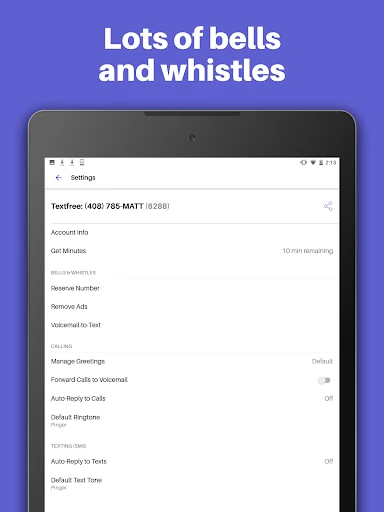
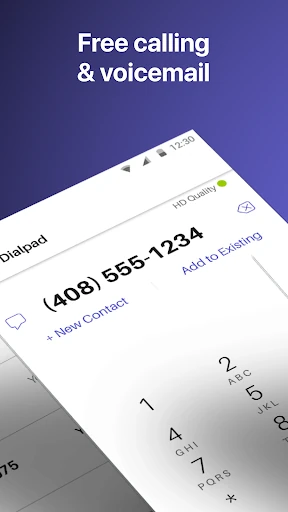
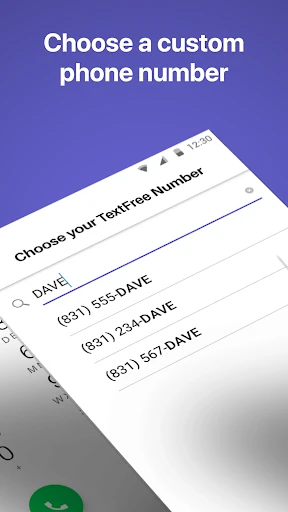
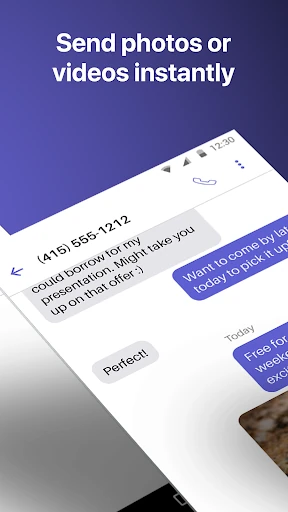
Analysis by Reviewed APKs
Text Free: Calling & Texting gives you a separate phone number for calls and messages, with options for group chats and sharing photos, videos, audio messages, and more. I see it as a practical extra communication line for people who want to keep some conversations apart from their regular number. The basics are free, but ads and paid upgrades shape the experience, so it is not quite a no-strings-attached replacement for a phone plan.
A Second Line for Daily Life
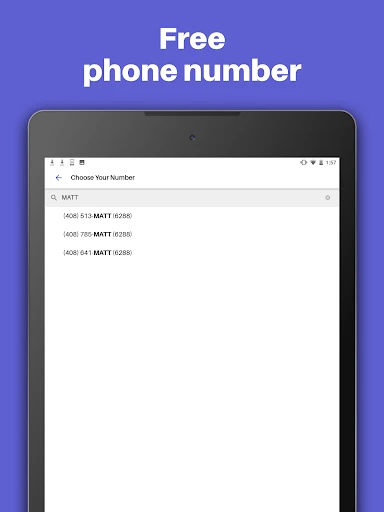
When I first opened Text Free, I thought about the small situations where another number is useful: posting an item for sale, coordinating a group activity, or keeping a new conversation separate from the number friends already have. The app lets you choose a local number and use it for calls and texts. That gives the communication a distinct place without requiring me to hand out my usual number in every situation.
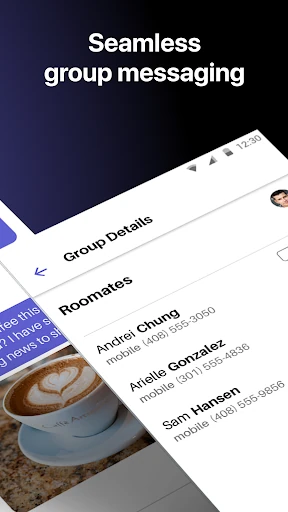
For a typical day, I could imagine checking Text Free alongside my regular messages, replying to a friend, and sending a photo or audio message from the same number. Group texting is there for plans that involve several people, while custom tones can help distinguish incoming calls or texts from other alerts. It is a straightforward idea: another line for everyday contact, with familiar messaging features rather than a complicated communications system.
An Extra Line, Not a Phone Plan
The obvious comparison is the calling and texting already built into a phone, or another messaging app people in your circle use. Text Free's difference is the separate number and its combination of calling, texting, and media sharing. It can be handy when I want a distinct contact point or want to keep one category of conversation away from my primary number. That is a narrower purpose than replacing every communication tool on my phone.
I would not treat it as a full mobile plan or assume it works exactly like a carrier line in every situation. The description centers on internet-based calling and texting, including use over Wi-Fi, and paid TextFree Plus adds access to verification shortcodes. If I need a number for account verification or dependable access in every circumstance, I would check the app's current details before relying on it. Its sweet spot is ordinary communication.
Simple Habits That Help
A little organization makes a second number more useful. I would decide what kinds of conversations belong on it before sharing the number, then save the contact details in a way that makes the distinction easy to remember. Custom call and text tones can help separate its alerts from my usual ones, and a personalized wallpaper offers another small visual cue when I am using the app.
For group plans, I would keep the conversation in one group thread instead of splitting updates across individual messages. If I expect to be busy, the Auto-Reply feature can respond to calls and texts automatically. I would also make a point of checking the app regularly, especially if people are using this number to reach me. The value comes less from elaborate setup than from consistently treating it as a separate inbox.
More From Our News Desk

Zoom Meetings, Google Meet, or Teams: Which Is Easiest to Join?

How I Build a Free Streaming Lineup With Tubi

Why Crunchyroll Is the Default Anime App for So Many Fans

YouTube TV: A Practical Guide to Cutting Cable

Rummikub and the Small Comfort of Phone Games

TeamViewer Remote Control or AnyDesk for Helping Family?
Who Might Find It Useful
I would recommend Text Free to someone who wants a second number for casual calls and texts, or who likes keeping certain conversations separate from their primary line. It also suits people who regularly share photos, videos, GIFs, or audio messages, since those formats and group texting are part of the app's described feature set. The free starting point makes it easy to consider, provided ads and the limits of an internet-based service fit the user's expectations.
It may be a poor fit for anyone who wants a completely ad-free experience without paying, or who expects a second number to behave just like a carrier-provided line. TextFree Plus is described as removing ads and adding number reservation and shortcode access, so some needs involve a subscription. I would also hesitate to recommend it as the only way to receive important messages if a person cannot check the app or depends on a particular verification method.
Text Free: Calling & Texting is published by Pinger, Inc. On Google Play, it has over 10 million installs and a 4.5-star rating from about 125,000 ratings. The app is free to install, contains ads, and offers in-app purchases. Google Play gives it an Everyone content rating, and the listed Android requirement is Android 9 or later.
The listed version is 13.10, with a release date of October 15, 2013, and a last update date of January 23, 2026. Google Play shows in-app product prices ranging from $1.99 to $99.99 per item. The description also mentions TextFree Plus at $9.99 per month, with ad removal, shortcode access, and number reservation among its added benefits.
How a Second Number Fits In
A Familiar First Impression
When I first opened Text Free, the central idea was easy to grasp: choose a number, then use it to call and message. That clarity matters for an app that is meant to be an everyday communication tool. I did not need to imagine an elaborate workflow to understand the point. The separate number is the organizing principle, and the familiar calls-and-texts format keeps the concept approachable.
Getting started revolves around selecting a local phone number, with the description also mentioning a choice of area code and available number combinations. I would take a moment to choose a number I can recognize and share accurately. A second number only helps if I remember which conversations belong there. Setting that expectation early feels more useful than rushing into customization before I know how I plan to use it.
The Everyday Conversation
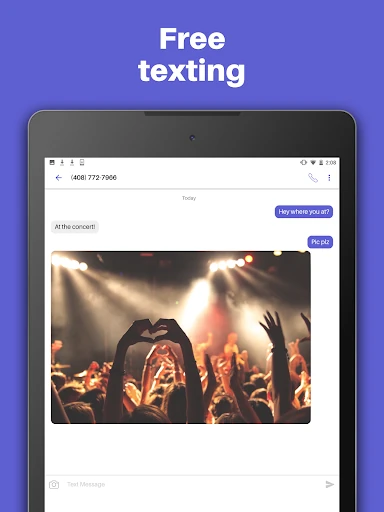
The core experience is calls and texts from the chosen number. The description presents unlimited calling and texting as part of the service, with communication over Wi-Fi. In practice, that makes the app most interesting for ordinary exchanges: arranging a meetup, following up on a conversation, or checking in with family. It is not trying to turn a simple text into a project; the appeal is having another channel ready when I need it.
Messages can include photos, videos, GIFs, audio messages, and emojis, and group texting is available too. Those options cover more than bare-bones SMS and make the app useful for sharing a quick visual update or keeping a few people on the same page. I would still think about whether the people I contact are comfortable using this number and whether I will remember to check the separate app for replies.
Useful Personal Touches
Custom call and text tones are a small feature with a practical payoff. If I use one number for personal contacts and another for a separate set of conversations, different sounds can help me notice which line is active before I open the phone. Custom wallpapers add another way to distinguish the app's communication space. These are modest touches, but they support the basic promise of keeping a second line recognizable.
The description also includes Auto-Reply for calls and texts, which can be useful when I am occupied and want an automatic response. Group messaging rounds out the feature set for shared plans, while media and audio messages let conversations feel less restricted to plain text. TextFree Plus adds ad removal, shortcode access for online account verification, and the ability to reserve a number while subscribed. Those paid extras are distinct from the standard communication features.
A Routine That Stays Manageable
I would make the app part of a quick daily check rather than expecting every conversation to appear in the same place as messages on my main number. A morning or evening glance can catch replies, especially if I have shared the Text Free number with someone who may need a timely answer. Custom tones help flag incoming activity, but a separate app still benefits from a simple habit of opening it.
For a group event, I would start one group text from the second number, keep practical updates in that thread, and send a photo or audio note if it is more useful than typing. Auto-Reply may help when I cannot answer, though I would not rely on an automatic message to handle a time-sensitive discussion. Keeping one clear purpose for the number makes it easier to remember why a conversation is happening there.
Limits to Keep in Mind
The free app contains ads, so anyone who strongly dislikes advertising should factor that into the decision. TextFree Plus is described as an ad-free subscription and also includes other benefits, but it is a paid upgrade rather than an automatic part of the free experience. Google Play shows a range of in-app purchase prices, so I would review the current purchase options in the store before choosing to spend.
A second number can also create a little extra inbox maintenance. I need to remember where I gave the number out, check for replies, and decide whether the number suits the kind of contact I am using it for. The description focuses on internet-based calling and texting, so I would not treat the app as interchangeable with every carrier service. It works best when its separate-line purpose matches a real, everyday need.
Text Free: Calling & Texting is a practical option for people who want a separate number for everyday calls and messages, with group chats and media sharing included. I like that its basic purpose is clear and that small touches such as custom tones and Auto-Reply support routine use. Ads and the extra-inbox habit are the main trade-offs I would weigh before settling in.
I would try it if I had a specific reason to keep some conversations apart from my primary number and was comfortable using an internet-based app. It is less compelling for someone who wants a single, ad-free communications setup or expects a second number to replace a full phone plan. For a casual extra line, though, its mix of calls, texts, and group messaging is easy to understand.
Text Free Frequently Asked Questions
What is Text Free: Calling & Texting used for?
Text Free: Calling & Texting provides a separate phone number for calling and texting. Its described features include group messages, photos, videos, GIFs, audio messages, emojis, custom tones, wallpapers, and Auto-Reply. It is intended for everyday communication from another number, rather than being a general replacement for every service tied to a mobile phone plan.
Which devices can use Text Free: Calling & Texting?
The app is available on Android through Google Play. Its description also mentions use on an iPod, iPad, or computer, but device availability and requirements can vary. For the current options that apply to your device, check the app's store information before installing.
What Android version does Text Free: Calling & Texting require?
Google Play lists Android 9 as the minimum Android version for Text Free: Calling & Texting. Device compatibility can depend on the app's current release and your device, so it is worth checking the Google Play page on the device you plan to use.
Does Text Free: Calling & Texting cost money?
The app is free to install and contains ads, with in-app purchases available. Google Play shows in-app product prices from $1.99 to $99.99 per item. The description also names TextFree Plus at $9.99 per month for benefits including ad removal, shortcode access, and number reservation. Check Google Play for current purchase details.
Who is Text Free: Calling & Texting best for?
It may suit someone who wants a separate number for casual calls, texts, or group conversations and is willing to check an additional messaging app. People who dislike ads, need a full carrier-style phone service, or rely on a particular verification method should review the app's current terms and features first. Paid Plus benefits may matter for some of those needs.
Pros
- Provides a separate number for calls and texts, with local number choices.
- Supports group texting and sharing photos, videos, GIFs, and audio messages.
- Custom tones, wallpapers, and Auto-Reply add practical personalization.
- Free to install, with a clearly described paid ad-free upgrade.
Cons
- Ads are part of the free experience.
- A second number means keeping track of another inbox and its replies.
- TextFree Plus is needed for the described shortcode access and number reservation.
- Category
- Social
- Version
- 13.10