Tesco Bank
- 210
- 4.7
- Installs
- —
- Price
- Free

Screenshots
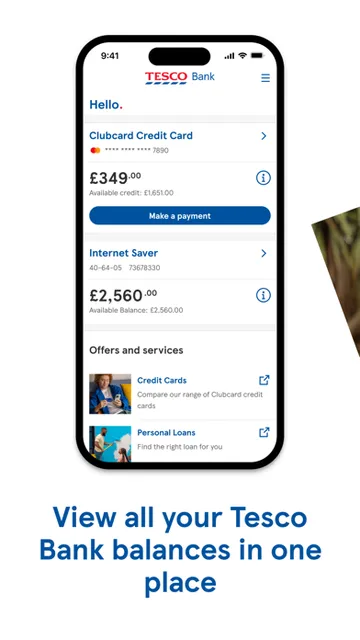
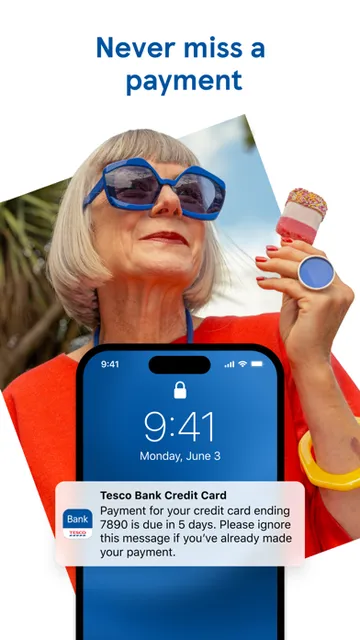
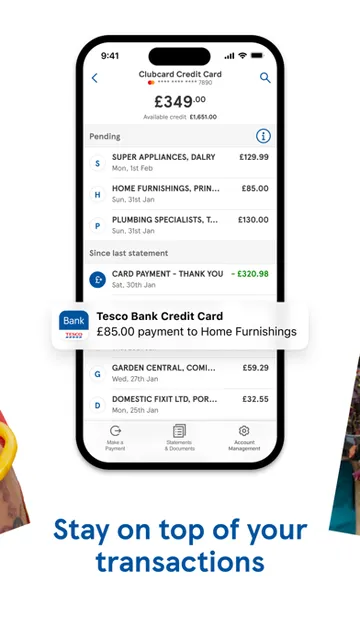
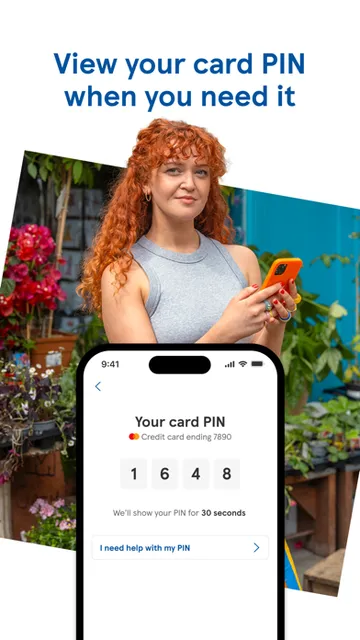
Analysis by Reviewed APKs
Tesco Bank is an iPhone banking app for customers who want to check transactions, manage card repayments and handle selected account tasks away from a computer. It suits people who already bank with Tesco and value quick access to everyday account information. I like the practical range, from searching transactions to blocking a missing credit card, though its usefulness depends on having a Tesco Bank account.
A Quick Check Between Errands
Picture checking your account while waiting for a coffee: Tesco Bank lets you review transactions and see which ones are pending or settled, so you can get a clearer view of recent activity. If you are looking for a particular purchase, you can search and sort your transaction history rather than scrolling through every entry. That makes the app useful for small checks that come up during an ordinary day.
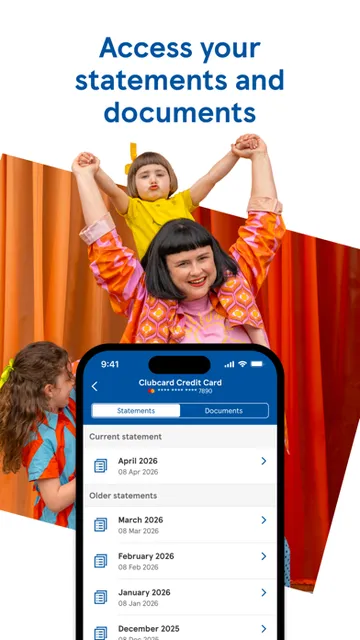
When I think about the app's core job, it is less about making banking feel elaborate and more about putting useful account actions within reach. You can check your card PIN securely in the app, manage credit card repayments, and move money between Tesco Bank accounts. For a customer handling routine tasks on the go, those options can save a trip to a computer, while keeping the experience focused on banking.
A Bank Account Companion
Compared with a general budgeting or money-tracking app, Tesco Bank is centered on managing Tesco Bank accounts themselves. Its listed tools include card controls, repayment setup, transfers between Tesco Bank accounts, and savings-rate information. That makes it a more direct fit for existing customers than for someone who only wants to categorize spending across several banks or build a broad household budget.
It is also not a general-purpose way to manage every bank account or a substitute for having a Tesco Bank account. Registration uses Tesco Bank account details, and the app's functions are framed around those accounts and cards. I would choose it for quick access to Tesco banking, not as a standalone financial planner or a place to compare every provider's products.
Small Habits That Help
A useful habit is to check transaction status when reviewing recent spending. Tesco Bank separates pending and settled transactions, and its search and sort tools can help narrow down the history when you need to find something specific. This is more practical than opening the app only when a problem crops up: a quick, regular look can make it easier to spot the activity you wanted to review.
I would also take a moment to choose a login method that fits the device and my routine. The app supports Face ID, Touch ID, a five-digit passcode, or a security number and password. Other useful occasional tasks include activating a new card, checking a savings interest rate, or reviewing repayment arrangements. The range is handy without requiring every feature to be part of a daily routine.
More From Our News Desk

Zoom Meetings, Google Meet, or Teams: Which Is Easiest to Join?

How I Build a Free Streaming Lineup With Tubi

Why Crunchyroll Is the Default Anime App for So Many Fans

YouTube TV: A Practical Guide to Cutting Cable

Rummikub and the Small Comfort of Phone Games

TeamViewer Remote Control or AnyDesk for Helping Family?
Who May Find It Useful
I would recommend Tesco Bank to existing customers who want their accounts and card tasks accessible on an iPhone. It covers a good spread of everyday needs: checking detailed transaction activity, setting up or managing credit card repayments, transferring money between Tesco Bank accounts, and dealing with a lost or stolen credit card. Customers with savings may also appreciate being able to check rates and reinvest a Fixed Rate Saver in the app.
It may be a poor fit if you do not have Tesco Bank account details, want one app to manage accounts from multiple providers, or are looking for budgeting tools beyond the banking features described here. The app is for iOS, with an iOS 16.6 minimum requirement, so older devices that cannot run that version are not suitable. I would check the App Store details before installing if device compatibility is uncertain.
Tesco Bank is published by Tesco Personal Finance PLC for iOS and requires iOS 16.6 or later. The current version in the supplied store information is 4.65.0. It was released on October 7, 2016, and its most recent update is dated October 5, 2026. On the Apple App Store, it has a 4.7 rating from 210 ratings.
The app is listed as free, with a 4+ age rating. Its functions are intended for people with Tesco Bank account details, which are used to register. Store information can change, so I would check the App Store for current compatibility and other practical details before downloading.
Everyday Banking Without the Extra Steps
Getting Started
When I first consider setting up Tesco Bank, the key step is having Tesco Bank account details ready: the app says these are used to register. Once registered, customers can manage money on the go. That focus keeps the purpose clear from the beginning. It is an account companion for existing customers, rather than an app that promises useful features before you have a relationship with the bank.
The login choices are a practical first detail. The app supports Face ID, Touch ID, a five-digit passcode, or a security number and password. That gives customers several ways to access the app, depending on what suits their device and habits. I appreciate that the options are described plainly; choosing one is a small setup decision that can make later checks feel more convenient.
Checking Accounts Day to Day
The transaction view looks like one of the app's most useful everyday areas. It provides transaction details and distinguishes pending activity from settled activity. When I want to look back for a purchase, search and sorting offer a more direct route than scanning a long history. Those are modest tools, but they address a common banking task: finding out what has happened without turning a quick check into a lengthy session.
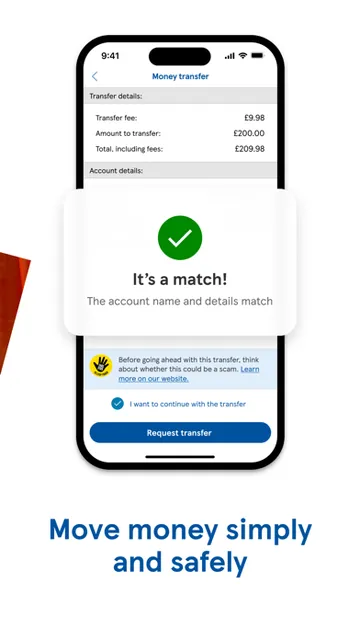
The same account-focused approach carries through to repayments and transfers. Customers can set up or manage credit card repayments through Pay by Bank, Direct Debit, or debit card, and transfer money between Tesco Bank accounts. Balance or money transfers are also supported. It is a useful menu of specific actions, although the available options are tied to Tesco Bank rather than a wider collection of financial accounts.
Useful Card and Savings Tools
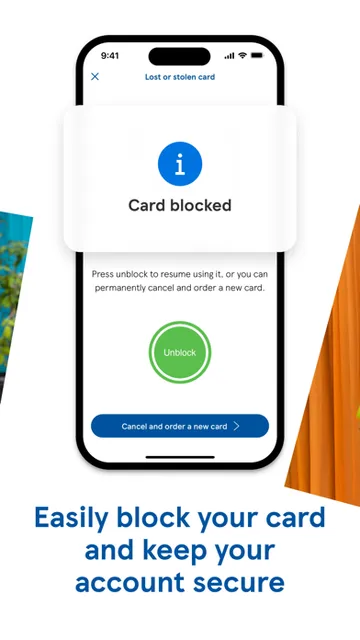
One feature that stands out is the ability to view a card PIN securely in the app. That can be useful when a PIN slips your mind, without having to rely on memory alone. The app also lets customers activate new cards or block a credit card that has been lost or stolen. I like that these are concrete card-management tasks rather than vague promises of convenience.
Savings customers have a couple of focused tools too: they can check their interest rate and compare new rates before reinvesting a Fixed Rate Saver. The description presents this as a short in-app process. It is a helpful addition for someone who already uses Tesco Bank savings, though it does not turn the app into a general-purpose comparison service for products from other providers.
A Simple Weekly Check-In
A practical routine might be to open the app once or twice a week, review pending and settled transactions, and search the history if a particular item needs attention. If a credit card payment needs arranging, the repayment options are available in the same app. The idea is not to spend more time looking at money, but to use the app's transaction and account tools when a quick check would be useful.
Then, when something less frequent comes up, the other features are there: activating a replacement card, blocking a card that has gone missing, or checking a savings rate. I would treat those as occasional jobs rather than things to revisit every time I log in. Keeping a simple routine helps the range feel useful without making the app seem like another daily obligation.
Know What It Leaves Out
The main limitation is its narrow customer focus. Registration requires Tesco Bank account details, and the described features are for Tesco Bank accounts, cards, and savings. If you are looking for consolidated views of accounts at other banks, broad budgeting tools, or a general financial dashboard, this is not the app described here. Its value is strongest when you already use the bank and want access to its specific services.
Device compatibility is another practical consideration: the app requires iOS 16.6 or later. The feature range is useful, but it is still a mobile banking app, so it is best judged by whether its listed account tasks match your needs. Before installing, check the App Store for current details, particularly if your device or circumstances have changed.
Tesco Bank does a straightforward job of bringing common account and card tasks to an iPhone. Transaction search, repayment management, card controls, and savings tools give existing customers practical reasons to keep it installed. I especially like the mix of frequent checks and occasional tasks, without pretending it is a complete financial planning suite.
I would recommend it to Tesco Bank customers on a compatible iPhone who want convenient access to their accounts. If you need a multi-bank view or a broader budgeting experience, look elsewhere. For its intended audience, the app's focused set of banking tools makes it a sensible companion.
Tesco Bank Frequently Asked Questions
What is the Tesco Bank app used for?
Tesco Bank is used to manage Tesco Bank accounts on the go. Its features include viewing and searching transactions, managing credit card repayments, transferring money between Tesco Bank accounts, checking a card PIN, and activating or blocking a credit card. Savings customers can also check rates and reinvest a Fixed Rate Saver.
Which devices can run Tesco Bank?
Tesco Bank is an iOS app and requires iOS 16.6 or later. It is available through the Apple App Store. Check the store details for current compatibility with your specific device, since requirements and supported versions can change.
Does Tesco Bank cost anything to download?
The app is listed as free on the Apple App Store. Store details about any other charges or optional purchases may vary, so check the current App Store information before downloading. Its described banking features are for people with Tesco Bank account details.
Can I use Tesco Bank without an account?
Registration uses Tesco Bank account details, and the app's features are centered on Tesco Bank accounts, cards, and savings. It is therefore intended for existing customers rather than as a general banking or budgeting app. Check the Apple App Store for the latest information about eligibility and registration.
Is Tesco Bank suitable for managing other banks?
The described features focus on Tesco Bank accounts and products, including transfers between Tesco Bank accounts. The app is not presented as a tool for managing accounts from multiple providers. It may suit you if you want mobile access to Tesco banking, but check the App Store details if you have a specific requirement.
Pros
- Transaction details include pending and settled activity, with search and sorting for finding items.
- Offers several login methods, including Face ID, Touch ID, a passcode, and security credentials.
- Supports credit card repayments, account transfers, card activation, and blocking a lost card.
- Savings customers can check interest rates and reinvest a Fixed Rate Saver.
Cons
- Registration requires Tesco Bank account details, limiting its usefulness to existing customers.
- Requires iOS 16.6 or later, which may exclude older devices.
- Its described features focus on Tesco Bank rather than multi-bank management or broad budgeting.
- Category
- Finance
- Version
- 4.65.0











