St.George Mobile Banking
- 10.08K
- 3.5
- Installs
- 1.00M
- Price
- Free

Screenshots
Analysis by Reviewed APKs
St.George Mobile Banking brings everyday account tasks into one place, from checking a balance and moving money to managing cards and finding a nearby ATM. I see it as a practical companion for St.George customers who want to handle routine banking from a phone rather than wait for a desktop session. Its range is useful, though the feature list is broad enough that it takes a little exploring to find your preferred shortcuts.
A Banking Errand, Handled
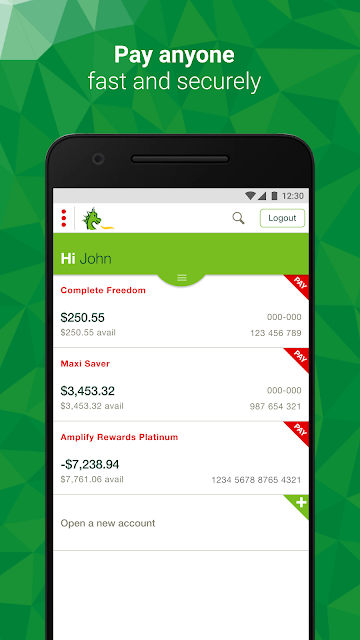
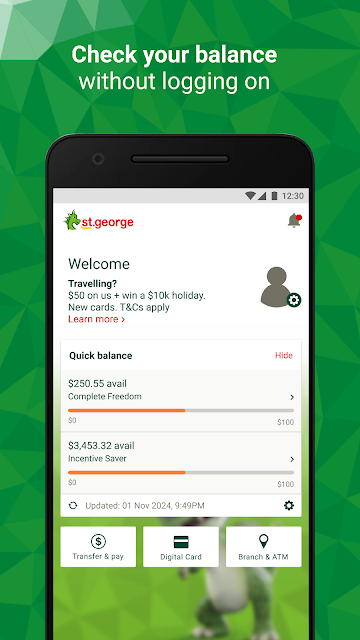
When I first opened St.George Mobile Banking, I pictured the sort of small banking errand that tends to interrupt a busy day: checking whether a payment has cleared, moving money between accounts, and confirming the balance before heading out. The app covers those basics, with a quick balance option and transfers alongside broader payment tools. That makes it suited to short, practical check-ins rather than a long sit-down session with your finances.
A shared dinner bill is another easy example. If I paid upfront, Expense Splitter can help keep track of who has paid me back, instead of leaving the details buried in a message thread. Later, if I need to send a payment or schedule a recurring one, those tools sit within the same banking app. It is a useful range for everyday housekeeping, as long as the account and payment details are checked carefully.
Banking, Not Budget Coaching
Compared with visiting a branch or signing in to online banking on a computer, the app puts common account jobs within reach on a phone. I would use it for checking balances, making transfers, reviewing transactions, managing a card, and handling payments when I am away from a desk. There are also reports, alerts, a spending-category view, and a locator for St.George and several related bank networks.
That does not make it a general-purpose money coach or a replacement for comparing financial products. Its spending categories provide a guide to where money goes, but the description does not present them as a complete budgeting system or savings-goal planner. It is also a St.George banking app, not a universal wallet for managing every bank account. For complicated questions, the app offers a contact route, but the actual banking relationship remains central.
Small Habits That Help
I would start by choosing a quick way to check balances and a sign-in method that feels comfortable. The app supports fingerprint or security-number logon, with availability depending on the device. Setting a few relevant alerts is another useful early step: there are seven types, delivered as push notifications, SMS, or email. I would choose only the notices I expect to act on, so useful prompts do not become background noise.
A weekly glance at transactions can make the less obvious tools more worthwhile. Searching past activity, checking spending categories, or downloading a transaction listing may help when reconciling a purchase or preparing records. For recurring bills, scheduling payments can reduce repetitive setup. I would also keep card controls in mind before I need them: a temporary lock is available for up to 15 days, and lost or stolen cards can be reported in the app.
More From Our News Desk

Zoom Meetings, Google Meet, or Teams: Which Is Easiest to Join?

How I Build a Free Streaming Lineup With Tubi

Why Crunchyroll Is the Default Anime App for So Many Fans

YouTube TV: A Practical Guide to Cutting Cable

Rummikub and the Small Comfort of Phone Games

TeamViewer Remote Control or AnyDesk for Helping Family?
Who Will Find It Useful
I would recommend St.George Mobile Banking to existing customers who want a phone-based way to keep up with regular banking. The mix of balance checks, transfers, payments, alerts, transaction search, and card controls suits people who handle a few financial errands throughout the week. It is especially practical if you sometimes need to make a payment, locate an ATM, or check account activity while away from home.
It may be less appealing to someone looking for a dedicated budgeting app, a cross-bank financial dashboard, or a simple single-purpose payment tool. There is a lot to explore, and some tools apply only to eligible cards or accounts. People who prefer to do all banking on a computer may not get much value from a mobile companion. I would also take time to understand what each alert and card control does before relying on it.
St.George Mobile Banking is developed by St.George Bank. On Google Play, it has over one million installs and a 3.5-star rating from 10,077 ratings. The app is free to download, with no in-app purchases shown in the supplied store facts. The same facts indicate that it contains ads, despite banking being its main purpose.
Google Play gives the app an Everyone content rating. The current version in the supplied facts is 9.53, with a release date of October 28, 2010, and a last update date of September 15, 2026. A minimum Android version was not supplied, so check the Google Play listing on your device for compatibility before installing.
A Closer Look at Daily Banking
First Open and Setup
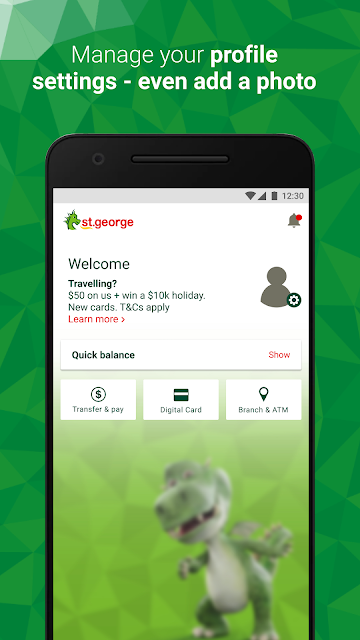
My first impression is of a broad banking toolkit rather than an app built around one task. The feature list spans quick balances, payments, card management, reports, alerts, and service options. That breadth is helpful once I know what I need, but it can make the first visit feel like a tour of possibilities instead of a single, obvious workflow.
For a smoother start, I would first get comfortable with signing in and locating the accounts and actions I use most. Fingerprint or security-number logon is available, though fingerprint access is not available on rooted devices and some functions may not work on rooted devices. Those qualifications matter more than they might in an ordinary utility app, so I would check device compatibility before making it part of my routine.
The Everyday Experience
For routine use, the strongest appeal is having several common jobs together. I can check a balance, transfer between accounts, make payments, and look up past transactions without treating each as a separate errand. The app also supports sending money overseas to existing payees and making payments that include BPAY. The scope feels useful for customers whose banking needs vary from one day to the next.
Notifications can be sent by push notification, SMS, or email, and there are seven types to choose from. I would think of them as a way to stay informed rather than as a substitute for checking an account when a detail matters. The option to contact the bank through the app is also a practical touch; it can avoid security questions, according to the app description.
Tools Beyond Transfers
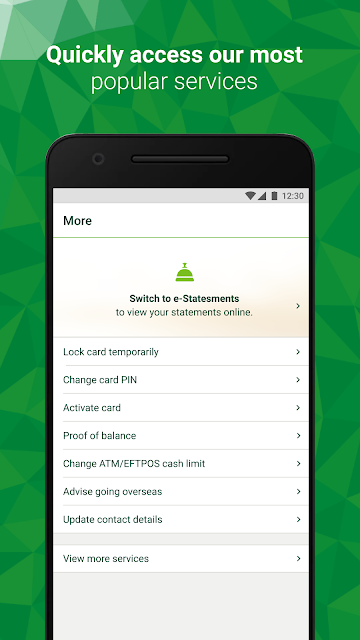
Card controls stand out because they address an unpleasant but familiar moment: not knowing where a card is. The app can temporarily lock a card for up to 15 days or let the customer report it lost or stolen. The temporary lock ends when the card is reactivated or after 15 days, when it automatically reactivates if no further action has been taken. I would treat that time limit as an important detail, not a permanent block.
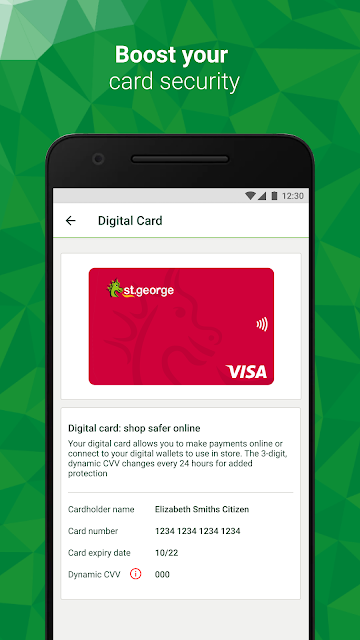
There are also a few less obvious tools tucked into the service options. Customers can search transactions, schedule future or recurring payments, download balance, interest, or transaction reports, activate a new card, and change daily cash withdrawal limits for most credit and debit cards. Eligible users can access a digital card with a dynamic CVV, while Verify screens new payee details against information available to the bank at the time.
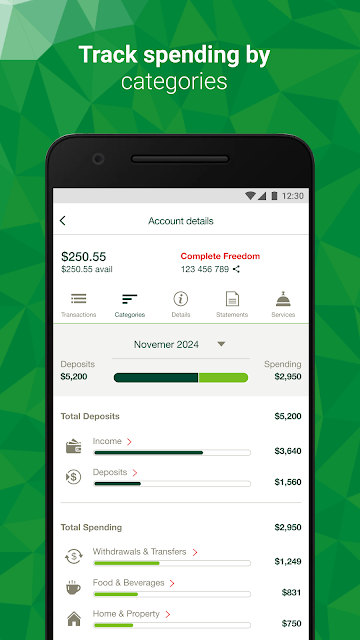
Spending categories offer a quick way to see where money is going across supported savings, transaction, and credit card accounts. The bank describes this as general information and a guide, so I would use it for a broad look rather than treat it as a definitive account of my spending. That distinction keeps the feature in its proper lane.
A Simple Weekly Routine
One practical routine would be to check the quick balance when needed, then review recent transactions once a week. If something needs explaining, transaction search can help find older activity. I might use categories for a broad spending check and download a transaction listing when I need a record. This is a light-touch way to use the app without turning every visit into a detailed financial review.
When a payment is coming up, I would set it up as a future or recurring payment if that fits the bill. Before travelling, the app also lets customers tell the bank they are going overseas. If a card goes missing, I would use the temporary lock while deciding what to do next, keeping the 15-day automatic reactivation in view. These small, specific uses make the service menu more than a list of occasional extras.
Details to Keep in Mind
A broad feature list does not mean every tool applies to every customer. Some options are limited to eligible cards or accounts, and the digital card may not always be accessible. Verify can screen details based on information available to the bank, but it cannot confirm that the recipient bank's account name and number are an exact match. I would read those qualifications before relying on either tool for an important payment.
There is also a little maintenance involved in keeping notifications relevant and understanding the card controls. The app description says some features may not work on rooted devices, and fingerprint logon is unavailable on rooted devices. If a problem persists after reinstalling, the bank provides a phone support number and hours in the app description. I would keep the app's terms and any applicable fees in mind when using banking services.
St.George Mobile Banking looks most convincing as an everyday companion for customers who want account access, payments, transaction tools, and card management in one place. I like the practical coverage, especially the combination of alerts, scheduled payments, and temporary card locking. The trade-off is a feature set that deserves a little exploration, plus important eligibility and device qualifications.
I would recommend it to St.George customers who regularly handle banking on a phone and are willing to set up the tools they actually use. If you want a dedicated budgeting coach or do not need mobile access to this bank, it is less compelling. For its intended audience, it brings many routine banking jobs together without pretending to be more than a banking app.
St.George Mobile Banking Frequently Asked Questions
What is St.George Mobile Banking used for?
St.George Mobile Banking is for handling routine banking tasks on a phone. Its features include balance checks, transfers and payments, transaction search, alerts, spending categories, card controls, scheduled payments, and ATM or branch locations. Some functions apply only to eligible accounts or cards, so I would check the details in the app before relying on a particular tool.
Which devices can run St.George Mobile Banking?
The supplied store information describes the Android app on Google Play. It does not give a minimum Android version, so compatibility can vary by device and should be checked on the Google Play listing. The app description also notes that some features may not work on rooted devices and that fingerprint logon is unavailable on rooted devices.
Does St.George Mobile Banking cost anything?
The app is free to download, and the supplied facts show no in-app purchases. The store facts also indicate that it contains ads. Banking services can have fees and charges, as the app description notes, so the free download should not be taken to mean that every banking transaction or product is fee-free.
Can St.George Mobile Banking temporarily lock a card?
Yes. The app description says customers can temporarily lock a card for up to 15 days or report it lost or stolen. A locked card automatically reactivates after 15 days if it has not been unlocked or reported lost or stolen. I would keep that time limit in mind and check the app for the options available to my card.
Who should use St.George Mobile Banking?
It is aimed at St.George customers who want to check balances, move money, make payments, manage cards, and review transactions from a phone. It may be less suitable for someone seeking a standalone budgeting service or a tool for accounts across many banks. Some features depend on account or card eligibility, so the app's details are worth checking.
Pros
- Combines balances, transfers, payments, transaction search, and scheduled payments.
- Offers configurable alerts through push notifications, SMS, or email.
- Includes temporary card locking and lost-or-stolen card reporting.
- Provides spending categories, reports, and an ATM and branch locator.
Cons
- Several features are limited to eligible cards or account types.
- Some tools may not work on rooted devices, and fingerprint logon is unavailable there.
- Spending categories are described as a guide, not definitive financial records.
- Category
- Finance
- Version
- 9.53











