Spanish English Translator
- 105.48K
- 4.5
- Installs
- 10.00M
- Price
- Free
Screenshots
Analysis by Reviewed APKs
Spanish English Translator is a two-way translation app for moving between English and Spanish, whether I’m checking a word, reading a short passage, or trying to make myself understood while traveling. It suits students, travelers, and anyone who regularly encounters both languages. I like its practical mix of text translation, voice input, spoken output, favorites, and offline use. It’s a focused helper, not a full language course.
A Quick Translation Break
When I first opened Spanish English Translator, I pictured using it during the small pauses that come up in a normal day: checking a Spanish phrase before replying to a message, or looking up an English word while studying. The app handles translation in both directions, so I can move from one language to the other without switching tools. For a traveler, the same simple task might be working out the meaning of a sign or a short note.
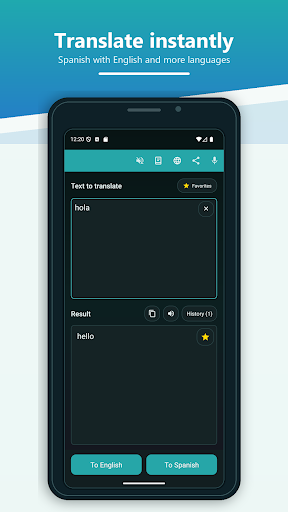
The useful part is that I can enter a word or a longer piece of text, then get a translation without turning the moment into a research project. If I’m away from a connection, offline translation can help with that basic lookup too. I’d still treat a translation as a starting point when nuance matters, but for everyday phrases and quick checks, the app’s central job is easy to understand.
A Translator, Not a Course
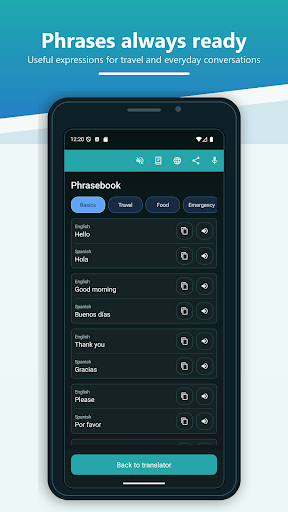
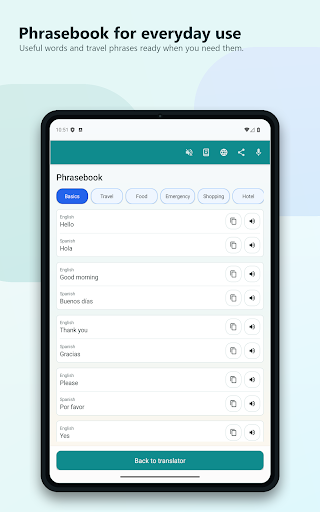
Compared with a paper phrasebook, Spanish English Translator is better suited to searches that don’t match a fixed list of travel phrases. I can enter my own text and translate in either direction, and favorites offer a way to keep translations I may want to revisit. Voice input and spoken output also give it options beyond typing and reading, which can be useful when my hands or attention are occupied.
That doesn’t make it a replacement for a structured language course, a conversation partner, or careful editing by a fluent speaker. Its described purpose is translation, not lessons or a step-by-step study plan. I’d use it to bridge a small language gap or check wording, rather than expect it to teach grammar or explain every cultural nuance. Keeping that distinction in mind makes the app’s strengths easier to judge.
Make Useful Phrases Stick
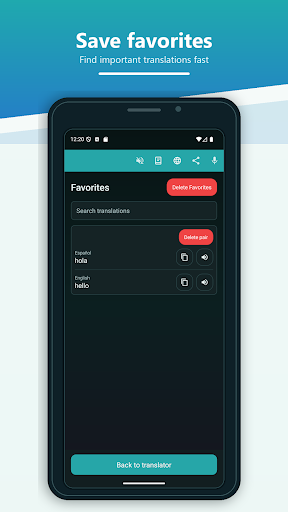
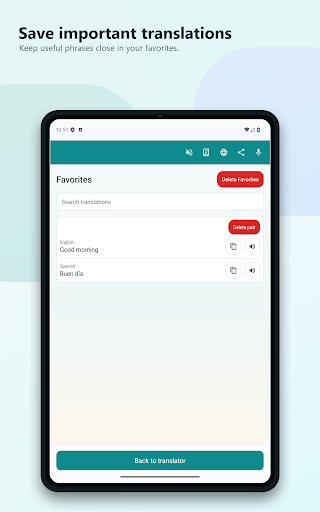
A small habit that makes sense here is saving translations I expect to need again. I might keep a useful greeting, a phrase for a recurring situation, or a word I’m trying to remember. Favorites can then turn a one-off lookup into a personal reference, instead of leaving me to type the same request each time. It’s a simple workflow, but it gives the app a little more staying power than a disposable translation box.
I’d also choose the input method to fit the moment. Typing works when I’m checking a sentence quietly, while voice input can help when speaking is easier than entering text. Spoken output is useful for hearing a translation rather than only seeing it. Sharing a translation can help pass it along to a friend or contact. These options are most useful when they support a real task, not when I’m trying to turn every lookup into a lesson.
More From Our News Desk

Zoom Meetings, Google Meet, or Teams: Which Is Easiest to Join?

How I Build a Free Streaming Lineup With Tubi

Why Crunchyroll Is the Default Anime App for So Many Fans

YouTube TV: A Practical Guide to Cutting Cable

Rummikub and the Small Comfort of Phone Games

TeamViewer Remote Control or AnyDesk for Helping Family?
Who Will Find It Useful
I’d recommend Spanish English Translator to travelers, students, and bilingual households that need a quick way to look up words or text in either direction. It may be particularly handy for someone who wants a compact reference on a phone and values offline translation, voice input, or spoken output. The favorites feature also suits people who often return to the same useful expressions rather than starting each lookup from scratch.
It may be less satisfying for someone looking for a complete language-learning program, detailed explanations of grammar, or a tool specifically designed for extended live conversations. The app’s described focus is translation and sharing translations. I’d also encourage anyone who needs highly precise wording to review the result in context. For routine phrases and everyday comprehension, though, its direct approach can be a good fit.
Spanish English Translator is made by GK Apps and is listed in Google Play’s Books & Reference category. The store figures show more than 10 million installs, a 4.5-star rating from about 105,000 ratings, and a Teen content rating. It was released on May 10, 2013, and the current version is 26.10.2. The recorded last update is October 24, 2026.
The app is free to install and contains ads. It also offers in-app purchases, with listed items priced at $2.99 each. Those are the practical cost details to keep in mind before installing. Android version requirements can vary, so I’d check the Google Play page on the device I plan to use. Store information is a useful place to confirm current compatibility and purchase details.
A Practical Pocket Translation Routine
A Straightforward First Look
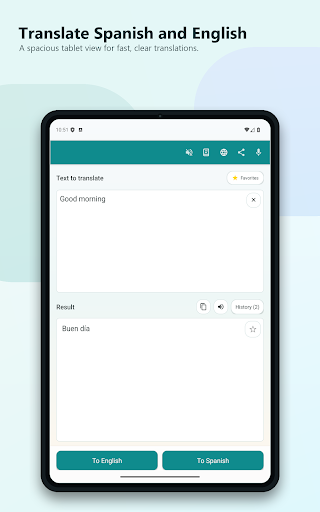
When I first opened the app, the purpose was immediately clear: translate between English and Spanish. There’s no need to understand a larger system before trying the main task. I can enter words or text in either language, which makes the app approachable when I’m in a hurry or simply don’t want to guess at a phrase.
The initial appeal is less about presentation and more about having several ways to work with a translation. Text entry is the obvious starting point, but voice input and speech output are also part of the app. I’d begin with a short phrase, check the result, and then decide whether saving or sharing it would be useful.
Useful in Small Moments
Day to day, a translator is most helpful when it removes a small obstacle without demanding much attention. I might check a word while reading, translate a sentence before sending it, or look for the meaning of a short message. Spanish English Translator is built around those quick exchanges, with translation available in both directions rather than only from English to Spanish.
The offline capability is especially relevant when I’m traveling or otherwise without an internet connection. It gives the app a role beyond an occasional desk-side lookup. I’d still use judgment about how much to rely on a translated phrase, especially if the wording is important, but having an offline option can make basic reference more convenient.
More Than Typed Text
Voice input is one of the features that changes how I might use the app. When typing is awkward, I can use speech as the input for a translation. That can be handy when I’m standing somewhere with a question in mind or when I want to check a spoken word. It adds another route into the same core job rather than turning the app into a separate kind of service.
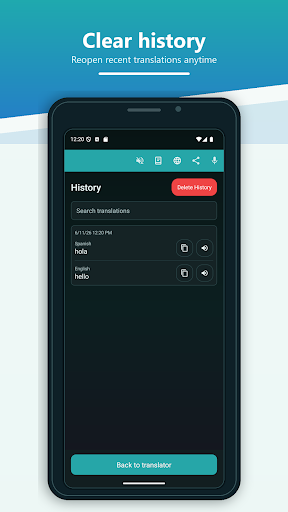
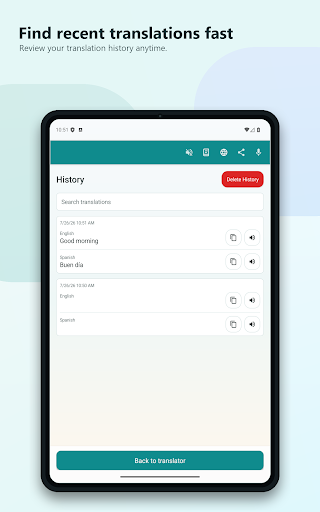
Speech output works in both languages, so I can hear a translation as well as read it. Favorites provide a different kind of convenience: they let me keep translations I may want again. The app can also share translations with friends and contacts. Taken together, these are practical additions for looking up, revisiting, hearing, or passing along a phrase.
A Traveler’s Simple Routine
For a travel day, I’d use the app in short bursts rather than trying to plan every conversation in advance. I could check a phrase before speaking, use voice input when that suits the situation, and listen to the translated result through speech output. If I find a phrase I expect to need again, I can save it among my favorites for another lookup.
Offline translation may help when a connection isn’t available, which is a useful consideration before heading out. I’d still keep the task modest: short questions, everyday wording, and quick checks are the natural fit. If I need to share a translation with someone traveling alongside me, the sharing option gives me a way to send it on rather than asking them to search for it themselves.
Keep Expectations Grounded
Translation tools can be useful without being the final word on meaning. A phrase may depend on context, and a short translated result won’t necessarily explain why a particular wording fits. I’d use this app as a practical aid for understanding and expressing everyday text, while taking extra care with anything where exact phrasing matters.
The feature set described here centers on English and Spanish, so it is a focused choice rather than a broad multilingual toolkit. It also isn’t presented as a full course with lessons or a way to build a complete study schedule. That narrow focus is part of its simplicity, but people who want a deeper learning experience may need something designed for that purpose.
Spanish English Translator keeps its purpose practical: it translates words and text between English and Spanish, with offline use, voice input, speech output, favorites, and sharing adding useful flexibility. I like that those features support everyday reference rather than making the app feel like a complicated learning platform.
I’d recommend it to travelers, students, and anyone who wants a quick bilingual lookup on an Android phone. It’s less suited to people seeking structured lessons or detailed language guidance. If translation is the main need, this is a focused option worth considering, with ads and optional in-app purchases part of the deal.
Spanish Frequently Asked Questions
What is Spanish English Translator used for?
Spanish English Translator translates words and text between English and Spanish. It can also work as an offline reference, accept voice input, speak translations in both languages, save favorites, and share translations with contacts. I’d think of it as a practical translation tool for everyday lookups, rather than a complete language course.
Which phones can run Spanish English Translator?
The app is listed for Android on Google Play. The Android version requirement can vary, so check the Google Play page against the phone or tablet you plan to use. That is also the sensible place to confirm current compatibility before installing, especially if the device is older.
Does Spanish English Translator cost money?
The app is free to install and contains ads. It also offers in-app purchases, with items listed at $2.99 each. Purchase availability and details may vary over time, so check the Google Play page for the current options before making a purchase.
Can Spanish English Translator work offline?
Yes. The app description says it can translate offline, without an internet connection. That can be useful for basic lookups while traveling or in places with limited connectivity. For current details about availability and compatibility, it’s worth checking the app’s Google Play page.
Is Spanish English Translator suitable for beginners?
It can suit beginners who need help translating everyday words or text, and the voice and speech features offer alternatives to typing and reading alone. It is focused on translation, though, rather than structured lessons. Anyone looking for a full learning program may prefer a tool designed specifically for language study.
Pros
- Translates text in both directions between English and Spanish.
- Offline translation can help when an internet connection is unavailable.
- Voice input, spoken output, favorites, and sharing add practical options.
- More than 10 million installs and a 4.5-star Google Play rating.
Cons
- Contains ads, with optional in-app purchases listed at $2.99 per item.
- Focused on translation rather than structured language lessons or grammar explanations.
- Context-sensitive wording may still need a careful human review.
- Category
- Books & Reference
- Version
- 26.10.2











