YouVersion Bible App + Audio
- 9.34M
- 4.9
- Installs
- 100.00M
- Price
- Free

Screenshots
Analysis by Reviewed APKs
YouVersion Bible App + Audio is a free Bible-reading and study app for people who want Scripture, audio, reading plans, and personal notes in one place. It suits both daily readers and people who are just trying to build a steady habit. After spending time with its mix of reading tools and social features, my take is that it is remarkably flexible, though its many options can feel like a lot at first.
A Reading Habit That Travels
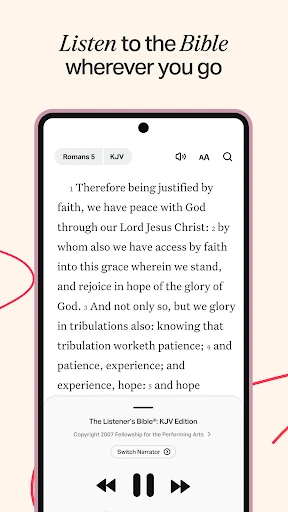
I can picture opening YouVersion during a quiet moment before the day gets busy: read a passage, mark a line that stands out, and save a thought for later. On a commute or while doing chores, audio for select Bible versions offers another way to keep up. The app also has reading plans and devotionals, so a day’s reading can feel guided rather than like an open-ended search through a very large library.
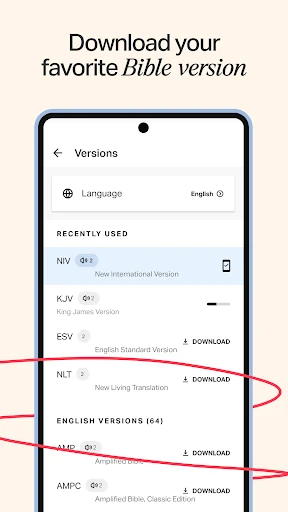
The practical appeal is that the same session can be brief or more involved. I might read a few verses, bookmark one, or spend longer with a plan and notes. Select versions can be downloaded for offline reading, which is useful when I expect a patchy connection. Audio versions are available too, although they are not available offline. That distinction matters if I am planning to listen away from a reliable network.
More Than a Digital Book
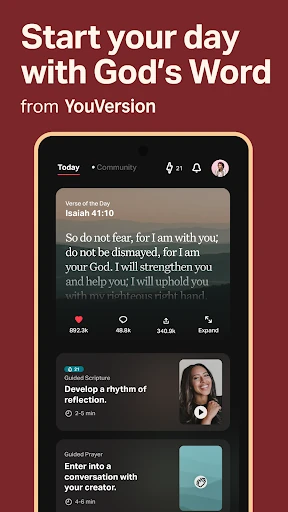
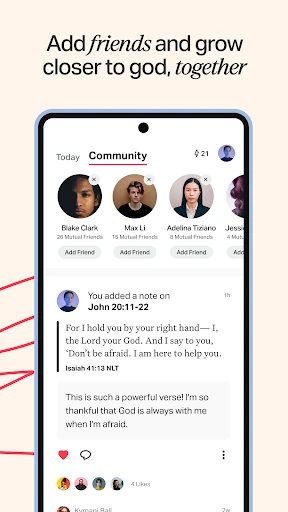
Compared with a plain e-book or a basic text reader, YouVersion puts study plans, audio, highlights, bookmarks, notes, and sharing alongside the Bible text. It can also make reading feel social: friends can share activity, discuss plans, and respond to the Verse of the Day. That range makes it a good fit for someone who wants several Bible-related tools together, rather than a simple screen that only displays text.
It is not a substitute for a printed Bible, a dedicated audio player, or a specialist study resource for every reader. The app’s broad selection is convenient, but people who prefer a single translation and a quiet, distraction-free reading routine may not need its community and customization tools. I would treat its videos and social features as optional extras, not the reason to use it if all I want is straightforward reading.
Small Ways to Make It Yours
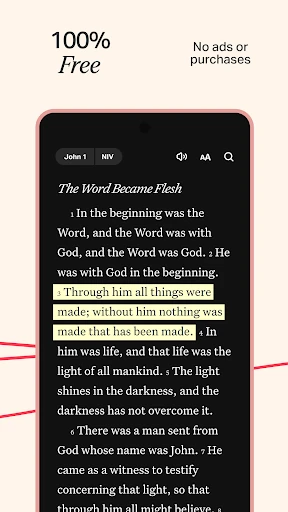
A little setup can make the app easier to return to. I would choose a preferred version, adjust font size and contrast for comfortable reading, and use bookmarks for passages I want to find again. Highlights in custom colors and notes can help separate a line I want to remember from a question I want to revisit. These simple habits keep the app useful without requiring a complicated system.
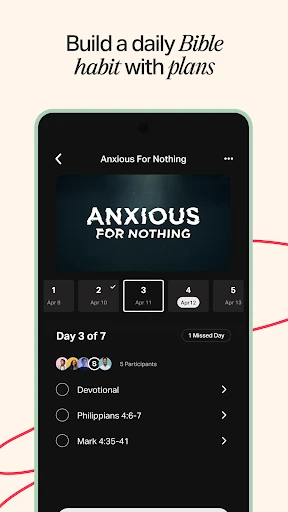
Reading plans work best when I choose one that fits the time I actually have, rather than starting several at once. A free YouVersion account can sync notes, highlights, bookmarks, and reading plans across supported devices. If I read with friends, doing a plan together and discussing what we learn can add some shared accountability. For offline days, I would download a supported Bible version beforehand and remember that audio needs a connection.
More From Our News Desk

Zoom Meetings, Google Meet, or Teams: Which Is Easiest to Join?

How I Build a Free Streaming Lineup With Tubi

Why Crunchyroll Is the Default Anime App for So Many Fans

YouTube TV: A Practical Guide to Cutting Cable

Rummikub and the Small Comfort of Phone Games

TeamViewer Remote Control or AnyDesk for Helping Family?
Who Will Get the Most From It
I would recommend YouVersion to readers who want a free, adaptable place for Bible reading, listening, and devotional plans. It is especially useful for people who like to save passages, keep personal notes, or move between reading and audio. Its wide range of versions and languages can also help readers who want options beyond one familiar translation. The app can support a quick daily check-in as easily as a more structured reading routine.
It may be less appealing to someone who wants a very minimal reader, has no interest in plans or sharing, or prefers every part of a reading session to work offline. The number of choices can take some exploring, and audio is limited to select versions and is not available offline. I would start with the reading experience and add other tools only if they help, rather than feeling obliged to use every feature.
YouVersion Bible App + Audio is developed by Life.Church and is listed in Books & Reference. On Google Play, it has more than 100 million installs and a 4.9-star rating from around 9.3 million ratings. The app is free, with no in-app purchases and no ads. Its content rating is Teen, so families should take that rating into account when deciding whether it is appropriate for a particular reader.
The current version is 11.35.0+7099108, and the app was last updated on October 27, 2026. A minimum Android version and original release date are not included in the available app details, so device compatibility is best checked on Google Play. The app description says a free YouVersion account can sync notes, highlights, bookmarks, and reading plans across supported devices.
A Flexible Bible Routine in Your Pocket
Getting Started
When I first opened an app with this much material, my instinct was to find a familiar Bible version and begin reading before exploring everything else. YouVersion offers many versions and languages, so starting with a translation I already know would make the first session feel grounded. After that, the reading controls let me adjust text size and contrast, small choices that matter when I am reading in different lighting or for more than a few minutes.
I would treat setup as a short process, not a project. Pick a version, try a passage, and decide whether a plan or audio would genuinely help. The interface’s range is part of the appeal, but it can also make the first visit feel busy. Beginning with one concrete goal—such as reading a passage each morning—keeps the app from turning into a tour of features before I have actually read anything.
The Daily Reading Loop
The core experience revolves around reading or listening, then keeping track of what I want to return to. A bookmark saves a verse, a highlight marks it visually, and a note gives me room to capture a thought or question. That sequence feels natural during a short break: read, mark, move on. Later, I can revisit those saved items rather than relying on memory to locate a passage that caught my attention.
Audio adds a useful alternative for moments when looking at the screen is inconvenient. I could listen while doing a routine task, then switch back to reading when I have a quieter moment. The important caveat is that audio is available only for select versions and cannot be downloaded for offline listening. For reading without a connection, select Bible versions can be downloaded in advance.
Plans, Friends, and Creativity
Reading plans and devotionals are among the features that distinguish YouVersion from a simple digital Bible. The app describes thousands of plans, including topic-based options and plans for reading through the Bible. I like the idea of choosing a manageable series when I want structure, instead of deciding from scratch what to read every day. The range means there are different ways to approach a routine, whether I want a short devotional or a longer reading goal.
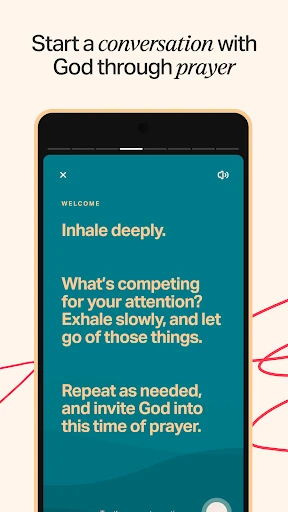
The social side lets friends see shared activity such as notes, bookmarks, and highlights, comment on the Verse of the Day, and do plans together. Users can also write prayers to share with friends. These tools are clearly aimed at people who want faith conversations to be part of the experience; they are not necessary for private reading. Notes can be kept private or shared, which gives readers a choice about how much they want to involve others.
There are also verse images that can be made with photos, along with ways to share verses through social media, email, or text. Video clips from several listed sources add another format for exploring Bible-related material. I see these as optional ways to reflect or share, rather than a replacement for the text itself. Their presence broadens the app, but a reader can ignore them and keep a simple reading-focused routine.
A Routine That Sticks
For a practical routine, I would attach reading to a moment that already happens every day: breakfast, a lunch break, or winding down in the evening. A plan can provide the next step, while the Verse of the Day offers a quick entry point on busier days. If something stands out, I can bookmark it and add a note without needing to turn a short session into a full study session.
Once a week, I might revisit a few highlights and notes, or talk through a plan with friends if I have chosen to read collaboratively. A free account can sync selected saved material and plans across supported devices, so it can be easier to pick up where I left off. If I know I will be away from a connection, downloading a supported version in advance is a sensible part of the routine.
A Few Useful Limits
The main trade-off is abundance. With thousands of plans and a large choice of versions, deciding where to begin can take longer than expected. I would not try to compare every translation or browse every plan on day one. A familiar version and one reading goal are enough to test whether the app fits my habits; the rest can wait until I have a reason to look for it.
Offline support is not universal across the experience. Select Bible versions can be downloaded for reading, but audio is not available offline, so anyone who relies on listening should plan around a connection. The social tools also suit readers who are comfortable sharing some activity with friends, though notes may be private or public. People wanting an entirely quiet, stripped-back reader may prefer to leave those extras unused.
YouVersion Bible App + Audio brings reading, listening, plans, personal annotations, and optional community tools together without charging for the app or showing ads. Its strongest quality is flexibility: I can keep a session simple or add structure when I want it. The large selection is also its main challenge, since a new user may need to ignore most of it at first.
I recommend it to anyone looking for a free Bible app that can support a regular reading habit and adapt as that habit changes. It is less compelling for readers who want only a bare-bones text reader or need audio to work offline. Start with one version and one routine, then keep the features that genuinely make your reading easier.
Bible Frequently Asked Questions
What is YouVersion Bible App + Audio used for?
YouVersion is used to read and listen to Bible versions, follow reading plans and devotionals, and save passages with highlights, bookmarks, and notes. It also includes options for sharing verses and plans with friends. Audio is available for select versions, while select Bible versions can be downloaded for offline reading.
What devices can run YouVersion Bible App + Audio?
YouVersion Bible App + Audio is available on Android through Google Play. Its description also refers to syncing saved notes, highlights, bookmarks, and plans across supported devices with a free account. For details about compatibility with a particular device or other platforms, check the app’s store information.
What Android version does YouVersion require?
The required Android version can vary with the app and device, so check the current Google Play information before installing. The app supports offline reading for select Bible versions, but that does not mean every version or feature works offline. Audio versions are not available offline.
Does YouVersion Bible App + Audio cost money?
The app is free on Google Play and has no in-app purchases or ads. It offers Bible reading, plans, notes, and other features described in the app information without a purchase. Store details can change, so it is worth checking Google Play for the latest terms before installing.
Is YouVersion Bible App + Audio right for beginners?
It can suit beginners as well as established readers, since users can start with Bible reading and add plans, audio, or notes as needed. The large selection may feel overwhelming at first, so beginning with one familiar version and a simple routine is a practical approach. Readers who want a very minimal app may prefer fewer options.
Pros
- Free to use, with no ads or in-app purchases.
- Combines Bible reading, select audio versions, plans, bookmarks, highlights, and notes.
- Offers offline reading for select Bible versions.
- Optional sharing and group plans can support reading with friends.
Cons
- The large selection of versions and plans can take time to navigate.
- Audio is available only for select versions and cannot be used offline.
- Social and creative extras may be unnecessary for readers seeking a minimal experience.
- Category
- Books & Reference
- Version
- 11.35.0+7099108