Wikipedia
- 694.27K
- 4.4
- Installs
- 50.00M
- Price
- Free

Screenshots
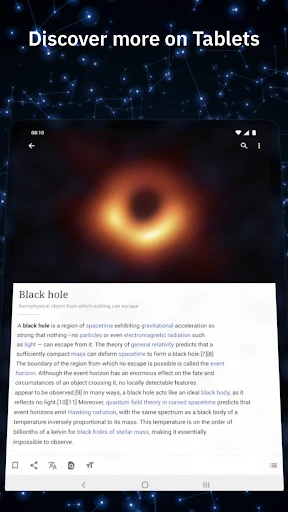
Analysis by Reviewed APKs
Wikipedia is a pocket reference library for looking up a person, place, event, or unfamiliar term and then following the links to learn more. I found the official app especially useful for quick questions and unhurried reading, with offline article lists and adjustable reading themes adding practical value. It suits curious readers who want broad background information, though it is a starting point rather than a substitute for specialist sources.
A Question Turns Into Reading
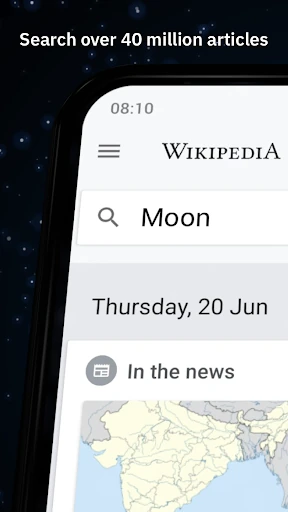
When I first opened Wikipedia to check a name I had heard in a conversation, the app’s search bar made the first step simple: enter a term, open an article, and start reading. From there, links within the article offered a natural way to investigate related ideas. I could begin with one quick fact and spend a few more minutes building context without switching between separate reference apps.
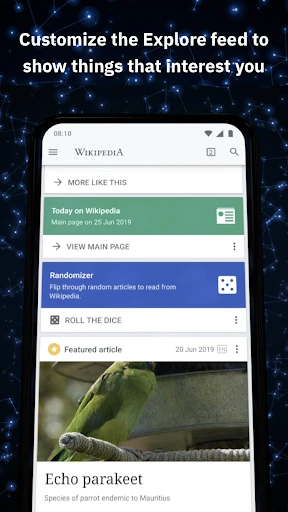
That flow also works for slower moments. I spent an evening following articles from a historical event to the people and places connected with it, then saved a few pages to a reading list. The Explore feed can offer another route in, with recommended articles, current events, photos, and this-day-in-history material. It makes browsing feel less like searching for a single answer and more like opening a book at random.
A General Reference, Not a Specialist
Compared with searching the web in a browser, Wikipedia keeps the experience focused on encyclopedia articles. I like that when I want a clear overview without sorting through a page of unrelated results. The app also brings together language switching, reading themes, and saved articles in one reading environment, so it can be convenient for regular reference checks as well as longer sessions.
That broad coverage is also the boundary to keep in mind. Wikipedia is useful for orientation and for discovering related topics, but it is not a dedicated research database, a news service, or expert advice for consequential decisions. Articles are created and edited by a community, so I treat what I read as a helpful starting point and follow the article’s references when I need to examine a subject more closely.
Small Habits That Help
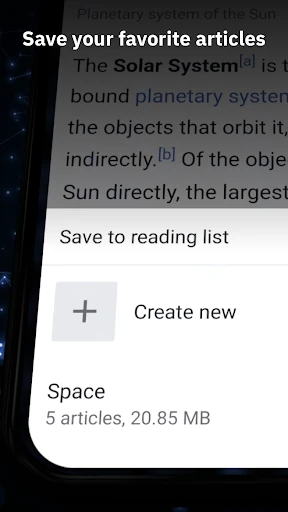
I get more from the app when I save articles as I find them instead of expecting to remember every interesting page. My lists can be named and can collect articles across languages, which makes them handy for gathering material around a subject. Saving a few pages before a commute or a trip also means I can return to them when an internet connection is unavailable.
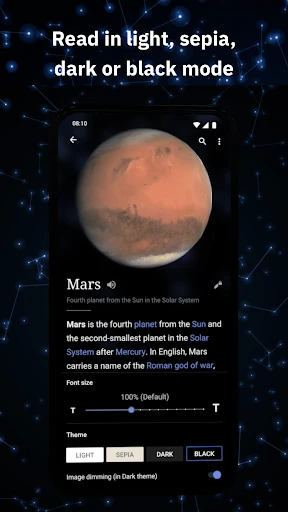
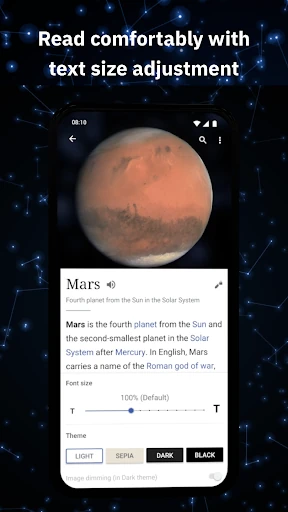
For longer reading, I adjust the text size and choose a theme that feels comfortable in the moment. If an article gets dense, searching within it can help me jump to the relevant term rather than scrolling blindly. I also switch languages when I want to browse in a different one. These small choices make the app easier to use as a reading tool, not just a place to look up one fact.
More From Our News Desk

Zoom Meetings, Google Meet, or Teams: Which Is Easiest to Join?

How I Build a Free Streaming Lineup With Tubi

Why Crunchyroll Is the Default Anime App for So Many Fans

YouTube TV: A Practical Guide to Cutting Cable

Rummikub and the Small Comfort of Phone Games

TeamViewer Remote Control or AnyDesk for Helping Family?
Who Will Enjoy It
I would recommend Wikipedia to students, curious readers, travelers planning what to explore, and anyone who often wants quick background on a topic. Its breadth makes it useful for answering casual questions and following a chain of related ideas. Readers who use more than one language may also appreciate being able to set preferred languages and switch while browsing.
It may be less satisfying for someone who wants a tightly curated course, a specialist reference work, or a definitive answer to a high-stakes question. Wikipedia’s open, community-edited nature is part of its model, but it means readers should use judgment and consult sources suited to the task. People who mainly want a single answer, with no interest in reading or exploring further, may find the app more extensive than they need.
The Wikipedia app is developed by the Wikimedia Foundation and belongs to the Books & Reference category. On Google Play it has over 50 million installs and a 4.4-star rating from about 694,000 ratings. It is free to install and use, with no in-app purchases and no ads. Its content rating is Everyone.
The Android app requires Android 6.0 or later. The supplied version is 50566-r-2026-02-04; it was released on January 13, 2012, and was last updated on February 5, 2026. The latest update notes general bug fixes and enhancements. These details describe the app’s current store information and may change with later updates.
A Reading App Built for Curiosity
A Familiar Start
My first impression was that the app puts reading ahead of decoration. Search is easy to find, and opening an article takes little effort. That simplicity is welcome when I have a question in the middle of another task and do not want to learn a complicated interface before getting an answer.
Getting comfortable with it is mostly a matter of choosing preferred languages and deciding how I like to read. The app offers adjustable text size and light, dark, sepia, and pure-black themes. I appreciate being able to set those details around my own reading habits rather than treating every article as a one-off lookup.
The Everyday Reading Flow
Most sessions start with the search bar, but the reading experience is what keeps me there. An article can lead naturally to another through its links, so a quick lookup can become a short tour of the subject. When I already have a specific page open, searching within the article is a useful shortcut to a name or idea.
The app also supports voice-enabled search and searching with emoji, which give users other ways to express a query. I do not need those options for every lookup, but they help make search feel flexible. Overall, the routine stays straightforward: find a page, read at my pace, and save it if I expect to return.
Useful Extras for Readers
The Explore feed is the most noticeable alternative to entering a search. It can surface recommended articles, current events, popular pages, photos, and events associated with this day in history. Suggestions based on reading history give it a personal angle, while the mix of subjects makes it easy to stumble across something I would not have searched for directly.
My lists add a practical layer to that discovery. I can name lists and collect articles, including pages in different languages, then read saved material offline. The app also says saved articles and lists sync across devices. Together, these features make it possible to use Wikipedia not only for immediate answers but also to assemble a small reading queue.
A Simple Offline Routine
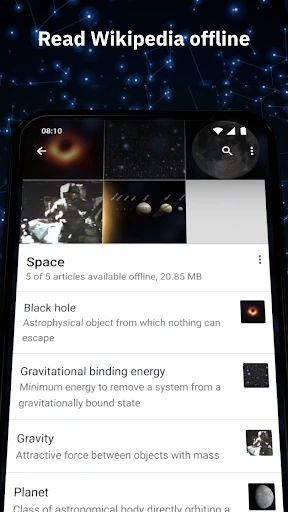
One useful routine is to gather pages before leaving home. I might search for a few articles connected to a place or topic, add them to a named list, and then read them later when I do not have internet access. The app’s offline access for saved articles turns a casual browsing session into preparation for a commute or a stretch of travel.
At the end of a reading session, I can keep the pages that seem worth revisiting rather than relying on browser tabs or memory. For a longer topic, I can save related articles together and switch languages where helpful. It is a low-effort habit, and it keeps the app useful even when I am not actively searching for something new.
Keep Its Scope in Mind
Wikipedia covers a huge range of subjects, but the app does not turn every article into a specialist resource. The material is openly editable, and the app’s role is to make that encyclopedia easy to search and read. I use it to get oriented, then pay attention to the references when I want to check where information comes from.
The breadth can also make a focused answer take a little work. Links invite detours, and the Explore feed is better for discovery than for completing a specific task. Readers who want structured lessons or a narrowly tailored collection may prefer another kind of resource. For general reference and curiosity-led reading, though, those trade-offs are manageable.
Wikipedia’s official app does a good job of making a large encyclopedia comfortable to use on a phone. Search, readable themes, language options, the Explore feed, and offline lists cover both quick checks and longer browsing. I especially like that I can save useful pages and return to them without rebuilding my trail of links.
I recommend it to anyone who enjoys learning in small bursts or wants a broad reference close at hand. It is less suited to readers expecting a curated course or a final authority on every subject. Treat it as a convenient starting point, and it earns a lasting place in a curious reader’s app collection.
Wikipedia Frequently Asked Questions
What is the Wikipedia app used for?
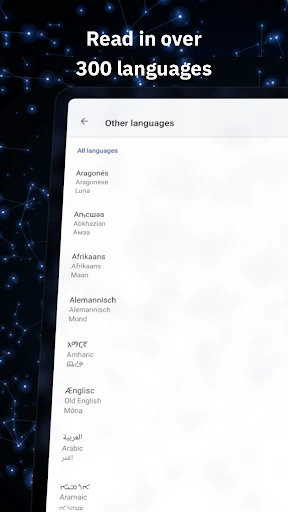
The Wikipedia app is for searching and reading encyclopedia articles on a mobile device. You can browse in more than 300 languages, explore recommendations, adjust reading appearance, and save articles in lists for offline reading. It works for quick background checks as well as following links through a subject.
Which devices can run the Wikipedia app?
The supplied store information is for the Android app, which requires Android 6.0 or later. Wikipedia is described here as a mobile app, and the app’s saved articles and lists can sync across devices. For current device compatibility or availability on other platforms, check the relevant store listing.
Does the Wikipedia app cost money?
The Android app is free to install and use, and the supplied facts say it has no in-app purchases and contains no ads. Store details can change over time, so it is worth checking the Google Play listing for the current information before installing.
Can I read Wikipedia articles offline?
Yes. The app lets you save favorite articles in named lists and read saved articles when you do not have an internet connection. Lists can include articles in different languages, and saved articles and reading lists are described as syncing across your devices.
Who is the Wikipedia app best for?
It is a good fit for curious readers who want broad background, quick reference, or an easy way to explore related topics. It may not suit someone looking for a specialist database, structured lessons, or expert guidance. For important questions, treat articles as a starting point and examine their references.
Pros
- Searches a broad encyclopedia and makes it easy to follow related articles.
- Saves named reading lists for offline access, including articles in different languages.
- Offers adjustable text size and several themes for comfortable reading.
- Free to use, with no ads or in-app purchases according to the supplied facts.
Cons
- Its broad encyclopedia coverage is not a substitute for specialist resources.
- Open-ended links and recommendations can distract from a focused lookup.
- Readers may need to consult article references for closer examination of a topic.
- Category
- Books & Reference
- Version
- 50566-r-2026-02-04