JW Library
- 1.68M
- 4.8
- Installs
- 50.00M
- Price
- Free

Screenshots
Analysis by Reviewed APKs
JW Library is a Bible reading and study app from Jehovah’s Witnesses, with Bible translations alongside publications, videos, audio, music, and meeting materials. I found it most useful as a portable reference library for people who already want this specific religious material, rather than as a general-purpose reading app. Its range is impressive, and the ability to download content makes it practical when I want to read or listen away from a connection.
A Library for a Daily Routine
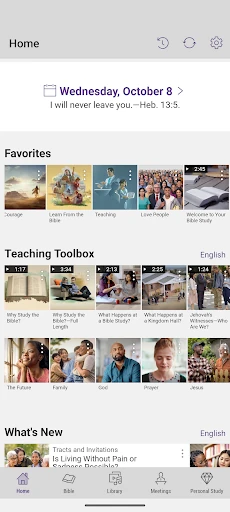
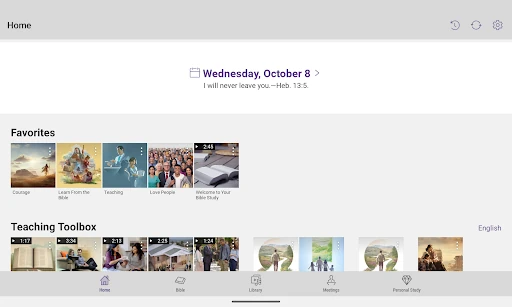
I can picture using JW Library at the start of an ordinary day: open the Daily Text for a verse and accompanying comments, then move into Bible reading or a publication that relates to a topic I want to explore. The app brings those materials together, so I do not have to treat a Bible, an article, and an audio program as separate destinations. That makes its core job easy to understand: keep Bible-based reading and study material close at hand.
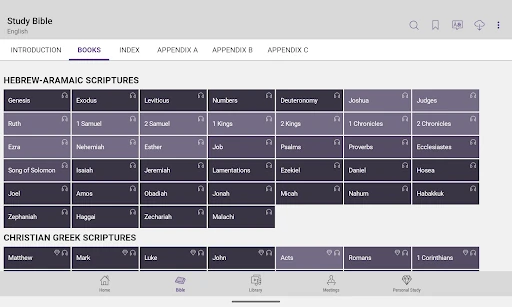
For a study session, I can search for a verse, content, or topic, compare available Bible translations, and mark passages with highlights, notes, or tags. Later, those personal additions can help me return to something I found useful. I also like that the library extends beyond text: a short listening session, a video, or a music selection can fit into a commute or a quiet evening. The app supports several different rhythms without changing its basic purpose.
Focused, Not General Purpose
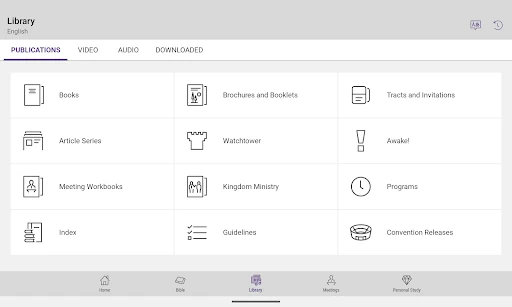
Compared with a basic ebook reader, JW Library is built around Bible reading and a large collection of related publications, programs, and meeting materials. Compared with a single-purpose Bible app, it also brings audio, video, music, and study tools into the same library. That breadth is useful when I want several kinds of material connected to one religious context, rather than a bare text reader or a general media player.
That focus is also the main boundary. I would not choose JW Library as a broad news reader, a general-purpose audiobook service, or a neutral catalog of religious traditions. Its content is Bible-based material produced for Jehovah’s Witnesses. Someone looking for that collection may appreciate how much is gathered in one place; someone wanting a wider range of publishers or a different faith perspective should look for an app designed around those needs.
Small Habits That Help
A simple habit is to use search when I remember a subject but not the exact publication or verse. The app can search for Bible verses, content, and topics, which is more practical than relying on memory to retrace a reading session. When I do find something worth revisiting, a highlight or personal note gives me a modest way to make the library feel more like a working study space than a shelf of downloads.
I would also keep the library manageable by downloading the material I expect to use, then making playlists for audio or video I want to return to. Playlists can organize music, videos, audio programs, and pictures, while tags can group personal study notes. Those tools are most valuable when used lightly: a few clear labels and a small collection of favorites are easier to revisit than an elaborate system I would have to maintain.
More From Our News Desk

Zoom Meetings, Google Meet, or Teams: Which Is Easiest to Join?

How I Build a Free Streaming Lineup With Tubi

Why Crunchyroll Is the Default Anime App for So Many Fans

YouTube TV: A Practical Guide to Cutting Cable

Rummikub and the Small Comfort of Phone Games

TeamViewer Remote Control or AnyDesk for Helping Family?
Who Will Find It Useful
I would recommend JW Library to readers who want Bible translations and Jehovah’s Witnesses’ publications in one place, especially if they also expect to use meeting material, videos, or audio programs. It suits people who like to read in short sessions, study a subject over time, or save personal notes and highlights. The ability to download content is a practical plus for anyone who wants access during travel or in places where a connection is inconvenient.
It may not suit someone who wants a general Bible reference with material from many religious traditions, or a library that is not centered on Jehovah’s Witnesses. Nor is it primarily a general entertainment or productivity app, even though it includes music and video. Before committing to a particular workflow, I would check whether the available materials and translations meet my needs. For the intended audience, though, the combination of reading, study, and media is compelling.
JW Library is developed by Jehovah’s Witnesses and is free on Google Play. It has over 50 million installs and a 4.8-star rating from around 1.7 million ratings. The app contains no ads and does not offer in-app purchases, so the Play Store information presents it as a free library rather than a paid subscription or purchase-based service.
Google Play gives the app an Everyone content rating. Its version varies with device, and the available facts do not provide a minimum Android version, so it is worth checking compatibility on the store page for a particular device. The recorded release date is July 3, 2013, and the listed last update is October 1, 2026.
A Study Library Built for Everyday Use
A Clear First Impression
When I first opened JW Library, the appeal was straightforward: it is a place to read and study the Bible, with a much wider collection of related material alongside it. That clear purpose helps the app feel less like an assortment of unrelated features. Bible translations, publications, videos, audio, and music all serve the same broad reading and study context, which makes the library easier to understand than a collection of disconnected services.
Getting value from it depends on what I want to have available. The app is designed for downloading Bible-based publications, videos, and audio programs so they can be accessed later. I would start by choosing material I am likely to use, rather than trying to collect everything at once. The library covers over 1,000 languages, including more than 100 sign languages, so the range is notable, but a useful starting point is still the content relevant to my own reading.
Reading and Returning
Day to day, the central experience is reading scripture and moving between related resources. I can look up a passage, compare it with other available translations, and then follow a topic into publications or articles. That makes the app handy when a question comes up during reading and I want to keep the exploration in one place. Search supports finding specific verses, content, and topics, so I do not have to know a publication’s exact title before looking.
The personal study tools add a useful layer to that routine. I can highlight text, add a note, and categorize material with tags. When I return later, those small marks can help me remember why I saved a passage or how I grouped it. I like that this is optional rather than a requirement: someone who only wants to read can do that, while a more organized reader can build a personal trail through the material.
More Than Printed Text
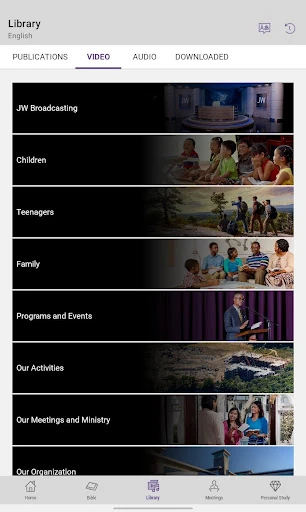
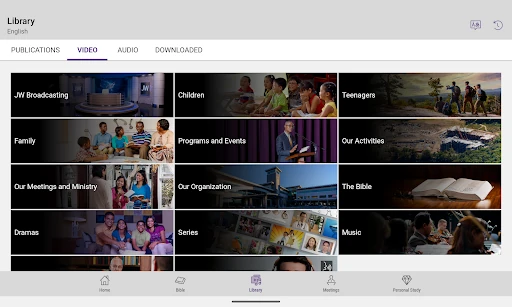
What surprised me was how much of the library sits outside ordinary reading. The app includes videos about Bible teachings, talks, feature dramas, and animated series, as well as audio programs. That gives users a way to engage with the material in different formats, whether they prefer to watch, listen, or read. It also means JW Library can serve a short listening break as easily as a longer sit-down study session.
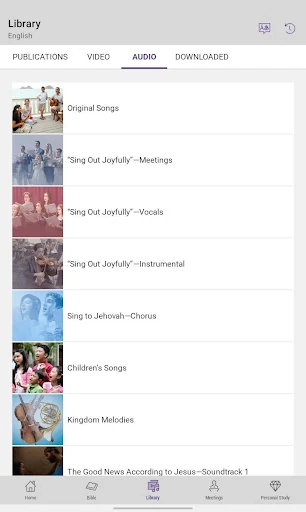
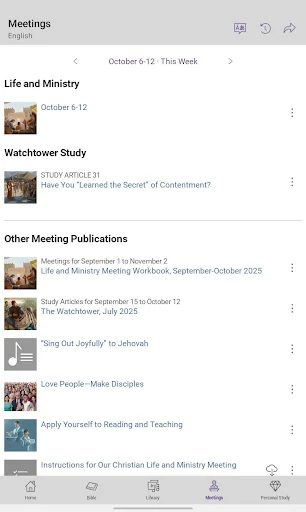
Music is another distinct part of the collection, with vocal, orchestral, and instrumental recordings. Playlists can organize music, videos, audio programs, and pictures, which helps when I want to gather a few items around a routine or revisit them later. The app also brings midweek and weekend meeting material together. These features are not extras in the sense of unrelated add-ons; they extend the same focused library into formats people may use at different times.
A Practical Study Rhythm
One workable routine would be to begin with the Daily Text, read a Bible passage, and use search to follow a question that comes to mind. If I find a paragraph or verse I want to remember, I can highlight it or add a note and tag. That creates a simple loop: read, investigate, and leave a marker for next time. It does not require a formal study plan, though the tools are there for someone who prefers more structure.
On a day when reading is not convenient, I could instead play an audio program or choose a video. I might download content in advance so it is available when I am away from a dependable connection, then keep selected items in a playlist. For meeting preparation, the dedicated materials can be accessed in the same app as the Bible and publications. I would keep the routine flexible, using only the formats that genuinely fit the day.
Keep the Focus in View
The biggest limitation is not a missing feature so much as the app’s clear editorial focus. JW Library is intended for Bible-based material from Jehovah’s Witnesses, so it is a strong fit for readers seeking that collection and a poor fit for someone who wants resources across many faiths or viewpoints. Its wide language range does not change that central scope. I would make sure the content aligns with what I want before building it into my regular reading routine.
The library’s size can also make it tempting to download more than I need or to over-organize notes and playlists. I would begin with a few useful publications, a small set of tags, and only the media I expect to revisit. Device compatibility is another practical point to check in Google Play, since the version varies with device. Those considerations do not undermine the app’s usefulness, but they help set realistic expectations for a focused, content-rich library.
JW Library is a substantial, focused resource for Bible reading and study, with publications, meeting materials, and a notable mix of video, audio, and music. I especially like how search and personal notes can support a routine without making the app feel like a complicated project. Its scope is specific, but within that scope it offers plenty of ways to read and return to material.
I recommend it to people who want Jehovah’s Witnesses’ Bible-based resources gathered in one free app, particularly readers who will use more than just the Bible text. If you want a broad, multi-perspective reference library, this is not the best match. For its intended audience, though, JW Library is a practical companion for everyday reading, study, and listening.
JW Library Frequently Asked Questions
What is JW Library used for?
JW Library is used to read and study the Bible and related material from Jehovah’s Witnesses. It includes Bible translations, publications, meeting materials, videos, audio programs, and music. Search can help find verses, topics, and content, while highlights, notes, and tags support personal study. The app also offers a Daily Text and playlists for organizing selected media.
Which devices can run JW Library?
The supplied store information is for the Android app on Google Play. It does not specify a minimum Android version, and the version varies with device, so check the Google Play page for compatibility with a particular phone or tablet. The app’s description also presents it as available for Bible reading and study, but other platform details may vary.
Does JW Library cost money?
JW Library is free on Google Play. The store facts say it contains no ads and does not offer in-app purchases. That means the app does not rely on an ad-supported experience or in-app buying according to the supplied store information. For current availability or any changes, check the app’s Google Play page.
What Android version does JW Library require?
A minimum Android version is not provided in the available app facts. Google Play lists the app version as varying with device, so requirements can differ by device or change over time. Check the Google Play page on the phone or tablet you plan to use to see whether your current Android version is supported.
Is JW Library a good fit for every Bible reader?
It is a good fit for readers seeking Bible-based publications, meeting materials, and media from Jehovah’s Witnesses, especially if they want reading and study tools together. It may not suit people looking for a broad selection of religious traditions or a general-purpose reader. The content is focused, so it is worth checking the store page and app materials before settling into a routine.
Pros
- Combines Bible translations, publications, meeting materials, and media in one focused library.
- Supports highlights, personal notes, tags, search, and playlists for returning to saved material.
- Offers downloadable content across a wide range of languages, including sign languages.
- Free on Google Play, with no ads or in-app purchases listed in the facts.
Cons
- Its content is specifically centered on Jehovah’s Witnesses, not a broad range of traditions.
- The extensive library may take some initial choices to keep downloads and saved items manageable.
- Android compatibility should be checked on Google Play because the version varies with device.
- Category
- Books & Reference