Audible: Audiobooks & Podcasts
- 1.77M
- 4.6
- Installs
- 100.00M
- Price
- Free

Screenshots

Analysis by Reviewed APKs
Audible: Audiobooks & Podcasts is for people who want stories, learning, and entertainment in audio form, whether they are commuting, cooking, or winding down. I like that it brings audiobooks, podcasts, and exclusive audio together with practical listening controls, including downloads and adjustable speed. It works best as a companion for moments when reading a screen is inconvenient, rather than as a replacement for every kind of book experience.
A Story Between Errands
When I first opened Audible, I pictured using it during the awkward gaps in a normal day: the drive to work, a grocery run, or the stretch of chores after dinner. I could choose an audiobook or podcast, then let the book player handle playback while my hands were busy. That simple shift is the app’s central appeal. It makes a story easier to fit into time that might otherwise pass without much notice.
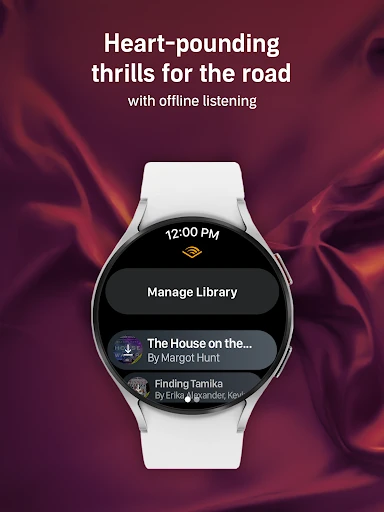
For a longer trip, downloading a title before leaving is especially useful. Audible supports offline listening, so a spotty connection does not have to interrupt a downloaded audiobook or podcast. Car Mode is another option for listening on the road, while Bluetooth and Alexa-enabled devices can support hands-free playback. I found the promise most practical when treated as preparation: pick something in advance, download it, and avoid turning a journey into a last-minute search.
Audio First, Not Print
Audible makes the most sense beside a printed book or an e-reader, not as a direct substitute for every reading situation. Its strength is letting a book continue while I cook, walk, or commute, and the description also mentions switching between reading on Kindle and listening on a phone, tablet, or Wear OS device. That flexibility suits readers who want to keep a title close even when their routine changes.
It is less suited to someone who wants to scan pages, compare passages visually, or browse a book silently in a waiting room. Audible is built around listening, with podcasts and spoken-word titles alongside audiobooks and Originals. That breadth can be a plus, but it also means the app is not simply a digital shelf for books you already own. I would choose it for spoken stories and audio entertainment, not for conventional ebook reading.
Small Listening Habits
A few small habits make Audible easier to use. I would download a title before a flight or a commute where reception might be unreliable, then use bookmarks to keep track of a passage worth revisiting. Notes can add context to those bookmarks, which is handy when an idea from a nonfiction book sticks with me and I do not want to rely on memory alone.
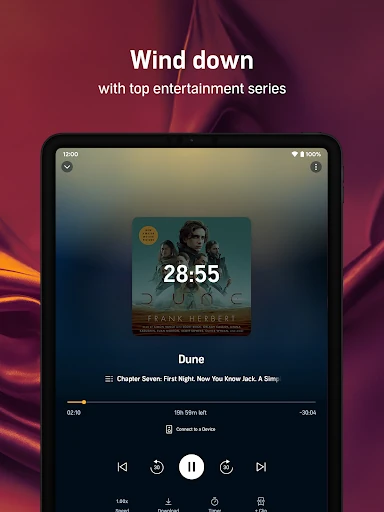
Playback controls can also make a listening session fit its setting. Adjustable narration speed goes up to 3.5x, so listeners can tune the pace to a familiar narrator or a quick review session. A sleep timer is useful for an evening chapter, since it can stop playback after I have settled in. Personalized playlists can gather audiobooks and podcasts, while a Kids Profile offers a way to share family-friendly listening with a child.
More From Our News Desk

Zoom Meetings, Google Meet, or Teams: Which Is Easiest to Join?

How I Build a Free Streaming Lineup With Tubi

Why Crunchyroll Is the Default Anime App for So Many Fans

YouTube TV: A Practical Guide to Cutting Cable

Rummikub and the Small Comfort of Phone Games

TeamViewer Remote Control or AnyDesk for Helping Family?
Who Might Enjoy Audible
I would recommend Audible to people who already enjoy audiobooks, podcast listeners who want another source of spoken entertainment, and readers whose days do not leave much quiet time for a page. Commuters, travelers, and anyone who likes listening while doing routine tasks have a clear reason to try it. The combination of offline downloads, a book player, adjustable speed, and sleep timer gives different kinds of listening a practical home.
It may not suit someone who mainly wants print or ebooks, or who prefers to browse a story visually and read at their own pace. It is also worth thinking about how often you listen before paying for membership or individual items; the app itself is free to install, but in-app purchases are offered. Families may appreciate the Kids Profile, though the overall Google Play content rating is Teen, so the app is not presented as exclusively for children.
Audible, Inc. develops Audible: Audiobooks & Podcasts, a Books & Reference app for Android. On Google Play it has over 100 million installs and a 4.6-star rating from about 1.8 million ratings. The app is free to install, but it contains ads and offers in-app purchases. Google Play gives its content a Teen rating.
The listed in-app purchase prices range from $0.49 to $279.99 per item. The app’s version varies with device. It was released on August 12, 2010, and its listed last update is November 2, 2026. A minimum Android version is not specified in the supplied app details, so it is worth checking the Google Play page for the requirement shown for your device.
How Audible Fits Into a Listening Day
Getting Started
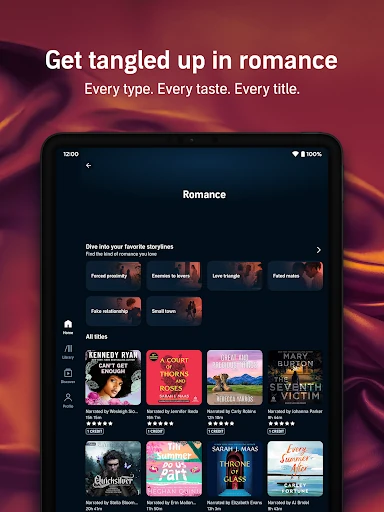
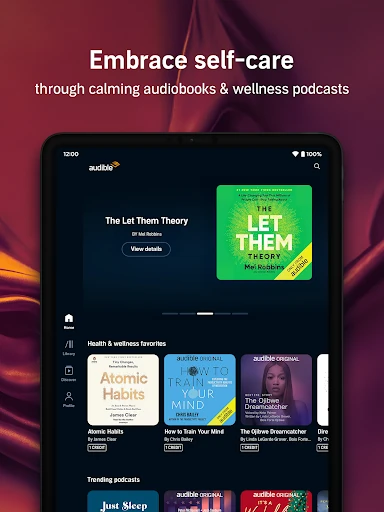
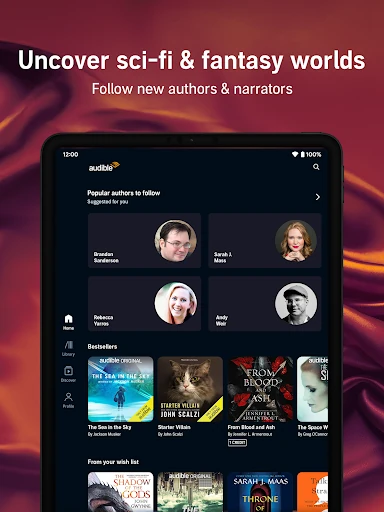
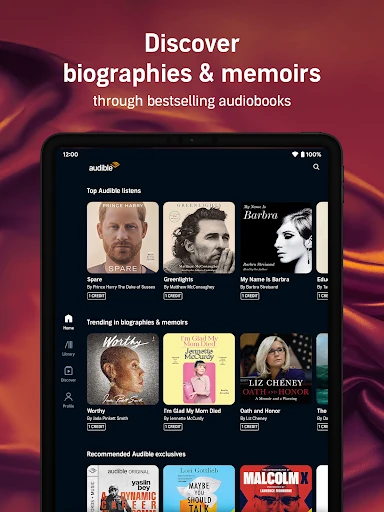
My first impression is that Audible is easiest to understand when I think in terms of a listening queue, not a reading list. The catalog combines audiobooks, podcasts, and Originals, with titles across areas such as mystery, fantasy, true crime, health, and wellness. That gives a new listener several ways to start, whether they want a long story or something they can dip into in shorter sessions.
I would begin by choosing one title that fits a real part of my week rather than browsing without a plan. A commute may call for a continuing audiobook, while a short break could suit a podcast. Once I know what I want to hear, downloading it for offline listening is a sensible early step. The app also supports listening on a phone, tablet, or Wear OS device.
The Daily Experience
Day to day, the main experience is straightforward: pick an audiobook or podcast and listen through the book player. Hands-free playback makes it suitable for chores and other tasks where handling a phone is inconvenient. I can also see the appeal of pairing it with a Bluetooth device or an Alexa-enabled device, especially at home when I want to keep listening without holding the phone.
The controls help Audible work across different moods. If I am listening in bed, a sleep timer fits better than leaving playback running indefinitely. If I am trying to get through a familiar passage or revisit a useful chapter, narration speed can be adjusted. Bookmarks and notes give me a way to save spots for later rather than hoping I remember exactly where a thought came up.
Features With Purpose
Offline downloads are one of the more useful features because they connect directly to a common problem: losing a signal while traveling. I would download a title before a flight, a road trip, or a stretch of travel where data coverage is uncertain. Car Mode is designed for listening on the road, and the app also describes switching between reading on Kindle and listening on supported devices.
The listening tools are modest but meaningful. Narration speed can be adjusted up to 3.5x, and bookmarks and notes make it easier to return to a specific moment. Personalized playlists can combine podcasts and audiobooks, giving listeners a way to collect audio around a mood or routine. For families, a Kids Profile can share family-friendly audiobooks, podcasts, and Originals from the app’s catalog.
A Routine That Works
A practical routine might start on Sunday evening: choose a book for the week, download it, and add a podcast or two to a playlist for shorter listening windows. On a weekday morning, Car Mode can accompany a drive, while an audiobook can continue later during meal preparation. The key is to choose audio that matches the length and attention the moment allows, rather than treating every session as a full chapter.
At night, I would switch to a calmer podcast or audiobook and use the sleep timer. If a passage is worth keeping, a bookmark or note can make it easier to find later. A family using the app could set up a Kids Profile and choose family-friendly listening for a child. These are small uses, but they show how the app can follow different parts of an ordinary day.
Limits to Keep in Mind
Audible is still an audio service, so it cannot replace the visual benefits of print or an ebook. I would not choose it when I need to skim a table, compare sections on a page, or read quietly without headphones or a speaker. Listening also asks for attention, even when hands are free; a complicated story may not be ideal during a task that already demands concentration.
The app is free to install, but it offers paid in-app purchases, and the listed price range is broad. That makes it worth deciding how you expect to listen before committing to purchases or membership. Catalog appeal will depend on personal taste, too: a large mix of audiobooks, podcasts, and Originals is useful only if it contains the kinds of voices and stories you actually want to hear.
Audible earns its place for me as a flexible way to bring books and podcasts into a day that is not always friendly to reading. Downloads, playback controls, and support for hands-free listening address practical needs rather than dressing up the basic idea. The experience is most rewarding when I choose a title with a particular commute, chore, or quiet evening in mind.
I would try Audible if spoken stories already fit your routine or if you want to make more of your travel and household time. If you prefer printed pages or want a free app with no paid purchases, it may be a weaker match. For listeners who value audio and are comfortable comparing the available purchase options, it is a capable, thoughtfully equipped choice.
Audible Frequently Asked Questions
What is Audible: Audiobooks & Podcasts used for?
Audible is used to listen to audiobooks, podcasts, and Originals. It includes a book player, offline downloads, adjustable narration speed, a sleep timer, bookmarks, and notes. The app is suited to listening during activities such as commuting, cooking, or winding down, rather than reading book pages on screen.
Which devices support Audible: Audiobooks & Podcasts?
The app is available for Android, and its description also refers to listening on a phone, tablet, or Wear OS device. It can connect with Bluetooth or Alexa-enabled devices, and it describes switching between Kindle reading and listening. Device compatibility can vary, so check Google Play for the details relevant to your device.
What Android version does Audible require?
The minimum Android version is not provided in the app details used for this review. Requirements can vary as the app changes and across devices, so check the Google Play page before installing to see the version requirement currently shown for your phone or tablet.
Is Audible free, and does it have in-app purchases?
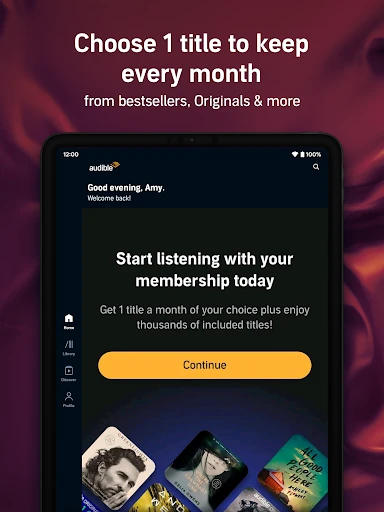
Audible is free to install on Google Play, but it contains ads and offers in-app purchases. The listed purchase prices range from $0.49 to $279.99 per item. The app description also mentions a 30-day free membership trial for new users; check Google Play and the in-app offer for current terms.
Is Audible: Audiobooks & Podcasts right for me?
It may suit you if you enjoy audiobooks or podcasts and want listening options for travel, chores, or relaxing. Features include offline downloads, playlists, playback speed controls, and a Kids Profile for sharing family-friendly audio. It may be less suitable if you mainly want ebooks or prefer reading silently from a page.
Pros
- Offline downloads make audiobooks and podcasts practical for flights, trips, and unreliable connections.
- Playback speed, sleep timer, bookmarks, and notes support different listening habits.
- Audiobooks, podcasts, and Originals offer several kinds of audio entertainment in one app.
- Kids Profile provides a way to share family-friendly listens with children.
Cons
- Audible focuses on listening, so it cannot replace the visual experience of print or ebooks.
- The app offers paid in-app purchases, with listed prices spanning a broad range.
- Audio still requires attention, which can make complex titles difficult during demanding tasks.
- Category
- Books & Reference