Dictionary.com: English Words
- 967.13K
- 4
- Installs
- 10.00M
- Price
- Free

Screenshots
Analysis by Reviewed APKs
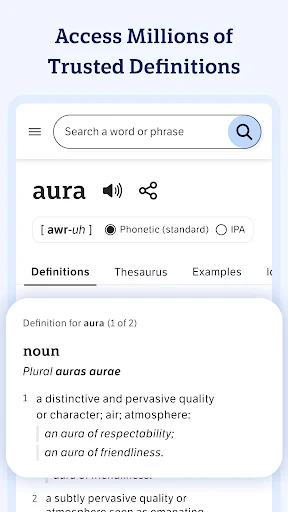
Dictionary.com: English Words is a pocket reference for checking meanings, finding synonyms, and getting a better feel for how English words are used. I found it most useful for quick lookups and small writing questions, with extra vocabulary features for anyone who likes to keep learning between searches. It covers more ground than a bare definition tool, though the ads and abundance of extras may not suit everyone.
A Quick Word Check
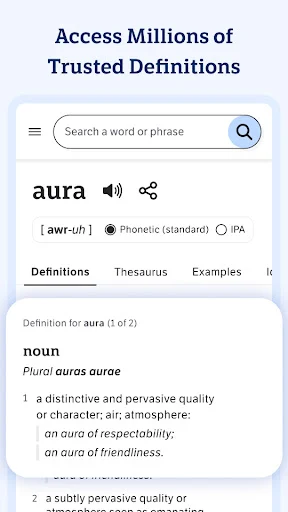
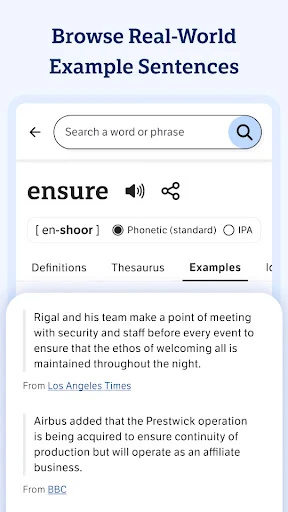
When I first opened Dictionary.com, I pictured the familiar moment of pausing over a word in an email or article. I could look it up, check its definition, and scan for synonyms without reaching for a paper reference book or switching between separate dictionary and thesaurus tools. Example sentences help put a meaning in context, which is useful when a definition alone leaves me unsure how a word sounds in everyday writing.
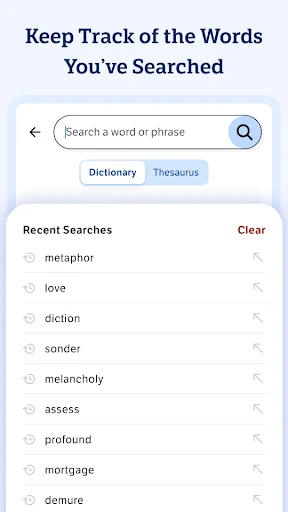
The app also gives a lookup a little more staying power. I can hear an audio pronunciation, review idioms, or check a grammar tip when the question is broader than “What does this mean?” Search history helps me revisit recent words, too. I like that the same place can serve a quick practical question and a small vocabulary detour, although I would not expect every visit to become a structured lesson.
Reference, Not Writing Software
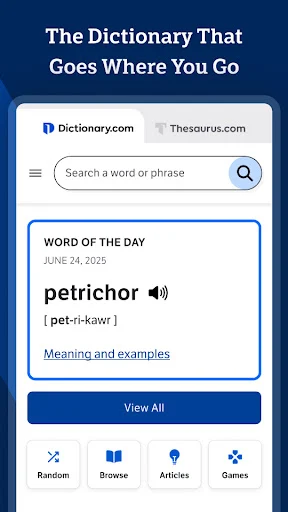
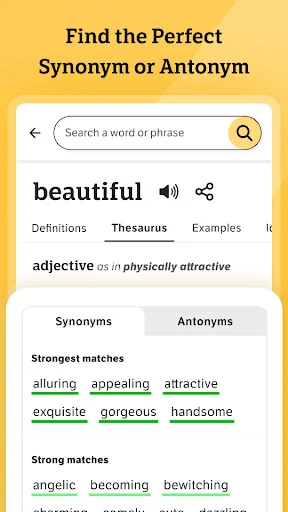
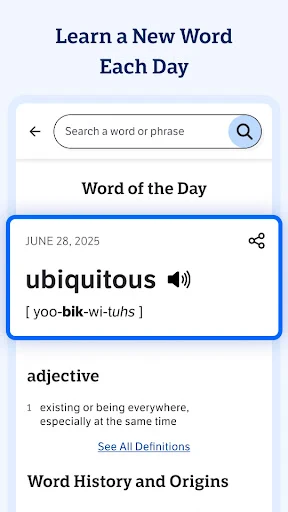
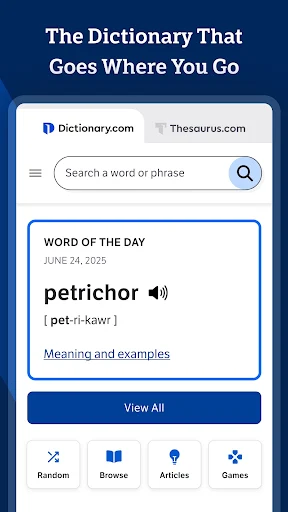
For a fast spelling or meaning check, this feels more convenient than leafing through a dictionary, and it combines dictionary and thesaurus material in one app. That makes it handy when I am editing a sentence and want to compare a word with alternatives. The example sentences and pronunciation audio add useful context beyond a simple list of definitions, while the Word of the Day offers a reason to open it when I do not have a specific question.
I would still treat it as a reference companion rather than a full writing or language course. Its described tools focus on words, usage, grammar tips, and editorial reading; they do not turn a draft into a polished document or provide a complete curriculum. If I only need one definition now and then, the extra features may feel like more than I need. If I enjoy exploring English, that breadth is part of the appeal.
Make Small Visits Count
A useful habit is to look beyond the first definition when a word is unfamiliar. I might read an example sentence, listen to the pronunciation, and save the term mentally by returning to it in search history later. That quick sequence gives me a better sense of meaning and use than glancing at a single line. It also keeps a lookup short enough to fit between other tasks instead of turning every question into a research session.
For a more deliberate routine, I would check the Word of the Day occasionally, then follow a word into its examples, idioms, or related grammar guidance if something catches my attention. Dictionary Shuffle and the A–Z Dictionary offer a different kind of browsing when I have a few spare minutes and no term to search. Dark mode is another practical option for reading in dimmer surroundings. These extras work best as invitations, not chores.
More From Our News Desk

Zoom Meetings, Google Meet, or Teams: Which Is Easiest to Join?

How I Build a Free Streaming Lineup With Tubi

Why Crunchyroll Is the Default Anime App for So Many Fans

YouTube TV: A Practical Guide to Cutting Cable

Rummikub and the Small Comfort of Phone Games

TeamViewer Remote Control or AnyDesk for Helping Family?
Who will get the most from it
I would recommend Dictionary.com to students, readers, writers, and curious word-watchers who often want a definition plus a little context. Someone polishing an email can check a synonym; someone reading a novel can clarify an unfamiliar expression; and someone building vocabulary can dip into the daily word or browse at random. Having definitions, synonyms, examples, pronunciation, and grammar material together makes those everyday checks feel conveniently connected.
It may be less appealing if you want a quiet, single-purpose lookup with no extras, or if you rarely need to consult a dictionary. The app contains ads, and its editorial and discovery features are not essential for answering a basic meaning question. I also would not choose it as a substitute for dedicated writing software or a complete course. For people who enjoy exploring language in small doses, though, it offers plenty to investigate.
Dictionary.com: English Words is developed by Dictionary LLC and is listed in Books & Reference. On Google Play, it has over 10 million installs and a 4.0-star rating from around 967,000 ratings. The app is free to download, contains ads, and has no in-app purchases. Its content rating is Everyone, making it suitable for a broad audience.
The listed version is 12.1.4. The app first appeared on February 12, 2010, and the recorded last update is October 20, 2026. The minimum Android version is worth checking on Google Play, since the requirement can vary by device and release. Those store details are useful to check before installing on an older phone or tablet.
How the Dictionary Fits Into My Day
A Familiar First Look
When I first opened the app, its purpose was immediately clear: it is built around English words and the questions people have about them. That straightforward role matters because reference tools are often opened in a hurry. I could imagine arriving with a word from a book or message, checking it, and getting back to what I was doing rather than learning a complicated workflow first.
The setup also leaves room for different kinds of visits. Some days I might want only a definition; on another, I might browse the Word of the Day or an editorial article about language. Dark mode gives readers an alternative to the traditional appearance. Those options make the app feel less like a static dictionary, while keeping the core job—looking up words—at the center.
Everyday Lookup Flow
The day-to-day experience is easiest to picture as a series of small questions. I encounter a word, search for it, and use the definition and examples to decide whether I understand it in context. If I am unsure how to say it, audio pronunciation provides another way to check. If I am choosing wording, synonyms offer alternatives to consider without leaving the reference app.
Search history is a practical touch for those moments when I want to revisit something I looked up earlier. It turns a string of quick searches into a lightweight record of recent discoveries. I would not treat that as a formal study plan, but it can help me pick up a word again instead of letting it vanish as soon as I close the app. The overall pattern suits short, interruption-friendly sessions.
More Than Definitions
The breadth of the included material is what gives the app its personality. Alongside definitions and synonyms, it offers example sentences, idioms, rhymes, and audio pronunciations. Those tools answer different questions: how a word is used, how it sounds, how it can appear in an expression, or what might fit a verse. I appreciate that these are connected to the central word lookup rather than being unrelated distractions.
There is also material for people interested in improving their command of English over time. Word of the Day gives a simple daily prompt, grammar content covers tips and usage, and editorial articles explore words and language. Dictionary Shuffle and the A–Z Dictionary encourage browsing when I do not have a particular term in mind. Together, these features make casual exploration possible without requiring a fixed lesson schedule.
A Practical Daily Routine
For writing, I would use the app as a quick second opinion. If a sentence feels repetitive, I can check synonyms and consider whether an alternative preserves the meaning I want. If a word seems formal or unfamiliar, example sentences can help me judge its use. Grammar tips offer another place to look when the issue is about wording rather than the definition of one specific term.
For reading, I would keep the routine simpler: look up the unfamiliar word, check the relevant meaning, then use the example or pronunciation if it helps. Later, search history gives me a way back to recent terms. On quieter days, I could open the daily word or browse the A–Z Dictionary instead. I like that the app supports both purposeful checks and open-ended curiosity, without requiring either to take long.
Limits to Keep in Mind
The main trade-off is that the app combines a focused reference job with a range of additional content, and not every user will want that wider experience. Someone who only needs an occasional definition may prefer a simpler tool. Ads are present, so the free price comes with that consideration. The app's extra articles, browsing options, and vocabulary prompts are useful only if I am inclined to explore them.
It is also worth keeping expectations grounded. This is a dictionary and thesaurus app with supporting language material, not a complete writing workspace or a structured course. Its features can help me understand words and usage, but they do not replace the judgment needed to choose language for a particular audience or purpose. Before installing, I would check Google Play for the Android requirement that applies to my device.
Dictionary.com: English Words works best as an everyday reference that can turn a quick lookup into a small learning moment. I like the combination of definitions, synonyms, examples, pronunciation, and optional browsing features. It is more than a bare dictionary, but still easy to imagine using in short visits while reading or writing.
I recommend it to anyone who regularly checks words or enjoys building vocabulary at their own pace. If all you want is the simplest possible lookup, the ads and extra content may be unnecessary. For curious readers and practical word-checkers, it is a useful, approachable companion.
Dictionary.com Frequently Asked Questions
What is Dictionary.com: English Words used for?
Dictionary.com: English Words is an English dictionary and thesaurus app for looking up definitions and synonyms. It also includes example sentences, idioms, rhymes, audio pronunciations, grammar tips, editorial articles, search history, Word of the Day, Dictionary Shuffle, and an A–Z Dictionary. It can help with quick word questions or casual vocabulary exploration.
Which devices can run Dictionary.com: English Words?
The app is described for Android, and its Google Play version is the relevant one for Android phones and tablets. The minimum Android version can vary by release or device, so check the Google Play store details before installing if you are using an older device. The app's described platform is Android.
Does Dictionary.com: English Words cost money?
The app is free to download and has no in-app purchases listed in its store facts. It does contain ads. Store details can change, so it is worth checking Google Play for the current information before installing.
Does Dictionary.com: English Words need a particular Android version?
The minimum Android version is not included in the available app facts, and requirements may vary across devices or releases. Check the Google Play store page for the requirement shown for your device before downloading. The listed app version is 12.1.4.
Who is Dictionary.com: English Words best suited for?
It should suit readers, students, writers, and anyone who often wants to check a meaning, compare synonyms, hear a pronunciation, or explore English vocabulary. Its extra browsing and learning features are optional. People who want only a minimal lookup tool may find its additional content and ads less appealing.
Pros
- Combines definitions and synonyms with examples, pronunciation, idioms, and rhymes.
- Search history makes it easier to revisit recently checked words.
- Word of the Day and browsing features encourage casual vocabulary exploration.
- Dark mode offers an alternative to the traditional reading appearance.
Cons
- Ads accompany the free app.
- Its extra content may feel unnecessary for people who only want quick definitions.
- The minimum Android requirement should be checked in Google Play before installing.
- Category
- Books & Reference
- Version
- 12.1.4