SimplyWise: Receipts, Expenses
- 11.56K
- 4.7
- Installs
- 100.00K
- Price
- Free

Screenshots

Analysis by Reviewed APKs
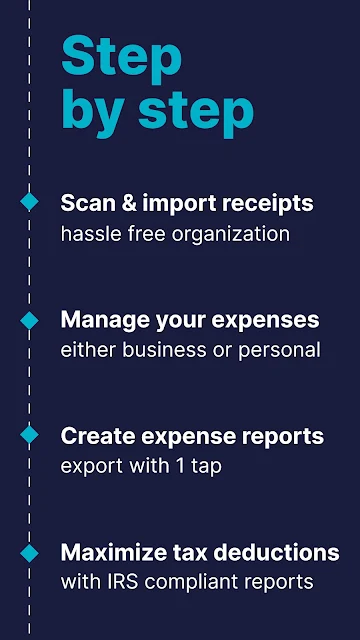
SimplyWise: Receipts, Expenses is a receipt and expense organizer aimed mainly at self-employed people and small-business owners who want less paper chasing at tax time. It can scan receipts, sort expenses, prepare reports and bring in some receipts from connected accounts. After looking at its range of bookkeeping tools, I see a practical organizer for people who track work spending—not a replacement for careful financial review.
A Receipt After Every Errand
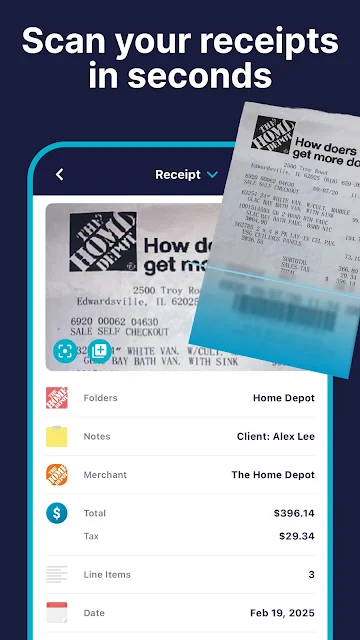
When I imagine using SimplyWise on a busy workday, the useful moment is right after paying for supplies or lunch with a client. I can scan the paper receipt, capture details such as the store, date, tax and total, then keep it with my expenses instead of letting it disappear into a bag. That small habit can make a later search more manageable, especially when several purchases need sorting.
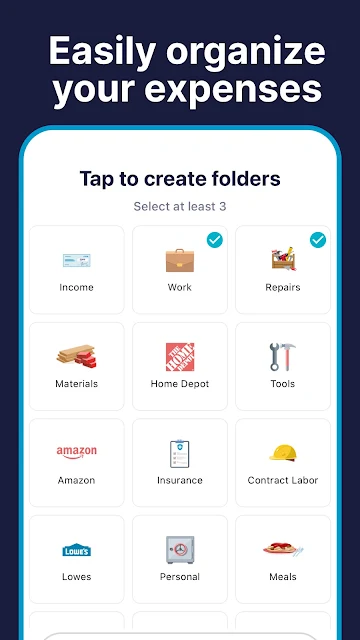
The app is designed to keep receipts and bills together with expense records, then help find them by category, store or a note. I would use those options when preparing a monthly expense report or trying to recall what a particular purchase was for. The value is less about one dramatic feature and more about having a consistent place for paperwork that otherwise tends to collect in several places.
Bookkeeping, Not Budget Coaching
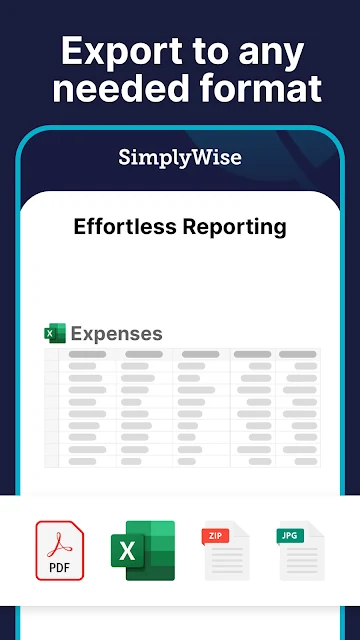
Compared with writing expenses in a notebook or saving receipt photos in a general photo library, SimplyWise is built around business paperwork. Its expense categories, receipt details, reports and options to export them as PDF, JPEG or Excel files give the records a more useful shape for bookkeeping. Email and online-account imports can also reduce the amount of manual collecting, if those connections fit how you already work.
That focus is also a boundary. I would not treat it as a personal budgeting coach or expect advice about how to spend, save or make tax decisions. The description emphasizes organizing records and identifying potential deductions, but keeping the information accurate and deciding how to use it still matters. It suits people who need expense documentation more than anyone looking for a broad view of household finances.
Make the Routine Stick
The easiest workflow is to deal with receipts while the purchase is still fresh in my mind. Scan a paper slip, check the captured details, and add a short note when the purpose is not obvious. That extra context can help later when I search by store, category or note. A quick review at the end of the week is also a sensible moment to catch anything that still needs attention.
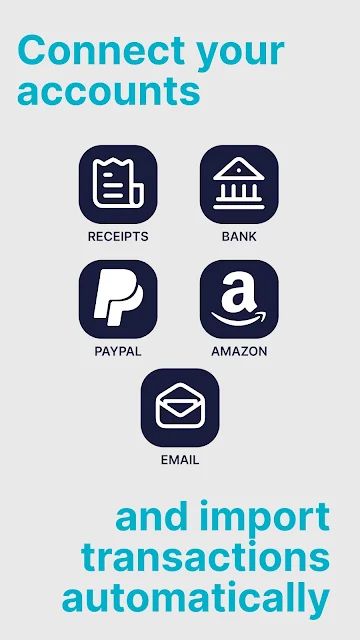
For people whose receipts arrive digitally, connecting supported accounts such as Gmail, Outlook, Amazon or PayPal may bring relevant paperwork into the same system. Monthly or yearly reports can then provide a useful checkpoint, and reports can be sent as PDFs, JPEGs or spreadsheets. I would still review what has been collected before sharing it; automation is most useful when it saves filing time without replacing a careful check.
More From Our News Desk

Zoom Meetings, Google Meet, or Teams: Which Is Easiest to Join?

How I Build a Free Streaming Lineup With Tubi

Why Crunchyroll Is the Default Anime App for So Many Fans

YouTube TV: A Practical Guide to Cutting Cable

Rummikub and the Small Comfort of Phone Games

TeamViewer Remote Control or AnyDesk for Helping Family?
Who Might Find It Useful
I would recommend SimplyWise to freelancers, self-employed workers and small-business owners who regularly collect receipts and need a more orderly expense trail. It may be especially handy for someone who switches between paper receipts and online purchases, or who has to prepare categorized expense reports. Rather than building a complicated spreadsheet from scratch, they can use the app's scanning, search and export tools as a starting point.
It may be less appealing if you only make a few occasional purchases and already have a filing routine that works. People seeking a full personal finance dashboard, budgeting guidance or tax preparation should look carefully at the app's stated scope before choosing it. Its job is to organize expense records and related documents, not to remove the need to review the figures or make decisions about tax treatment.
SimplyWise: Receipts, Expenses is a finance app from SimplyWise. On Google Play it has over 100,000 installs and a 4.7-star rating from about 11,600 ratings. The app is free to download, offers in-app purchases priced from $0.99 to $449.99 per item, and contains no ads. Its content rating is Everyone.
The current version is 0.83.0. It was released on December 4, 2020, and the recorded last update is July 28, 2026. The available app details do not specify a minimum Android version, so check the Google Play page on your device for compatibility information.
A Closer Look at Receipt Workflows
A Focused First Impression
SimplyWise makes its purpose clear from the start: receipts, expenses and bookkeeping records belong together. I like that framing for a work-focused tool, because it gives the scanning feature a practical destination rather than treating each photo as an isolated file. The app is meant to support personal or business receipt tracking, with reporting and tax-related organization as part of the same general workflow.
A useful first step would be deciding which records I want to keep and whether I rely more on paper receipts or digital ones. Scanning a receipt is one route; connecting supported accounts for imports is another. I would start with a small batch and check the captured store, date, tax and total before bringing more records in. That gives me a chance to understand the process before depending on it for routine filing.
The Daily Record-Keeping Loop
The everyday cycle is straightforward in concept: collect a receipt, keep the key purchase details, and organize the expense so it can be found later. Search by category, store or a custom note gives the records more than one path back. That can help when I remember the shop but not the date, or recognize the purpose of a purchase but cannot recall where I filed it.
The reports add a second layer to that routine. SimplyWise can produce monthly and yearly expense reports organized by category, then send them as PDF, JPEG or Excel files through text or email. I would use those reports as a convenient summary, not assume a generated document is ready to share without checking it. The app helps assemble information, while a quick review remains part of sensible record keeping.
Imports and Account Connections
The ability to import receipts from connected email and online accounts is one of the more distinctive parts of the described feature set. Gmail, Outlook, Amazon and PayPal are named as supported sources. For someone with work purchases spread across paper slips and online orders, bringing these records into one place could cut down on the familiar hunt through inboxes and account histories.
SimplyWise also describes connecting bank accounts to match receipts with transactions and flag discrepancies. That could make a record easier to reconcile, but I would treat any flagged mismatch as something to inspect rather than a final answer. The app's role is to help organize and compare information; the user still needs to make sure a transaction and receipt actually belong together.
A Weekly Filing Habit
A practical routine would be to scan paper receipts after a workday, while the purchase and its purpose are still easy to remember. I would add a short note for anything whose business purpose is not obvious, then use the category and store details to keep the record findable. A regular weekly pass can catch receipts that slipped through without turning every purchase into a major admin session.
At month end, I would look over the category report and check that the records I expect to see are there. If I need to send a summary, I can export it in a suitable format and review the file before sharing. For digital purchases, account imports may help fill gaps, but checking the imported items against my own records is a useful part of the process.
Keep Expectations Grounded
The app is most compelling when the problem is scattered expense documentation. Its tools are described around scanning, storing, searching, reporting and sharing receipts. That does not mean every part of bookkeeping is handled automatically, and a scanned total or categorized report still deserves a human look. I would choose it to reduce filing friction, not to hand off responsibility for the underlying records.
There is also a paid layer to keep in mind. The app is free to download, but Google Play reports in-app purchases ranging from $0.99 to $449.99 per item. That is a wide span, so I would check the purchase details in the store and within the app before committing to anything. The free download and absence of ads are useful facts, but they do not tell the whole cost story.
SimplyWise brings receipt scanning, expense organization, imports and report exports into a single bookkeeping-oriented app. I like its clear use case and the practical emphasis on keeping work purchases searchable. Its best results depend on a steady habit of checking details and keeping records current, rather than expecting the app to make every bookkeeping judgment.
I would try it if receipts are currently scattered across paper, inboxes and account histories, especially for self-employed work or a small business. If you want broader budgeting or tax-preparation help, this is a narrower tool. Check the current in-app purchase options and compatibility before settling on it.
SimplyWise Frequently Asked Questions
What is SimplyWise: Receipts, Expenses used for?
SimplyWise is for scanning and organizing receipts, tracking expenses, and preparing expense reports. It can capture receipt details, organize records by category, store paper and digital paperwork, and export reports as PDF, JPEG or Excel files. The app is aimed at people handling personal or business receipts, with a particular focus on self-employed bookkeeping and small businesses.
Is SimplyWise available on Android, and what does it require?
SimplyWise: Receipts, Expenses is an Android app available through Google Play. The minimum Android version is worth checking on its Google Play page, since compatibility details can vary by device and current app release. Its recorded current version is 0.83.0.
How much does SimplyWise cost?
SimplyWise is free to download and contains no ads. It offers in-app purchases, with Google Play showing item prices from $0.99 to $449.99. The exact options and prices may vary, so check the store page and the purchase details shown in the app before buying.
Can SimplyWise help me prepare expense records for taxes?
The app can organize receipts and expenses, identify potential tax write-offs, and create categorized expense reports. It is a record-keeping tool, so users should review the information and decide how it applies to their own needs. Its description does not make it a tax-preparation service.
Who is SimplyWise best suited for?
SimplyWise is a good fit for freelancers, self-employed people and small-business owners who want to keep receipts and expense reports in one place. Its scanning and import options may also help anyone with a steady flow of work purchases. It may be more than needed for someone with very few receipts or a filing system they already like.
Pros
- Scans receipts and captures store, date, tax, tip and total details.
- Organizes expenses with search by category, store or custom note.
- Exports categorized reports as PDF, JPEG or Excel files.
- Can import receipts from supported email and online accounts.
Cons
- Its bookkeeping focus may be too narrow for users seeking broad budgeting tools.
- In-app purchase prices span a wide range, so check options carefully.
- Expense records and generated reports still need a user review.
- Category
- Finance
- Version
- 0.83.0











