Simmons Bank
- 6.33K
- 4.5
- Installs
- 100.00K
- Price
- Free

Screenshots
Analysis by Reviewed APKs
Simmons Bank is a mobile banking app for customers who want to check accounts, move money, pay people or companies, and deposit checks from a phone. I like that it brings practical account tasks together with tools for organizing transactions and viewing statements. It is most useful if you already bank with Simmons and use its online banking; it is not a general-purpose budgeting app or a substitute for enrolling with the bank.
A Quick Banking Errand
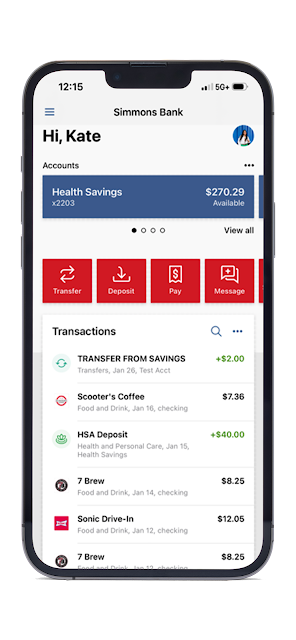
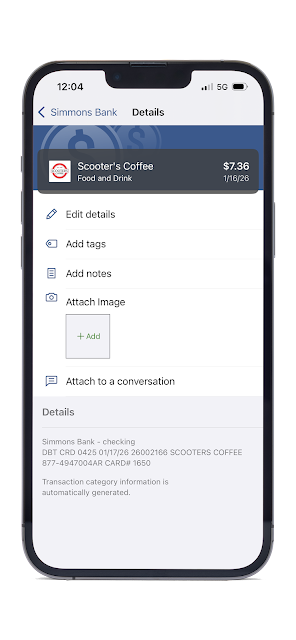
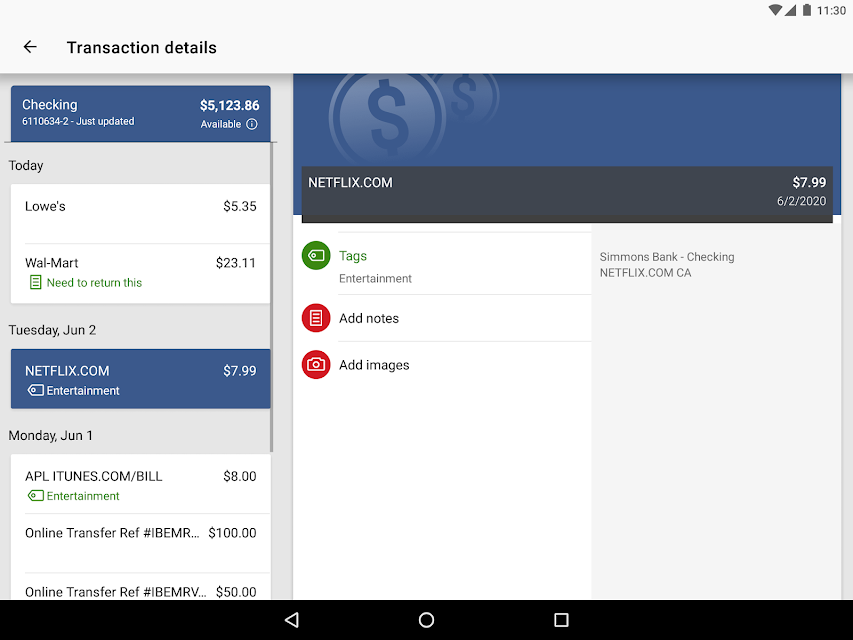
Picture me checking my balance while waiting for coffee, then spotting a purchase I want to remember. Simmons Bank’s customizable dashboard can put transactions and other useful account tools where I can reach them, and I can add a tag, note, or receipt photo to a transaction. That makes the app useful for a small everyday task: checking what happened and leaving myself enough context to recognize it later.
On a busy day, the same app can handle a check deposit or a transfer between my accounts without turning the errand into a trip to a branch. I can photograph both sides of a check for deposit, then save a monthly statement when I need a record. These are concrete conveniences rather than complicated financial planning tools, and they suit the quick, practical way many people use mobile banking.
Banking, Not Budgeting
I think of Simmons Bank as a remote counter for existing bank customers, not as a broad money-management service. It focuses on viewing and organizing transactions, making payments, transferring funds, depositing checks, and finding nearby branches or ATMs. It can also connect accounts from other institutions for a wider view of money, but the central experience is still banking through Simmons.
That distinction matters if you are comparing it with a dedicated budgeting app or a financial planning tool. Simmons Bank’s description does not present it as a place for savings plans, investment research, or detailed budget coaching, so I would not choose it for those jobs. It is also not useful as a banking shortcut for someone who is not enrolled in Simmons Bank Online Banking.
Small Habits That Help
A little setup can make repeat visits more useful. I would arrange the dashboard around the tasks I reach for most, such as transactions, deposits, payments, and transfers, then use tags or short notes when a purchase needs context. Adding a photo of a receipt or check can keep a useful visual reference alongside a transaction instead of leaving it buried in a camera roll.
Alerts are another habit worth considering if I want a prompt when my balance falls below a chosen amount. I would also make a routine of checking and saving monthly statements when I need them, rather than searching for one in a rush. The app supports these tasks, but the value comes from setting up and using them consistently, not from expecting the app to manage every financial decision for me.
More From Our News Desk

Zoom Meetings, Google Meet, or Teams: Which Is Easiest to Join?

How I Build a Free Streaming Lineup With Tubi

Why Crunchyroll Is the Default Anime App for So Many Fans

YouTube TV: A Practical Guide to Cutting Cable

Rummikub and the Small Comfort of Phone Games

TeamViewer Remote Control or AnyDesk for Helping Family?
Who May Find It Useful
I would recommend Simmons Bank to people who already use Simmons Bank Online Banking and want a phone-friendly way to handle routine account tasks. It is a sensible fit for checking activity between errands, transferring money between accounts, paying a company or a friend, and making a check deposit without visiting a branch. The combination of transaction notes, alerts, and saved statements can also help customers keep useful account details close at hand.
It may be a poor fit for anyone who wants a standalone budgeting coach, broader financial education, or access to banking without a Simmons relationship. The app requires enrollment in Simmons Bank Online Banking, so that is the key practical hurdle. People who prefer to handle every transaction in person may not get much from its mobile tools, while customers who want to see accounts elsewhere can use its account-connection feature for added visibility.
Simmons Bank is the developer, and the app is listed in the Finance category on Google Play. It is free to download, with no in-app purchases or ads indicated in the supplied store facts. Google Play shows a 4.5-star rating from 6,335 ratings and more than 100,000 installs. Its content rating is Everyone.
The supplied app version is 3.39.0. The release date is October 15, 2019, and the last update date provided is October 13, 2026. Simmons Bank requires users to be enrolled in Simmons Bank Online Banking to use the mobile app. The supplied facts do not give a minimum Android version, so check Google Play for current device compatibility.
A Closer Look at Everyday Banking
Getting Started
When I first opened Simmons Bank, the most important thing to know was that it is intended for existing online banking users. The app uses the same Online Banking credentials, so it is not a separate account-opening route. Once a customer is enrolled, the basic premise is straightforward: sign in on a phone and use the bank’s mobile tools for common account tasks.
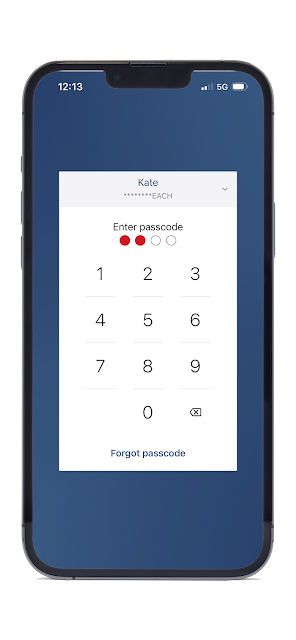
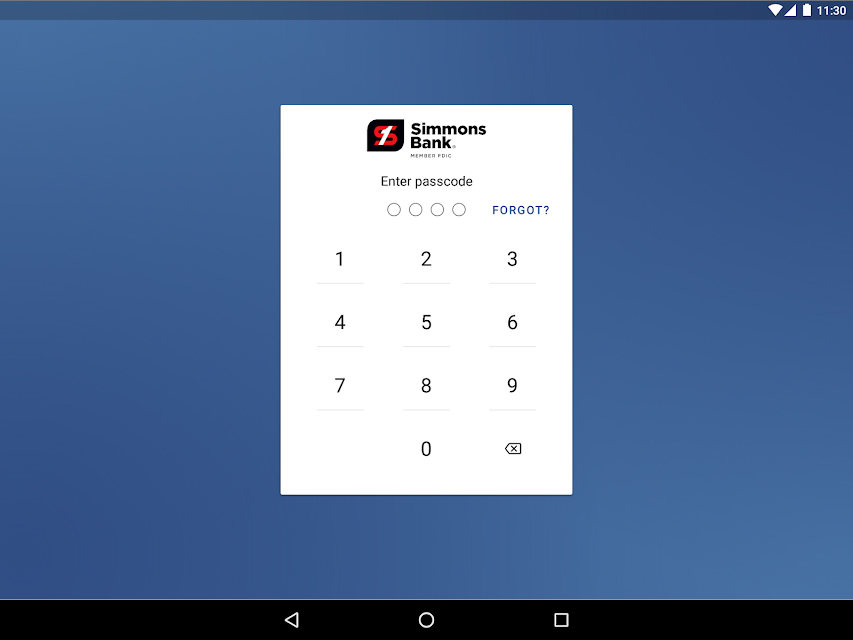
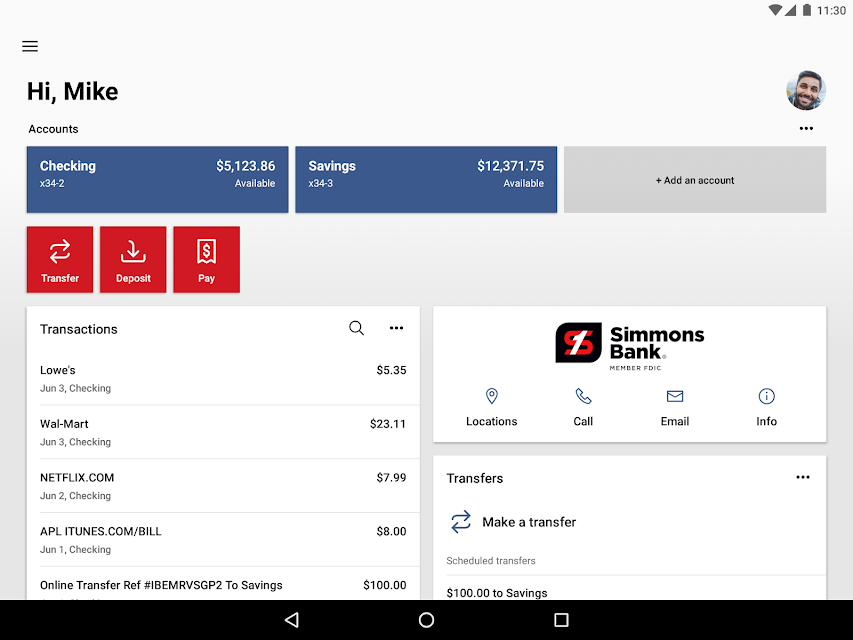
The dashboard is customizable, which gives the experience a practical starting point rather than forcing every customer to prioritize the same information. I would put the actions I use most within easy reach, then adjust as my habits change. The app also supports a four-digit passcode and fingerprint or face reader on supported devices, giving customers sign-in options beyond typing credentials each time.
The Daily Check-In
The day-to-day appeal is breadth: Simmons Bank brings account activity, payments, transfers, check deposits, and statements into one mobile app. I can imagine opening it for a quick balance check, then staying long enough to move money or review a recent transaction. That continuity is useful because a small errand does not necessarily require switching between separate tools.
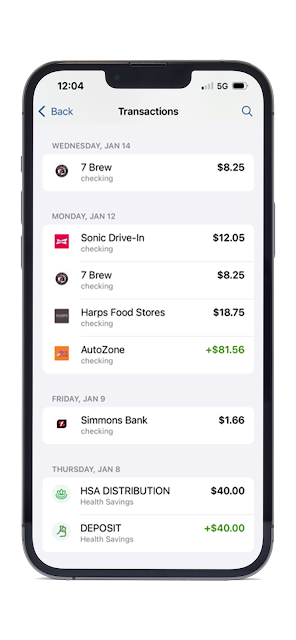
Transaction organization adds a useful layer to simple account viewing. Tags and notes can help distinguish purchases that otherwise look alike, while photos of receipts or checks can preserve a reference with the transaction. I would not expect that to replace a full record-keeping system, but it can make a quick review more informative than scanning a list of amounts and dates.
Useful Bank Tools
The check deposit feature is one of the clearest mobile conveniences: users can deposit a check by photographing the front and back. For someone who receives occasional paper checks, that can save a branch trip. The app also supports payments to companies or friends and transfers between the customer’s accounts, covering several common reasons to open a banking app in the first place.
I also like the account-connection option because it can bring accounts at other institutions into view for a broader picture of money. Balance alerts offer a more focused feature: users can set an alert for when a balance falls below a chosen amount. Add monthly statement viewing and saving, plus branch and ATM finding, and the feature set feels oriented toward everyday access rather than novelty.
A Routine That Works
A reasonable routine might start with a brief account check, followed by a review of any transactions that need a label or note. If I bought something I may need to identify later, I could add context while it is still fresh. For a paper check, I could use the app’s photo deposit flow; for a recurring low-balance concern, I could set an alert around an amount that matters to me.
At the end of the month, I would save the statement if I needed a copy for my own records. That makes the app useful in small, repeatable moments rather than only when something urgent happens. I would keep expectations measured: the tools help me access and organize account information, but they do not remove the need to review transactions and make my own choices.
Limits to Keep in Mind
The biggest limit is eligibility: a user must be enrolled in Simmons Bank Online Banking. That makes the app a companion to a Simmons banking relationship, not a general account aggregator that anyone can sign up for. Even though it can connect accounts from other institutions, the described experience is still built around Simmons Bank customers and their online banking access.
It is also worth being clear about the app’s scope. Its listed tools cover account access and routine transactions, but the description does not position it as a dedicated budgeting, investment, or financial-planning product. Device compatibility is another practical detail to check in Google Play, since the supplied facts do not include a minimum Android version. I would decide based on whether its banking tasks match my routine.
Simmons Bank seems most successful as a practical companion for customers who already bank online with Simmons. It combines everyday transactions with helpful touches such as check deposits, transaction notes, balance alerts, and saved statements. I appreciate that its tools are specific and useful, even if they do not try to turn the app into a complete financial-planning service.
I would try it if I were a Simmons customer who wanted more banking errands handled on a phone. If I wanted standalone budgeting guidance or did not use Simmons Bank Online Banking, I would look elsewhere. For eligible customers, the app’s mix of account access and routine tools makes it a straightforward option to consider.
Simmons Bank Frequently Asked Questions
What is the Simmons Bank app used for?
Simmons Bank is a mobile banking app for customers enrolled in Simmons Bank Online Banking. It supports account-related tasks such as payments, transfers between accounts, check deposits, transaction organization, monthly statement access, and finding nearby branches or ATMs. It can also connect accounts from other institutions and provide alerts when a balance drops below an amount the user sets.
Can I use Simmons Bank on my phone?
The app is available on Google Play for Android. The supplied information does not specify a minimum Android version, so device compatibility may vary; check Google Play before installing. The app also supports fingerprint or face-reader sign-in on supported devices, as well as a four-digit passcode.
What Android version does Simmons Bank require?
The minimum Android version is not included in the supplied app details. Requirements can vary as the app is updated, so check the Simmons Bank app page on Google Play for the current compatibility information for your phone or tablet.
Does Simmons Bank cost money to use?
Simmons Bank is listed as free to download, with no in-app purchases or ads indicated in the supplied store facts. You must be enrolled in Simmons Bank Online Banking to use the app. Check Google Play for current app details and with the bank for any account-related terms that may apply.
Is Simmons Bank a good fit for everyone?
It is best suited to customers who already use Simmons Bank Online Banking and want routine banking tools on a phone. People seeking a standalone budgeting or financial-planning app may find its focus too narrow. If you are not enrolled in Simmons online banking, the app is not presented as a way to use its banking features independently.
Pros
- Combines payments, account transfers, check deposits, and statements in one mobile banking app.
- Customizable dashboard can bring frequently used banking tools closer to hand.
- Transaction tags, notes, receipt photos, and balance alerts add practical organization.
- Can connect accounts from other institutions for a broader view of money.
Cons
- Requires enrollment in Simmons Bank Online Banking before the app can be used.
- Its described tools focus on banking tasks rather than dedicated budgeting guidance.
- Minimum Android compatibility should be checked in Google Play before installing.
- Category
- Finance
- Version
- 3.39.0











