Sendwave: Send Money Abroad
- 131.06K
- 4.5
- Installs
- 5.00M
- Price
- Free

Screenshots

Analysis by Reviewed APKs
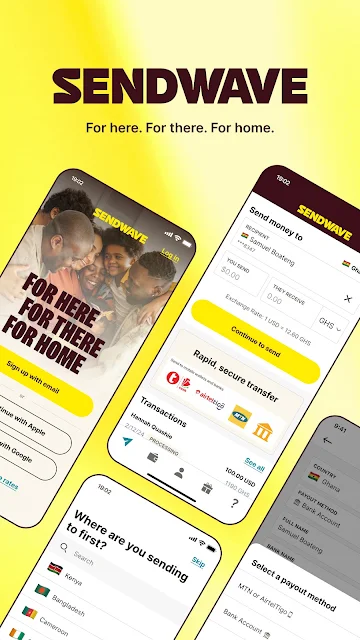
Sendwave: Send Money Abroad is a money transfer app for people sending support to family and friends in another country. It handles transfers to supported bank accounts and mobile money services, with status updates you can check in the app. I see it as a practical option for repeat remittances rather than a general banking tool: it keeps the task focused, though the available routes and options matter.
Sending Money Home
When I first opened Sendwave, I pictured the familiar monthly routine: a family member messages that a bill is due, and I need to send money without turning the errand into a trip to a transfer office. The app is built around that job. You choose a destination and a supported way to receive funds, then follow the transfer in the app rather than wondering whether it has moved.
That focus suits the smaller moments too. I can imagine using it to send regular help, or handling an occasional request while away from home. Sendwave describes transfers through bank and mobile money networks, and says it provides real-time status updates. Those details make the experience feel oriented toward keeping both sender and recipient informed, not just starting a payment and hoping for the best.
A Focused Transfer Tool
Compared with visiting a traditional money transfer office or using a wire service, Sendwave puts the process on a phone and is designed for international remittances. Its stated destinations span parts of Africa, Asia, the Middle East and the Americas. Depending on the route, a recipient may receive money through a bank or a mobile money service. That makes the app most relevant when its supported corridor matches the people you send to.
It is not a general-purpose banking app, a budgeting tool or a place to manage every kind of payment. I would not assume every country or receiving method is available, either; the options depend on the transfer route. If you need cash pickup or a particular bank, check that the app supports it before planning around it. The description highlights bank and mobile money transfers, not a universal menu of payout choices.
Make Repeat Sends Easier
For a recurring transfer, I would make checking the destination and receiving method part of the routine before sending. A familiar recipient can make the task feel quick, but a brief review of the amount and the displayed exchange details is still sensible. Sendwave says it shows transfer status in the app, so I would check there after sending rather than repeatedly asking the recipient whether anything has arrived.
The app also describes repeat transfers and a Sendwave Wallet, which can be used to send money and access promotional exchange rates or cashback rewards. Those are useful details to explore if they fit your habits, but they do not change the basic routine: confirm the route, review the transfer, and keep an eye on its status. For occasional users, the same small checklist helps make each send less of a scramble.
More From Our News Desk

Zoom Meetings, Google Meet, or Teams: Which Is Easiest to Join?

How I Build a Free Streaming Lineup With Tubi

Why Crunchyroll Is the Default Anime App for So Many Fans

YouTube TV: A Practical Guide to Cutting Cable

Rummikub and the Small Comfort of Phone Games

TeamViewer Remote Control or AnyDesk for Helping Family?
Who Sendwave Suits
I would recommend Sendwave to people who regularly support someone abroad and whose destination is among the countries and services the app covers. It is especially relevant if the recipient uses a supported bank or mobile money network. A focused transfer app can be convenient when the same kind of payment comes up again and again, and in-app status updates give the sender a place to follow progress.
It may be less useful if you want an all-in-one financial hub, need a receiving method the app does not offer, or send to a country outside its supported routes. Someone comparing transfer services should also look at the details for their own destination rather than assuming one fee or exchange rate applies everywhere. I would treat Sendwave as a route-specific tool, not a promise that every international payment will work the same way.
Sendwave is the developer, and Google Play shows more than 5 million installs. The app has a 4.5-star rating from about 131,000 ratings. It is listed as free, with no in-app purchases or ads. Its content rating is Everyone. These figures provide a useful snapshot of the Android app, though a store rating cannot tell you whether a particular destination or transfer option suits your needs.
The current version shown is 26.21.1. Sendwave was released on April 15, 2014, and the recorded last update is November 2, 2026. The minimum Android version is not stated in the available app facts, so check Google Play on your device for compatibility details. As with any transfer service, the practical options can depend on the route you plan to use.
A Closer Look at the Transfer Routine
Opening and Getting Oriented
My first impression is that Sendwave has a clear, practical purpose: moving money across borders. The description frames it as something you can do from your phone, with connections to banks and mobile money services. That is a reassuringly narrow starting point for a finance app. It is not asking to be a full household money manager; the central question is whether it supports the person and destination you have in mind.
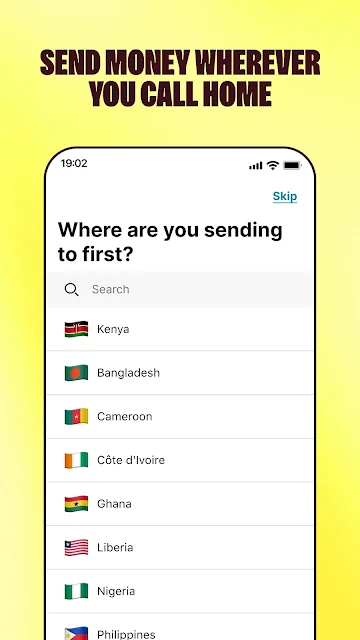
Before relying on it, I would look for the destination country and the recipient's preferred receiving method. The description names examples such as Kenya, Ghana, Senegal, the Philippines, Nigeria, Liberia and Brazil, among others. The route matters more than a broad claim of international coverage. A little checking at the start can prevent an otherwise smooth-looking workflow from failing to match the recipient's actual setup.
The Everyday Transfer
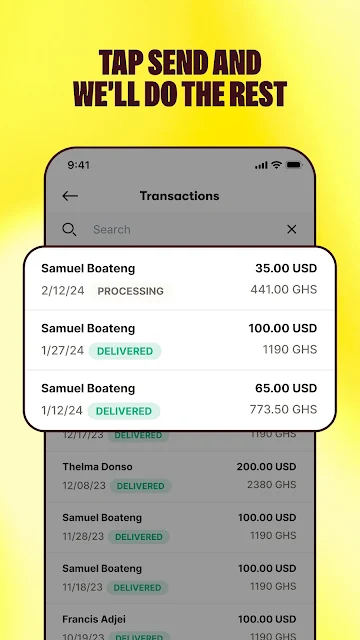
In daily use, the core experience is sending a transfer and then checking its progress. Sendwave says it provides real-time status updates, which is a useful counterpoint to the uncertainty that can follow an international payment. I would treat those updates as a way to stay informed, while remembering that the exact transfer experience depends on the destination and the receiving network involved.
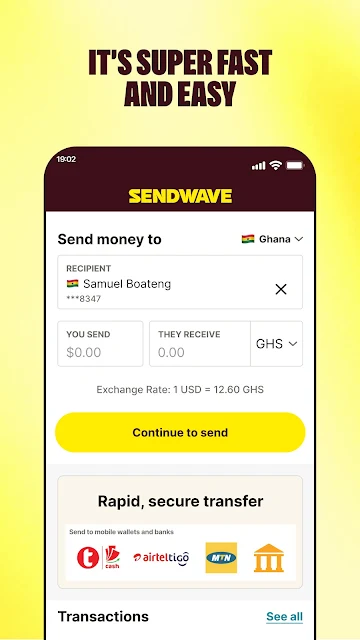
The app also positions transfers as fast and affordable, and says it presents exchange rates and fees transparently. Those are important things to inspect before confirming any send. I would compare what is shown for the specific route and amount rather than relying on a general impression of cost. Clear information is most helpful when you pause long enough to review it before the money leaves.
Wallet and Mobile Money
The Sendwave Wallet adds another piece to the app. The description says it can be used to send money and access promotional exchange rates or cashback rewards. That may appeal to people who already use Sendwave regularly, though I would see it as an optional part of the service rather than the reason everyone should choose the app.
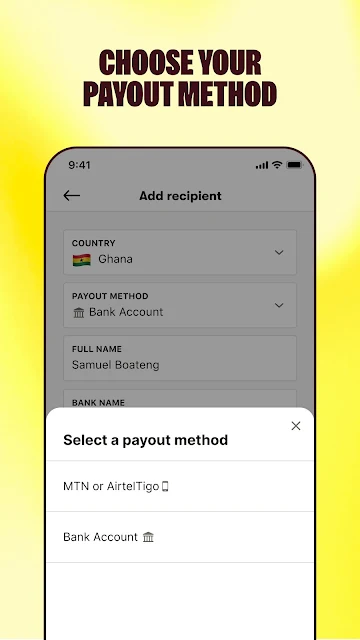
Mobile money support is another notable feature. Sendwave describes direct connections to major mobile money networks and names partners including M-Pesa, MTN, Airtel, GCash and bKash. Which options appear depends on the destination. For a recipient who already relies on a mobile wallet, sending through that kind of service may fit their routine better than receiving a bank transfer.
A Monthly Check-In
For a monthly family transfer, I would make Sendwave part of a short check-in rather than a last-minute rush. First, confirm the amount and the receiving route with the person who will get the money. Then review the exchange information and any fees shown in the app. After sending, check the status there and let the recipient know it is on the way. It is a simple routine, but it keeps communication and payment in step.
If I were making similar transfers often, I would also explore the repeat-transfer option described by Sendwave. A repeat workflow can save effort, but it should not replace checking the details each time. People change banks or wallet accounts, and needs can shift. The useful habit is making the app easier to use without treating a past transfer as proof that every future one is set up correctly.
Keep the Route in View
The main limitation is that international transfer apps are only as useful as their coverage for your particular recipient. Sendwave lists a range of countries and partner networks, but that does not mean every destination, bank or wallet is available. I would check the route inside the app before depending on it for a time-sensitive payment, and avoid assuming that a method available in one country will appear in another.
There is also a difference between a service's general description and the terms for one real transfer. Fees, exchange details and timing are worth reviewing for the exact send. Sendwave presents itself as low-cost and fast, but those broad descriptions are not a substitute for inspecting the transfer on screen. The app is most convincing when it clearly fits a route you already know you need.
Sendwave makes sense as a focused way to send money abroad through supported bank and mobile money routes. I like the combination of transfer tracking, repeat-transfer support and a stated emphasis on clear exchange information. The app is not a universal payment service, so its usefulness depends on destination coverage and the recipient's preferred method.
I would try it if I regularly send money to someone in a country Sendwave serves, then check the exact terms for that route before sending. If you need a broader financial toolkit or a particular payout method, compare alternatives first. For the right remittance routine, Sendwave looks straightforward and purpose-built.
Sendwave Frequently Asked Questions
What is Sendwave: Send Money Abroad used for?
Sendwave is for sending money internationally to supported destinations, including through bank and mobile money services. It also offers transfer status updates in the app, and describes repeat transfers and a Sendwave Wallet. The best fit is a sender whose recipient and preferred receiving method are covered. Check the route in the app before depending on it.
Which phones can run Sendwave: Send Money Abroad?
The app is available for Android through Google Play. The minimum Android version is worth checking on the Google Play page for your device, since compatibility details can vary. Sendwave's transfer options also depend on the destination and receiving network, so phone compatibility is only one part of making sure the service suits your needs.
Does Sendwave: Send Money Abroad cost money?
Google Play lists Sendwave as free, with no in-app purchases or ads. A transfer may still have route-specific fees or exchange details to review, so check what the app shows before confirming a send. The general price information does not tell you the full cost of every possible transfer.
What Android version does Sendwave: Send Money Abroad require?
The minimum Android version is not included in the app facts available here. Check Sendwave's Google Play page from the phone you plan to use for the current compatibility requirement. Store details can change, and the app's supported transfer destinations and receiving methods should also be checked for your particular recipient.
Is Sendwave: Send Money Abroad right for occasional senders?
It can suit occasional senders as well as people who transfer regularly, provided Sendwave supports the destination and receiving method they need. Its central job is international money transfer, rather than general banking or budgeting. If you need a specific payout option, check the current Google Play details and the route in the app before relying on it.
Pros
- Supports transfers through banks and mobile money services in a range of destinations.
- In-app status updates help senders follow transfers after sending.
- A Sendwave Wallet and repeat-transfer option may suit regular users.
- Google Play lists the app as free, without ads or in-app purchases.
Cons
- Coverage and receiving options depend on the destination and network.
- The minimum Android version should be checked on Google Play.
- Transfer fees and exchange details still need reviewing for each route.
- Category
- Finance
- Version
- 26.21.1











