SECU
- 84.44K
- 4.5
- Installs
- 1.00M
- Price
- Free

Screenshots


Analysis by Reviewed APKs
SECU is a mobile banking app for State Employees' Credit Union members who want to handle everyday account tasks from a phone. It brings balances, transfers, bill payments, check deposits, card controls, and budgeting tools together. After looking at the range of jobs it covers, my take is that it suits people who already bank with SECU and want a practical companion to their accounts, rather than a general-purpose money app.
A quick banking check-in
Picture a familiar weekday moment: I have a few minutes between errands and want to check whether a bill payment cleared. SECU gives me a way to view account balances and transaction history without waiting until I am back at a computer. If something needs attention, I can move money between accounts, pay a bill, or check the status of my finances from the same mobile banking app.
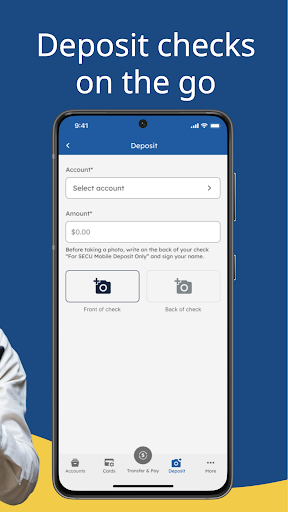
The useful part is that a quick check can lead straight into a practical task. I can deposit a check with Mobile Deposit, manage payees, or set an account alert for a later reminder. When I first considered the app as part of a routine, that combination stood out: it is not only a place to look at numbers, but also a place to carry out common banking chores.
A companion to SECU banking
SECU makes the most sense if I already use State Employees' Credit Union and have Member Access credentials. It brings several member banking tasks onto a mobile device, including transfers, bill management, card controls, and secure messages. That puts it in a different lane from a general budgeting app or a bank-comparison tool: its central job is helping members work with their SECU accounts.
It is not a universal account dashboard for every financial provider, and I would not treat it as a substitute for broader financial planning. The listed tools include budgets and savings goals, but the app is still centered on account access and service. If I bank elsewhere, or want an app devoted mainly to investments or credit comparisons, this is unlikely to be the right fit.
Make small tasks routine
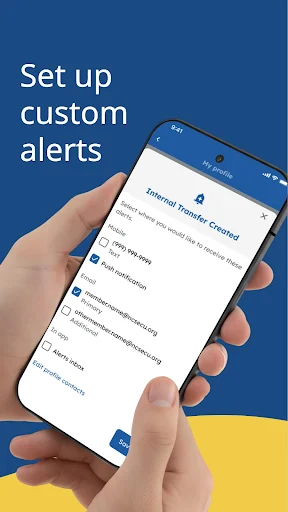
I would get the most value by making short, purposeful visits rather than treating the app as something to browse. A quick balance and transaction check can help me spot what needs doing; then I can handle a transfer, pay a bill, or update a payee while I am already there. Alerts and notifications can support that routine by bringing account activity to my attention.
For less frequent housekeeping, the app also offers contact-information updates, debit and credit card management, and branch and ATM locations. I can set aside a moment every so often to review a savings goal or budget, then use secure messaging if I need to contact the credit union. Those habits keep the app useful without turning every spare minute into a financial review.
More From Our News Desk

Zoom Meetings, Google Meet, or Teams: Which Is Easiest to Join?

How I Build a Free Streaming Lineup With Tubi

Why Crunchyroll Is the Default Anime App for So Many Fans

YouTube TV: A Practical Guide to Cutting Cable

Rummikub and the Small Comfort of Phone Games

TeamViewer Remote Control or AnyDesk for Helping Family?
Who will find it useful
I would recommend SECU to existing members who want routine account access on a phone. It covers the basics many people reach for between visits to a branch: checking balances, reviewing transactions, moving money, paying bills, and depositing checks. Members who like having card management, alerts, and secure messages nearby may also appreciate having those tasks gathered in one app.
It may be less appealing to someone who does not bank with SECU, since getting started uses current Member Access credentials. It is also not aimed at people looking for an all-in-one financial marketplace or a specialist planning product. If a person prefers doing every banking task in person or on a desktop, the mobile convenience may matter less to them.
SECU is developed by State Employees' Credit Union. Google Play shows more than 1 million installs and a 4.5-star rating from around 84,000 ratings. The app is free to download, with no in-app purchases or ads listed in the provided store facts. Its content rating is Everyone.
The provided app facts give version 7.0.4, an original release date of April 4, 2019, and a last-updated date of September 16, 2026. No minimum Android version is supplied in those facts, so I have left that requirement out rather than guess. The app description says to enroll or sign in with current Member Access credentials.
Everyday banking from your phone
Getting started
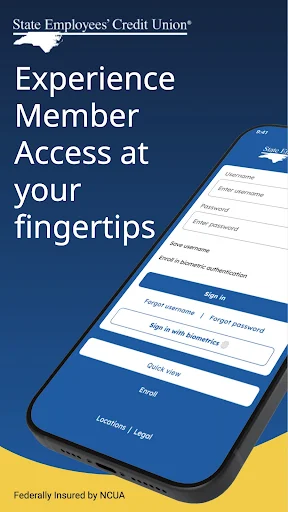
The first step is straightforward in principle: enroll or sign in using current Member Access credentials. That makes the intended audience clear from the outset. SECU is for members who already have a relationship with the credit union, not for someone browsing banking apps before choosing a provider.
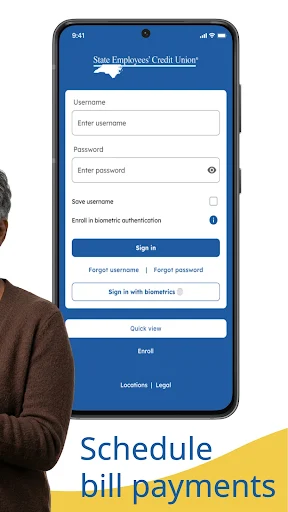
The app describes its Member Access experience as designed to make account management easier on a mobile device. I would begin by signing in and checking that the account information I need is available, then explore the tasks I use most. Biometric login is available on supported devices, which can make repeat access more convenient.
The daily essentials
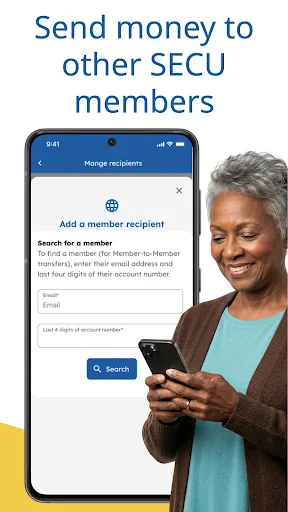
The core day-to-day experience revolves around seeing what is happening in my accounts and acting on it. Balances and transaction history answer the basic question of where things stand. Transfers between accounts and bill payments take care of common follow-up tasks, while payee management is useful when a payment needs to be arranged or maintained.
I also like that the feature set reaches beyond payments. Mobile Deposit handles check deposits from the phone, while alerts and notifications can help keep account activity visible. There is no need to assume every task will be part of every person's routine; the strength is having several familiar banking jobs available in one member-focused place.
Tools beyond balances
Some of the more distinctive extras are practical rather than flashy. The app lets members manage debit and credit cards, update contact information, and send or receive secure messages. Branch and ATM locations are included too, which is handy when a phone-based task is not the right answer and I need to find an in-person option.
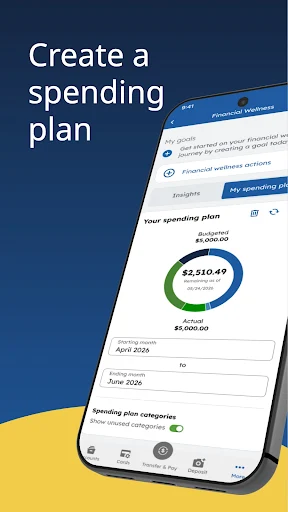
Budgeting and savings goals add a planning element to an otherwise transaction-focused app. I can use those tools to give a goal some structure alongside account access. The description also calls out security features, including biometric login on supported devices, and says encryption and authentication tools are used to help protect financial information.
A simple weekly routine
A realistic routine might start with a brief check-in after payday or before the weekend. I can review balances and recent transactions, make a transfer if needed, and take care of any bill that is due. If I receive a check, Mobile Deposit gives me another option without making a separate trip just for that task.
At a quieter moment, I can review a budget or savings goal, check whether alerts are set up the way I want, and confirm my contact information is current. I would keep the routine focused: the app provides tools, but the useful habit is choosing a small set of tasks that match my needs rather than opening every feature each time.
Limits to keep in mind
The biggest boundary is that SECU is built around State Employees' Credit Union membership. Without current Member Access credentials, the listed sign-in path will not serve as a general way to explore someone else's accounts. That focus is a benefit for the intended user, but it also means the app is not a fit for people looking to manage unrelated providers from one place.
The description names a broad collection of banking tasks, but it does not make the app a replacement for every form of financial service. Its budgets and savings goals are useful supporting tools, while the main purpose remains account management. Some conveniences, such as biometric login, depend on device support, and mobile banking will not suit everyone who prefers in-person or desktop routines.
SECU looks like a capable mobile companion for members who want routine banking close at hand. The mix of account checks, transfers, bill payments, check deposits, alerts, card tools, and secure messages covers a useful stretch of everyday needs without changing the app's member-banking focus.
I would recommend giving it a try if you already use SECU and want to handle common tasks from your phone. If you need a provider-neutral finance hub or do not bank with the credit union, its clear focus is also the main reason to look elsewhere.
SECU Frequently Asked Questions
What is the SECU app used for?
SECU is a mobile banking app for State Employees' Credit Union members. It can be used to view balances and transactions, transfer money between accounts, deposit checks, pay bills, manage payees and cards, and set account alerts. It also includes secure messages, branch and ATM locations, contact-information updates, budgets, and savings goals.
Which phones and platforms support the SECU app?
The provided app information describes SECU as a mobile app and provides its Google Play details, so this review covers its Android availability. The supplied facts do not give an Android minimum version. For current compatibility and device requirements, check the Google Play store information on the phone you plan to use.
What Android version does the SECU app require?
The Android minimum version is not included in the provided app facts. Requirements can vary as an app is updated and may depend on a device, so I would check the current Google Play store details before installing. The listed version is 7.0.4, but that does not by itself establish a minimum Android requirement.
Does the SECU app cost money?
The app is listed as free to download, with no in-app purchases or ads in the provided store facts. That describes the app listing itself, not any separate account terms or charges that may apply to banking services. For current details about the app and any relevant service terms, check Google Play and SECU's own information.
Is the SECU app right for me?
It is best suited to people who already bank with State Employees' Credit Union and want mobile access to common account tasks. Getting started uses current Member Access credentials. If you do not use SECU, want one app for accounts at multiple providers, or prefer handling banking away from a phone, it may not match your needs.
Pros
- Combines balance checks, transfers, bill payments, and mobile check deposits.
- Includes card management, account alerts, secure messages, and location tools.
- Budget and savings-goal tools add a planning layer to everyday banking.
- Free to download, with no ads or in-app purchases listed.
Cons
- Designed for SECU members rather than customers of multiple financial providers.
- Biometric login depends on whether the device supports it.
- Its mobile-first convenience may not suit people who prefer desktop or in-person banking.
- Category
- Finance
- Version
- 7.0.4











