Rockland Trust Mobile Banking
- 3.76K
- 4.5
- Installs
- 100.00K
- Price
- Free

Screenshots
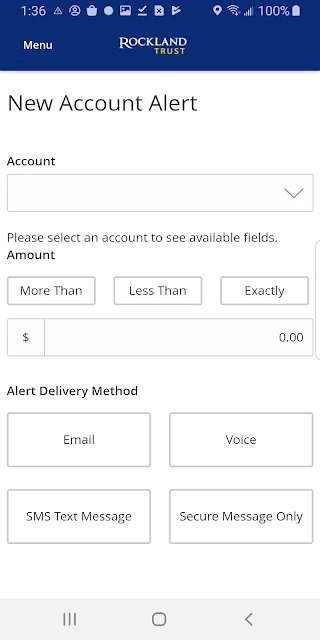
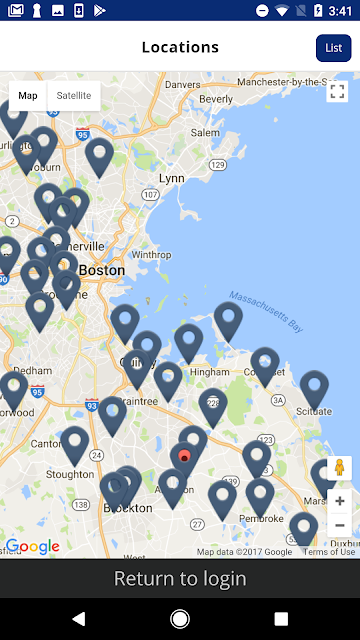
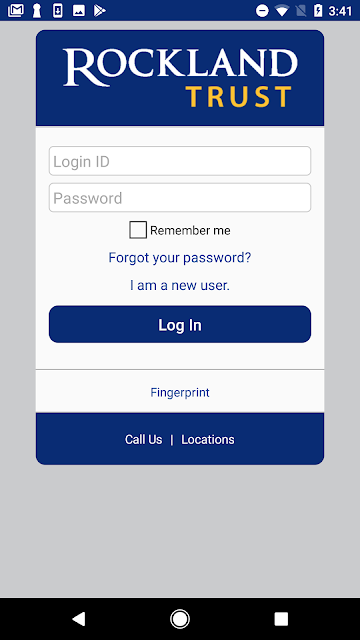
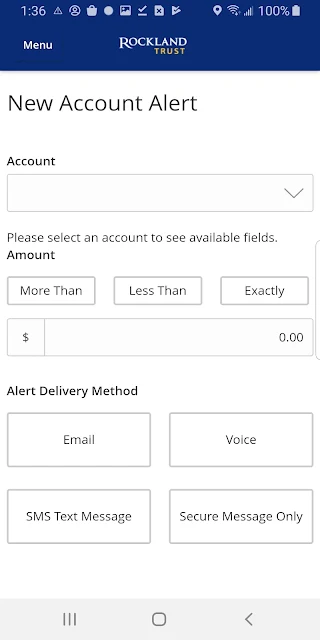
Analysis by Reviewed APKs
Rockland Trust Mobile Banking is for customers who want to check balances, review account activity, deposit checks, pay bills, and transfer funds from a phone or tablet. I found its appeal in the everyday tasks it gathers in one place, rather than in any elaborate extras. If you already use Rockland Trust online banking and want to handle routine banking while away from a computer, this is a practical, focused option.
A quick account check
When I imagine using Rockland Trust Mobile Banking in a normal week, the first stop is a quick balance check before making a purchase or paying a bill. The app also lets you review account activity, so you can look back at recent transactions without waiting until you are at a computer. That simple check-in is the app's core job: giving Rockland Trust customers a way to handle routine account tasks from a mobile device.
The useful part is how those small tasks can flow into one another. I might check a balance, notice a bill coming up, and then use the app to pay it or schedule a payment. If a check arrives, the app supports depositing it by photographing the front and back. It also supports transfers between funds. These are ordinary banking chores, but having them available together can save a trip to a branch or a return to a desktop.
Mobile banking, not budgeting
The obvious comparison is Rockland Trust's desktop online banking: the app is described as bringing the same features and functionality to a mobile device, with a consistent simplified design across devices. It suits customers who prefer handling everyday banking on a phone or tablet, while desktop access remains a natural alternative when a larger screen is more convenient. You can use the same User ID and password as for online banking.
This is a bank's account-management tool, not a general-purpose budgeting or investment app. The listed functions focus on balances, activity, transfers, bill payments, mobile check deposit, and finding branches or ATMs. I would choose it for accessing Rockland Trust accounts, not for a broader financial overview across unrelated institutions. Its usefulness also depends on being a Rockland Trust customer with online banking access.
Small habits that help
A simple habit is to check account activity after a regular purchase or before setting up a payment. That keeps the app tied to a specific task instead of turning every visit into aimless browsing. When a bill needs attention, you can pay it or schedule a payment from the same mobile banking experience. I would use the transfer option when moving funds and then check the account activity later as part of my usual routine.
For a check deposit, it helps to think of the app as a short, focused task: open the deposit flow, take a photo of each side, and follow the process on screen. The description says to photograph the front and back, but does not spell out deposit limits or timing, so I would check the app or the bank's information for those details. If fingerprint login is available on your device, it can also make repeat access more convenient.
More From Our News Desk

Zoom Meetings, Google Meet, or Teams: Which Is Easiest to Join?

How I Build a Free Streaming Lineup With Tubi

Why Crunchyroll Is the Default Anime App for So Many Fans

YouTube TV: A Practical Guide to Cutting Cable

Rummikub and the Small Comfort of Phone Games

TeamViewer Remote Control or AnyDesk for Helping Family?
Who may find it useful
I would recommend Rockland Trust Mobile Banking to existing customers who want a direct way to keep tabs on balances and activity, pay bills, schedule payments, transfer funds, or deposit checks from a phone or tablet. It is particularly suitable for people who already use Rockland Trust online banking, since the app uses the same User ID and password. The feature set covers several routine tasks without requiring a trip to a computer for each one.
It may be less useful to someone who is not a Rockland Trust customer, or to anyone looking for a cross-bank budget dashboard, investing tools, or features beyond the bank account tasks described here. People who prefer doing all their banking on a desktop can keep using online banking instead. Fingerprint login is an option only on eligible devices, so it should be treated as a convenience rather than a requirement.
Rockland Trust Mobile Banking is developed by Rockland Trust Company and is a free finance app for Android. Google Play shows 100,000+ installs and a 4.5-star rating from 3,761 ratings. The app is marked for Everyone. The supplied app details give version 26.7.0, with a release date of January 23, 2013, and a last update date of August 26, 2026.
The app has a price of $0, with no in-app purchases and no ads indicated in the supplied details. The Android version requirement is not included in the available app facts, so check Google Play for the requirement shown for your device. Store details can change over time, so it is sensible to check Google Play for the current version and availability before installing.
Everyday Banking Without the Desktop
A familiar first step
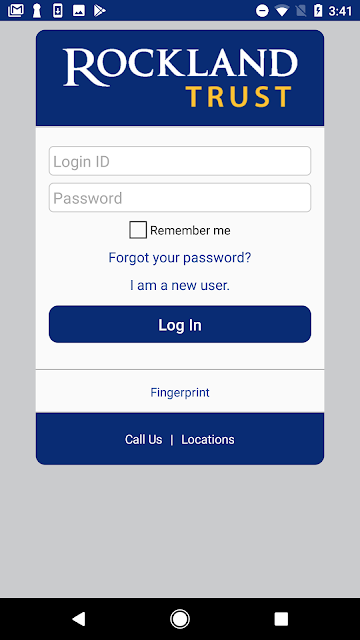
The first thing that stands out is that access is built around an existing Rockland Trust online banking account. You can sign in with the same User ID and password you use on the bank's website, rather than setting up a separate identity just for mobile banking. For customers already used to online banking, that should make the starting point feel familiar and keep the app connected to their regular account access.
The app also offers fingerprint authentication on eligible devices. I like that this is presented as an option, not as the only way in: a customer can use the usual sign-in details, while supported devices can offer a quicker touch-based login. The description emphasizes a simplified look across devices, too. That is a practical promise for people who move between a phone, tablet, and desktop during the week.
The day-to-day rhythm
Most of the app's value is in quick, repeatable visits. I can picture opening it to check a balance before heading out, reviewing account activity after a few errands, or checking in when a bill is due. Those jobs do not require a long session, and the app brings several of them together rather than making the customer switch to a separate bill-payment or check-deposit tool.
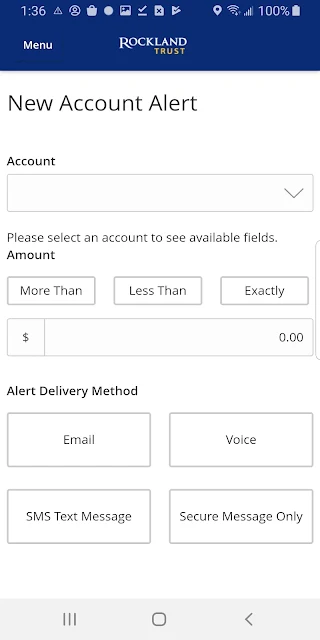
Transfers and bill payments broaden that routine from simply looking at an account to acting on it. You can transfer funds and pay bills through the app, with the option to schedule payments as well. That combination makes it more useful for regular maintenance than a basic balance viewer. The experience is still centered on Rockland Trust accounts, which keeps the app's role clear.
Useful banking tools
Mobile check deposit is one of the features that can make the biggest difference to a busy customer. Rather than taking a check to a branch or ATM, the app allows a deposit using photos of the front and back. I would expect this to be most convenient for an occasional check that arrives when visiting a physical location would be a nuisance. The described process is straightforward, although deposit rules are not detailed in the supplied information.
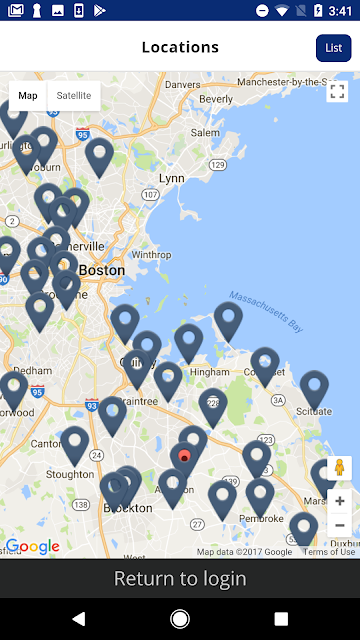
The app also brings together account balances and activity, funds transfers, bill payments, scheduled payments, and branch or ATM finding. That last option is useful when mobile banking cannot replace a physical location for a particular errand. The feature mix is broad enough for common account tasks, but it does not try to present itself as an all-purpose financial planning service.
A consistent design across devices is another stated aim. I appreciate the practical intent: a customer should not have to learn an entirely different set of tools just because they have moved from a desktop to a phone. The description calls the interface simplified, but the more important point is that the mobile app is meant to provide the functionality customers are used to on desktop.
A weekly banking routine
A routine I would use is a brief account check at the start of the week, followed by handling any bill that needs attention. I could review balances and activity, pay a bill immediately, or schedule a payment for later. That keeps the app attached to a concrete task and makes its payment features easier to use consistently, without suggesting that the app replaces a personal budget or a full review of finances.
If a check comes in during the week, mobile deposit gives me another reason to open the app. I would photograph both sides as the app's description instructs, complete the on-screen process, and return later to review account activity. For another need, such as finding a nearby branch or ATM, the built-in locator keeps that practical information within the same banking app.
For repeat visits, fingerprint login can reduce the effort of signing in if the device supports it and the customer chooses to use it. I would keep the routine simple: use the app for the task at hand, then sign out or otherwise follow the bank's normal account-access guidance as appropriate. The supplied information describes login options, but does not detail additional security settings.
Keep expectations grounded
The app's scope is its strength and its boundary. It handles several Rockland Trust banking tasks, but the supplied feature information does not describe budgeting tools, spending categories, investment accounts, or a combined view of accounts at other banks. If those are the main things you want from a finance app, this one may not be a match. It is designed around mobile access to the bank's own services.
Some practical details are worth checking before relying on a particular feature. The description explains check deposits and scheduled payments, but does not give deposit limits, payment timing, or transfer conditions. Those details can depend on the bank's service terms and account. I would use the app for its stated capabilities and consult Rockland Trust for rules that affect a specific transaction.
Fingerprint access depends on having an eligible device, and the supplied facts do not specify a minimum Android version. The app is free according to the supplied store facts, but anyone checking compatibility or the latest version should consult its Google Play page. These are ordinary details to confirm before installing, rather than reasons to dismiss an otherwise focused mobile banking tool.
Rockland Trust Mobile Banking makes the most sense as a handy companion to an existing Rockland Trust account. Its balance checks, activity, transfers, bill pay, check deposit, and branch or ATM finder cover a useful range of everyday needs. I like that it keeps the job focused instead of trying to be a broad financial dashboard.
I would recommend it to Rockland Trust customers who want to handle routine banking from a mobile device and already use online banking. If you want multi-bank tracking or financial planning features, look elsewhere. For straightforward access to the bank's mobile services, this is a sensible app to try.
Rockland Trust Mobile Frequently Asked Questions
What is Rockland Trust Mobile Banking used for?
Rockland Trust Mobile Banking lets customers view account balances and activity, transfer funds, pay bills, schedule payments, deposit checks by photographing both sides, and find branches or ATMs. It is intended for everyday access to Rockland Trust banking on a mobile device or tablet. The described features focus on the bank's own services rather than general financial planning.
Which devices can run Rockland Trust Mobile Banking?
The supplied app information describes use on a mobile device or tablet and identifies the app as an Android app. It does not provide a minimum Android version. Check Google Play for current compatibility details for your particular device. The app also has a desktop counterpart in the form of Rockland Trust online banking, which uses the same User ID and password.
What Android version does Rockland Trust Mobile Banking require?
The minimum Android version is not included in the available app details. Requirements can change as the app is updated and may vary by device, so check the app's Google Play page for the current compatibility information. The supplied facts identify version 26.7.0, but that does not establish which Android versions can install it.
Does Rockland Trust Mobile Banking cost money?
The supplied Google Play facts give the app a price of $0 and indicate no in-app purchases or ads. That covers the app itself; it does not describe any separate bank account terms or transaction conditions. Check Google Play and Rockland Trust's own information for current details that may apply to your account or use of a banking service.
Is Rockland Trust Mobile Banking suitable for new customers?
The app is best suited to Rockland Trust customers who want mobile access to balances, activity, transfers, bill payments, and check deposit. Access uses the same User ID and password as online banking, so it is designed to work with that existing relationship. Someone looking for a tool that combines accounts from several banks may prefer a different kind of app.
Pros
- Brings balance checks, account activity, bill pay, transfers, and check deposit together.
- Uses the same online banking credentials, with fingerprint login on eligible devices.
- Includes a branch and ATM finder for errands that still need an in-person visit.
Cons
- Focused on Rockland Trust banking rather than broad financial planning or multi-bank tracking.
- Fingerprint login depends on having an eligible device.
- Deposit limits and payment timing are not detailed in the app description.
- Category
- Finance
- Version
- 26.7.0











