Resideo - Smart Home
- 32.88K
- 3.5
- Installs
- 1.00M
- Price
- Free

Screenshots
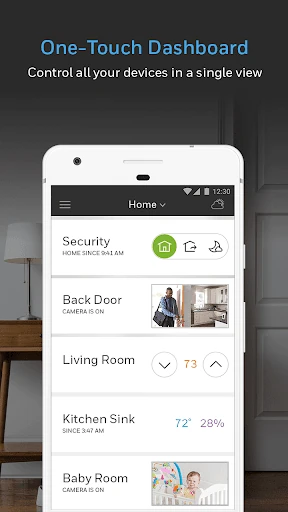
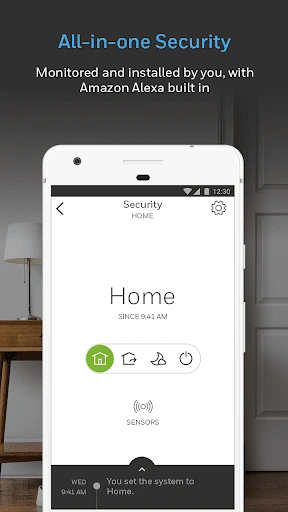
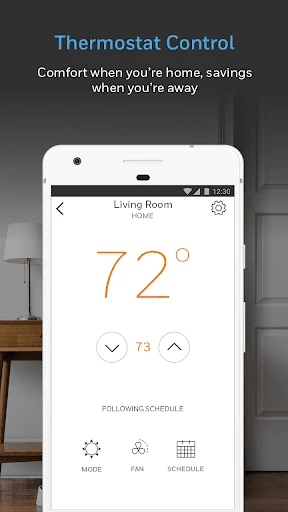
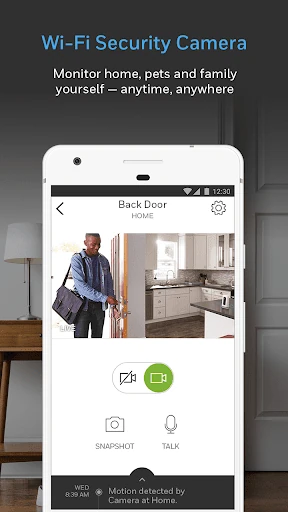
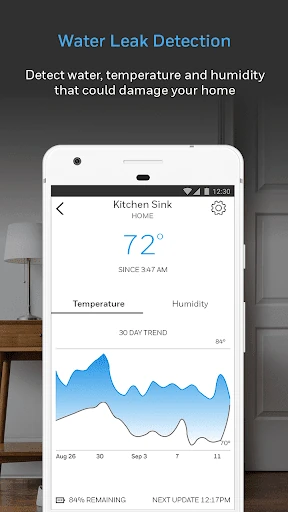
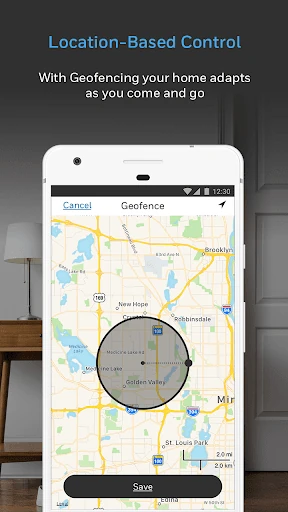
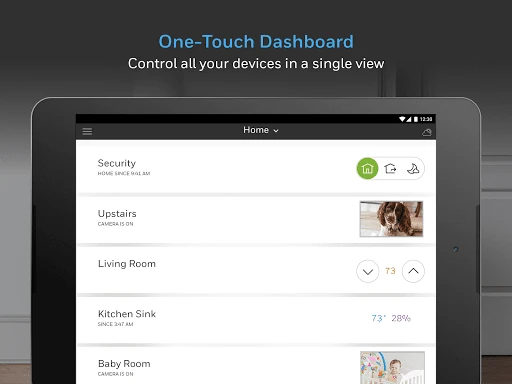
Analysis by Reviewed APKs
Resideo - Smart Home is a companion app for controlling connected Resideo and Honeywell Home products, with a focus on making home comfort and security easier to manage. I see it as most useful for people who already have compatible products and want one place to interact with them. Its appeal depends heavily on your setup: without connected devices, there is little reason to keep it on your phone.
A Home Check-In
Picture leaving for work on a chilly morning and wondering whether the house is still set up the way you want. With Resideo, the idea is to open one app and check in on compatible connected products instead of going from one control to another. I like that simple premise for busy routines: fewer places to look, and a more direct connection between the phone and the home.
The same convenience can matter when plans change. Maybe an errand runs long, or you realize you want to check on home comfort before heading back. The app is designed to bring Resideo and Honeywell Home products together for easier control and awareness. In practice, the value comes from the devices you own and how you use them, rather than from the app acting as a complete smart home by itself.
A Companion, Not a Hub
Resideo makes the most sense beside compatible products from its connected-home family. If you already use those products, a single companion app is a more natural place to start than juggling separate controls. It is not a general-purpose answer for every smart device in the house, though. The material describes control of Resideo products, so I would not choose it expecting broad compatibility with unrelated brands.
It is also not a substitute for buying or setting up connected home equipment. The app is the phone-based way to interact with products, not a standalone service that can make an unequipped home smart. That distinction is easy to miss when browsing home-automation apps. I would first check that my existing or planned devices belong to the Resideo or Honeywell Home family, then decide whether the app fits my routine.
Make It a Small Habit
A useful approach is to attach the app to moments you already have: a quick look before leaving, a check when plans shift, or a glance at home comfort before settling in for the evening. Those small, repeatable check-ins are easier to maintain than trying to build an elaborate new routine around an app. The point is to make connected products less fiddly, not to add another daily task.
I would also keep the app focused on the products it is meant to manage. If I have several compatible devices, opening the same companion app gives me a consistent starting point for home comfort, security, and awareness. When something does not appear or behave as expected, I would verify the product setup and compatibility before assuming the app alone can solve it. That keeps expectations practical.
More From Our News Desk

Zoom Meetings, Google Meet, or Teams: Which Is Easiest to Join?

How I Build a Free Streaming Lineup With Tubi

Why Crunchyroll Is the Default Anime App for So Many Fans

YouTube TV: A Practical Guide to Cutting Cable

Rummikub and the Small Comfort of Phone Games

TeamViewer Remote Control or AnyDesk for Helping Family?
Who Will Find It Useful
I would recommend Resideo to people who own, or are considering, connected products from Resideo or Honeywell Home and want a phone-based way to manage them. It is especially relevant if home comfort and security are already part of your connected-device routine. Google Play shows over a million installs, suggesting plenty of Android users have tried it, though its 3.5-star rating from around 33,000 ratings points to a mixed reception.
It may not suit someone looking for a universal smart-home controller, or anyone without compatible products to connect to. If you prefer handling home devices only through physical controls, an app may add little to your day. I would also avoid choosing it based only on general promises about automation: its usefulness depends on the products in your home and whether they match the Resideo ecosystem.
Resideo - Smart Home is published by Resideo Technologies, Inc. It is listed in Google Play’s Lifestyle category and has been available since June 19, 2014. The current version shown is 6.21.2, with an update dated October 13, 2026. The app was formerly known as Honeywell Home, so that name may be familiar to people who have used the product family before.
On Google Play, Resideo has over one million installs and a 3.5-star rating from 32,881 ratings. It is free to download, with no in-app purchases or ads indicated. Its content rating is Everyone. The Android version requirement is worth checking on the Google Play store, since requirements can vary with updates and device compatibility.
How Resideo Fits Into Home Life
First Look and Setup
When I first opened Resideo, the clearest way to think about it was as a companion to connected products rather than a service with much purpose on its own. That framing helps set expectations before spending time exploring. The app is there to make interacting with Resideo and Honeywell Home products easier, especially when you want a phone-based way to keep up with home comfort and security.
Getting value from it starts with the home equipment, not with a long list of app features. I would identify which compatible products I want to manage and make sure they are ready to use with the app. That practical first step matters: a smart-home app can feel empty if there is no supported device to connect, while an existing product owner has a clear reason to try it.
The Daily Experience
Day to day, the appeal is having a familiar place to go when I want to check or manage connected home products. Instead of treating comfort and security as separate errands, the app is intended to bring those parts of the Resideo product family into one mobile experience. That can be handy during the small transitions of a day, like leaving home or returning after plans have changed.
I would keep the routine light. A quick check is more likely to be useful than repeatedly opening the app without a specific reason. Resideo’s stated focus on simplifying everyday home life fits that kind of use: open it when I need to interact with a connected product, then get on with the rest of my day. The app's value is practical convenience, not constant attention.
Comfort and Awareness
What stands out in the product description is the combination of home comfort, security, and awareness. Those are broad but useful priorities: they describe the kinds of concerns people already have at home, rather than asking them to adopt a new hobby around technology. For someone with compatible products, bringing these concerns into one app offers a straightforward reason to keep it available.
The app is also associated with both Resideo and Honeywell Home connected products. That matters if you recognize the older Honeywell Home name or already have equipment from that family. I would treat it as a shared place for those connected products, while checking the specific product details before expecting any particular control or capability. The experience depends on what is installed in the home.
A Simple Check-In Routine
A practical routine might be to open Resideo when leaving home, then check again when returning or when the day's schedule changes. I like this kind of use because it gives the app a clear job without turning home management into a full-time project. It also makes sense for people who are already accustomed to using their phone to stay connected to what is happening at home.
For a household, it can help to agree on which connected products the app is being used for and when it is worth checking them. That avoids the vague habit of opening an app simply because it is there. I would start with one everyday need, such as keeping an eye on home comfort, and add other uses only if the connected products in the home support them.
Keep Expectations Grounded
The main limitation is that Resideo is tied to its connected product family. It should not be confused with a universal controller for every brand or a standalone way to automate a home that has no compatible equipment. That makes the app an easy recommendation for existing product owners, but a much less compelling download for someone who is only browsing for a general smart-home tool.
I would also avoid assuming that every feature described broadly for smart homes applies to every product or setup. The app's purpose is to simplify control and awareness around Resideo products, but the exact experience depends on what a household uses. Checking device compatibility and current app requirements before planning a setup is a sensible step, especially when choosing equipment specifically to use with a phone.
Resideo - Smart Home has a clear role: it gives owners of connected Resideo and Honeywell Home products a mobile place to manage home comfort and security. I like the straightforward idea, but it is not a universal smart-home solution, and its usefulness depends on having compatible products already in the picture.
I would try it if I owned equipment from this family and wanted a convenient phone-based companion. If I had no compatible devices or wanted one app for every brand, I would look elsewhere. For the right household, Resideo can make everyday check-ins feel simpler without needing to become the center of the day.
Resideo Frequently Asked Questions
What is Resideo - Smart Home used for?
Resideo - Smart Home is a companion app for Resideo and Honeywell Home connected products. It is intended to make it easier to manage home comfort, security, and awareness from a mobile app. Its usefulness depends on the compatible products in your home, so it is best suited to people already using or planning to use that product family.
Which phones and devices can run Resideo - Smart Home?
Resideo - Smart Home is available for Android through Google Play. The Android version requirement can vary with app updates and device compatibility, so check the current Google Play store details for your phone before installing. The information here does not establish availability for other platforms.
Does Resideo - Smart Home cost money?
The app is free to download on Google Play, and no in-app purchases or ads are indicated. Connected equipment is a separate consideration: the app is designed to work with Resideo and Honeywell Home products, so owning compatible devices is central to using it. Check the store for any changes to current app details.
What Android version does Resideo - Smart Home require?
The Android version requirement is worth checking directly on the Google Play store, where the current compatibility information is provided. Requirements can change as an app is updated and may depend on the device. Resideo is listed at version 6.21.2, so checking before installation is a sensible way to confirm your phone is supported.
Is Resideo - Smart Home right for someone new to smart homes?
It can suit a newcomer who already has compatible Resideo or Honeywell Home products and wants a mobile companion for them. It is less suitable if you want a universal controller for many unrelated brands or do not have compatible connected equipment. I would start by checking product compatibility, then decide whether the app fits your household's routine.
Pros
- Brings Resideo and Honeywell Home connected products into one mobile companion.
- Focuses on practical home comfort, security, and awareness.
- Free to download, with no in-app purchases or ads indicated.
- Useful for quick home check-ins when compatible products are already installed.
Cons
- Its usefulness depends on owning compatible Resideo or Honeywell Home products.
- Not presented as a universal controller for unrelated smart-home brands.
- Google Play shows a mixed 3.5-star rating from around 33,000 ratings.
- Category
- Lifestyle
- Version
- 6.21.2