Regions Bank
- 128.55K
- 4.4
- Installs
- 5.00M
- Price
- Free

Screenshots
Analysis by Reviewed APKs
Regions Bank is a mobile banking app for people who want to check accounts, move money, pay bills, and keep an eye on spending from their phone. It suits Regions customers who handle routine banking on the go and would rather use one app for several common tasks. I like the breadth of its everyday tools, though it is most useful when you already bank with Regions.
A Quick Banking Check-In
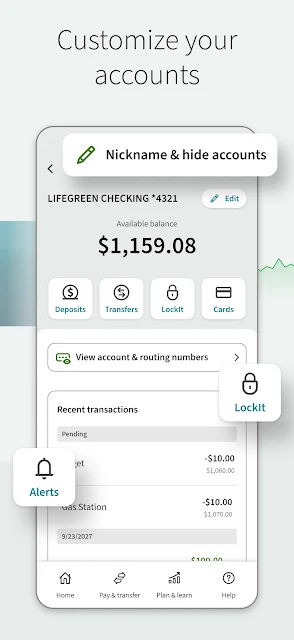
Picture a familiar weekday pause: I have a few minutes before heading out, and I want to check whether a recent purchase has posted and how much is in my account. Regions Mobile brings balances and searchable transaction history into that quick check-in. The search goes back up to 18 months, which is helpful when I am trying to recall an older payment rather than scrolling endlessly through a long list.
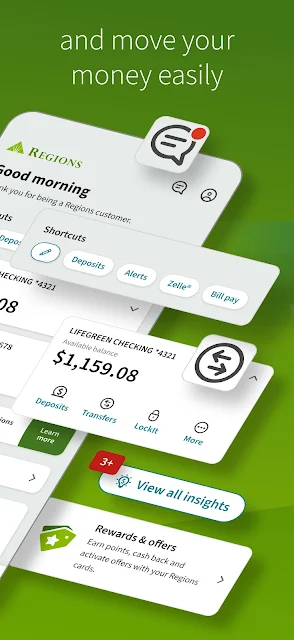
If I need to act on what I see, the app brings several next steps into the same banking experience. I can transfer money between my Regions accounts, pay a bill, or send money with Zelle. When a paper check needs depositing, mobile deposit is another option. That mix makes the app practical for short, everyday banking sessions, rather than something I would open only to inspect a balance.
A Bank App, Not a Wallet
The obvious comparison is a bank’s website or another bank’s mobile app. Regions Mobile is designed around managing Regions accounts, with account balances, transfers, card controls, bill pay, and other bank-related tools together. That is a useful alternative to signing in through a browser for routine tasks, especially when I want to check a transaction or manage a card while away from my computer.
It is not a general-purpose wallet or a standalone budgeting service. Its money tools sit alongside Regions banking, and the app’s usefulness depends on having the right banking access and enrollment. It also should not be mistaken for a substitute for in-person help in every situation: it can schedule appointments with a Regions banker and locate branches or ATMs, but those features point back to the bank’s broader services.
Small Habits That Help
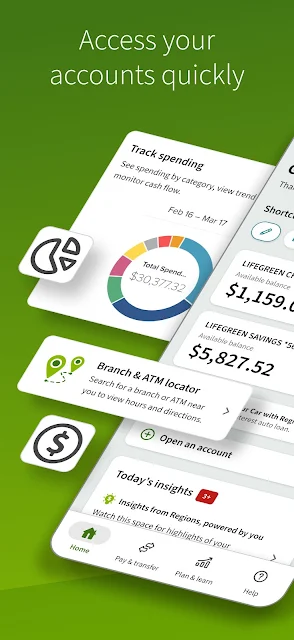
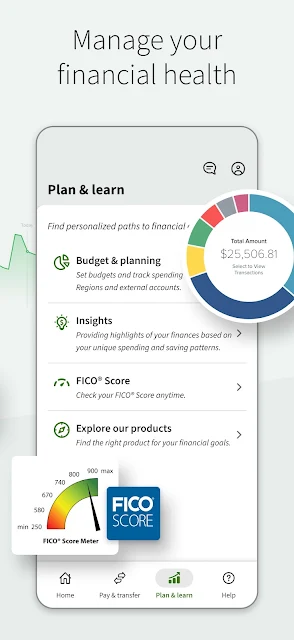
I would get more out of the app by making a quick balance and transaction check part of my routine, perhaps after a larger purchase or before a bill is due. Spending insights can help me review patterns over time, while budget and planning tools offer another place to look when I want to think through spending and saving. These tools are most useful as regular check-ins, not as a one-time setup I forget about.
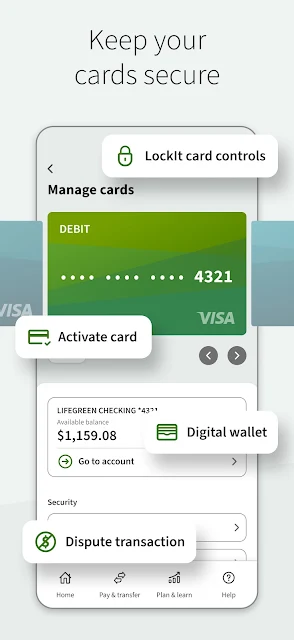
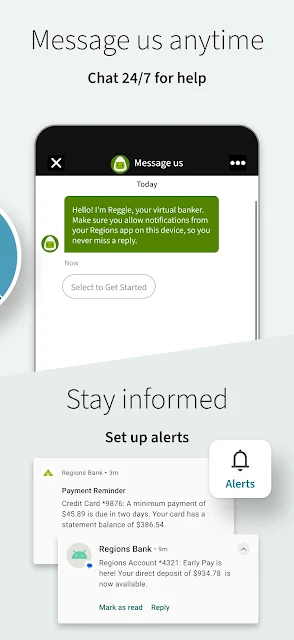
Alerts and card controls are worth exploring when setting up the app, too. Regions describes tools for managing cards and setting alerts, as well as LockIt for protecting cards. I would also take a moment to check which services I have enrolled in and what terms apply. Mobile banking and mobile deposit require a compatible device and Online Banking enrollment, and mobile deposit may be subject to fees.
More From Our News Desk

Zoom Meetings, Google Meet, or Teams: Which Is Easiest to Join?

How I Build a Free Streaming Lineup With Tubi

Why Crunchyroll Is the Default Anime App for So Many Fans

YouTube TV: A Practical Guide to Cutting Cable

Rummikub and the Small Comfort of Phone Games

TeamViewer Remote Control or AnyDesk for Helping Family?
Who Will Find It Useful
I would recommend Regions Mobile to existing Regions customers who want a practical way to handle routine banking from a phone. The combination of account checks, transaction search, transfers, bill pay, card management, mobile deposit, and nearby branch or ATM lookup covers a broad range of ordinary needs. It may be especially convenient if you regularly move between digital banking and visits to a Regions location.
It may be less compelling if you do not bank with Regions or are looking for a dedicated tool focused only on budgeting, investing, or broad financial education. The app includes insights and planning tools, but its main job is banking with Regions. Anyone who relies on mobile deposits or alerts should also be comfortable with enrollment requirements and the possibility of carrier messaging or data charges.
Regions Bank is both the app’s developer and its namesake. On Google Play, Regions Bank has more than 5 million installs and a 4.4-star rating from about 129,000 ratings. The app is free to download, and the supplied store details show no in-app purchases or ads. Google Play gives it an Everyone content rating.
The supplied version is 8.8.0.1. The app was released on August 24, 2012, and its listed last update is September 28, 2026. A minimum Android version is not provided in the app details I have, so I would check the Google Play page on the device you plan to use. Mobile Banking features require a compatible device and Online Banking enrollment.
Everyday Banking in One Place
Getting Started
My first impression is of an app built to put familiar bank tasks together, rather than make a single feature the whole point. Account management, money movement, security tools, and spending resources all have a place in the experience. That can save time once I know where I tend to go, particularly when a quick balance check turns into a transfer or a bill payment.
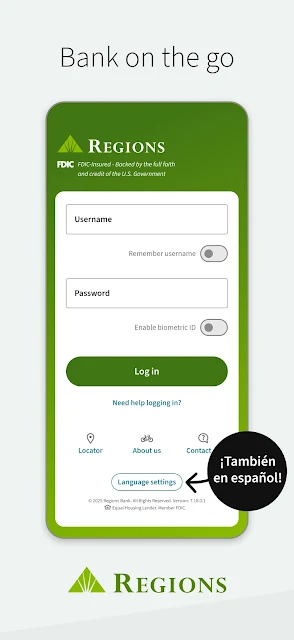
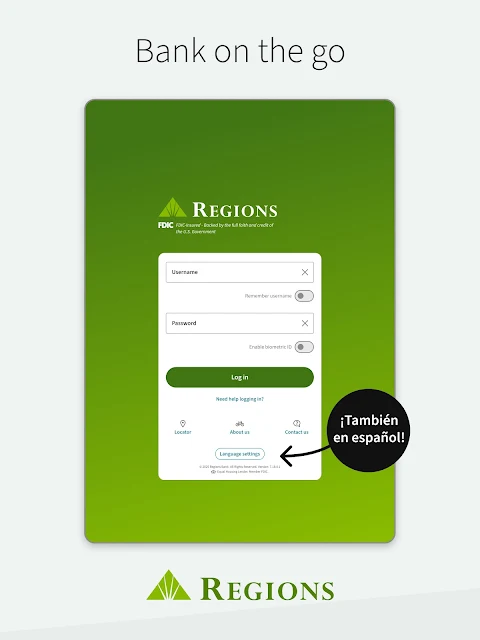
The important practical step is access: Regions says Mobile Banking, alerts, text banking, and mobile deposit require a compatible device and enrollment in Online Banking. I would check that access before relying on the app for a time-sensitive task. There is also an English and Spanish option, although some services, products, and official disclosures may appear only in English.
The Daily Banking Loop
The app’s daily value is in moving easily between checking information and taking action. I can look at account balances, search transactions, transfer funds among my accounts, and handle bills without treating each as a separate reason to open a different tool. The transaction search covers up to 18 months, which gives it some usefulness beyond a glance at the latest activity.
For the small interruptions that happen during a busy day, card management and alerts can be handy to have close by. I can also use Zelle to send money, subject to the service’s applicable terms. These are conventional banking tasks, but having them grouped makes the app feel suited to short sessions between errands, rather than requiring a dedicated stretch of time.
More Than Balances
A few features extend the app beyond basic account viewing. Mobile deposit can help when I have a check and do not want to make a branch trip, while direct deposit setup supports getting pay deposited into an account. Bill pay and credit card payments add another layer of routine account management, including payments from outside accounts for credit cards.
The app also includes money insights for tracking spending and saving patterns, along with budget and planning tools. For security-related account management, Regions offers biometric ID login, LockIt card protection, and FICO Score monitoring. I appreciate that these are distinct uses: some help me review activity, while others are there when I need to manage access or check a score.
A Simple Weekly Routine
A useful routine could start with a short account review once or twice during the week. I would check balances, search for any transaction I do not immediately recognize, and glance at spending insights for patterns worth noticing. If a bill is coming up, I can use Bill pay; if money needs to move between my Regions accounts, the transfer option is part of the same overall workflow.
Then I would reserve mobile deposit for the occasions when a check comes in and use card controls or alerts as needed. This is not a complicated system, and that is the appeal: a few small check-ins can make the app more useful than opening it only when something goes wrong. For questions that need a person, I can use the appointment scheduling feature or look for a nearby branch or ATM.
Keep the Fine Print in View
The main limitation is that some features depend on compatible hardware, Online Banking enrollment, or separate terms and conditions. Mobile deposit may be subject to fees, and a mobile carrier’s messaging and data charges may apply. Those details matter most if I plan to rely on deposits or alerts, so I would review the terms rather than assume every task works the same way for every account.
Language support also has a boundary: the app can be used in English or Spanish, but some services and official product information may be available only in English, with English governing if meanings conflict. And while spending insights and budget tools add context, they do not change the app’s central identity as Regions’ banking app. It is best judged as a convenient way to manage Regions banking, not an all-purpose financial toolkit.
Regions Bank makes a strong case as a day-to-day companion for customers who want account access, payments, transfers, card tools, and a few money-management features together. Its most convincing advantage is the range of routine tasks it brings within reach, from searching transactions to locating a branch.
I would try it if I already bank with Regions and want to handle more of my ordinary banking on my phone. If I am looking for a bank-independent finance app, this is not the right fit. Check enrollment and mobile deposit terms before making those features part of a regular routine.
Regions Bank Frequently Asked Questions
What is the Regions Bank app used for?
Regions Bank is a mobile banking app for managing Regions accounts. It supports checking balances and transaction history, transferring funds between accounts, paying bills, mobile deposits, card management, and sending money with Zelle. It also includes spending insights, budget and planning tools, FICO Score monitoring, and ways to find or schedule visits with Regions banking services.
Which phones and devices can run Regions Bank?
The supplied app details describe Regions Bank as an Android app on Google Play. They do not give a minimum Android version, and the app’s mobile banking services require a compatible device. Compatibility can vary by device and software version, so check the Google Play page from the phone you plan to use.
Does Regions Bank cost money to download?
The app is free to download, and the supplied details show no in-app purchases or ads. Some services have separate terms and conditions, and mobile deposit may be subject to fees. Your mobile carrier may also charge for messaging or data use, so those costs can depend on your plan and the service you use.
Do I need Online Banking for Regions Bank?
Regions says Mobile Banking, alerts, text banking, and Mobile Deposit require a compatible device and enrollment in Online Banking. Individual services may also have separate terms and conditions. If you are unsure whether your account has the access you need, check the Google Play information or contact Regions before relying on a particular feature.
Is Regions Bank a good fit for everyone?
It is most relevant for people who bank with Regions and want common banking tasks available on a phone. It may not suit someone seeking a bank-independent budgeting or investing app, since its main purpose is managing Regions banking. The app includes budget and planning tools, but its usefulness depends on your needs and banking relationship.
Pros
- Combines balances, transaction search, transfers, bill pay, and card management.
- Searches transaction history for up to 18 months.
- Includes mobile deposit, spending insights, and budget and planning tools.
- Offers branch and ATM location tools alongside appointment scheduling.
Cons
- Mobile Banking features require a compatible device and Online Banking enrollment.
- Mobile deposit may be subject to fees, and carrier charges may apply.
- Some services and official product information may appear only in English.
- Category
- Finance
- Version
- 8.8.0.1











