Prosper Card
- 1.94K
- 4.1
- Installs
- 100.00K
- Price
- Free

Screenshots
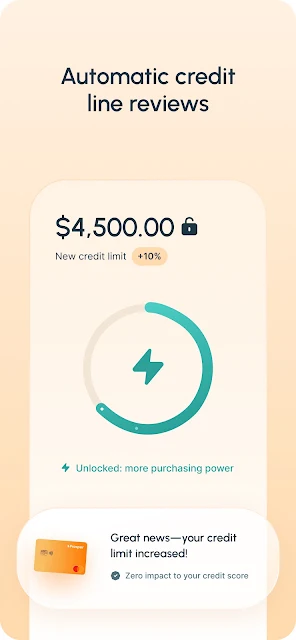

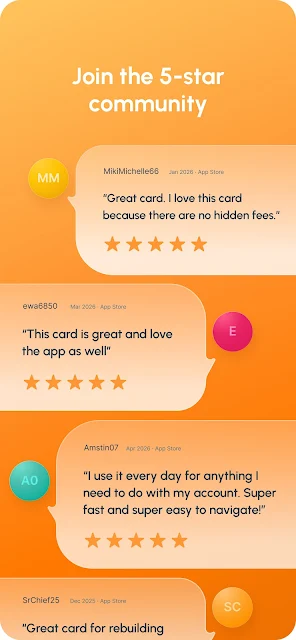

Analysis by Reviewed APKs
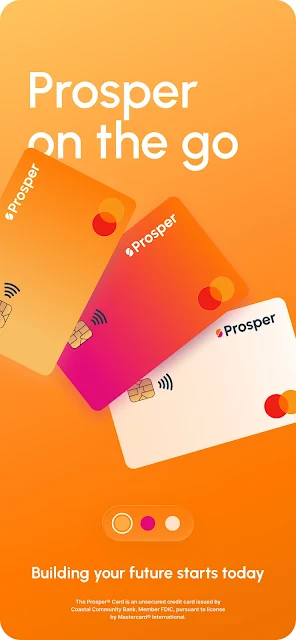
Prosper Card is a companion app for managing a Prosper credit card, from activating a new card to checking purchases and making payments. It suits cardholders who want routine account tasks close at hand, rather than a broad budgeting or banking tool. After reviewing what it offers, my take is that it focuses sensibly on the essentials, with a few useful extras like retailer cash back offers and payment alerts.
A Card Account in Reach
Picture yourself checking out online and realizing you need your card number. With Prosper Card, you can view the virtual card number in the app and copy it into a shopping cart. Later, you can scan recent transactions to make sure the purchase appears as expected. That kind of quick access is the app’s central job: keeping common card-account details and actions available when you are away from a computer.
I can also see it fitting into the less exciting parts of a weekly routine. Before payday, you might check your balance and available credit, then schedule a payment around the date that works for you. If you prefer to automate that task, the app lets you set up AutoPay. Statements are available to view or download, which can help when you want to look back at a month’s activity.
Focused, Not a Money Hub
The obvious alternative is a card issuer’s website or a general-purpose banking app. Prosper Card is more specific: its listed tools are for managing a Prosper Card account, including the card’s transactions, payments, statements, and offers. I would consider it a handy companion for someone who already uses that card, not a one-stop place to manage unrelated bank accounts or get a complete picture of household finances.
It is also not presented as a budgeting app with spending plans, savings goals, or broad financial insights. Those may be useful in other tools, but they are not the job described here. The card itself is an unsecured credit card with no deposit required, while the app handles account management. Keeping that distinction in mind helps set sensible expectations: this is the control panel for one card, not a replacement for every financial service.
Make Small Checks Count
A simple habit is to open the app after a purchase and search your transaction activity if you need to find a particular charge. The search option makes this more practical than scrolling through a long list. I’d also take a moment to review the balance and available credit before a planned purchase, so the information is in front of me rather than something I have to remember from a previous check.
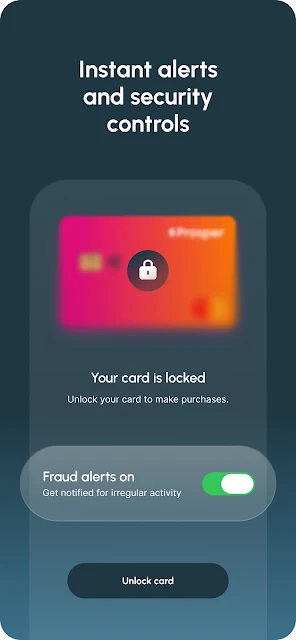
The app’s alerts can add a little structure without requiring constant attention. You can set payment and transaction alerts, and manage AutoPay alongside scheduled payments. Another worthwhile routine is to review the monthly statement when it becomes relevant and download it if you want a copy. Cash back offers are something to check before shopping: add offers from participating retailers, then use the card for purchases.
More From Our News Desk

Zoom Meetings, Google Meet, or Teams: Which Is Easiest to Join?

How I Build a Free Streaming Lineup With Tubi

Why Crunchyroll Is the Default Anime App for So Many Fans

YouTube TV: A Practical Guide to Cutting Cable

Rummikub and the Small Comfort of Phone Games

TeamViewer Remote Control or AnyDesk for Helping Family?
Who May Find It Useful
I’d recommend Prosper Card to people who have a Prosper Card and want an easier way to handle everyday account chores on a phone. The mix of balance checks, transaction search, payment scheduling, statements, alerts, and virtual card access covers the practical moments when signing in on a desktop feels like too much effort. Retailer cash back offers are a useful extra for cardholders who are willing to check them before shopping.
It may not suit someone looking for a general budgeting dashboard, broad account aggregation, or tools for managing several different cards. The app’s purpose is closely tied to the Prosper Card, so it is most relevant to existing cardholders. If you are mainly looking for a new card rather than an account-management app, keep in mind that applying for or choosing a credit product is a separate decision from using this app.
Prosper Card is published by Prosper Marketplace, Inc. On Google Play, it has over 100,000 installs and a 4.1-star rating from around 1,900 ratings. The app is free to download, and the provided store facts indicate no in-app purchases and no ads. Those details describe the app itself, not the terms or costs of using a credit card.
The app has an Everyone content rating. Its listed version is 26.10.2, with an October 29, 2026 update date; it was first released on December 4, 2021. The minimum Android version is not included in the available app facts, so check Google Play for the requirement that applies to your device.
The Everyday Work of Card Management
A Practical First Impression
When I first considered the app, what stood out was how clearly its purpose is bounded. It is built around a Prosper Card account, not a sprawling collection of financial tools. The listed tasks are familiar ones: activate a new card, check account details, make payments, and keep up with transactions. That narrow focus is useful if those are the exact things you need to do.
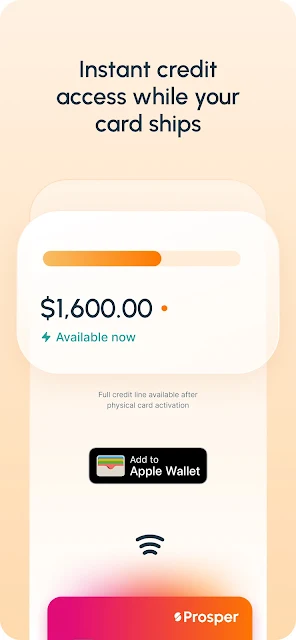
Getting started can include activating a new card in the app. Cardholders can also add a digital card to a mobile wallet for tap-and-go shopping, or view the virtual number for online purchases. These options address different situations without changing the app’s basic role. It is about helping you use and manage the card, rather than walking you through a general introduction to personal finance.
Routine Account Checks
The day-to-day experience described by the app revolves around keeping account information accessible. A balance and available credit check can answer a quick question before you head out. Transaction activity can be viewed and searched when you want to locate a charge. For many cardholders, those small checks matter more often than an elaborate feature set, so having them together is a sensible design priority.
Payments are another recurring task the app covers. You can make a payment or schedule one, then use AutoPay if you would rather manage an automatic arrangement. I like that the feature list includes both direct action and planning ahead; people do not always want to handle a bill at the last minute. Payment alerts offer another way to keep the account on your radar.
Offers and Digital Access
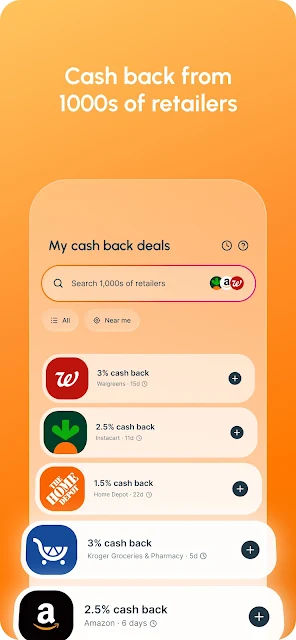
The cash back offers are the most distinctive extra in the feature list. You can add offers from thousands of retailers, make purchases with the Prosper Card, and have cash back applied automatically to the statement. That makes the feature feel connected to normal card use rather than a separate points-management project. I would treat it as an occasional reason to check the app before shopping, not as a promise of a particular amount back.
Digital card access is another practical touch. The app supports adding the digital card to a mobile wallet for tap-and-go purchases, and lets you view and copy a virtual card number for online shopping. Those are convenient options for different checkout situations. They complement the account tools without turning the app into a shopping destination or changing what the Prosper Card is.
A Simple Weekly Routine
A low-effort routine might start with checking recent transactions once or twice during the week. If a particular purchase is hard to spot, search activity rather than scanning the whole list. Before a larger planned purchase, check the balance and available credit. These are straightforward account checks, but doing them at a predictable time can make the app more useful than opening it only when a problem comes up.
Then, when it is time to handle a payment, decide whether to pay now, schedule it, or manage AutoPay. The app also lets you set transaction and payment alerts, so you can choose reminders that fit your habits. At the end of the month, viewing or downloading a statement gives you a record to revisit. It is a modest routine, but the listed features support each step.
Keep the Scope in Mind
The biggest limitation is also the clearest expectation: Prosper Card is for managing a Prosper Card account. Its feature list does not describe tools for setting budgets, tracking spending across accounts, or managing unrelated cards. If you want those broader views, you will likely need another service alongside it. I would judge this app on how well it handles card tasks, not on whether it replaces a full personal-finance setup.
The app and the credit card are also separate considerations. The app is free to download according to the store facts, but that does not explain the terms of the card product. Anyone weighing the card itself should review its current details separately. For the app, the practical question is simpler: do you want these account actions available on your phone? If yes, its focused approach is a reasonable fit.
Prosper Card keeps its attention on useful, repeatable account tasks: checking activity, handling payments, accessing card details, and reviewing statements. I appreciate that focus, along with the cash back offers and digital card options. It is not a broad finance toolkit, and it does not need to be one to serve its intended audience.
If you already have a Prosper Card and want to manage it from your phone, I’d give the app a try. If you need budgeting across accounts or tools unrelated to this card, look elsewhere for those needs. The best fit is a cardholder who values quick access to the basics and will actually use the alerts, payment options, or offers.
Prosper Card Frequently Asked Questions
What is Prosper Card used for?
Prosper Card is used to manage a Prosper Card account on a phone. Its listed tools include activating a new card, checking balance and available credit, viewing and searching transactions, making or scheduling payments, managing AutoPay and alerts, and viewing statements. It also supports virtual card details, mobile wallet use, and retailer cash back offers.
Which devices can run Prosper Card?
Prosper Card is an Android app available through Google Play. The minimum Android version is worth checking on its store page, since the device requirement can vary. The provided app information describes Android availability and does not establish support for other platforms, so check the relevant store if you are considering a different device.
What Android version does Prosper Card require?
The minimum Android version for Prosper Card may vary by release or device, and it is worth checking directly on Google Play before installing. The app’s listed version is 26.10.2. The app is designed for managing a Prosper Card account, so having a compatible Android device alone does not mean the account features will apply to other cards.
Does Prosper Card cost money?
The Prosper Card app is free to download, and the provided store facts say it has no in-app purchases or ads. Those facts cover the app, not the terms of the credit card itself. Card-related costs or conditions may vary, so review the current information in the store and the details provided for the card.
Is Prosper Card right for me?
It is likely most useful if you have a Prosper Card and want to check account activity, manage payments, access card details, or review statements on your phone. It may not suit someone seeking a general budgeting app or a place to manage unrelated accounts. Its listed features are centered on the Prosper Card.
Pros
- Covers common card tasks, including payments, transaction search, statements, and account checks.
- Offers both scheduled payments and AutoPay management for different routines.
- Includes virtual card access, mobile wallet support, and retailer cash back offers.
- Payment and transaction alerts help keep account activity visible.
Cons
- Its tools are centered on Prosper Card accounts rather than general money management.
- The minimum Android requirement should be checked on Google Play before installation.
- The app’s features are most relevant to people who already use the Prosper Card.
- Category
- Finance
- Version
- 26.10.2











