PAeDocket
- 1.30K
- 3.8
- Installs
- 500.00K
- Price
- Free

Screenshots
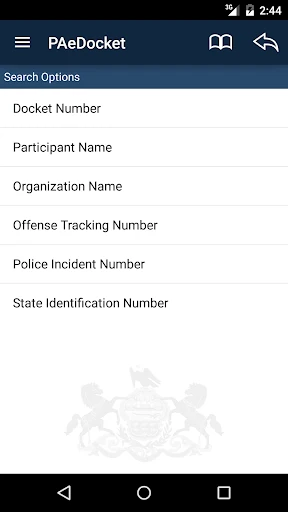
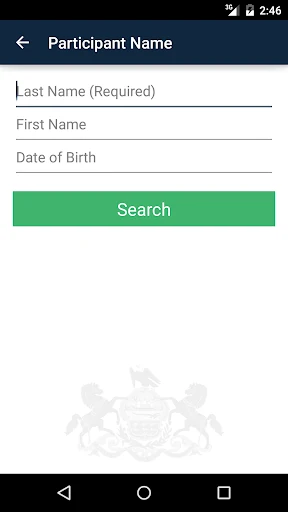
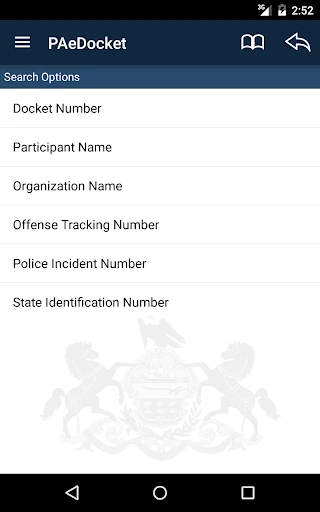
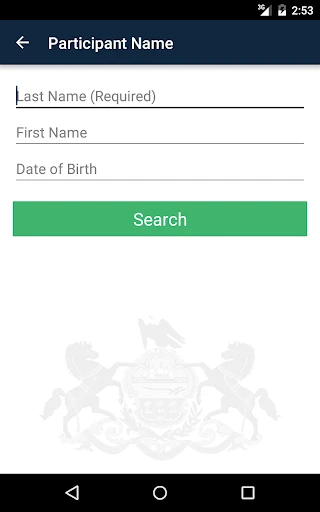
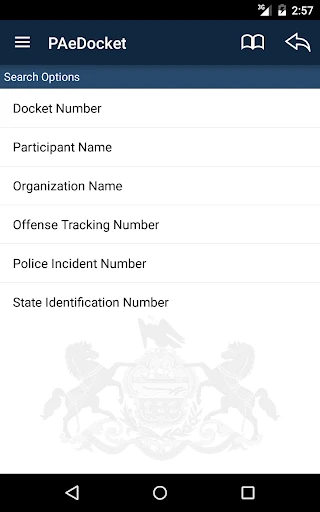
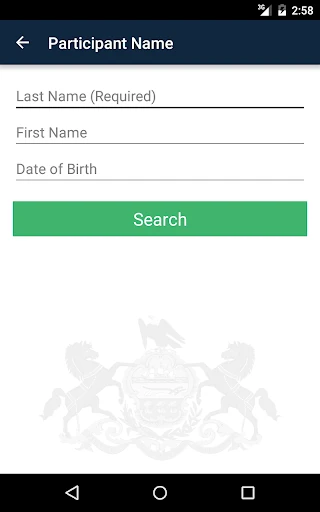
Analysis by Reviewed APKs
PAeDocket is a reference app for searching publicly accessible Pennsylvania court cases on an Android device. It covers cases from magisterial district, common pleas, and appellate courts, with a basic summary and more detailed case information. I see it as a focused way to look up a case while away from a computer, rather than a general legal guide or a tool for managing a case.
A quick case lookup
Picture a familiar but slightly awkward moment: someone mentions a Pennsylvania court case, and I want to check what it concerns before the conversation moves on. PAeDocket gives me a direct place to search publicly accessible cases from my phone. Instead of treating a court lookup like a broader web search, I can use an app made specifically for finding case information across the state’s listed court levels.
The result is meant to give both a basic summary and more detailed case information. That makes the app useful for an initial check, such as confirming that I have found the relevant case before reading further. I would still take time to review the details rather than rely on a quick glance. For me, the value is having a focused reference at hand when I need to orient myself.
A focused court reference
Compared with searching the open web, PAeDocket has a narrower job: it helps users search publicly accessible Pennsylvania court cases. That focus is its main appeal. I would reach for it when the question is specifically about a case in a magisterial district, common pleas, or appellate court, rather than when I need a broad explanation of a legal term or help understanding a legal process.
It is not a case-management suite, a document store, or a substitute for professional legal guidance. The available description supports searching and viewing case information, not handling filings or managing deadlines. That distinction matters: a docket lookup can help me find information, but it does not tell me what action to take. Users who need a comprehensive legal workflow may need other resources alongside it.
Make the lookup count
I would use PAeDocket with a clear question in mind. Before opening it, I’d note the case or party details I already have, then search and check whether the summary matches what I’m trying to find. A few seconds spent confirming that the result is the right case can prevent the common mistake of treating a similar-looking entry as the one I meant.
For a more involved lookup, I’d move from the basic summary to the detailed case information and take time to read it carefully. I would avoid assuming that a quick search tells the whole story, especially if I’m checking something important. Used this way, the app becomes a practical reference step: search, verify the case, review the information, and then consult an appropriate source if I need interpretation.
More From Our News Desk

Zoom Meetings, Google Meet, or Teams: Which Is Easiest to Join?

How I Build a Free Streaming Lineup With Tubi

Why Crunchyroll Is the Default Anime App for So Many Fans

YouTube TV: A Practical Guide to Cutting Cable

Rummikub and the Small Comfort of Phone Games

TeamViewer Remote Control or AnyDesk for Helping Family?
Who will find it useful
I’d recommend PAeDocket to Pennsylvania residents, journalists, students, and other curious users who occasionally need to look up publicly accessible court cases on a phone. It may also suit people who already know what case they are trying to find and want a straightforward way to check its summary or more detailed information without first searching the wider web.
It may not suit someone looking for legal advice, document storage, team collaboration, or a full case-management system. Nor is it a general reference app for court systems outside Pennsylvania. If I needed only an explanation of legal terminology, I would look for a different resource; if I needed to make a decision based on a case, I would not treat a docket search by itself as enough.
PAeDocket is published by the Supreme Court of Pennsylvania. On Google Play, it has over 500,000 installs and a 3.8-star rating from about 1,300 ratings. The app is free, has no in-app purchases, and contains no ads. Its content rating is Everyone, so its store rating is suitable for a general audience.
The listed Android requirement is version 5.0 or later. The current listed version is 1.4. PAeDocket was released on August 5, 2015, and its most recent update was October 30, 2023, with bug fixes and stability improvements.
A Closer Look at Court Searches
Opening the app
When I first opened PAeDocket, I would expect the point to be clear: this is for searching publicly accessible Pennsylvania court cases, not browsing a library of general legal advice. That narrow purpose is reassuring for a reference app. It gives me a good sense of when to use it, and when I should put it aside for a broader source.
The first practical step is thinking about what case information I have to work with. The app is described as supporting searches from a mobile device, then showing a basic summary and more detailed information. I’d approach it with a specific lookup in mind, rather than expecting a guided tutorial or a tour of legal concepts.
The everyday experience
The core experience is a search followed by a review of the case information returned. I like that this keeps the app’s job understandable: find a publicly accessible case, get an initial summary, and inspect more detail when needed. For a quick check between errands or while following a local news story, having those steps available on a phone can be more convenient than waiting until I’m at a computer.
A focused search tool also asks a little care from its user. I’d compare the information in the result with the details I already know and avoid treating a short summary as the entire record. The app is a reference point, not an interpretation service. That makes it useful for orientation while leaving the actual reading and judgment with me.
Three court levels
The breadth across magisterial district, common pleas, and appellate courts is one of the app’s useful distinctions. Rather than limiting its stated scope to a single court level, PAeDocket lets mobile users search publicly accessible cases across these parts of Pennsylvania’s court system. That should make it relevant to more than one kind of local case lookup.
The other supported distinction is between a basic case summary and more detailed case information. I’d start with the summary to see whether I have the right case, then read further if I need a closer look. The app’s described role is access to case information; I wouldn’t assume that it offers document management, alerts, or other workflow tools.
A useful lookup routine
When I’m checking a case mentioned in a conversation or article, I’d first write down the identifying details I have, then open PAeDocket and search. Once I see a potential match, I’d check the summary before moving into the more detailed information. That small pause helps keep a quick lookup from turning into an overconfident conclusion about the wrong case.
For a subject I’m following over time, I’d keep my own notes about what I searched and what I learned, rather than assume the app is storing a personal case history. The available description is about searching and viewing information, so I’d keep the workflow simple: use the app as a reference, record any context I need elsewhere, and revisit the case when I have a reason to.
Keep its scope in mind
PAeDocket’s narrow purpose is also its main limitation. It focuses on publicly accessible Pennsylvania court cases, so it is not a general-purpose legal research library and is not described as a service for other states. Someone who needs legal explanations, advice, or a complete picture of a complicated matter should not expect a docket search alone to provide it.
I’d also keep the app’s information in context. A basic summary is convenient, but details may require careful reading, and the app does not replace the judgment needed to understand a case. It has a 3.8-star rating on Google Play, which suggests mixed user experiences rather than universal satisfaction. I’d try it for its specific lookup job and decide whether that meets my needs.
PAeDocket does one clear thing: it lets Android users search publicly accessible cases from Pennsylvania’s magisterial district, common pleas, and appellate courts, then review a summary and more detail. I appreciate that focused role. It is a sensible reference to keep in mind for an occasional case lookup, provided I do not mistake access to information for legal guidance.
I’d recommend giving it a try if Pennsylvania court case searches are a real, recurring need for you. If you want document storage, alerts, legal explanations, or help managing a case, this is not the app I’d choose. For a free, ad-free lookup tool, though, its purpose is practical and easy to understand.
PAeDocket Frequently Asked Questions
What is PAeDocket used for?
PAeDocket lets users search publicly accessible cases from Pennsylvania magisterial district, common pleas, and appellate courts. It provides a basic case summary as well as more detailed case information. I’d use it to look up a case, not as a source of legal advice or a replacement for help understanding what a case means.
Which devices can run PAeDocket?
PAeDocket is an Android app available through Google Play. It requires Android 5.0 or later according to its listed requirements. Device compatibility can vary, so it is worth checking the Google Play store listing for your particular phone or tablet before installing.
Does PAeDocket cost money?
PAeDocket is free to download and use, with no in-app purchases and no ads according to its Google Play details. Store information can change over time, so it is worth checking the current Google Play listing before installing if you want to confirm the latest terms.
Does PAeDocket work outside Pennsylvania?
PAeDocket is specifically for searches of publicly accessible Pennsylvania court cases, including cases across three named court levels. It is not described as a nationwide case search tool. If you need information about a court in another state, you will need to check what resources that state provides.
Who should use PAeDocket?
It may suit Pennsylvania residents, students, journalists, or anyone who occasionally wants to look up a publicly accessible case on a phone. It may not suit people seeking legal advice, case management, or document storage. I’d treat its case information as a reference to review, rather than as a complete explanation of a legal matter.
Pros
- Searches publicly accessible cases across three Pennsylvania court levels.
- Provides a basic case summary and more detailed case information.
- Free to use, with no in-app purchases or ads.
- Useful for occasional mobile case lookups.
Cons
- Limited to publicly accessible Pennsylvania court cases.
- Does not serve as legal advice or a case-management system.
- A quick summary may not provide enough context for complex questions.
- Category
- Books & Reference
- Version
- 1.4











