Night Owl Protect
- 27.71K
- 4.6
- Installs
- 1.00M
- Price
- Free
Screenshots
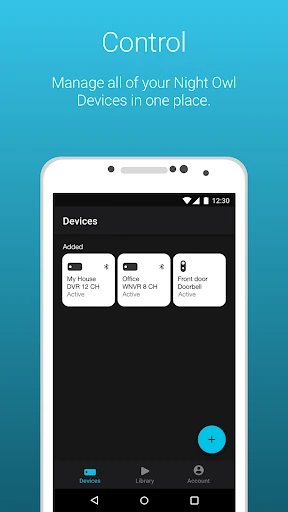
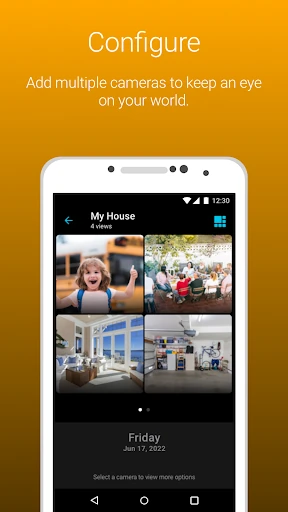
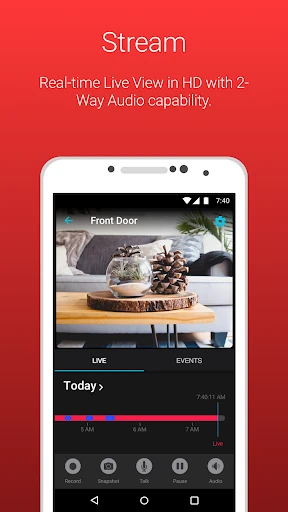
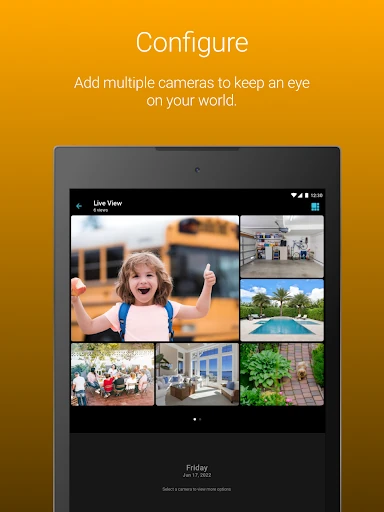
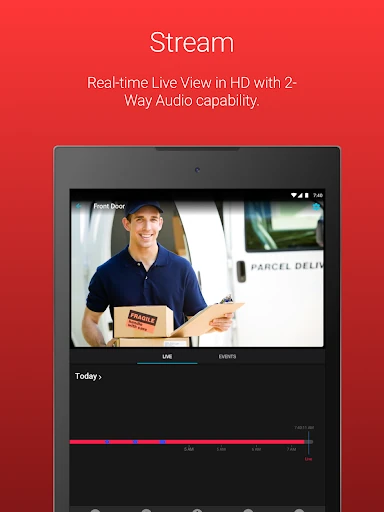
Analysis by Reviewed APKs
Night Owl Protect is a companion app for viewing and managing compatible Night Owl security cameras and recording devices from a phone or tablet. I’d consider it for someone who already owns Night Owl equipment and wants a practical way to check live footage, review recordings, and receive alerts while away. Its appeal is straightforward: it brings several camera tasks together, though which tools you can use depends on your device.
A quick check while away
When I first opened Night Owl Protect, I pictured the ordinary moments it is meant for: checking the front entrance during a delivery, or taking a look at a shop after closing. With a compatible Night Owl camera connected, the app lets you view live footage on a phone or tablet. That makes it a remote window onto your existing setup, rather than a camera system in its own right.
The day-to-day loop is easy to understand. You can receive mobile alerts when the system detects a person, face, or vehicle, then open the app to check the camera feed. If something is worth keeping, you can save a snapshot or recording and share it by email, text, or a social network. It’s a practical sequence for checking an event without needing to be beside the recorder.
A companion, not a camera
Night Owl Protect makes the most sense if you already use a compatible Night Owl camera or recorder. It gathers viewing, alerts, playback, and sharing in one mobile app, rather than asking you to use a separate tool for each task. The app also supports access to multiple devices with one set of login credentials, which can be handy for someone keeping an eye on more than one location.
It is not a general-purpose home camera app that turns a spare phone into a security camera, nor is it a standalone monitoring service. Its usefulness depends on having supported Night Owl equipment, and the available features differ by model. If you are comparing camera systems from scratch, start with the hardware and its capabilities; this app is the companion layer, not a replacement for that decision.
Make alerts work for you
A little setup can make the app more useful in a busy routine. Night Owl Protect lets you configure alert settings, so I’d begin by deciding which notifications are actually helpful and adjusting them instead of letting every event interrupt the day. The app can send alerts for detected people, faces, or vehicles, giving you a reason to check in without keeping the live feed open constantly.
Favorites and camera groups can also help reduce tapping when you regularly check the same views. I’d put the cameras I care about most together, then use playback filters when I need to find a recording rather than scrolling through footage at random. Sharing camera access with friends or family is another option, while two-step verification adds a second authentication step at login.
More From Our News Desk

Zoom Meetings, Google Meet, or Teams: Which Is Easiest to Join?

How I Build a Free Streaming Lineup With Tubi

Why Crunchyroll Is the Default Anime App for So Many Fans

YouTube TV: A Practical Guide to Cutting Cable

Rummikub and the Small Comfort of Phone Games

TeamViewer Remote Control or AnyDesk for Helping Family?
Who will get the most from it
I’d recommend Night Owl Protect to Night Owl equipment owners who want mobile access to their cameras and recordings. It suits people who check in between errands, want alerts when a person or vehicle is detected, or need to save and share a clip from their phone. The ability to organize favorite cameras and access multiple devices with one login may also suit households or small businesses with more than one connected device.
It may not suit someone without compatible Night Owl hardware, or anyone expecting every feature to work with every camera model. Audio tools, for example, are available only on applicable models, and cloud recordings require a linked Night Owl Protect Cloud monthly subscription plan. If you prefer not to stream video over mobile data, remember that live viewing uses data and can count toward your phone plan’s limit.
Night Owl Protect is developed by Night Owl Sp LLC and is available on Google Play for Android devices. The app has over one million installs and a 4.6-star rating from around 27,700 ratings. Google Play gives it an Everyone content rating. The supplied app details give version 1.6.40 and a release date of March 19, 2020.
The app is free to download, with no in-app purchases or ads reported in the supplied details. Its last update is dated October 18, 2026. The minimum Android version is not included in the available app facts, so check Google Play for the requirement that applies to your device.
A closer look at everyday camera checks
Getting started
My first impression is that Night Owl Protect is built around connecting to equipment rather than offering a standalone experience. The app supports a Bluetooth-based setup process for compatible products, which can make getting a supported device connected feel more direct. Before relying on it, I’d check that the camera or recorder model is among the devices the app supports.
That compatibility check matters because Night Owl has multiple product types, and the app’s tools are not identical across all of them. The interface can only offer what the connected model supports. Once connected, the broad idea is simple: use the mobile app to view cameras, handle alerts, and reach recordings, instead of treating the phone as a separate security device.
The daily viewing loop
Live viewing is the feature I’d reach for when I want a quick answer: is someone at the door, or is the area I’m checking quiet? You can view footage from connected cameras on a smartphone or tablet. This is useful for a brief check-in, although streaming video over a cellular connection counts as data use and may contribute to your plan’s limit.
Alerts make that routine less dependent on repeatedly opening the app. Night Owl Protect can send real-time mobile notifications when it detects a human, face, or vehicle, and the alert settings can be configured. I’d treat notifications as prompts to look at the camera, not as a reason to leave a live stream running all day. The right balance depends on how many alerts your setup produces.
Playback and audio tools
When a live check is not enough, the app can search for and play back recordings using filters. That gives you a way to revisit an event instead of relying on a quick glance at the camera. You can also save recordings to your mobile device, take snapshot images, and share those items through email, text, or a social network.
Some supported models offer audio features, including two-way audio, a siren, and preset voice messages. These are useful capabilities to know about, but they are not universal across Night Owl devices. I’d check the specifications for the equipment in use before planning around any particular audio option. The app’s feature set follows the connected product.
A practical check-in routine
For a simple routine, I’d start by setting alerts to match the events I care about, then add frequently viewed cameras to favorites or groups. If a notification arrives, I can open the relevant live view; if I need more context, I can search recordings with filters. That keeps the app focused on checking and reviewing, rather than turning every camera into a constant distraction.
For a household or work location where more than one person needs access, Night Owl Protect lets you share camera access with friends and family. It also supports multiple devices through a single set of login credentials. Two-step verification adds another login step, and the app can handle password resets. Those options make the account side part of the same routine as camera access.
Things to keep in mind
Compatibility is the main limitation to keep in view. Night Owl Protect works with a defined range of Night Owl cameras and recorders, and not every feature applies to every model. That means the app may feel capable on one setup and more limited on another. It is worth checking the product specifications rather than assuming that a feature described for the app is available on your device.
Cloud playback has a separate condition: recordings saved to Night Owl Protect Cloud are accessible through the app when the product is linked to a Night Owl Protect Cloud monthly subscription plan. Live video also uses mobile data when viewed over a cellular connection. These are practical constraints to account for before making remote viewing part of a regular routine.
Night Owl Protect is a focused companion for people who already have compatible Night Owl security equipment. Live viewing, event alerts, filtered playback, and mobile sharing cover the main reasons I’d want camera access away from home. Favorites, groups, shared access, and two-step verification add useful touches without changing the app’s central job.
I’d recommend it if your Night Owl device supports the features you need and you want a straightforward mobile way to check in. I’d look elsewhere if you need an app that works with unrelated camera brands or expect every tool to be available on every model. Check compatibility first, then keep mobile data use in mind when streaming.
Night Owl Protect Frequently Asked Questions
What is Night Owl Protect used for?
Night Owl Protect is a mobile companion for compatible Night Owl cameras and recording devices. It can show live footage, deliver alerts for detected people, faces, or vehicles, and help you search and play recordings. You can also save or share snapshots and recordings. Which features are available depends on the connected Night Owl model.
Which phones and devices work with Night Owl Protect?
Night Owl Protect is available for Android through Google Play and is described for use on smartphones and tablets. It works with a range of compatible Night Owl cameras and recorders, rather than all camera brands. Check the app’s Google Play page and your product specifications for current device compatibility and Android requirements.
What Android version does Night Owl Protect require?
The Android version requirement may vary with the current app release and your device. Check the Night Owl Protect page on Google Play for the requirement that applies when you install it. You’ll also need compatible Night Owl equipment to use its camera-viewing and recording features.
Does Night Owl Protect cost money?
Night Owl Protect is free to download, and the supplied app details report no in-app purchases or ads. Access to recordings saved to Night Owl Protect Cloud requires a linked monthly subscription plan. Check Google Play and Night Owl’s product information for current terms that apply to your setup.
Is Night Owl Protect right for my home or business?
It may suit you if you own compatible Night Owl equipment and want mobile live viewing, alerts, playback, or shared camera access. It is less suitable if you do not have supported Night Owl devices, or if you expect every feature to work on every model. Check your product specifications before depending on a particular tool.
Pros
- Combines live camera views, event alerts, and filtered recording playback in one companion app.
- Lets you save and share snapshots or recordings from a mobile device.
- Favorites, camera groups, and shared access can simplify regular check-ins.
- Two-step verification adds another authentication step when logging in.
Cons
- Requires compatible Night Owl equipment, and feature availability differs by model.
- Cloud recordings require a linked Night Owl Protect Cloud monthly subscription plan.
- Live video over cellular uses data and may count toward your phone plan limit.
- Category
- House & Home
- Version
- 1.6.40