Kangaroo: Simple Home Security
- 3.04K
- 3.5
- Installs
- 500.00K
- Price
- Free

Screenshots
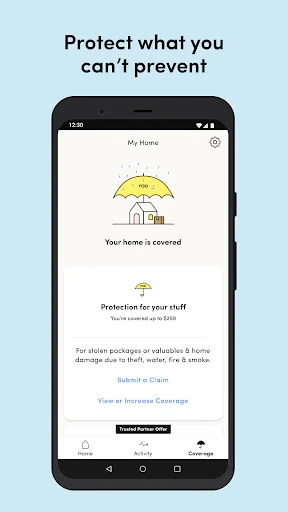
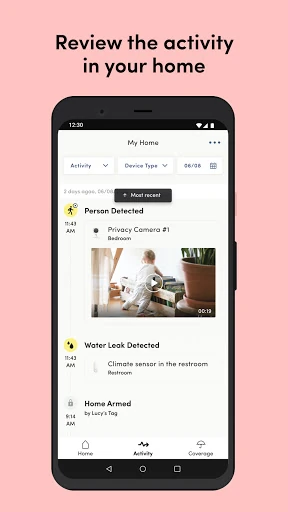
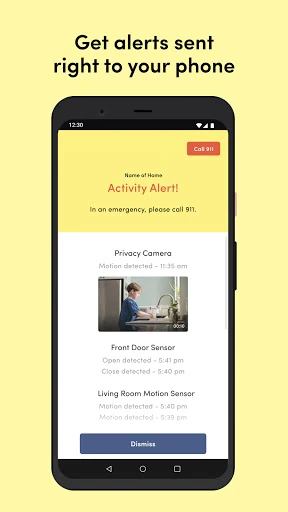
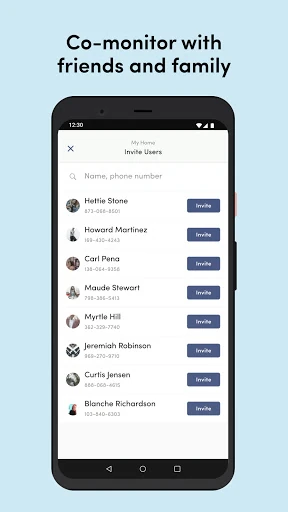
Analysis by Reviewed APKs
Kangaroo: Simple Home Security is a companion app for managing a Kangaroo home protection device over Wi-Fi. It is aimed at people who want to arm or disarm their space and manage alerts from a phone, without making home security a complicated project. I like the straightforward focus and the option to self-monitor, though the app depends on having a Kangaroo device and may not suit someone seeking a standalone camera app.
A check before heading out
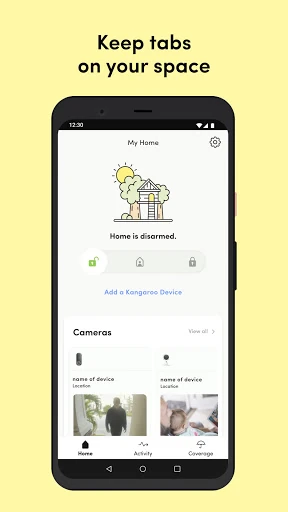
Picture the familiar rush of leaving home: keys in hand, one last look around, and the nagging question of whether everything is set. With a Kangaroo device connected to Wi-Fi, the app gives you a phone-based way to arm or disarm your protection and manage its alerts. The idea is to handle those basic checks remotely, rather than needing to be beside the device whenever your plans change.
That kind of routine is where the app’s simple pitch makes sense. I would treat it as a quick control point for the protection setup, not something to browse for entertainment or spend a long time configuring each day. The description says setup follows a step-by-step process and takes a few minutes. Once configured, the practical value is having the main controls and alerts available on a phone.
A companion, not a camera
The obvious comparison is a camera app or a full home-security service. Kangaroo is better understood as the phone side of a Kangaroo device-based system: it supports arming, disarming, and alert management, while the device and Wi-Fi are part of getting started. That distinction matters. The app is not described as a standalone way to watch a home, and installing it alone does not replace the hardware it is designed to work with.
It also gives users a choice between self-monitoring at no cost and adding a protect plan for benefits such as professional monitoring, longer cloud storage, and text or voice notifications. Those plans make the offering broader than a basic remote control, but they are optional. I would not choose the app expecting every service to be included by default, or assume it replaces a more extensive security setup.
Make the check a habit
A useful routine is to decide when you want protection active, then use the app to arm or disarm around those transitions. For example, you might check the status before leaving and manage alerts when your household’s schedule changes. The app’s stated controls are simple, so the goal is to make them part of an existing habit rather than build a complicated system of daily app checks.
I would also take a moment during setup to understand which monitoring choice fits the way I want to use the system. Self-monitoring and optional plans are different levels of service, and the description names benefits that come with some plans. Reviewing those choices early can help avoid expecting a feature that is tied to a subscription. Keep the phone, device, and Wi-Fi in mind as parts of the same setup.
More From Our News Desk

Zoom Meetings, Google Meet, or Teams: Which Is Easiest to Join?

How I Build a Free Streaming Lineup With Tubi

Why Crunchyroll Is the Default Anime App for So Many Fans

YouTube TV: A Practical Guide to Cutting Cable

Rummikub and the Small Comfort of Phone Games

TeamViewer Remote Control or AnyDesk for Helping Family?
Who may find it useful
I would recommend Kangaroo to someone who already has, or is considering, a Kangaroo protection device and wants phone controls for basic security routines. Its appeal is strongest if you value being able to arm or disarm remotely and manage alerts, while choosing whether to self-monitor or add a plan. The step-by-step setup described should also appeal to people who would rather avoid a complicated first run.
It may be a poor fit if you want an app that works by itself, or if your main need is a standalone camera viewer. The description ties the experience to a Kangaroo device and Wi-Fi, so the app is only one part of the arrangement. It may also frustrate someone who expects every monitoring and notification benefit without considering plan options. I would compare those needs with the available store details before deciding.
Kangaroo: Simple Home Security is published by Kangaroo Security and is in the House & Home category on Google Play. It has more than 500,000 installs and a 3.5-star rating from about 3,000 ratings. The app is free to download, and the provided store facts indicate no in-app purchases. Ads are present, and its content rating is Everyone.
The listed minimum requirement is Android 7.0, and the current version shown is 11.17.0. The app was released on July 5, 2018, and was last updated on November 10, 2025. Those details give a useful snapshot of its availability and maintenance, while the device and Wi-Fi remain part of the described setup for using Kangaroo’s home protection features.
A Closer Look at Everyday Control
A straightforward first step
When I first opened the description of Kangaroo, the important thing to understand was the relationship between the app and the device. This is not presented as a security system you install on a phone and immediately use on its own. You need a Kangaroo device and Wi-Fi, then follow the app’s step-by-step setup to get the protection arrangement running.
That is a sensible way to frame expectations. A short setup process is appealing, but even a simple one still depends on having the required hardware and network connection ready. I would make sure those basics are in place before starting, then follow the prompts in order rather than rushing through. The app’s central promise is practical control after setup, not a hardware-free shortcut.
The daily control loop
The everyday experience described here revolves around a small set of actions: arm, disarm, and manage alerts from a phone. That narrow focus can be a plus. When all I need is to check the protection routine or change its state, a straightforward control app is easier to approach than a crowded dashboard full of unrelated tools.
Remote access is the useful thread connecting those actions. A change of plans does not necessarily mean returning to the device just to manage the system, provided the Kangaroo setup is in place. The app’s role is to make those ordinary adjustments available from elsewhere. It is best judged as a companion for managing a home protection setup, not as a general-purpose home automation hub.
Monitoring choices matter
One of the more useful distinctions is the choice between self-monitoring at no cost and optional protect plans. The description names professional monitoring, theft and damage reimbursement, extended cloud storage, and text and voice notifications among possible plan benefits. That makes it important to think about what level of service you actually want, rather than assuming every feature is part of the free starting point.
The description also mentions a discount engine for home insurance and a driving test that tracks trips for 30 days. These are separate offerings from the basic arm-and-disarm routine, and I would consider them only if they are relevant to my needs. Their presence broadens the app’s stated scope, but the core home-security use remains the most direct reason to install it.
A simple leaving-home routine
For a practical routine, I would attach the app to a moment that already happens every day: getting ready to leave. Once the device and Wi-Fi are set up, the phone can be the place to arm the system and later manage alerts. That makes the app feel less like another chore and more like a quick check folded into locking the door and picking up my keys.
When plans shift, the ability to disarm or manage alerts from the phone may be just as relevant as the morning check. I would also revisit the monitoring choice if my expectations change, since the app distinguishes self-monitoring from plans with extra benefits. Keeping the routine simple helps set realistic expectations: this is a control point for Kangaroo protection, not a promise that every security task is automated.
Keep the scope in view
The biggest limitation is also the most important detail: the app depends on a Kangaroo device and Wi-Fi. Someone looking for an app-only solution will need to look elsewhere, because the described setup explicitly includes the hardware. That dependency is easy to overlook when browsing phone apps, but it determines whether the central controls are useful in the first place.
The free self-monitoring option is appealing, yet some benefits are associated with protect plans. I would check the plan details before relying on professional monitoring, extended storage, or particular notification options. The app also contains ads according to its store facts. None of that erases the convenience of phone controls, but it is worth weighing alongside the hardware requirement and the service level you want.
Kangaroo: Simple Home Security has a clear job: provide phone controls and alert management for a Kangaroo device-based protection setup. I like that self-monitoring is an option and that the app keeps its central tasks easy to explain. The device and Wi-Fi requirement, plus the distinction between free use and plan benefits, are the main points to understand before getting started.
I would try it if I wanted a straightforward way to manage a Kangaroo setup from my phone and was comfortable with the required device. I would skip it if I needed a standalone camera app or expected every monitoring feature to be included. It is a focused companion, and it makes the most sense when its modest scope matches the way you want to protect your space.
Kangaroo Frequently Asked Questions
What is Kangaroo: Simple Home Security used for?
Kangaroo: Simple Home Security is used to manage a Kangaroo home protection setup from a phone. The description says users can arm and disarm the system and manage alerts. Getting started requires a Kangaroo device and Wi-Fi, so the app is a companion to that setup rather than a standalone security system.
Which phones and devices support Kangaroo: Simple Home Security?
The app is available on Android through Google Play, and its listed minimum requirement is Android 7.0. The described setup also requires a Kangaroo device and Wi-Fi. Device compatibility details can vary, so it is worth checking the Google Play store information and the relevant device details before getting started.
How much does Kangaroo: Simple Home Security cost?
The app is free to download, and the provided store facts show no in-app purchases. Its description says self-monitoring is available at no cost, while optional protect plans offer additional benefits. Plan availability and terms can vary, so check the Google Play store and the app’s current plan information before choosing a service.
Does Kangaroo: Simple Home Security need a particular Android version?
The listed minimum is Android 7.0. You will also need a Kangaroo device and Wi-Fi for the described home protection setup. If you are unsure whether a specific phone or device will work, check the current Google Play store details, since compatibility information can vary over time.
Is Kangaroo: Simple Home Security right for me?
It may suit someone who wants phone controls for a Kangaroo device, including arming, disarming, and managing alerts. It is less suitable if you want a standalone camera app or an app-only security system. Self-monitoring is an option, while some benefits require a protect plan; review current plan details in the store.
Pros
- Remote phone controls cover the basic arm-and-disarm routine.
- Self-monitoring is available without a protect plan.
- Optional plans add monitoring, storage, and notification benefits.
- Step-by-step setup is designed to get started quickly.
Cons
- A Kangaroo device and Wi-Fi are required for the setup.
- Some monitoring and notification benefits are tied to optional plans.
- Ads are present in the app.
- Category
- House & Home
- Version
- 11.17.0