Hubspace
- 47.60K
- 4.7
- Installs
- 1.00M
- Price
- Free
Screenshots
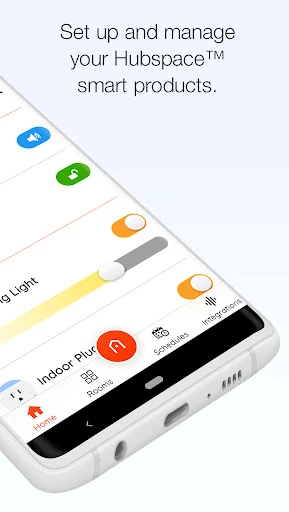
Analysis by Reviewed APKs
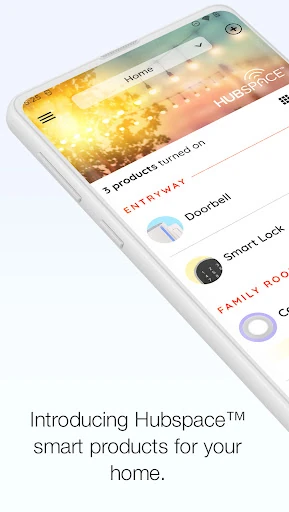
Hubspace is a companion app for setting up and managing Hubspace smart-home products, with controls for things like lights and fans, plus schedules and room-based organization. I see it fitting best in a home that already uses compatible products and wants everyday controls in one place. After spending time with its intended workflow, my take is practical: useful for routine adjustments, but its value depends on having Hubspace devices to manage.
A More Convenient Evening
Picture getting home after work and wanting the living room lights set to a warmer tone while a fan runs at a comfortable speed. Hubspace is designed to bring those product controls together in an app, rather than making you adjust each connected product separately. I’d organize products by room, then use the app to change settings as the evening routine shifts from cooking to relaxing.
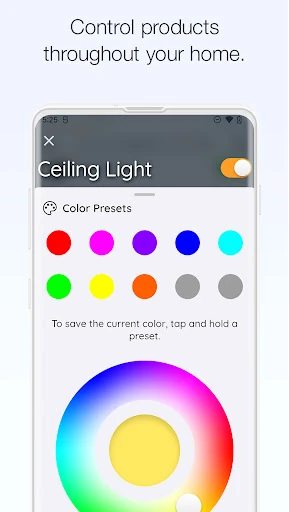
The appeal is not a dramatic transformation; it is the small convenience of making a few changes from one place. Hubspace supports on/off controls, light color and color-temperature adjustments, and fan-speed control. I would also use a schedule for a predictable daily task, such as turning a connected light on at a set time. The app can manage products at home or remotely, which adds flexibility when plans change.
A Companion, Not a Universal Hub
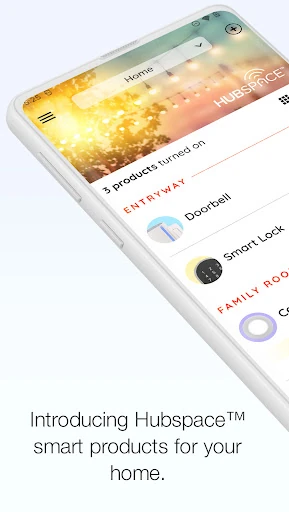
Hubspace is for setting up and controlling Hubspace smart products, not a general-purpose home dashboard for every device brand. That distinction matters if you already have a mix of connected gear: the app’s usefulness centers on products that work with Hubspace. For those products, it offers room and property organization, controls, grouping, and schedules without asking you to treat the home as one complicated project.
I’d think of it as a practical companion to compatible products, rather than a replacement for every smart-home service or a place to manage unrelated household tasks. It also is not described as a project-management or messaging tool, despite the name sounding like it could be. If your goal is to adjust Hubspace product settings and check them remotely, the app’s focus makes sense; if you have no such products, there is little reason to install it.
Small Habits That Help
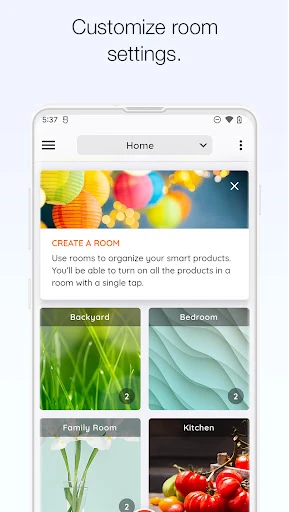
A little organization should make repeat use easier. I’d start by sorting products into the rooms or properties where they belong, then group products that I often control together. The description supports both room and property organization as well as product grouping, so this is a sensible way to reduce the number of separate adjustments in a typical routine.
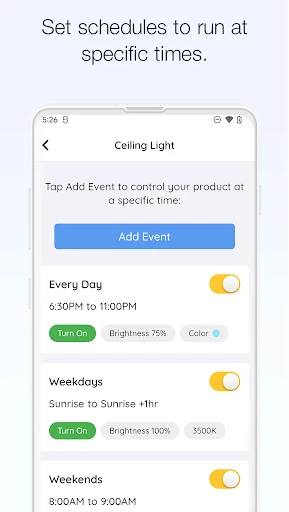
Schedules are most helpful when a task happens at roughly the same time each day, while manual controls suit the exceptions. I’d use the app to set a regular pattern and then change settings when the day goes differently. The ability to manage products remotely is handy for those changes, and Google Assistant and Alexa integration gives another way to access supported controls.
More From Our News Desk

Zoom Meetings, Google Meet, or Teams: Which Is Easiest to Join?

How I Build a Free Streaming Lineup With Tubi

Why Crunchyroll Is the Default Anime App for So Many Fans

YouTube TV: A Practical Guide to Cutting Cable

Rummikub and the Small Comfort of Phone Games

TeamViewer Remote Control or AnyDesk for Helping Family?
Who Will Find It Useful
I’d recommend Hubspace to someone who owns, or is setting up, compatible Hubspace smart products and wants to manage them through a phone. It makes particular sense for people who like keeping products organized by room, adjusting lights or fan speed, and setting schedules for repeat tasks. Remote product management can also suit a household where someone occasionally wants to check or change a setting while away.
It may not suit someone looking for a universal controller for devices from any brand, or someone without Hubspace products. The app’s main job is product setup and control, so it is not especially useful as a standalone home-planning tool. If your household already relies on another smart-home system, check whether the particular products you want to manage are Hubspace products before expecting this app to bring everything together.
Hubspace is developed by Afero and is listed on Google Play in the House & Home category. It has over 1 million installs and a 4.7-star rating from about 47,600 ratings. The app is free to download, with no in-app purchases or ads indicated in the supplied app details. Its content rating is Everyone.
The supplied Android requirement is Android 7.0 or later. The current version is 2.2.0, released on December 3, 2020, with the latest update dated February 4, 2026. The update notes mention support for new products and usability improvements. Those are the practical version details to keep in mind when checking compatibility with a device.
A Closer Look at Daily Control
Getting Started
When I first opened the idea of Hubspace, its purpose felt refreshingly specific: set up Hubspace products, then manage them from the app. That is a more grounded promise than an all-in-one smart-home makeover. The initial step is naturally most relevant when you have a compatible product ready to connect. From there, the app’s room and property organization gives the home a structure that can remain useful as you add products.
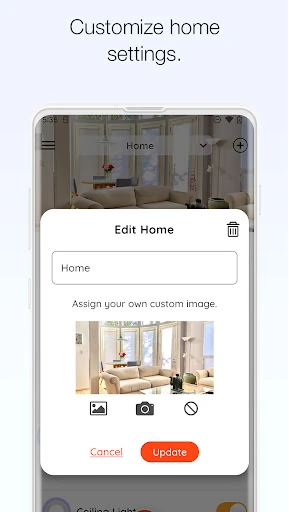
I would take a moment to decide how I want rooms and properties arranged before relying on the app every day. Clear organization pays off when I want to find a specific control quickly, particularly if several products are involved. The available information focuses on product setup and management rather than a detailed setup walkthrough, so the exact steps can depend on the product being added.
Everyday Controls
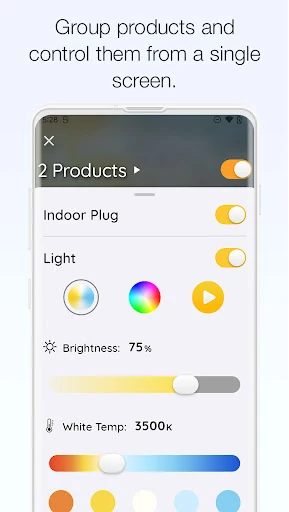
The core experience is about changing settings without having to reach the product itself. Hubspace offers on/off controls, light color and color-temperature changes, and fan-speed control. Those are straightforward actions, but they are the kind people may repeat throughout the day: bright light when working, a different tone later, or a fan adjustment as the room changes.
I like that the app is intended for both at-home and remote management. That makes it useful beyond the moment when someone is standing next to a switch or fan. I would still keep expectations practical: the controls apply to Hubspace products, and the description does not promise a universal way to operate unrelated devices. Its usefulness comes from having compatible products in the first place.
Features That Matter
Schedules are one of the more practical additions because they can handle a repeat task without requiring a fresh manual adjustment each time. Grouping products can also make a set of related controls easier to manage. Combined with room and property organization, these features give the app a basic structure for handling multiple Hubspace products rather than treating every item as an isolated control.
The app also supports integration with Google Assistant and Alexa. That gives users another route to control supported products, alongside the app itself. I would view these integrations as useful options rather than the whole point of Hubspace: the direct product settings, grouping, and scheduling are already the central jobs. The supplied description does not specify the exact commands or setup steps for assistant integration.
A Useful Home Routine
A simple routine could start with setting up products by room, then grouping the ones I often want to adjust together. I might schedule a connected product for a regular time, use the app’s light controls when the room’s purpose changes, and adjust fan speed as needed. This keeps automation modest and tied to habits I actually have, rather than building a complicated routine for its own sake.
When I’m away, remote management gives me a way to make a change without being at home. I could use that for an unexpected schedule change, then return to the normal routine later. The app’s stated capabilities support this kind of adjustment, though the experience naturally depends on the Hubspace products in the home and the settings those products offer.
Keep the Scope in Mind
The biggest limitation is also the clearest boundary: Hubspace is centered on Hubspace smart products. If the household’s devices are from several unrelated brands, the app should not be mistaken for a control panel that automatically covers them all. I would check product compatibility before making plans around a particular control or expecting an existing setup to appear here.
Another practical point is that features vary by product. The app description names light settings and fan speed, but those controls only make sense for products that support them. That means the exact experience in one home may differ from another. I’d treat the app as a useful layer for compatible products, not as a promise that every device will offer every listed type of adjustment.
Hubspace makes the most sense when you already have compatible products and want a clear place to organize and manage them. Room and property organization, scheduling, grouping, remote controls, and support for Google Assistant and Alexa cover useful everyday needs without making the app’s purpose hard to understand.
I’d recommend it to Hubspace product owners who want simple controls and repeat schedules on their phone. I would skip it if you need one app for a wide mix of unrelated smart-home brands or have no compatible products. Its focused approach is helpful, as long as that focus matches your home.
Hubspace Frequently Asked Questions
What is Hubspace used for?
Hubspace is used to set up and manage Hubspace smart products. The app can organize products by room and property, adjust supported settings such as lights and fan speed, group products, and set schedules. It can also manage products at home or remotely, with Google Assistant and Alexa integration supported.
Which phones and devices can run Hubspace?
Hubspace is an Android app on Google Play, and the supplied requirement is Android 7.0 or later. It is designed to manage Hubspace smart products from a mobile device. Product capabilities can differ, so check the Google Play store details and the information for the specific product you plan to use.
Does Hubspace cost money or include purchases?
Hubspace is free to download, and the supplied app details indicate no in-app purchases or ads. Product costs are separate from the app itself. Store details can change over time, so it is worth checking the Google Play page for current information before installing.
Can Hubspace control products from any brand?
Hubspace is described as a way to set up and manage Hubspace smart products, not as a universal controller for every brand. Its usefulness depends on having compatible products. If you want to manage a particular device, check its product information and the Google Play store details for compatibility.
Is Hubspace a good fit for a new smart-home user?
It may suit someone who wants to manage compatible products, organize them by room, and use straightforward controls or schedules. It may be less useful for someone without Hubspace products or anyone expecting one app to cover unrelated brands. The Google Play store details can help confirm current requirements and app information.
Pros
- Room and property organization helps keep compatible products grouped in a useful way.
- Supports schedules, product grouping, remote management, and everyday setting changes.
- Google Assistant and Alexa integration offer additional control options.
- Free to download, with no in-app purchases or ads indicated.
Cons
- Its usefulness depends on having Hubspace smart products to manage.
- Available controls vary according to the capabilities of each product.
- Not presented as a universal controller for unrelated smart-home brands.
- Category
- House & Home
- Version
- 2.2.0