AlfredCamera Home Security app
- 1.02M
- 4.7
- Installs
- 50.00M
- Price
- Free
Screenshots
Analysis by Reviewed APKs
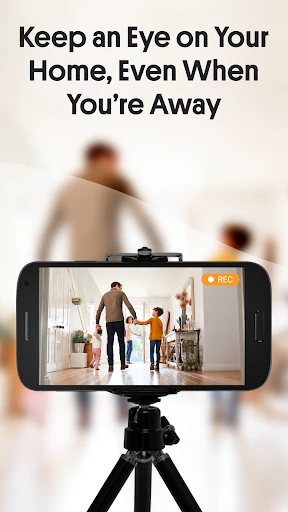
AlfredCamera Home Security app turns a spare phone into a camera you can check remotely from another device. I can see it suiting people who want a flexible way to keep an eye on a pet, room, or household while away, without starting with a dedicated camera system. Its appeal is the simple two-phone idea; the trade-off is that you need a spare device and a suitable place to leave it.
A quick check from work
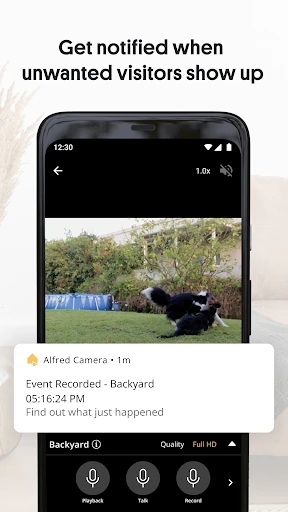
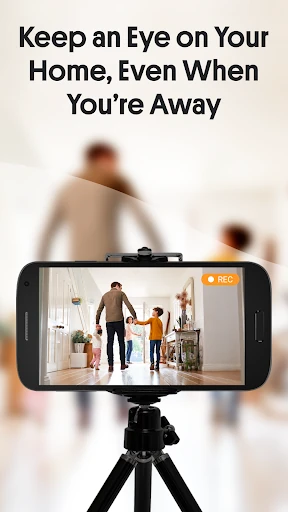
When I picture using AlfredCamera on an ordinary weekday, the routine is straightforward: leave one phone pointed toward the living room, then use my current phone to check the live video while I’m out. If the dog is unusually quiet or I want to see whether someone has arrived, I can look in remotely rather than wonder what is happening at home. Motion alerts add a nudge when there is activity worth checking.
The two-device setup is central to the experience. I would install the app on both phones, make the older one the camera and the current one the viewer, then pair them by scanning a QR code. That makes the app useful for a spare phone that would otherwise sit in a drawer. It is also easy to imagine moving the camera between rooms or taking it along when staying somewhere temporarily.
A flexible camera, not a full system
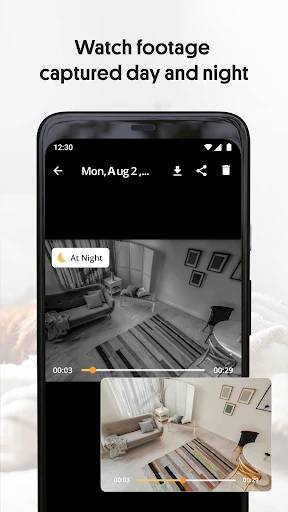
Compared with buying a dedicated CCTV camera, AlfredCamera takes advantage of equipment many people already own. It offers remote live video, motion alerts, night visibility features and two-way talk through the walkie-talkie function. Android and iOS devices can work together, which is handy if the camera phone and viewer phone use different platforms. For a basic check-in, that combination may be more appealing than installing a fixed camera.
Still, I would treat it as a phone-based monitoring option rather than a replacement for every kind of home security system. It depends on having two devices and a place to position the camera phone. Its listed uses include checking on pets, babies, visitors and belongings, but it is not a general-purpose home automation hub. Anyone comparing systems should consider whether a phone left in place suits their space and routine.
Small habits that help
A little planning makes the spare phone more useful. I would choose a stable spot with a clear view of the area I care about, then check the live stream before leaving. AlfredCamera includes scheduling, sound detection and reminders among its features, so those options can help shape a routine around when a room is likely to be empty or when I want to check in. The goal is to make monitoring fit the day rather than constantly open the app.
I would also keep the camera phone in a consistent place and make occasional test checks from the viewer device. That helps me notice if the framing has shifted or if the view is blocked. For a pet, I might use the walkie-talkie feature to interact during a check-in; for a room, I might rely more on motion alerts. These are simple habits, not complicated installation steps, and they make the two-phone arrangement easier to live with.
More From Our News Desk

Zoom Meetings, Google Meet, or Teams: Which Is Easiest to Join?

How I Build a Free Streaming Lineup With Tubi

Why Crunchyroll Is the Default Anime App for So Many Fans

YouTube TV: A Practical Guide to Cutting Cable

Rummikub and the Small Comfort of Phone Games

TeamViewer Remote Control or AnyDesk for Helping Family?
Who may find it useful
I would recommend AlfredCamera to someone with an unused phone who wants a practical way to check on a pet, a room, or household activity from elsewhere. It may also appeal to renters or people who travel and want a portable camera arrangement rather than a permanently installed setup. The app’s mix of live viewing, motion alerts and two-way talk gives it more flexibility than a viewer that only shows a static feed.
It may be a poor fit if you do not have a second device to leave as the camera, or if you specifically want a dedicated security camera system. People who prefer not to keep a phone positioned and running for monitoring may also find the approach inconvenient. I’d consider it a useful option for casual, remote check-ins, while keeping expectations realistic about what a phone-based setup can do.
AlfredCamera Home Security app is made by Alfred Systems Inc. On Google Play, it has over 50 million installs and a 4.7-star rating from around 1.02 million ratings. The app is free to install, with in-app purchases priced from $1.99 to $99.99 per item, and it contains ads. Its content rating is Everyone.
The current listed version is 2026.21.0. The app was released on December 17, 2012, and last updated on October 29, 2026. Google Play lists support for Android and iOS devices working together, while the minimum Android version is worth checking on the store page for the device you plan to use.
Making a Spare Phone Pull Its Weight
A simple first setup
When I first opened AlfredCamera, the most useful idea was immediately clear: one phone watches, another phone checks the view. The setup described by the app is to install it on both devices and scan a QR code to pair them. That is a more approachable starting point than shopping for extra camera hardware, especially if an older phone is already available.
The first real decision is placement. I would prop the camera phone where it can see the room or area I care about, then open the viewer on my everyday device and confirm the picture. A few minutes spent choosing an angle can save repeated adjustments later. Since the app relies on a phone as the camera, its position and surroundings matter to the experience.
The everyday check-in
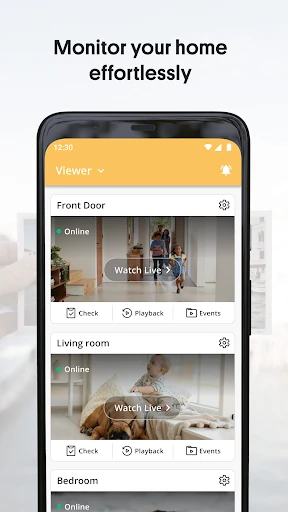
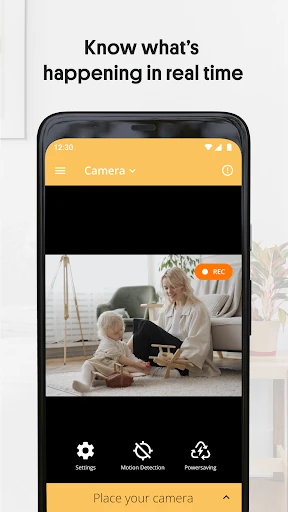
Day to day, AlfredCamera is built around remote viewing. I can imagine checking a pet during a lunch break, looking in on a room after hearing a sound, or seeing whether there is movement while I am away. The live stream is the central feature, while alerts give me a reason to open it when something changes. It is a practical loop: get a prompt, check the feed, and decide whether anything needs attention.
The app says it works over Wi-Fi, 3G and LTE, which fits the idea of checking in beyond the home network. The experience still depends on the two devices and their connection, so I would use it for convenient awareness rather than assume every moment will be equally useful. For casual monitoring, being able to open a live view on the phone I already carry is the main attraction.
More than a live view
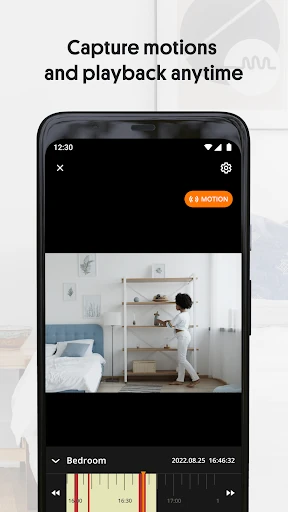
Motion detection and alerts are among the features that make AlfredCamera more than a remote camera viewer. The app also describes sound detection, scheduled use and recorded events. Those additions can help when I do not want to watch a feed continuously. A notification can direct my attention to a moment, while event recordings give me something to review instead of relying only on memory.
The walkie-talkie feature is another practical difference. It lets me speak through the setup, which could be useful for interacting with a pet or talking to someone near the camera. AlfredCamera also includes a low-light filter and a 360 camera feature that uses both lenses. These tools broaden how a spare phone can be used, though their usefulness naturally depends on the phone and the way it is positioned.
A routine for pets
For a pet-monitoring routine, I would set the camera phone in a familiar spot before leaving, check the framing from my viewer device, and then go about the day. If an alert arrives, I can open the live stream and see whether the dog is simply moving around or whether I want to use the walkie-talkie to get its attention. This is a more direct check-in than waiting until I return home.
I would avoid turning the routine into constant surveillance. A couple of purposeful checks, plus alerts for activity, seems like a more manageable way to use the app. The same pattern could apply to checking a room or seeing whether a visitor has arrived. AlfredCamera’s scheduling and reminder features may help make those checks more deliberate rather than something I remember only when I happen to think of it.
Limits to keep in mind
The biggest practical limitation is also the app’s defining idea: one device has to stay behind as the camera. That means an old phone needs to be available, and I would need a suitable place to set it up. A phone can be easier to move than dedicated equipment, but it is still one more device to position and keep available for monitoring.
There are also ads and in-app purchases, with paid items listed across a broad price range. The free download makes it easy to try, but anyone considering paid options should check what is included before deciding. I would also check the current store details for device requirements and compatibility. AlfredCamera can make remote check-ins convenient, but it is best approached as a flexible phone-based tool, not a promise that every security need is covered.
AlfredCamera makes a spare smartphone useful in a way that feels easy to understand: leave it as a camera, pair another device, and check the view remotely. Live streaming, motion alerts, sound detection and two-way talk give the setup several everyday uses, especially for pets and rooms that need an occasional look-in.
I’d try it if I already had an extra phone and wanted flexible monitoring without beginning with dedicated camera hardware. I would look elsewhere if I wanted a fixed, purpose-built system or did not want to leave a phone in place. For the right household, it is a practical way to put an unused device to work.
Alfred Home Security Camera Frequently Asked Questions
What is AlfredCamera Home Security app used for?
AlfredCamera turns one phone into a camera that can be viewed from another device. It is designed for remote check-ins on a home, pet, baby or room, with features including live video, motion alerts, sound detection and a walkie-talkie function. The app also describes low-light viewing, scheduling and recorded events.
Which phones and platforms work with AlfredCamera?
AlfredCamera is available for Android, and its description says Android and iOS devices can work together in a two-device setup. One phone serves as the camera and the other as the viewer. Check the current store information for compatibility with your specific devices, since device support can vary.
What Android version does AlfredCamera require?
The minimum Android version can vary with the current release and device, so check the AlfredCamera Google Play page before installing. The app description outlines a two-phone setup and says the devices can connect over Wi-Fi, 3G or LTE. Store compatibility details are the best place to confirm whether a particular phone is supported.
Does AlfredCamera cost money or include purchases?
AlfredCamera is free to install and contains ads. Google Play lists in-app purchases priced from $1.99 to $99.99 per item. Its description also mentions a Premium subscription. The available options and prices may change, so check the store page for current purchase details before subscribing or buying.
Is AlfredCamera suitable for checking on pets?
It can suit people who want to check a pet remotely using a spare phone as the camera and another device as the viewer. Live video, motion alerts and walkie-talkie interaction are relevant features. It may not suit someone without a second device or someone looking specifically for a dedicated camera system.
Pros
- Turns an unused phone into a remotely viewable camera with a simple pairing process.
- Combines live video, motion alerts, sound detection and two-way talk.
- Android and iOS devices can work together in the two-phone setup.
- Useful for casual check-ins on pets, rooms and household activity.
Cons
- Requires a second phone to remain in place as the camera.
- Contains ads and offers in-app purchases across a wide price range.
- A phone-based setup may not suit people seeking dedicated camera hardware.
- Category
- House & Home
- Version
- 2026.21.0