Night Owl Connect
- 8.34K
- 2.1
- Installs
- 1.00M
- Price
- Free
Screenshots
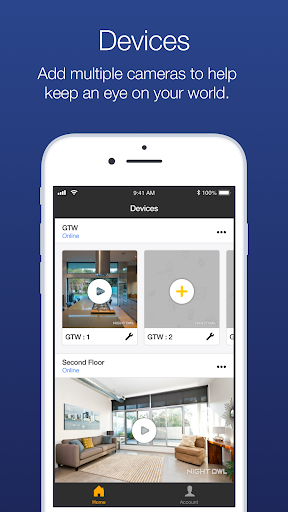
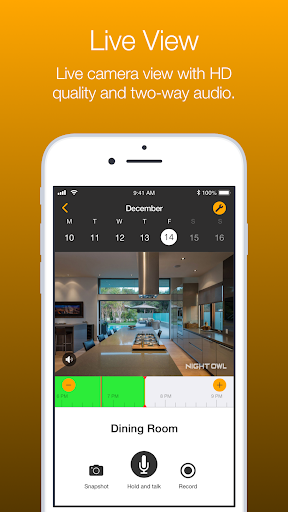
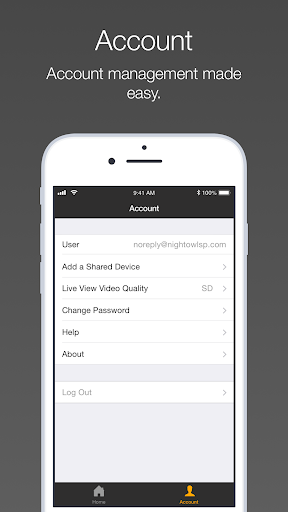
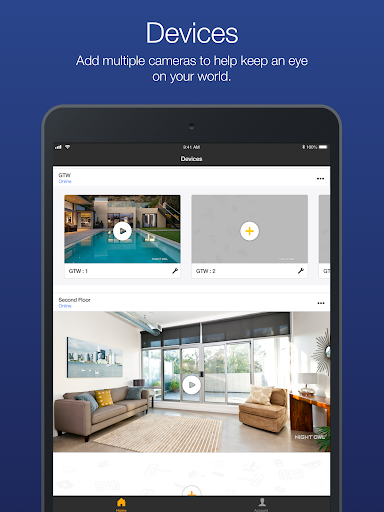
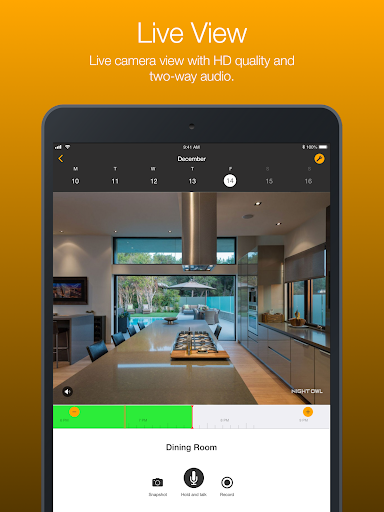
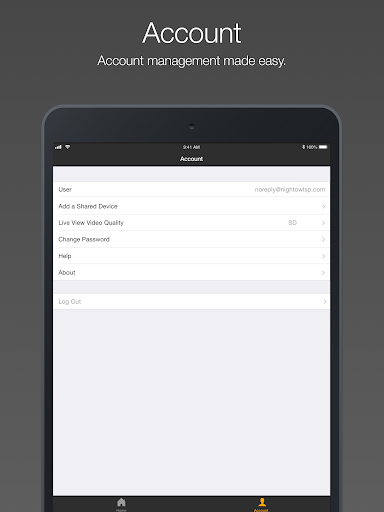
Analysis by Reviewed APKs
Night Owl Connect is a companion app for viewing compatible Night Owl security cameras from a phone or tablet. It’s aimed at people who already use Night Owl equipment and want to check live video, review recordings, or save a clip while away from home or work. I like that it brings several useful camera tasks together, though its value depends on owning a supported device.
A quick check while away
Picture leaving home for the day and wondering whether a delivery has arrived. With a compatible Night Owl camera set up, Night Owl Connect is meant to let you open a live video and audio feed on your phone or tablet. It can connect over Wi-Fi or mobile data, so the basic idea is simple: check the camera from wherever you happen to be, rather than waiting until you get back.
The app also gives that quick check a next step. You can save an image or recording to your device, then share it by text, email, or social media. If you want to revisit something later, video playback is included. I can see this being useful for a homeowner checking an entrance or a small-business owner keeping an eye on a space, provided their camera model is supported.
A camera companion, not a camera
Night Owl Connect makes the most sense alongside Night Owl security equipment. It isn’t a general-purpose camera app, and installing it alone won’t turn a phone into a home monitoring system. The app works with a specified set of Night Owl cameras and recorders, so checking your device model before building a routine around it is important.
Compared with simply viewing footage at the camera’s recorder, the mobile app’s appeal is remote access and convenient saving or sharing. It is not described as a replacement for security hardware, nor as a broad smart-home hub. I’d consider it if I already owned compatible Night Owl equipment; if I wanted to choose a camera system from scratch, I’d first compare the hardware and its compatibility rather than judge the app in isolation.
Make checks more useful
A little setup can make routine checks less haphazard. The app supports push notifications that can be configured from the smart device, so I’d decide which alerts matter before relying on them throughout the day. The description also names human, familiar-face, and unfamiliar-face alerts for supported experiences. Those options are most useful when they fit the camera and the kind of activity you actually want to notice.
I’d also use saved media deliberately. If a moment is worth keeping, saving the image or recording directly to the device gives you something to review or share later. For a longer check-in, video playback can help revisit footage instead of treating every notification as a complete story. One practical detail: live viewing over a mobile network uses data, so Wi-Fi is the sensible choice when it is available.
More From Our News Desk

Zoom Meetings, Google Meet, or Teams: Which Is Easiest to Join?

How I Build a Free Streaming Lineup With Tubi

Why Crunchyroll Is the Default Anime App for So Many Fans

YouTube TV: A Practical Guide to Cutting Cable

Rummikub and the Small Comfort of Phone Games

TeamViewer Remote Control or AnyDesk for Helping Family?
Who may find it useful
I’d recommend Night Owl Connect to people who already have one of its compatible cameras or recorders and want access from a phone or tablet. The mix of live video, playback, saved recordings, configurable notifications, and multiple users covers several everyday monitoring needs without requiring a separate app for each task. Two-way audio is another useful option when the compatible setup calls for communicating through the camera.
It may not suit someone shopping for a standalone security solution, since the app depends on supported Night Owl hardware. It is also worth thinking about mobile data before using live video away from Wi-Fi. The app’s Google Play rating is 2.1 from around 8,300 ratings, which is a reason to read recent user feedback and check compatibility carefully before making it part of an important routine.
Night Owl Connect is developed by Night Owl Sp LLC. On Google Play, it has over one million installs and a 2.1-star rating from around 8,300 ratings. The app is free to download, with no in-app purchases or ads indicated in the provided store facts. Its content rating is Everyone.
The listed version is “Varies with device,” and the release date is October 4, 2017. A minimum Android version and a last-updated date are not included in the available app facts, so check Google Play for current device requirements and version details before installing.
A closer look at remote camera checks
Getting connected
The first thing I’d do is check the model number on my Night Owl camera or recorder against the app’s compatibility list. That step matters more here than exploring the app first: Night Owl Connect is designed to work with particular Night Owl devices, not every camera on a home network. The description calls setup quick and easy, but compatibility is the practical starting point.
Once paired with supported equipment, the app is intended for use on a smartphone or tablet. Its central promise is straightforward rather than elaborate: bring camera viewing and related controls to a mobile device. I appreciate that the stated setup goal is simple, though I’d still allow a little time to confirm the camera is available and the connection behaves as expected before counting on remote checks.
The everyday viewing loop
Most use revolves around checking a live camera feed, then deciding whether anything needs a closer look. The app supports live video and audio over Wi-Fi or 3G/4G LTE, which gives it flexibility across home and away-from-home situations. In practice, those are different kinds of sessions: a quick Wi-Fi check is convenient, while mobile streaming can draw on a data plan.
When a live view is not enough, video playback gives you a way to review footage. The app can also save recordings and images directly to the smart device. That makes the routine feel more complete than simply opening a feed and closing it again. I’d use live viewing for a quick look and save media only when I had a specific reason to keep or share it.
Alerts and sharing options
Push notifications are configurable from the smart device, which lets users tailor whether and how they receive alerts. The described feature set also includes human detection and familiar-face or unfamiliar-face alerts. These options sound useful for narrowing attention to certain activity, but they depend on compatible Night Owl equipment and should be treated as features of the supported setup rather than a universal promise for every camera.
Sharing is another practical touch. Images can be saved and sent through text, email, or social media, and MP4-formatted videos can be shared by email or social media. I like that the app describes a direct route from seeing something to keeping or passing it along. Multiple logins or users are also supported, which can help when more than one person needs access.
A simple daily routine
For a regular check-in, I’d start with a short live view over Wi-Fi when I’m at home, then use playback if I need to look back at footage. When I’m away, I’d check whether Wi-Fi is available before streaming over cellular. The app’s description specifically warns that camera video over 3G or 4G LTE counts toward a phone plan’s data use and could lead to extra charges if a limit is exceeded.
I’d keep notifications purposeful rather than turning every possible alert into background noise. If something needs follow-up, saving an image or recording gives me a copy on the device, and the sharing options make it easier to send it to someone else. That routine uses the app for what it actually offers: remote viewing, review, alerts, and saved media.
Compatibility and data limits
The biggest limitation is the hardware requirement. Night Owl Connect supports a defined selection of Night Owl devices, including particular camera and recorder models. Owners of other equipment should not assume it will work. Checking the model list is a small but essential step, especially before relying on the app for a routine or deciding that it covers a particular monitoring need.
Mobile video also has a real-world cost in data, even though the app itself is free. The developer advises checking the phone plan’s limits before streaming over cellular. The Google Play rating is low at 2.1 stars, so I would read current reviews alongside the compatibility details. That doesn’t tell the whole story for a specific setup, but it makes careful testing a sensible approach.
Night Owl Connect has a clear job: give owners of supported Night Owl equipment a mobile way to view cameras, review footage, receive alerts, and save or share media. The feature set covers useful everyday tasks, and multiple-user access and two-way audio add flexibility for compatible setups.
I’d try it if I already owned a listed Night Owl device and wanted remote access from a phone or tablet. I wouldn’t choose it without checking hardware compatibility, and I’d be mindful of cellular data use. With a 2.1-star Google Play rating, it’s worth reading recent feedback before making it part of a regular security routine.
Night Owl Connect Frequently Asked Questions
What is Night Owl Connect used for?
Night Owl Connect is a mobile companion for compatible Night Owl cameras and recorders. It supports live video and audio, video playback, configurable push notifications, and saving images or recordings to a smart device. The app also includes sharing options and multiple-user access. Which features are available depends on using supported Night Owl equipment.
Which devices can I use with Night Owl Connect?
The app is described for use on a smartphone or tablet and works with a specified list of Night Owl camera and recorder models. Check that list against your device’s model number before installing or relying on the app. The supported device range can change, so the current Google Play information is worth checking.
What Android version does Night Owl Connect require?
The minimum Android version is not included in the available app details. Requirements can vary by device and app release, so check the current Google Play listing for compatibility with your phone or tablet. Also confirm that your Night Owl camera or recorder appears among the supported models.
Is Night Owl Connect free, and does it have purchases?
Night Owl Connect is free to download, and the available app facts indicate no in-app purchases or ads. Live video over a 3G or 4G LTE connection uses mobile data, however, and may count toward your plan’s limit. Check Google Play for current pricing or other store details.
Is Night Owl Connect right for my home or business?
It may suit you if you already use a compatible Night Owl camera or recorder and want mobile access to live feeds and recordings. It is not a standalone camera system, and compatibility matters. The app has a 2.1-star Google Play rating, so I’d review recent feedback and test your setup before depending on it.
Pros
- Combines live viewing, playback, alerts, and saved media in one companion app.
- Supports sharing saved images and MP4 videos through common channels.
- Multiple users and two-way audio are included for supported setups.
Cons
- Works only with a defined selection of Night Owl cameras and recorders.
- Cellular live streaming can use mobile data and may incur plan charges.
- Its Google Play rating is low, so compatibility and recent feedback deserve a close look.
- Category
- Business