Google Chat
- 374.09K
- 4.4
- Installs
- 50.00M
- Price
- Free

Screenshots
Analysis by Reviewed APKs
Google Chat is a messaging and collaboration app for people who work or study with Google Workspace. I see it as most useful when conversations need to stay connected to shared files, calendars, and team projects rather than live in a separate chat silo. After looking at its everyday tools, my take is that it can make team communication feel more organized, though its appeal depends heavily on how much of Workspace your group already uses.
A team conversation in motion
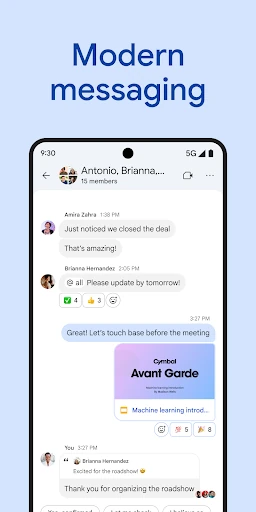
Imagine a workday that starts with a quick question about a shared document and turns into a small project discussion. In Google Chat, I can picture starting with a colleague, widening the conversation to a group, or using a space for the broader team. That range suits the way real work changes shape: a one-to-one check-in can become a group decision without forcing every exchange into the same kind of thread.
What stands out to me is how the conversation can point back to the work itself. A shared file, a calendar item, or a task can sit alongside the discussion, so a teammate catching up has more context than a string of disconnected messages. When I need to pause for focused work, a status update can signal that I am heads-down or available. That small cue could save a few unnecessary interruptions.
Workspace first, not everything
Compared with a basic messaging app, Google Chat is more clearly built around team coordination and Google Workspace. Its connections to Gmail, Calendar, Drive, Tasks, and Meet make it a natural companion for groups that already use those tools. Instead of treating chat as the whole workflow, it gives conversations a place beside shared work. That can be handy when people are discussing a file or arranging a meeting and want the relevant context close by.
I would not treat it as a universal replacement for every communication tool. Its strongest case is a team that wants workplace conversations organized around colleagues, groups, and spaces, with Workspace services nearby. If someone mainly wants casual personal messaging, or their group does not work in the Google ecosystem, much of the app’s distinctive value may not matter. It is a collaboration tool first, not a general-purpose project manager or a standalone video meeting service.
Small habits that help
A little structure can make a busy Chat feed easier to use. I would keep a focused conversation focused, move broader ongoing work into a team space, and use a status update when my availability changes. Those habits make it easier for colleagues to understand where a question belongs and when I am likely to respond. Smart chips can also link people, files, and spaces, helping a message point toward useful context instead of relying on vague references.
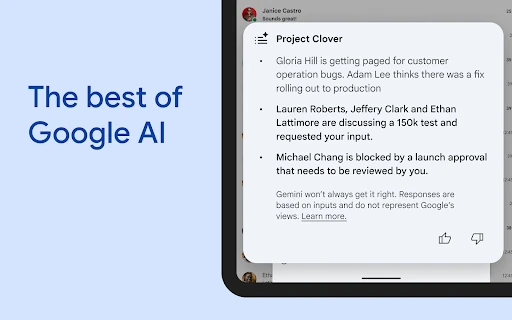
For a long-running discussion, I would try to leave a useful summary or capture action items so people can pick up the thread later. Chat’s described tools include conversation summaries, AI-powered search, and action-item capture, which are intended to help with that sort of catch-up. Audio and video messages offer another way to share a detailed update, while huddles are there for real-time connection. The best routine is to choose the format that fits the moment rather than making every update a meeting.
More From Our News Desk

Zoom Meetings, Google Meet, or Teams: Which Is Easiest to Join?

How I Build a Free Streaming Lineup With Tubi

Why Crunchyroll Is the Default Anime App for So Many Fans

YouTube TV: A Practical Guide to Cutting Cable

Rummikub and the Small Comfort of Phone Games

TeamViewer Remote Control or AnyDesk for Helping Family?
Who may find it useful
I would recommend Google Chat to teams already using Google Workspace, especially when everyday messages often lead to shared files, scheduling, or follow-up tasks. A small group can use it for quick coordination, while a wider team can organize ongoing conversations in spaces. The status, message, search, and collaboration options give people several ways to keep work moving without making every question a formal meeting.
It may be less compelling for someone seeking a simple personal messenger or for a group that relies on a different set of workplace tools. The app’s practical advantage comes from its Workspace connections, so those integrations matter more than a long list of standalone chat features. Teams should also bear in mind that some premium features require a paid Workspace subscription. If your colleagues are not already there, adopting Chat may add another place to check rather than simplifying the day.
Google Chat is published by Google LLC and is categorized as a Business app. On Google Play it has over 50 million installs and a 4.4-star rating from about 374,000 ratings. The app is rated Everyone. Its Google Play release date is February 28, 2018, and the recorded last update date is November 3, 2026.
The app is free to download, with no in-app purchases or ads reported in the provided app facts. Its version is listed as varying with device. The minimum Android version is not stated in the supplied details, so check the Google Play page for device-specific requirements. Google Chat is included with Google Workspace for consumer, education, and business customers, and some premium features require a paid subscription.
How Google Chat Fits Into a Workday
Opening the conversation
When I first opened the idea of Google Chat, the clearest impression was that it is meant to sit inside an existing work routine, not replace every tool around it. You can start a conversation with one colleague, a group, or a whole team. That makes the basic entry point flexible: a quick question can stay small, while an ongoing piece of work can have a wider home.
The app’s setup is easiest to understand in the context of Workspace. Chat connects with services such as Gmail, Calendar, Drive, Tasks, and Meet, so its role becomes clearer when those are already part of the day. I would expect someone new to the ecosystem to take a little time to learn where each kind of conversation belongs, but the central idea is straightforward: keep discussion close to the work it supports.
The daily message flow
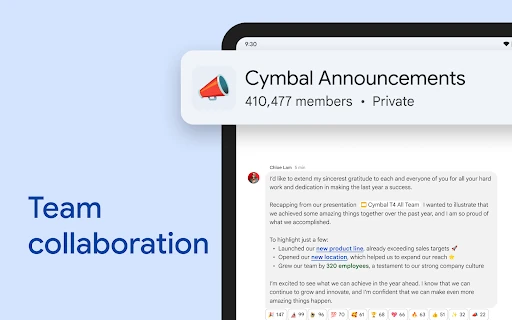
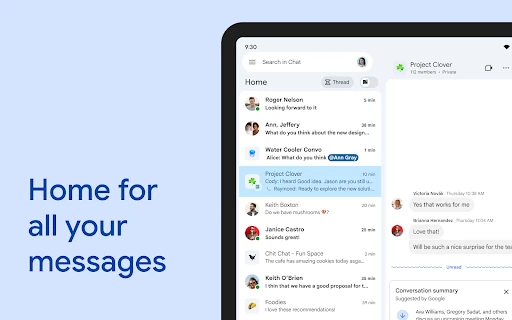
On a regular day, Chat’s main job is to help people stay in touch while work is moving. One-to-one conversations cover direct questions; group chats can handle short-lived coordination; spaces suit team discussions that continue over time. That variety matters because not every conversation needs the same audience. A good fit between topic and space can reduce the feeling that every message is competing in one endless stream.
When I need to share more than a quick line of text, the described options include audio and video messages. For a live exchange, huddles provide a real-time way to connect. I like that these options give a team alternatives to typing or scheduling a more formal meeting. They are best understood as communication choices within a collaboration app, rather than a promise that every conversation should move into a call.
Workspace connections and AI
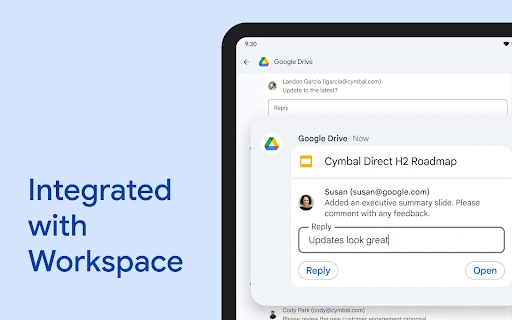
The integrations are a major part of Chat’s appeal. Linking conversations with Gmail, Calendar, Drive, Tasks, and Meet can keep a discussion connected to the files and plans it concerns. Smart chips are designed to point to people, files, and spaces. There is also a Google Drive app for Chat to help teams follow requests, comments, and approvals. Together, these tools make the app feel more like a work hub than a bare message window.
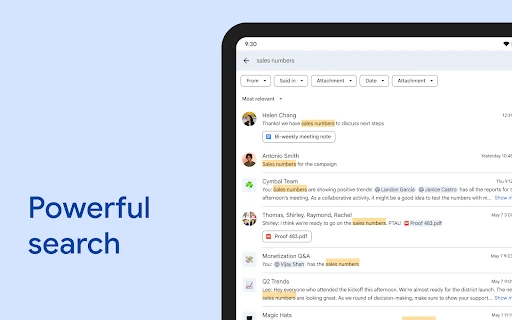
The described AI-oriented features cover several common frustrations: summaries can help with a conversation you have missed, AI-powered search can help locate information, and action-item capture can make next steps easier to identify. Automatic message translation is described for more than 120 languages. I would treat these as aids to keeping a team aligned, not substitutes for checking important details yourself, particularly when an action or translation needs to be precise.
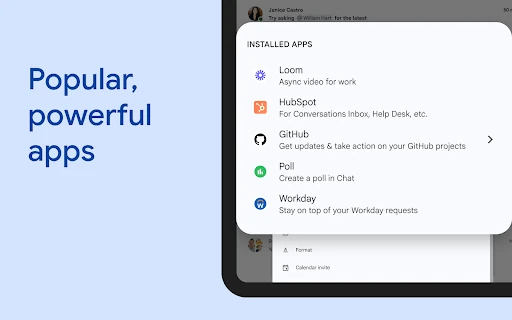
Teams can also install Chat apps such as PagerDuty, Jira, GitHub, and Workday, and the description mentions APIs for building apps. Those options will matter more to organizations with specific workflows than to someone using Chat for occasional coordination. The practical point is that Chat can connect to more than Google’s own services, while the exact usefulness depends on what a team chooses to add.
A practical catch-up routine
Here is a routine I can see working well: start the morning by checking the spaces tied to active work, then use search or conversation summaries to catch up on discussions that accumulated while you were away. If a message raises a clear next step, capture the action item so it does not get buried. A shared file or smart chip can then give colleagues a direct route to the material behind the conversation.
Later in the day, a status update can set expectations if I need uninterrupted time. For a more detailed update, an audio or video message may communicate nuance better than a long block of text; if the issue needs immediate back-and-forth, a huddle is an option. This is not a rigid checklist. It is a way to use the app’s different formats deliberately, so quick questions stay quick and involved topics have room to develop.
Limits to keep in mind
The main limitation is also the app’s organizing principle: Google Chat makes the most sense when a team uses Workspace. Its links to files, calendars, tasks, and meetings are less persuasive if people keep those things elsewhere. Teams may also need to agree on how they use one-to-one chats, group chats, and spaces, or conversations can become difficult to follow regardless of the tools available.
Some premium features require a paid subscription, so the free download should not be taken to mean that every capability is available to every account. The app’s version varies with device, and Android requirements can differ by device or change over time. I would check Google Play for the current requirements and subscription details before making plans around a particular feature.
Finally, Chat is designed to keep people connected, which can mean more incoming conversation if a team does not set sensible expectations. Status updates and organized spaces can help colleagues communicate more clearly, but they do not make every message urgent or every discussion easy to manage. A team still needs a shared sense of when to use chat and when to let people focus.
Google Chat is a capable workplace messenger whose best qualities show up when a team already depends on Google Workspace. I like the choice of conversation formats and the way discussions can sit near files, calendars, tasks, and meetings. AI summaries, search, and action-item capture are useful additions for busy teams, though the overall experience still depends on sensible habits and shared adoption.
I would try it if my colleagues already used Workspace and wanted one place for day-to-day coordination. For a casual messenger or a team committed to another ecosystem, I would look elsewhere rather than expecting Chat to transform the routine by itself. It is a practical fit for collaborative work, not a must-have for every kind of communication.
Google Chat Frequently Asked Questions
What is Google Chat used for?
Google Chat is for messaging and collaboration among colleagues, groups, and teams. It supports ongoing discussions, shared context through Workspace connections, status updates, audio and video messages, and real-time huddles. Tools such as conversation summaries, search, and action-item capture are intended to help teams keep track of ongoing work.
Which devices and platforms support Google Chat?
The supplied app details describe Google Chat for Android and its availability through Google Play. They do not establish other platform or device requirements, so check the Google Play page for current compatibility with your particular device. Workspace services are also available through their own supported products, but exact availability can vary.
Does Google Chat cost money?
The app is free to download, and the supplied app facts report no in-app purchases or ads. Google Chat is included as part of Google Workspace for consumer, education, and business customers, while some premium features require a paid subscription. Which features apply to a particular account can vary, so check the store and Workspace details.
What Android version does Google Chat require?
The minimum Android version is not specified in the supplied details. Requirements can change and may depend on the device, so check Google Chat’s Google Play page before installing or updating. Its app version is described as varying with device, which is another reason to use the current store information for compatibility.
Is Google Chat a good choice for a small team?
It can suit a small team if its members already use Google Workspace and want conversations tied to shared work. One-to-one chats, group conversations, and team spaces offer different ways to organize discussion. It may be less useful if the group mainly wants personal messaging or uses another ecosystem for files and calendars.
Pros
- Connects team conversations with Google Workspace services such as Drive, Calendar, Tasks, and Meet.
- Offers one-to-one chats, group conversations, spaces, status updates, and live huddles.
- Conversation summaries, AI-powered search, and action-item capture can ease team catch-up.
- Supports audio and video messages for updates that need more than text.
Cons
- Its strongest advantages depend on a team already using Google Workspace.
- Some premium features require a paid subscription.
- Android requirements can vary, so device compatibility needs a store check.
- Category
- Business