Navy Federal Credit Union
- 110.18K
- 3.9
- Installs
- 10.00M
- Price
- Free

Screenshots

Analysis by Reviewed APKs
Navy Federal Credit Union’s app is for members who want to handle everyday banking from a phone, from checking transactions to paying bills and depositing checks. I found its appeal in having those routine tasks, plus card and loan tools, together in one place. It suits people already banking with Navy Federal; it is less useful as a general-purpose money tracker for accounts elsewhere.
A Quick Banking Check-In
When I first opened the app, I imagined using it during the small gaps in a normal day: checking whether a deposit arrived while waiting for coffee, or looking over a card transaction before heading out. The app is built around that kind of check-in. Members sign in with their Navy Federal username and password, then can review account information and transaction details without needing to sit down at a computer.
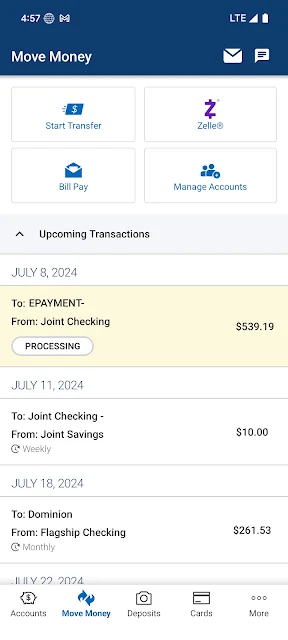
A useful example is handling a bill while away from home. I can use Bill Pay, check scheduled transactions, and see upcoming transfers in the same mobile banking app. If a check needs depositing, the camera-based deposit option gives me another task I can complete from the phone. These are practical conveniences rather than elaborate budgeting tools, and the app’s value is in making common banking jobs easier to reach.
Banking, Not Budgeting
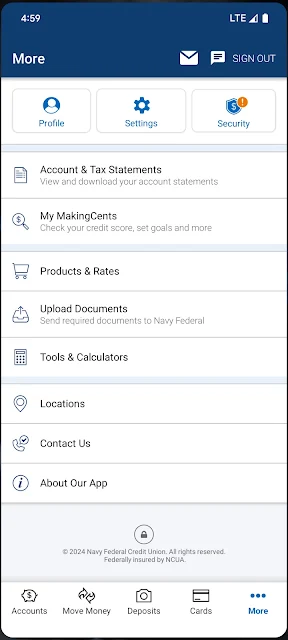
Compared with visiting a branch or signing in through a web browser, the app puts routine account access and payments on a phone. Its tools also go beyond a simple balance checker: members can transfer money, manage statements, pay Navy Federal loans and cards, and order or activate debit cards. I like that the app covers several parts of a banking relationship rather than focusing on just one account task.
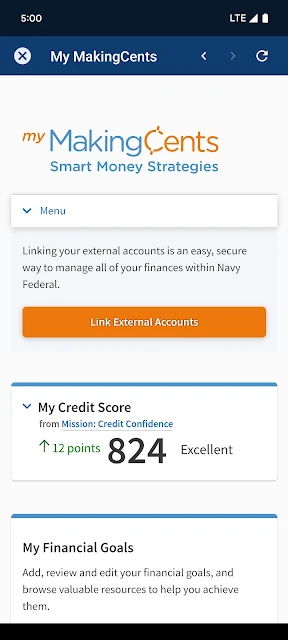
It is still a credit union’s banking app, not a broad financial dashboard for combining accounts from different institutions or tracking a household budget. Its membership and account tools are specifically tied to Navy Federal. If I wanted detailed spending categories or a cross-bank view, I would look elsewhere for that job. For members who want to manage their Navy Federal accounts directly, the focused scope is easier to understand.
Make Small Tasks Routine
I’d get the most from the app by using it for brief, regular check-ins instead of waiting until a larger financial task comes up. A quick look at balances and transaction details can help me spot the information I need, while the running balance adds context to account activity. Scheduled transactions are useful to review when I’m planning around an upcoming payment or transfer.
There are also a few practical details worth setting up when needed. A four-digit passcode or fingerprint can make signing in quicker, and the app lets members update card PINs, manage statements, or set travel notifications. I wouldn’t turn every feature into a daily ritual; the benefit is having these controls available when a particular trip, card change, or account task calls for them.
More From Our News Desk

Zoom Meetings, Google Meet, or Teams: Which Is Easiest to Join?

How I Build a Free Streaming Lineup With Tubi

Why Crunchyroll Is the Default Anime App for So Many Fans

YouTube TV: A Practical Guide to Cutting Cable

Rummikub and the Small Comfort of Phone Games

TeamViewer Remote Control or AnyDesk for Helping Family?
Who May Find It Useful
I’d recommend Navy Federal’s app to existing members who want to check accounts, make payments, transfer funds, deposit checks, and manage cards without switching to a desktop. It is especially handy for people who already use Navy Federal for multiple products, since the app includes tools for consumer loans, mortgages, credit cards, statements, and rewards. Members can also use it to find nearby branches or ATMs.
It may not suit someone who needs a banking app for a different institution, or who mainly wants budgeting features that combine accounts from several banks. Prospective members may find the application option useful, but the app’s central purpose remains managing Navy Federal banking. People who prefer handling financial matters in person can still use branches, but may not need a mobile app for these particular tasks.
Navy Federal develops the Navy Federal Credit Union app, which is listed in the Finance category on Google Play. It has more than 10 million installs and a 3.9-star rating from about 110,000 ratings. The app is free to download, and the supplied store details indicate that it contains no ads and offers no in-app purchases.
The app is rated Everyone. Its current version is 2026.10.1. It was released on July 29, 2011, and was last updated on October 23, 2026. The Android version requirement is not included in the practical details available for this review, so check Google Play for the requirement that applies to your device.
Everyday Banking From One App
A Straightforward Start
When I first opened the app, the purpose was clear: this is a mobile route into Navy Federal banking, rather than a standalone financial planner. The sign-in uses a Navy Federal username and password. Members can also use a four-digit passcode or fingerprint for quicker access, which is a welcome option when I only need to check a balance and don’t want to repeat a longer sign-in.
Getting started depends on whether you already have a membership. The app offers a way to apply for membership, as well as options to apply for a credit card or personal loan. That makes it possible to explore some services from the same place, though the day-to-day account tools are most relevant once you have Navy Federal accounts to manage.
Useful Between Errands
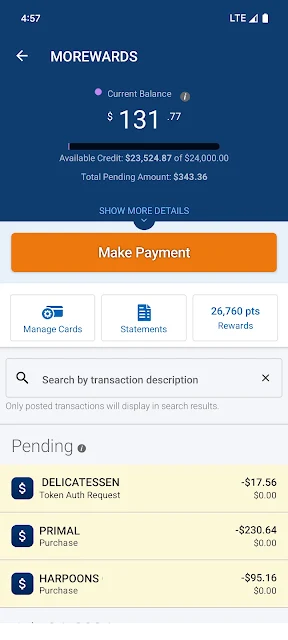
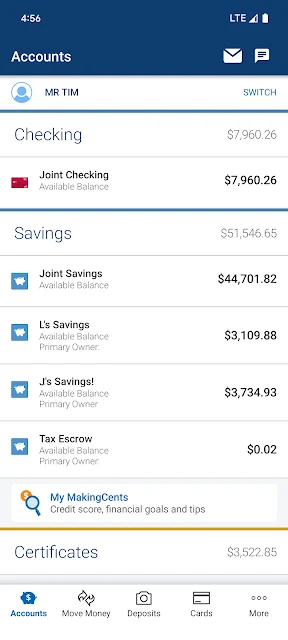
The core experience is about getting banking information and actions within reach when I’m away from a desk. I can check balances, review transaction details, and see a running balance. When I want to act rather than just look, the app supports transfers between internal, member, or external accounts, along with bill payments and payments to Navy Federal consumer loans, mortgages, and credit cards.
What I appreciate about that mix is the shift from checking to doing. I might open the app to confirm an account detail, then notice a scheduled payment that I want to review. Pending deposits, upcoming transfers, and bill payments are available to view, so the app can help me keep an eye on what is due or expected without treating every visit as a major financial session.
More Than Balances
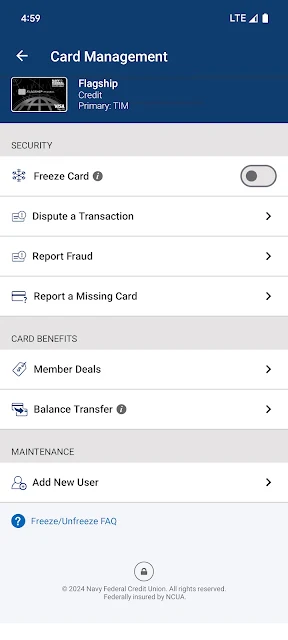
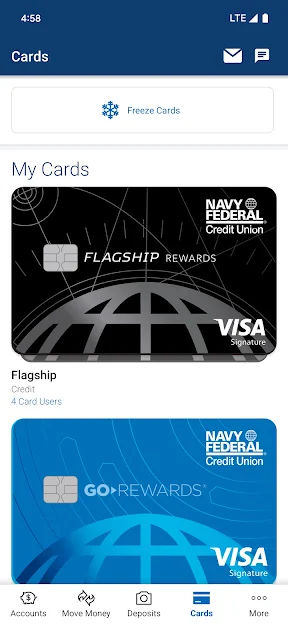
The check deposit feature is one of the more tangible conveniences: members can deposit checks using the phone’s camera. I also like having card controls nearby. The app supports ordering or replacing debit cards, activating them, and updating a debit or credit card PIN. These are occasional jobs, but they are exactly the sort of tasks that can be frustrating to track down when a card needs attention.
Other features fill in the broader banking picture. Members can manage statements, view credit card reward points, and redeem cash rewards. The app also includes rates and information about Navy Federal loan and savings products, plus a calculator for estimating a payment. Those options make it useful for both account upkeep and occasional product research, without changing its core role as a banking app.
A Practical Weekly Rhythm
A routine I can imagine is a short account check a couple of times a week: review balances and transactions, then look at pending deposits and scheduled payments when I’m planning upcoming expenses. If a bill is ready, I can use Bill Pay. If I have a check, I can use the camera deposit tool instead of leaving that task for a branch visit. The app supports each of those steps in one place.
I’d keep less frequent tools in mind for the moments they matter. Before a trip, setting a travel notification may be useful; after a card change, activating a debit card or updating its PIN may be the immediate task. If I’m comparing a loan or savings product, I can review the app’s rates and information and use its payment calculator as a starting point.
Keep the Scope in Mind
The app’s main limitation is also part of its identity: it is designed for Navy Federal members and their accounts. It does not present itself as a universal place to manage unrelated financial institutions, and I would not choose it as my main tool for building a detailed household budget. Its strengths are account access, payments, transfers, and member services within the Navy Federal relationship.
A second consideration is that mobile convenience depends on the task. The app offers many ways to manage accounts, but a phone screen is not always the easiest place to review a long statement or compare financial details at length. I’d use it for quick checks and straightforward actions, then choose another format if I needed a more expansive view. Message and data rates may apply.
Navy Federal Credit Union’s app is a practical mobile banking companion, with a broad set of everyday account, payment, transfer, deposit, and card tools. I like that it brings occasional jobs such as statement management and card activation alongside quick balance checks. Its usefulness is clearest when you already bank with Navy Federal and want to handle routine tasks on the go.
I’d recommend giving it a try if you are a member who wants mobile access to those services. It is a less natural fit for people looking for a cross-bank budgeting hub or a general-purpose finance app. For its intended audience, the range of useful tasks makes it more than a balance-checking shortcut.
Navy Federal Credit Union Frequently Asked Questions
What is the Navy Federal Credit Union app used for?
The Navy Federal Credit Union app lets members check account balances and transactions, transfer money, pay bills, deposit checks using a camera, and view scheduled activity. It also includes tools for managing statements and cards, viewing and redeeming credit card rewards, and finding nearby branches or ATMs. Members can explore some Navy Federal products and apply for membership, a credit card, or a personal loan.
Which phones can I use the Navy Federal app on?
The app is available for Android through Google Play. The Android version requirement can vary with the app and device, so check the Google Play store page for the current requirement before installing. The app’s sign-in uses a Navy Federal username and password, with a four-digit passcode or fingerprint also available for quicker access.
What Android version does Navy Federal require?
The Android version requirement may vary as the app is updated and is worth checking on its Google Play store page before you install. The app is currently version 2026.10.1 in the supplied store details. If you are unsure whether your phone is compatible, the current store page is the best place to check.
Does the Navy Federal app cost money?
The app is free to download, and the supplied store details show no in-app purchases or ads. Your mobile carrier may charge for data or messages used while banking, so those costs can depend on your plan. Check Google Play for current app details, since store information and availability may change.
Is the Navy Federal app a good fit for me?
It is a good fit if you are a Navy Federal member who wants to manage accounts, pay bills, transfer money, deposit checks, or handle card tasks from a phone. It may be less suitable if you want one app to track accounts from several financial institutions or need a detailed budgeting tool. Its main focus is Navy Federal banking.
Pros
- Combines balances, transactions, transfers, and bill payments in one member-focused app.
- Camera-based check deposits and scheduled transaction views support everyday account management.
- Includes useful card controls, statement access, rewards, and branch-finding tools.
- Fingerprint or passcode sign-in offers a quicker way to access account information.
Cons
- Its banking tools are centered on Navy Federal accounts, not a cross-bank financial overview.
- The app is not positioned as a detailed budgeting or spending-analysis tool.
- Message and data rates may apply when using mobile banking.
- Category
- Finance
- Version
- 2026.10.1











