myChevrolet
- 323.47K
- 4.6
- Installs
- 10.00M
- Price
- Free

Screenshots
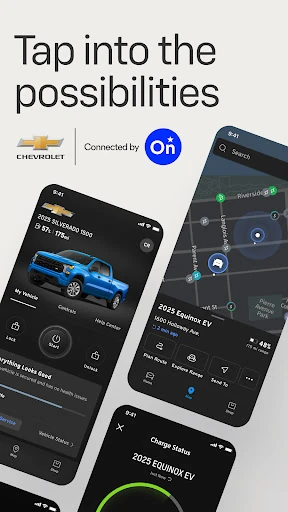

Analysis by Reviewed APKs
myChevrolet puts useful vehicle tasks on your phone, from checking tire pressure to finding your car and preparing the cabin before a drive. I can see the appeal for Chevrolet owners who want a quick check without walking out to the driveway. Its best feature is the way it brings remote controls, vehicle information, charging tools, and service help together. Just remember that what you can use depends on your vehicle, device, and plan.
A Morning Check Before Leaving
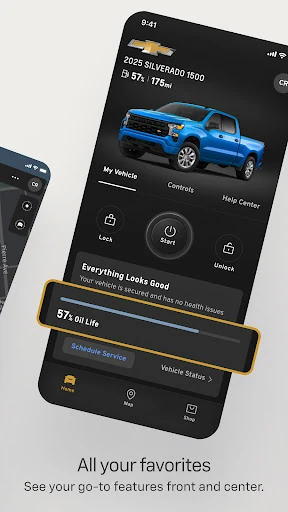
On a rushed morning, I would start with the information that might change my plans: fuel level, tire pressure, and oil life. myChevrolet lets me check those vehicle details from my phone rather than heading outside just to look at the car. If the weather makes the cabin uncomfortable, I can also look at remote start and preferred temperature. Those controls turn a few minutes before departure into a useful preparation window.
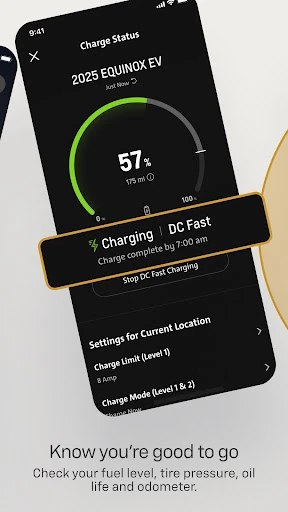
The same routine works differently for an owner using the charging features. Instead of looking at fuel, I would check charging status before deciding when to leave. If I needed a stop along the way, the charging-station finder could help me plan it. I like that these jobs sit beside trip planning and maps, though I would check which tools my particular vehicle and plan support before relying on them.
More Than a Map App
I would not open myChevrolet just to look up a destination. Maps and trip planning are part of it, but the stronger reason to keep it handy is the connection to a Chevrolet vehicle. A general map app will not give me this combination of remote lock controls, vehicle status, charging information, and service scheduling. Here, the travel tools make more sense as one step in getting the car and the trip ready.
It is not a replacement for every task I do in the car, either. I would treat the app as a convenient place to check and arrange things, not as a reason to stop paying attention to the vehicle itself. Map coverage differs by country, and roadside assistance depends on where I am. Those limits matter more to me than the number of features on a screen.
Small Checks That Add Up
The habit I would build is a quick status check before a longer drive, not constant monitoring. Fuel level, tire pressure, and oil life are the sort of details I might otherwise remember only after getting in. Looking at them while I am still planning the day gives me a chance to adjust. It also keeps the app focused on a real job rather than becoming one more thing to open without a purpose.
I would pair that check with the other task that comes next. If I am going somewhere unfamiliar, I can plan the trip with maps. If the car needs attention, I can find a dealership or schedule service. If I am preparing to leave, remote start and cabin temperature are the more relevant tools. This simple order helps me use myChevrolet as a practical checklist instead of hunting through every available feature.
More From Our News Desk

Zoom Meetings, Google Meet, or Teams: Which Is Easiest to Join?

How I Build a Free Streaming Lineup With Tubi

Why Crunchyroll Is the Default Anime App for So Many Fans

YouTube TV: A Practical Guide to Cutting Cable

Rummikub and the Small Comfort of Phone Games

TeamViewer Remote Control or AnyDesk for Helping Family?
Who Will Find It Useful
I would recommend myChevrolet to a Chevrolet owner who likes handling small ownership tasks before getting behind the wheel. The strongest fit is someone who would regularly check vehicle health, use remote start or locks, plan a trip, or arrange service from a phone. Owners using the charging features have another good reason to try it. The appeal is convenience across several ordinary moments, rather than one dramatic feature.
I would be more cautious recommending it to someone who mainly wants a navigation app or who expects every advertised control to work with every Chevrolet. Features and services vary by vehicle, device, and enrolled plan, so the experience may be narrower than the full feature list suggests. It also needs a data connection. If those conditions do not fit how you use your car and phone, its value may be limited.
myChevrolet is developed by General Motors (GM) and appears in the Lifestyle category on Google Play. It has over 10 million installs and a 4.6 out of 5 rating from roughly 323,000 ratings. That is a substantial amount of owner feedback, although the score alone cannot tell me which features will be available for a particular vehicle or how they will fit a person's routine.
The app is free to download, with no in-app purchases or ads indicated in its Google Play details. It carries an Everyone content rating. The current version is 8.20.0; myChevrolet was released on October 27, 2010, and was last updated on October 29, 2026. Those dates give me useful context about its history, while the feature set remains the more important consideration when deciding whether to use it.
Living With myChevrolet Between Drives
Starting With the Basics
When I first opened myChevrolet, the most sensible place to start was with the jobs I already do around a vehicle: checking its condition and getting ready to leave. The app offers plenty to explore, but I found it easier to think in terms of a few questions. Where is the car? Is it ready for the drive? Is there anything I should deal with before I go?
That approach also kept my expectations realistic. Remote controls, vehicle information, maps, and help are all part of the app's scope, but the exact mix depends on the vehicle, device, and plan. I would check the functions available for my own Chevrolet before building a routine around them. The app needs a data connection, so it is not something I would count on when my phone cannot connect.
The Useful Daily Glance
The vehicle-health details are the part I would return to most often. Fuel level tells me whether a stop belongs in my plans, while tire pressure and oil life give me a broader picture of the car's condition. None of that makes for a flashy moment. It is useful precisely because it addresses the small uncertainties that tend to come up when I am already busy.
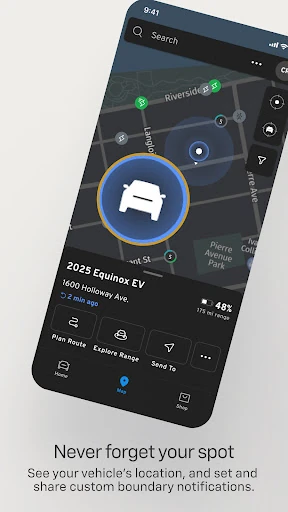
Remote lock and unlock serve a different kind of everyday question: did I leave the car the way I meant to? Having those controls on a phone is convenient, especially when I am away from it. The vehicle-location feature belongs in that same group of practical tools. I would use it when I need to find my Chevrolet, rather than treating the app as something that needs my attention throughout the day.
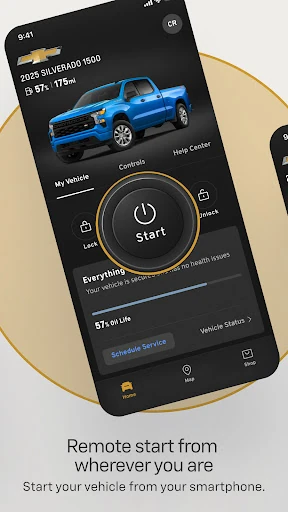
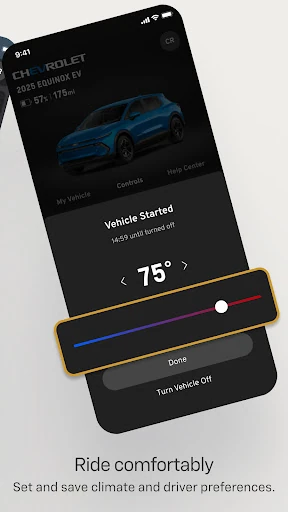
Remote start and preferred cabin temperature make more sense as departure tools. I would think about them when I am gathering my things and know I will be leaving soon. They are not the reason everyone needs the app, but they give supported vehicles a useful link between planning a drive and actually stepping outside. As with the other controls, availability depends on the particular setup.
Charging and Trip Planning
What surprised me was how naturally the charging tools fit beside the usual vehicle checks. For an owner who uses them, seeing charging status can answer the same basic question as checking fuel: am I ready for this trip? The option to find charging stations gives that check a next step. I would use both while planning, especially when the drive takes me beyond my familiar stops.
The maps and trip-planning tools give myChevrolet another role before I leave. I can look at a journey while I am still on my phone instead of waiting until I am in the vehicle to think it through. I would keep country differences in mind, since map coverage and functionality vary. The app brings these tools together, but it does not make every route-related feature available everywhere.
An Errand Day Routine
I spent an evening thinking through the kind of errand day where this app would earn its place on my phone. Before leaving, I would check the car's status, look up the destination with maps, and prepare the cabin if the available controls support it. That is a simple sequence, but it moves several small decisions out of the moment when I am trying to get on the road.
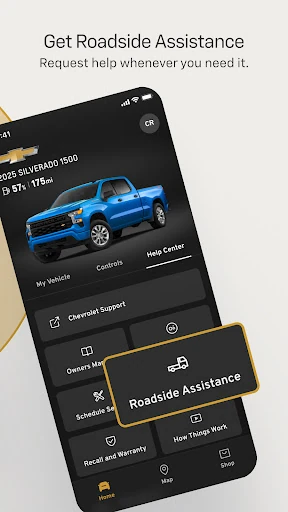
Later, the priority might shift from driving to ownership. If the oil-life reading prompts me to plan maintenance, I can use the app to schedule service or find a dealership. If I need assistance on the road, there is a way to request Roadside Assistance. I would still check what is available where I am, since roadside services and providers differ by country.
Where Convenience Has Limits
The biggest qualification is that myChevrolet is not one identical experience for every owner. A feature that sounds central to me might depend on the vehicle, my phone, or the plan I have. That makes it worth checking the available controls before assuming remote start, charging tools, or another function will be part of a daily routine. The broad feature list is a starting point, not a personal checklist.
I would also keep the data requirement in mind. When I want to check the car from my phone, the app needs a connection, which changes how useful it is in a spot with poor service. Country differences affect maps and roadside help, too. These are practical limits rather than reasons to dismiss it, but they shape whether the app will solve the problems I actually have.
myChevrolet makes the most sense to me as a companion for the moments around a drive. A quick vehicle check, a little trip planning, and the option to handle service from my phone are useful together. Remote controls and charging features can add more value when they are available for the vehicle I drive.
I would try it if I owned a Chevrolet and wanted fewer small car-related tasks waiting until I reached the driver's seat. I would first check which features my vehicle, device, and plan support, then use the ones that fit my routine. For a general-purpose map alone, I would look elsewhere; for connected Chevrolet ownership, this is the more relevant tool.
myChevrolet Frequently Asked Questions
What is myChevrolet used for?
myChevrolet is for managing everyday tasks connected to a Chevrolet vehicle from a phone. Depending on the vehicle, device, and plan, it can provide remote start, lock and unlock, vehicle location, status checks, charging information, trip planning, and service tools. I would use it most often before a drive or when arranging maintenance, rather than as an app to watch constantly.
What devices can run myChevrolet?
myChevrolet is available on Google Play for Android, but mobile functionality is limited to select devices and requires a data connection. The information provided does not establish support for another platform. If I were choosing a phone specifically to use with the app, I would check its current Google Play page and the available functions for my vehicle first.
What Android version does myChevrolet require?
The minimum Android version can vary, so I would check myChevrolet's current Google Play page on the device I plan to use. Device compatibility is only part of the picture: the available services and controls also depend on the Chevrolet vehicle and enrolled plan. The app requires a data connection for its mobile functions.
Is myChevrolet free, and does it have in-app purchases?
myChevrolet is free to download on Google Play, and its app details indicate no in-app purchases or ads. That describes the app, not the availability of every vehicle service. Features and functionality vary with the plan you are enrolled in, as well as your vehicle and device. I would check those details before counting on a particular control.
Is myChevrolet a good fit for every Chevrolet owner?
I think it is most useful for owners who want to check vehicle information, prepare for a drive, or handle service tasks from a phone. It will not offer the same feature set to everyone, because support varies by vehicle, device, and plan. If you mainly want maps, or rarely need connected vehicle tools, it may be less useful in your routine.
Pros
- Brings remote controls and vehicle-health checks together on a phone.
- Charging status and station finding support trip preparation where available.
- Service scheduling and dealership search cover tasks beyond driving.
- Free to download, with no in-app purchases or ads indicated.
Cons
- Available features depend on the vehicle, device, and enrolled plan.
- Mobile functions require a data connection.
- Maps and roadside assistance vary by country.
- Category
- Lifestyle
- Version
- 8.20.0