MyBell
- 257.27K
- 4.5
- Installs
- 10.00M
- Price
- Free

Screenshots
Analysis by Reviewed APKs
MyBell is Bell Canada’s self-service app for keeping track of Bell accounts and handling common service tasks from a phone. It suits customers who want to check mobile usage, pay a bill, adjust a plan, or get help without starting with a phone call. After looking through its range of tools, my overall impression is practical: it brings several everyday account jobs together, though it is most useful to people already using Bell services.
A Quick Account Check
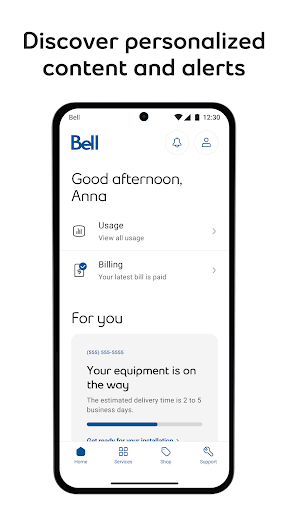
Picture a familiar moment: you’re out for the day, wondering how much mobile data you have left, and want to check before streaming or using navigation for the rest of the trip. MyBell’s usage view is built for that sort of quick check. The same account-focused approach can help when a bill arrives or you need to review your services. It puts routine Bell tasks within reach instead of sending you straight to a support call.
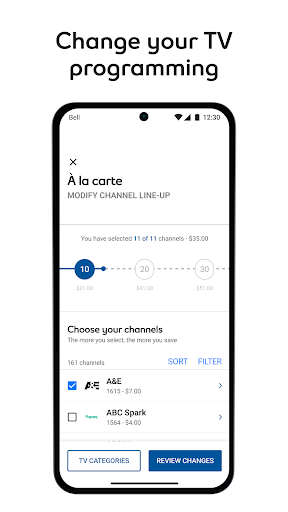
At home, the app can be useful for a different kind of errand. You might want to change your TV programming, look at an Internet package, or manage a technician appointment. Those tasks don’t all happen often, but it is handy to have them in one place when they do. I like that the app covers both mobile and home services, so a Bell household can use one app for more than checking a phone plan.
A Bell Account Companion
MyBell is best understood as a self-service companion to Bell, rather than a general phone utility. Its tools are tied to Bell services: mobile usage, plans and add-ons sit alongside billing, TV, Internet, and home phone tasks. That makes it more relevant than a basic data counter for a Bell customer, but not a useful substitute for one if you do not manage Bell services.
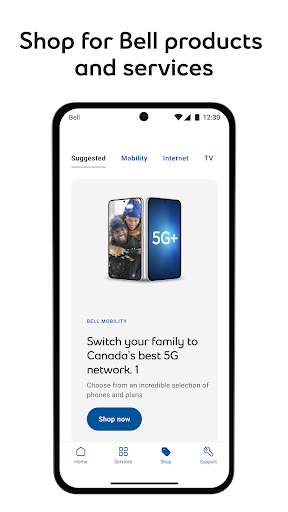
It also isn’t a broad comparison-shopping service or a replacement for every conversation with support. The app does offer support access, but its central appeal is handling straightforward account changes and service checks on your own. If you mainly want to compare providers, manage accounts from several carriers, or use a stand-alone speed test, MyBell’s Bell-specific scope may feel narrow. For customers already in that ecosystem, the focus is the point.
Small Habits That Help
I’d make MyBell part of a few small routines rather than open it only when something goes wrong. A quick usage check before a long commute or trip can help you stay aware of your mobile data. Looking at a bill when it comes in, then paying through the app if appropriate, keeps that task close to the account details you’re reviewing. These are simple habits, not a reason to check the app constantly.
For home services, it makes sense to open the app when there’s an actual job to do: an appointment to manage, a package to change, or a connection problem to troubleshoot. The self-install guide and Virtual Repair tool are especially relevant at those moments. I’d also take a little time to learn where the service and support options are, so the app is easier to navigate when you’re busy or dealing with an interruption.
More From Our News Desk

Zoom Meetings, Google Meet, or Teams: Which Is Easiest to Join?

How I Build a Free Streaming Lineup With Tubi

Why Crunchyroll Is the Default Anime App for So Many Fans

YouTube TV: A Practical Guide to Cutting Cable

Rummikub and the Small Comfort of Phone Games

TeamViewer Remote Control or AnyDesk for Helping Family?
Who Will Find It Useful
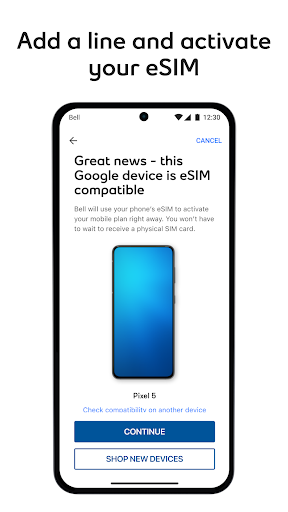
I’d recommend MyBell to Bell customers who prefer to handle routine account work from their phone. Mobile users can check usage, manage a rate plan and add-ons, consider a travel option, or upgrade a device. Customers with Bell home services also get relevant tools for TV programming, Internet packages, appointments, self-installation, and repair troubleshooting. The mix is most worthwhile if you have more than one Bell service to manage.
It may not suit someone who isn’t a Bell customer, since the app’s purpose is to manage Bell services rather than offer general phone or internet tools. It may also be unnecessary if you rarely check your account and prefer to do everything another way. MyBell’s breadth is useful, but the range of services can make it feel like more app than a customer with one simple account needs.
MyBell is developed by Bell Canada and is listed in the Communication category on Google Play. It has over 10 million installs and a 4.5-star rating from about 257,000 ratings. The app is free to download, with no in-app purchases or ads reported in the supplied app details. Its content rating is Everyone.
The supplied app version is 12.16.1, and its release date is July 28, 2014. The recorded last update is October 24, 2026. The description says MyBell is optimized for Android 13.0 and above. That optimization note is useful when checking device compatibility, but it is not a stated minimum Android requirement.
A Closer Look at Everyday Self-Service
First Open and Setup
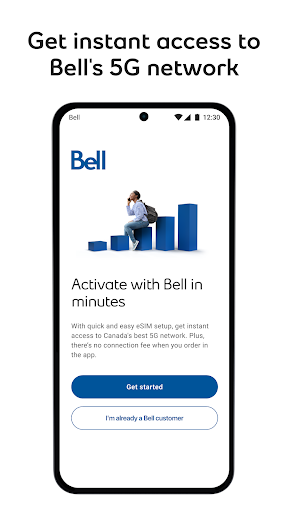
My first impression is of an app with a clear job: bring Bell account management onto a phone. Rather than trying to serve every kind of user, it focuses on people who need to keep tabs on Bell services. That gives the feature set a practical direction, from checking mobile usage to handling a bill or finding support. The app is intended to help from the point a service is ordered, too.
The description emphasizes self-service across mobile, TV, Internet, and home phone, so it’s worth thinking about which of those services you actually use. That makes the app’s range easier to judge than treating every option as something everyone needs. Bell says the Android app is optimized for Android 13.0 and above. I’d check the Google Play details for device compatibility before installing, especially if your phone runs an older system.
Everyday Account Tasks
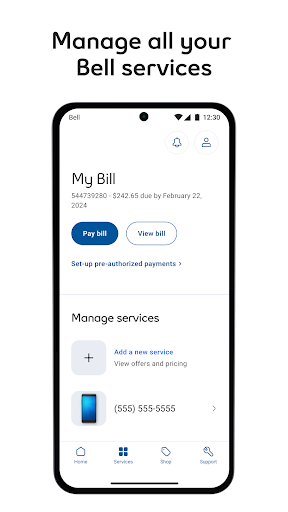
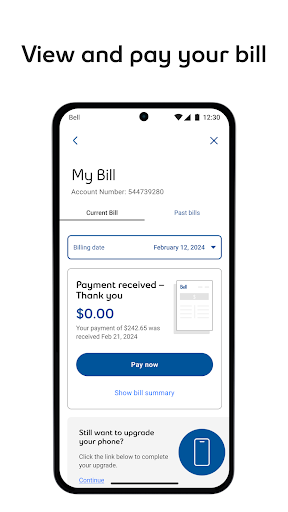
Day to day, MyBell is about answering small account questions and getting common jobs done. You can view mobile usage, see and pay your bill, and manage your rate plan, add-ons, and data. If your needs change, the app also supports adding a travel option or upgrading a device. These are the kinds of actions that make an account app worth keeping, even if you only use it briefly from time to time.
There are home-service tasks in the same mix. You can change TV programming, change an Internet package, and run a speed test. I appreciate that the app isn’t limited to billing, since service management often means more than making a payment. Still, the specific usefulness depends on which Bell services are part of your household; a mobile-only customer won’t need the TV or home Internet options.
Tools Beyond Billing
The support and setup tools are among the more distinctive parts of the description. A step-by-step guide is available for installing new Internet, TV, or home phone services yourself. If a technician is involved, you can manage the appointment in the app. Those options give MyBell a role during setup and service changes, not just after everything is already running.
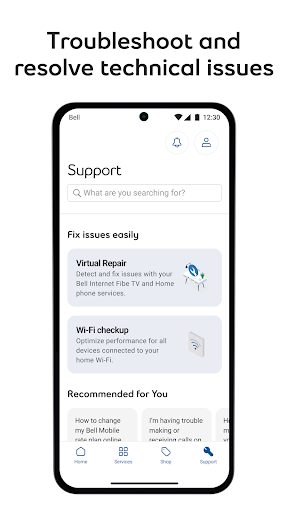
For problems with home service, Bell describes a Virtual Repair tool that can detect and fix issues with Internet, TV, or home phone service. The app also provides support access from anywhere in the app. I like the idea of having troubleshooting and account details close together, because service problems often lead to questions about both. Personalized offers and customer contests are included as well, though the practical core remains account and service management.
A Useful Monthly Routine
A sensible routine would be to open MyBell when a bill is ready, review it, and pay it if that’s how you prefer to manage the account. You can also use that moment to check mobile usage or look over the plan and add-ons. Keeping these tasks together can save a little back-and-forth between account pages and support channels, particularly for someone who handles several Bell services.
I’d save the service tools for the moments they’re relevant. Before a trip, check mobile usage or consider whether a travel option makes sense for your account. When setting up a new home service, follow the self-install guide; if service needs attention, try the Virtual Repair tool or manage a technician appointment. This occasional-use approach keeps the app helpful without turning account monitoring into another daily chore.
Limits to Keep in Mind
The main limitation is also the app’s defining boundary: MyBell is for Bell services. It isn’t designed to combine accounts from several providers or act as a general-purpose connection tool. Customers with only one service may find that some of its broader home-service features are irrelevant. In that case, the value comes down to whether checking usage and managing bills on a phone is convenient for them.
The description covers a wide assortment of tasks, but it doesn’t mean every customer will use every feature. A mobile customer may care most about data, plan changes, and billing, while a household with home services may also use repair and appointment tools. The Android description says the app is optimized for version 13.0 and above, so people using older devices should check the store’s compatibility information before relying on it.
MyBell makes a practical case for itself by gathering mobile and home-service account jobs in one Bell-focused app. The strongest fit is a customer who wants quick access to usage, bills, plan controls, and occasional support or troubleshooting. I like its range, particularly for households with several Bell services, while recognizing that the app won’t mean much to people outside that customer base.
If you’re a Bell customer and would rather handle routine tasks on your phone, MyBell is worth trying. It can be especially useful when a bill, service change, installation, or repair question comes up. If you only need a narrow tool or don’t manage Bell services, its broader account focus is unlikely to add much to your routine.
MyBell Frequently Asked Questions
What is the MyBell app used for?
MyBell is used to manage Bell services from a phone. It supports checking mobile usage, managing plans and add-ons, viewing and paying bills, changing TV programming or Internet packages, and accessing support. It also includes tools for self-installation, technician appointments, and troubleshooting home services.
Which phones and platforms support MyBell?
MyBell is an Android app available through Google Play. Its description says it is optimized for Android 13.0 and above. If you use an older Android device, check the Google Play information for compatibility before installing. The supplied details do not describe other platforms.
What Android version does MyBell require?
The app description says MyBell is optimized for Android 13.0 and above, but that is not presented as a minimum requirement. Compatibility can vary by device and app release, so check the Google Play page on your phone for the current requirements.
Does MyBell cost money or include purchases?
MyBell is free to download, and the supplied app details report no in-app purchases or ads. Bell service charges are separate from the app itself. For current availability or any changes to the store details, check the Google Play page.
Is MyBell useful if I only have mobile service?
Yes, its mobile tools include viewing usage and managing a rate plan, add-ons, data, travel options, and device upgrades. Some features focus on Bell TV, Internet, and home phone, so they may not apply to a mobile-only account. The app is intended for people managing Bell services.
Pros
- Brings mobile usage, billing, plan controls, and home-service management into one Bell app.
- Includes self-installation guidance, appointment management, and a Virtual Repair tool.
- Free to download, with no in-app purchases or ads reported in the supplied details.
- Support access is available alongside routine account and service tasks.
Cons
- Its account tools are specifically for Bell customers, not multiple service providers.
- Some home-service features will not apply to customers with mobile-only accounts.
- The description’s Android optimization note focuses on Android 13.0 and above.
- Category
- Communication
- Version
- 12.16.1