Bell Fibe TV
- 35.37K
- 4
- Installs
- 10.00M
- Price
- Free
Screenshots
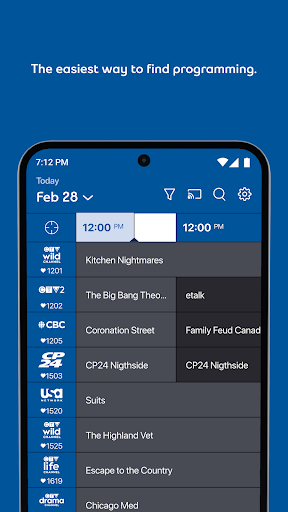
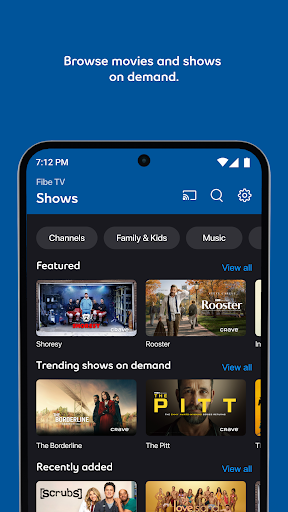
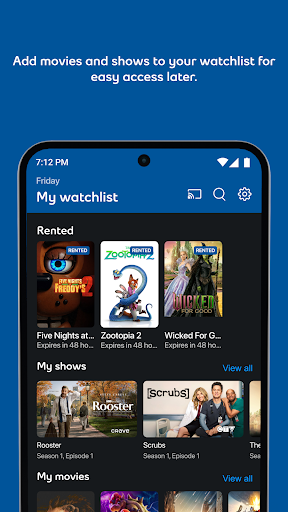
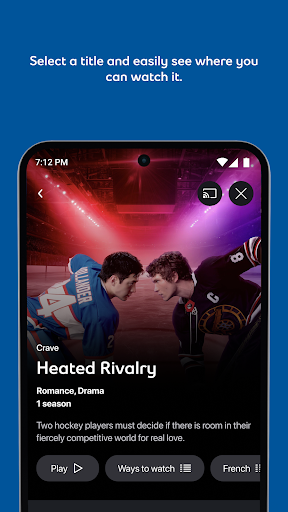

Analysis by Reviewed APKs
Bell Fibe TV is a companion app for Bell TV clients who want to watch live television, on-demand programs, and recordings on mobile devices. I like the idea of having familiar TV options available when I’m away from the main screen at home, especially for sports or a show I’ve recorded. It is most useful as an extension of a Bell TV subscription, not as a standalone way to get television.
TV That Travels With You
Picture a Saturday when the game is on but you need to step out for an errand. With Bell Fibe TV, the app gives Bell TV clients a way to watch live television on a mobile device rather than being tied to the television and its box. The description includes live sports and more than 500 channels, so the appeal is straightforward: keep up with programming you already have access to while away from your usual screen.
Recordings make the away-from-home scenario more flexible. Eligible clients can set, watch, manage, and download recordings, then play downloaded recordings without Wi-Fi. I would use that for a trip where connectivity might be patchy, or simply to keep a recorded program handy. Select on-demand movies and series can also be downloaded. Those options make the app more than a live-TV remote, though recording availability depends on eligibility.
An Extension, Not a Replacement
The obvious comparison is a streaming service with its own subscription and library. Bell Fibe TV has a different starting point: it is built for Bell TV clients and brings their television content to mobile devices. Live channels, sports, on-demand viewing, and recordings all sit within that relationship. If you already use Bell TV, this is a practical companion; if you do not, the app’s usefulness is limited by that basic requirement.
It also is not simply a collection of shows to browse without regard to a TV service. The description focuses on Bell TV content, and some recording features are restricted to particular client groups. I would not choose it expecting a general-purpose streaming catalogue or a replacement for every way of watching television. Its strength is carrying parts of a Bell TV experience onto another screen, rather than trying to be all entertainment for everyone.
Small Habits That Help
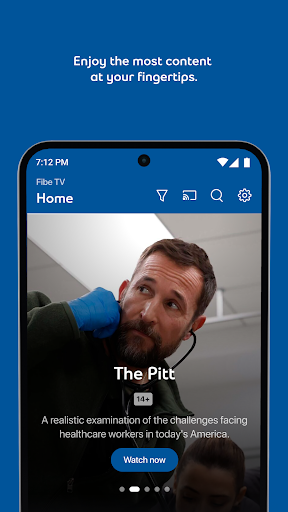
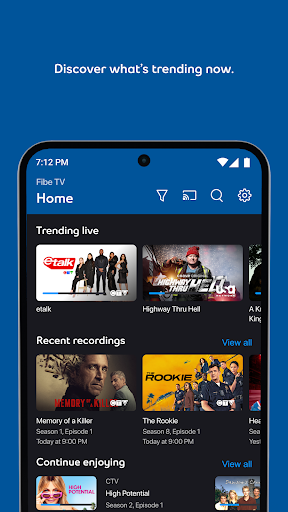
I would make a habit of checking what is on before settling in, especially when I have only a short break. The app can show trending content and lets viewers search for shows, which can cut down on aimless channel hopping. If I know what I want to watch, a quick search is a more sensible starting point than scrolling through a long list of channels or waiting for a program to come around again.
For a program I don’t want to miss, setting a recording ahead of time is the useful routine. Then I can manage it and, if eligible, download it for later viewing without Wi-Fi. I would also consider downloading select on-demand content before a journey rather than assuming a connection will be available. These are modest planning steps, but they make the app’s mobile flexibility much more practical.
More From Our News Desk

Zoom Meetings, Google Meet, or Teams: Which Is Easiest to Join?

How I Build a Free Streaming Lineup With Tubi

Why Crunchyroll Is the Default Anime App for So Many Fans

YouTube TV: A Practical Guide to Cutting Cable

Rummikub and the Small Comfort of Phone Games

TeamViewer Remote Control or AnyDesk for Helping Family?
Who Will Get the Most From It
I’d recommend Bell Fibe TV to people who already receive Bell TV and want to watch some of that content on a phone or other supported device. It makes particular sense for someone who follows live sports, likes having channels available away from the main television, or wants to manage and watch recordings on the go. The mix of live viewing, on-demand programs, search, and downloads gives existing clients several reasons to keep the app handy.
It may not suit someone looking for a television service independent of Bell, or a new streaming library that works without a Bell TV relationship. Recording tools are also limited to eligible clients in Ontario, Québec, and Atlantic provinces, as well as connected Satellite TV clients. If those conditions don’t match your situation, the app may offer less value than its range of features initially suggests.
Bell Fibe TV is an entertainment app developed by Bell Canada. Google Play shows more than 10 million installs and a 4.0-star rating from about 35,000 ratings. The app is free to download, and the provided store information indicates that it contains ads. It is rated Everyone. These figures help set expectations for the app’s reach, but the central practical question is whether you are a Bell TV client.
The listed version varies with device, and the app’s last update is dated October 22, 2026. No minimum Android version or original release date is provided in the available facts, so I have left those details out. Recording features have their own eligibility limits: they are exclusive to Fibe TV clients in Ontario, Québec, and Atlantic provinces, and connected Satellite TV clients.
A Closer Look at Mobile TV
Getting Started
When I first considered how I’d use Bell Fibe TV, the main question was whether it would solve an ordinary viewing problem: being away from the television when something I care about is on. The app is designed to bring Bell TV content to mobile devices, including live channels and on-demand programming. That makes its purpose easy to understand if you already use Bell TV.
The description says streaming works directly on multiple devices without a box. That is useful for mobile viewing, where the device itself becomes the screen. The app’s benefits still depend on the Bell TV relationship, though. I’d approach it as a companion to that service rather than expecting to open it and find a general catalogue available to everyone.
Everyday Viewing
Day to day, the app’s most immediate use is watching live TV away from the main set. The channel selection is described as covering more than 500 channels, with live sports among the content on offer. That range can matter when a household television is occupied or when I’m away from home. It gives an existing client another screen for programming that might otherwise be tied to a particular room.
On-demand viewing provides a different pace. Instead of catching a program at its scheduled time, I can look for a show or movie when I have a window to watch. The app also offers trending content and search, so discovery does not have to mean scrolling without a plan. I’d still think of it as access to Bell TV content, not an all-purpose entertainment service.
Useful Viewing Tools
The recording tools are among the more practical features. Eligible clients can set, watch, and manage recordings through the app, which is helpful when plans change or the television is unavailable. Downloading recordings for viewing without Wi-Fi adds a useful offline option. That combination supports a simple routine: record something ahead of time, then take it along for a stretch of travel or a place with unreliable connectivity.
The app also supports pausing and rewinding live TV, which can help when a call or interruption lands in the middle of a program. For on-demand viewing, select movies and series can be downloaded. I appreciate that these features address specific moments in a viewing routine rather than just adding more categories to browse. The important caveat is that downloads and recording options have eligibility or selection limits.
A Simple Viewing Routine
A practical routine could start in the morning: check what is trending or search for a particular program, then decide whether it is something to watch live or record for later. If the day will involve time away from Wi-Fi, I would check whether a recording or select on-demand title can be downloaded before leaving. That small bit of planning is what turns mobile access into something more dependable.
Later, the app can fill an unexpected gap: a few minutes with live TV, an on-demand episode during a break, or a recording when the original broadcast time did not work. I’d use it as a second screen rather than trying to recreate an entire home entertainment setup on a phone. The combination of live, recorded, and on-demand options makes that narrower role feel useful.
Limits to Keep in Mind
The largest limitation is that Bell Fibe TV is for Bell TV clients. This is not a standalone service for someone who wants to sign up only for an app-based channel library. That distinction matters before spending time exploring its features: the app extends an existing television relationship, and its usefulness will depend on the content and access associated with that relationship.
Recording features have a more specific geographic and service eligibility requirement. They are exclusive to Fibe TV clients in Ontario, Québec, and Atlantic provinces, as well as connected Satellite TV clients. Downloads also apply to recordings or select on-demand movies and series rather than everything in the service. I would check the app’s store details and my Bell TV eligibility before planning around a particular feature.
Bell Fibe TV makes the most sense as a mobile companion for people who already have Bell TV. Live channels, sports, on-demand content, search, and recording options give it a practical role when the main television is out of reach. I especially like the idea of preparing a recording or download before a day when Wi-Fi may be unreliable.
I’d recommend trying it if you are a Bell TV client and want more flexible ways to watch. If you are looking for a standalone streaming service, this is probably not the right fit. Check eligibility for recording features before relying on them, and treat the app as an extension of the TV service you already use.
Bell Fibe TV Frequently Asked Questions
What is Bell Fibe TV used for?
Bell Fibe TV is a companion app for Bell TV clients to watch TV content on mobile devices. Its described features include live channels and sports, on-demand programming, search, and the ability to pause or rewind live TV. Eligible clients can also manage, watch, and download recordings, while select on-demand movies and series can be downloaded.
Which devices and platforms support Bell Fibe TV?
Bell Fibe TV is an Android app available through Google Play. Its description says content can be streamed directly on multiple devices without a box. Device compatibility can vary, so check the Google Play store information for the requirements that apply to your device before installing.
What Android version does Bell Fibe TV require?
The Android version requirement can vary by device and may change as the app is updated. Check the Bell Fibe TV page on Google Play for the current compatibility details for your phone or tablet. The version shown for the app itself also varies with device.
Does Bell Fibe TV cost money?
The app is free to download, and the provided Google Play information says it contains ads and offers no in-app purchases. It is intended for Bell TV clients, so access to the television service and its content depends on that existing relationship. Check the store and Bell TV details for any costs that may apply to your service.
Who is Bell Fibe TV best suited for?
It is best suited to Bell TV clients who want to watch live or on-demand content away from their main television, or use recordings on a mobile device. Recording features are limited to eligible Fibe TV clients in Ontario, Québec, and Atlantic provinces, plus connected Satellite TV clients. It may not suit someone seeking a standalone streaming service.
Pros
- Combines live television, sports, on-demand content, and recordings for Bell TV clients.
- Can download recordings and select on-demand titles for viewing without Wi-Fi.
- Live TV can be paused or rewound, and search helps find programs.
Cons
- Designed for Bell TV clients, so it is not a standalone streaming service.
- Recording features are restricted to specific client groups and regions.
- Downloads apply only to recordings and select on-demand movies and series.
- Category
- Entertainment