MoonPay: Buy Crypto & Bitcoin
- 15.50K
- 4.6
- Installs
- 1.00M
- Price
- Free

Screenshots
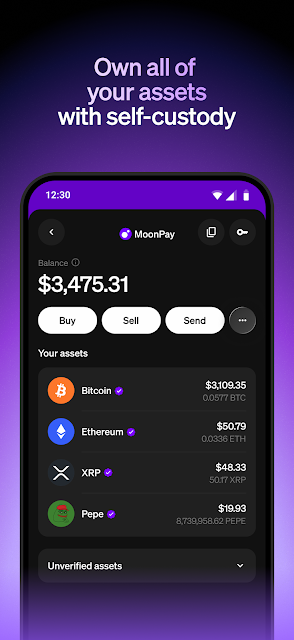
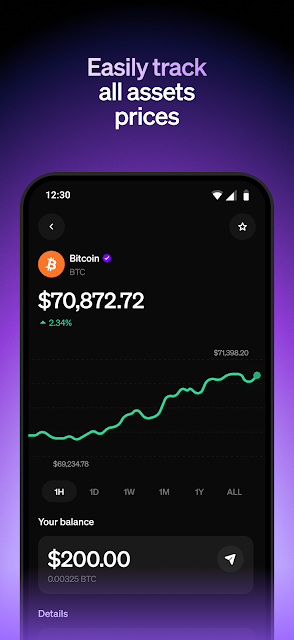
Analysis by Reviewed APKs
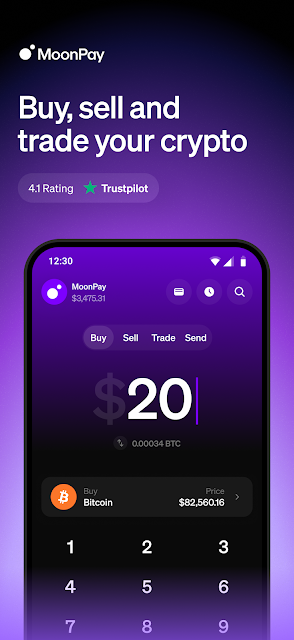
MoonPay: Buy Crypto & Bitcoin is a finance app for buying, selling, and swapping cryptocurrency, with options to connect wallets and manage them in one place. I see it as a practical on-ramp for people who already know which asset they want and how they plan to store it. Its range of payment methods and crypto services is appealing, though anyone new to crypto still needs to make careful decisions outside the app.
A purchase in the middle of a day
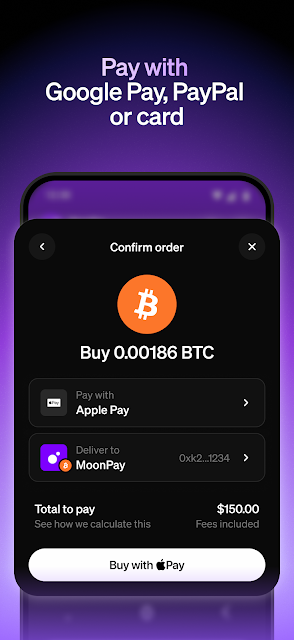
When I first considered MoonPay, I pictured a familiar situation: I have a few spare minutes and want to buy a specific cryptocurrency without moving between several services. The app is built around that job. I can choose an asset and amount, then use a supported payment option such as a debit card, Google Pay, PayPal, or a bank transfer. The intended flow is straightforward: make the purchase and send the crypto to a compatible wallet.
That wallet detail matters. MoonPay is not simply a place to tap Buy and forget about what happens next; its instructions ask for a compatible wallet address, and the app can also bring wallet management and purchase history together. I like that the product acknowledges the practical steps around a transaction. Before starting, I would have the destination wallet ready and double-check its details rather than treating a few taps as a substitute for care.
A crypto tool, not a guide
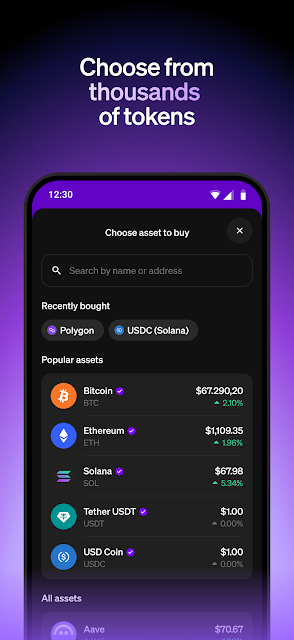
Compared with using a wallet app alone, MoonPay puts buying, selling, and swapping at the center, while also offering a unified view of crypto wallets. It supports payments through cards, mobile wallets, bank transfers, and other methods, and its description names integrations with wallets such as Trust Wallet, Ledger, MetaMask, and Phantom. That makes it relevant to someone who already uses crypto tools and wants a purchase route alongside them.
It is not a personal finance planner, a general-purpose banking app, or a substitute for learning how crypto transactions work. The app can help carry out transactions, but choosing an asset, understanding the risks, and deciding where to keep it remain separate responsibilities. I would not recommend treating a broad coin selection or a convenient payment method as a reason to buy something. The useful comparison is convenience versus your own preferred wallet or exchange workflow.
A calmer way to use it
I would get more from MoonPay by deciding on a specific task before opening it. For a purchase, that means knowing the asset, amount, payment method, and destination wallet in advance. For a swap, it means checking that I have selected the intended pair and network. These small pauses are worthwhile in any crypto app, especially when a transaction involves assets or wallets I do not use every day.
The app also describes recurring purchases and a purchase-history view, which can support a more organized routine for people who choose to buy regularly. I would treat recurring buying as an optional convenience, not an automatic improvement or a promise of gains. A quick review of past purchases and wallet holdings can help me keep track of what I have done, while leaving room to pause and reconsider before setting anything to repeat.
More From Our News Desk

Zoom Meetings, Google Meet, or Teams: Which Is Easiest to Join?

How I Build a Free Streaming Lineup With Tubi

Why Crunchyroll Is the Default Anime App for So Many Fans

YouTube TV: A Practical Guide to Cutting Cable

Rummikub and the Small Comfort of Phone Games

TeamViewer Remote Control or AnyDesk for Helping Family?
Who may find it useful
I would recommend MoonPay to adults who already have a compatible crypto wallet, understand the basics of sending digital assets, and want a dedicated way to buy, sell, or swap. It may also suit someone who uses multiple wallets and values having their holdings and MoonPay purchase history accessible in one place. The range of supported payment methods is a plus for users who prefer not to rely on a single way to pay.
It may not suit someone who wants a conventional savings app, clear investing recommendations, or a guided course before making a first transaction. The breadth of coins and payment routes could feel like a lot if you are still learning the basics. I would also suggest taking time to understand the destination wallet and transaction details before proceeding. MoonPay offers transaction tools, but it cannot make a risky or poorly understood crypto purchase into a suitable choice.
MoonPay is the developer of MoonPay: Buy Crypto & Bitcoin, a free finance app on Google Play. It has more than 1 million installs and a 4.6-star rating from about 15,000 ratings. The app is rated Everyone. Its listed version is 2.0.56, with a release date of April 18, 2023, and a last update date of October 29, 2026.
The Google Play details say the app is free to download, with no in-app purchases and no ads. Its minimum Android version is not included among the supplied app facts, so check the Google Play page on the device you plan to use. Payment methods and cryptocurrency services can depend on availability, so review the app and store details for your location before relying on a particular option.
A practical look at crypto routines
Starting with a clear task
When I first opened the idea of MoonPay, what stood out was how many parts of a crypto transaction it aims to cover. It is not only about buying: selling, swapping, connecting wallets, and viewing purchase history are part of the described experience too. That range makes the app sound most useful when I arrive with a specific job in mind rather than browsing for something to buy.
The setup described for a purchase asks me to choose a cryptocurrency and amount, provide a compatible wallet address, and complete the payment. I appreciate that the destination wallet is part of the process rather than an afterthought. It also means I would not begin while rushing or without knowing which wallet and network I intend to use. A few minutes of preparation can prevent an avoidable mistake.
The everyday transaction
Day to day, MoonPay's main appeal is having several transaction types under one roof. A user can buy or sell crypto, or swap between supported assets. For a purchase, the app describes payment by debit or credit card, Apple Pay, Google Pay, Venmo, PayPal, bank transfer, and local methods. Having options can make a familiar routine easier, although the method that works will depend on the transaction and location.
I would keep the experience focused on the action I came to take. If I plan to buy, I would check the asset and amount; if I plan to swap, I would make sure the intended pair is selected. The app describes support for a large range of coins and swap pairs, so there is no need to turn every visit into a search through every available option. Simple, deliberate use seems the better fit.
Wallets and swaps together
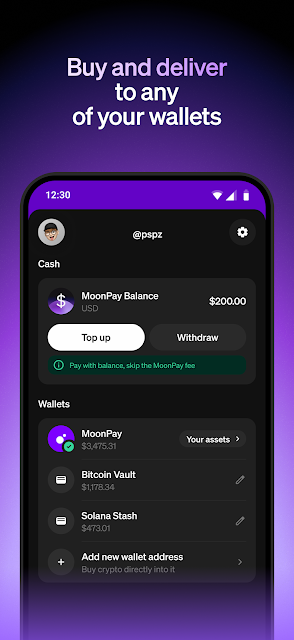
The unified wallet feature is one of the more distinctive ideas in the description. MoonPay says it can bring wallets from services such as Coinbase, Phantom, and MetaMask into one place, alongside a detailed history of MoonPay purchases. For someone who already keeps assets across several wallets, that could make it easier to get an overview without confusing the app with the wallets themselves.
Swapping is another notable part of the offer. MoonPay describes swaps across more than 2,000 crypto pairs, including cross-chain swaps, and says WalletConnect can be used to connect. It also describes zero-processing-fee swaps and zero-fee transactions through MoonPay Balance. Those claims apply to the specified services, not every possible activity in the app, so I would check the terms shown for the particular transaction rather than assume all actions are fee-free.
A measured weekly check-in
A sensible routine for using MoonPay could be a short check-in when I already have a reason to buy, sell, or swap. I would prepare the wallet address first, confirm the asset and network, then choose a payment method that suits the transaction. Afterward, I could refer to the purchase history to keep a record of what I did. The point is organization, not making more trades simply because the app is available.
For users who prefer a set schedule, the app describes recurring purchases, such as buying Bitcoin monthly. I would consider that only after deciding whether a recurring transaction fits my own plan and comfort with risk. The feature can reduce the need to repeat the same manual steps, but it does not remove the need to review an arrangement or understand what is being purchased. Automation is a convenience, not a recommendation.
Keep the limits in view
The biggest practical limit is that availability is not universal in every respect. MoonPay describes service across many countries and support for a wide range of cryptocurrencies, but a particular coin, payment method, or transaction may not be available to every user. I would check what the app offers for my location before planning around a specific option, especially if I expect to use a particular local payment method.
There is also a learning curve that comes from crypto itself, not just from the app. Wallet addresses, networks, asset pairs, and transaction choices deserve attention, and a mistake can matter. MoonPay's convenience does not make those details unimportant. I would also avoid reading the app's selection of coins as guidance about what to buy. It is a transaction tool, and users should make their own informed decisions.
MoonPay brings buying, selling, swapping, payment choices, and wallet organization into one crypto-focused app. I like the practical breadth, especially for someone who already has a wallet and wants more than a single purchase route. The app's best quality is convenience around a defined task, not advice about what to do with money.
I would recommend it to experienced or carefully prepared crypto users who want these transaction tools in one place. If you are new to wallets or are hoping for investment guidance, take time to learn the basics before using it. MoonPay can make a transaction easier to arrange, but it cannot make the underlying decisions for you.
MoonPay Frequently Asked Questions
What is MoonPay: Buy Crypto & Bitcoin used for?
MoonPay is used to buy, sell, and swap cryptocurrencies, with options to connect wallets and view MoonPay purchase history. It supports multiple payment methods, including cards and mobile wallets, as well as bank transfers and other options. The app is a transaction tool rather than a source of personal investment recommendations.
Which devices can run MoonPay: Buy Crypto & Bitcoin?
The supplied app information describes MoonPay as an Android app available through Google Play. It does not give a minimum Android version, so check the Google Play page for the current requirement and device compatibility. Payment methods and particular crypto services may also vary by location.
What Android version does MoonPay: Buy Crypto & Bitcoin require?
The minimum Android version is not included in the available app facts. Check the MoonPay: Buy Crypto & Bitcoin page on Google Play using the device you intend to use, since compatibility requirements can vary as the app is updated.
Does MoonPay: Buy Crypto & Bitcoin cost money?
MoonPay is free to download on Google Play, and the supplied details say it has no in-app purchases or ads. Transaction fees and terms can depend on the service and transaction. The app describes zero-fee options for MoonPay Balance transactions and certain swaps, so check the details shown for your intended activity.
Is MoonPay: Buy Crypto & Bitcoin suitable for beginners?
It may suit a beginner who is willing to learn how wallets and crypto transactions work before proceeding, but it is not a substitute for that learning. The app supports buying, selling, and swapping; users still need to choose assets and handle wallet details carefully. Anyone unsure about those steps should take time to understand them first.
Pros
- Supports buying, selling, and swapping crypto within one finance app.
- Offers several payment methods, including cards, mobile wallets, and bank transfers.
- Can bring supported wallets and MoonPay purchase history together.
- Describes recurring purchases for users who want a scheduled routine.
Cons
- Wallet addresses, networks, and asset choices still require careful attention.
- Available coins and payment methods may vary by location.
- The app does not replace beginner education or investment guidance.
- Category
- Finance
- Version
- 2.0.56











