MoneyGram® Money Transfer App
- 140.18K
- 4.8
- Installs
- 5.00M
- Price
- Free

Screenshots



Analysis by Reviewed APKs
MoneyGram® Money Transfer App is for sending money across borders, paying eligible US bills, and arranging transfers within the United States. I see its strongest fit as a practical tool for people who regularly support family or friends abroad and want to compare delivery options before sending. The app brings several useful tasks together, though its services and costs depend on the transfer details and destination.
A Transfer in the Weekly Routine
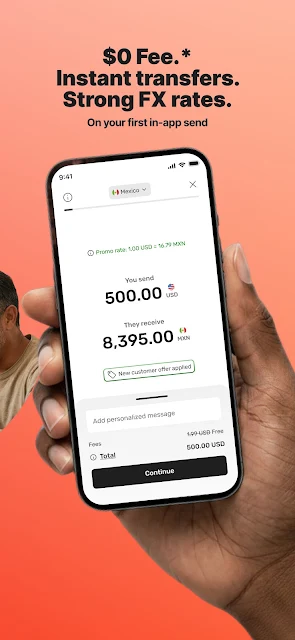
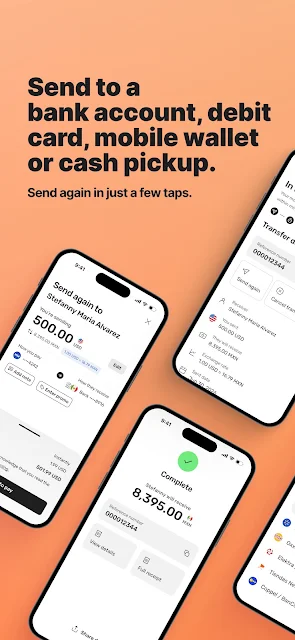
When I picture using MoneyGram, it is on a busy evening when a family member needs help and I want to send money without turning the task into a separate errand. I can choose the destination country, select how the recipient will get the money, and enter an amount. Before confirming, the app shows the exchange rate and applicable fees, giving me a chance to review the cost rather than discover it afterward.
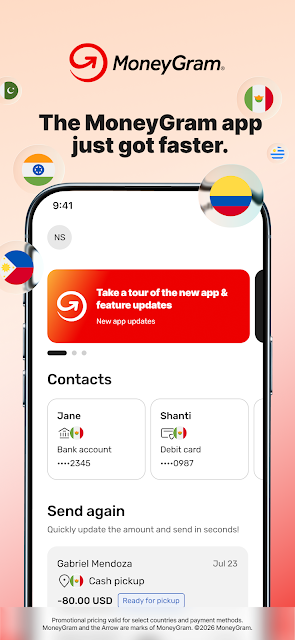
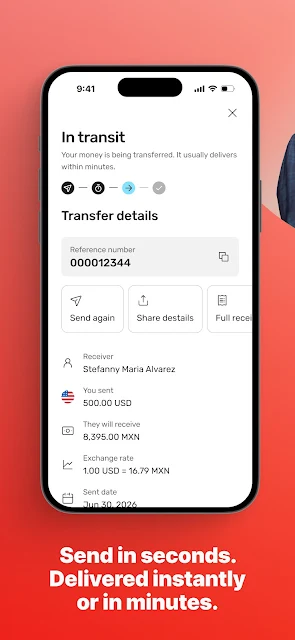
After sending, transfer tracking and notifications help me follow what happens next. A recipient might collect cash or receive funds through an available bank, debit card, or mobile wallet option; the choices depend on the destination. If I send to the same person regularly, saving that recipient can make another transfer quicker. That combination makes the app feel most useful for repeat support payments, not as a tool I would open just to browse.
More Than a Cash Counter
The obvious alternative is handling an international transfer in person, and MoneyGram still supports that kind of routine through its agent-location finder. The app adds a phone-based route: I can estimate rates and fees, choose an available delivery method, and track a transfer from the same place. It also covers some adjacent jobs, including US bill payments and transfers within the United States, so its purpose is broader than a single cash pickup.
It is not a general-purpose budgeting app or a substitute for comparing every possible transfer provider. Its focus is moving money, with bill pay and other options available only in supported situations. MoneyGram says the available services depend on location, and delivery choices vary by destination. I would treat the displayed fee and exchange rate as details to check for each specific transfer, rather than assuming one price or method applies everywhere.
Make Repeat Sends Easier
For a recurring transfer, a small bit of preparation can save time. I would keep the recipient details close at hand, check the delivery method that suits them, then enter the amount and review the rate and fee before sending. Once a recipient is saved, the app says sending again can take just a few taps. That is a useful shortcut when the basic arrangement stays the same from one occasion to another.
I would also make tracking part of the routine instead of repeatedly wondering whether a transfer has arrived. The app provides transfer status tracking and notifications, and it offers biometric login for access. If I need cash pickup or an in-person service, I can use the locator to look for a nearby agent. These features do not remove the need to check destination-specific details, but they make the steps easier to keep together.
More From Our News Desk

Zoom Meetings, Google Meet, or Teams: Which Is Easiest to Join?

How I Build a Free Streaming Lineup With Tubi

Why Crunchyroll Is the Default Anime App for So Many Fans

YouTube TV: A Practical Guide to Cutting Cable

Rummikub and the Small Comfort of Phone Games

TeamViewer Remote Control or AnyDesk for Helping Family?
Who May Find It Useful
I would recommend MoneyGram to people who send money internationally with some regularity, especially when recipients need a choice between bank, debit card, wallet, or cash pickup options. It should also suit someone who prefers to arrange a transfer on a phone, see the displayed fees and exchange rate before confirming, and follow the transfer afterward. People paying eligible US bills or sending money within the US may find those added options convenient too.
It may be less appealing if you only need budgeting tools, want a service that offers the same delivery methods in every country, or expect one fixed fee for every transfer. The app’s usefulness depends on the sender’s location, destination, amount, payment type, and available delivery methods. I would encourage occasional senders to compare the displayed costs and options with their needs each time. It is a focused money-transfer app, not an all-in-one personal finance organizer.
MoneyGram® Money Transfer App is developed by MGI and is available on Google Play for Android. It is free to download, with a listed price of $0, and the supplied store details show no in-app purchases or ads. Its content rating is Everyone. The listed version is 27.23.0, and the release date is May 13, 2014.
Google Play shows over 5 million installs and a 4.8-star rating from 140,175 ratings. The supplied app details give October 27, 2026 as the last update date. The minimum Android version is not included in the available app details, so check Google Play for the current device requirements before installing.
How MoneyGram Fits a Real Transfer
A Focused First Impression
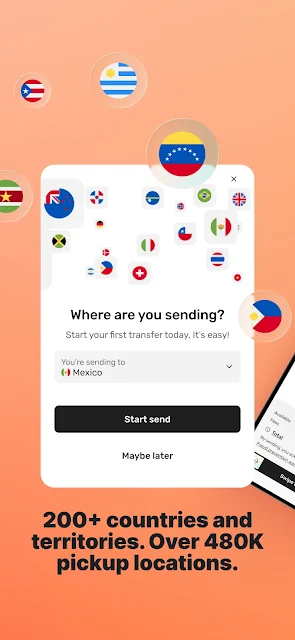
When I first opened MoneyGram, the purpose was easy to understand: start with where the money is going and how the recipient should receive it. That order makes sense for a transfer app because those choices shape what is available. It feels task-oriented rather than like a broad financial dashboard, which suits someone arriving with a specific payment in mind.
The setup details that matter most are practical ones: the destination, amount, and receiving method. The app says its available services depend on location, so I would avoid assuming that a method offered for one country will be offered for another. Before committing, I would take a moment to check the displayed exchange rate and fees and make sure the recipient information is accurate.
The Day-to-Day Transfer
The central flow is straightforward: choose a country, select a delivery option, enter an amount, review the rate and fees, then send. Many transfers are described as available within minutes, but that is not a promise that every transfer will arrive on the same schedule. The app’s tracking feature is valuable here because it gives me a way to check progress rather than treating the send button as the end of the process.
I appreciate that the cost is presented before confirmation. Fees and exchange rates can change with details such as amount, destination, payment type, delivery method, and pickup location, so reviewing them for each transaction matters. A familiar recipient can be saved for a quicker repeat send. In everyday use, that should make a recurring transfer feel less like starting from scratch while still leaving room to check the particulars.
Options Beyond Sending
The delivery choices are one of the app’s most useful strengths. Depending on the destination, a recipient may be able to receive money in a bank account, on a debit card, in a mobile wallet, or through cash pickup. MoneyGram also describes a network of agent locations for pickup and in-person services, with an in-app locator to help find nearby locations.
There are a few related tools around the transfer itself. Users can estimate fees and exchange rates, track a transfer, and receive notifications. The app also supports bill payment to thousands of US companies where available, as well as transfers within the United States. In select locations, it offers converting local currency to digital USD (USDC), holding funds digitally, and cashing out later.
Security-related features described for the app include encrypted transfers, 24/7 monitoring of online activity, biometric login, and 24/7 customer support. I regard those as useful parts of the service rather than reasons to skip careful review of payment and recipient details. MoneyGram itself advises users to take care when entering account information, since funds are taken from and paid into the information provided.
A Repeat-Send Routine
For a regular family payment, I would use a simple sequence: confirm the recipient and destination, choose the delivery route that works for them, enter the amount, and inspect the rate and fee. If the same person is receiving money again, saving the recipient can reduce repeated entry. This kind of routine is where the app’s quick repeat-send approach seems most practical.
After sending, I would use the tracking and notification tools to keep an eye on delivery. If the recipient needs to collect cash, the location finder can help identify an agent location; if a supported account or wallet is more convenient, that may be an alternative. The important habit is checking which services are actually available for that destination and transaction before relying on a particular route.
Details That Can Vary
The biggest limitation is that the app’s range of options is not universal. MoneyGram says that services depend on the user’s location, while delivery methods vary by destination. Fees, exchange rates, and taxes may also depend on the transfer amount and other transaction details, and can change. That makes it worth reviewing the final details every time, even if I have sent money to the same place before.
I would also keep expectations realistic around speed. The app describes many transfers as available within minutes, but that wording leaves room for different timing depending on the transaction and delivery method. A transfer app can make the process more convenient, but it cannot make every receiving method available everywhere. The destination-specific choices and displayed terms should guide the decision.
Finally, this is not the right download for someone whose main goal is expense tracking, budgeting, or broad account management. Its center of gravity is sending and receiving money, with bill payment and select additional services around that job. For a user who wants to make a particular transfer, that focus is a strength; for someone seeking a full personal-finance suite, it is a narrower fit.
MoneyGram is a practical option for people who need to send money across borders and value a choice of receiving methods, upfront fee and rate details, and transfer tracking. Saved recipients and a location finder add useful touches for repeat payments and cash pickup. I also like that the app includes some US bill-payment and domestic-transfer options without losing focus on its main job.
I would try it if international transfers are part of my routine and the available options suit the recipient and destination. I would not treat it as a universal solution: availability, timing, and cost can differ from one transaction to another. Check the details shown for each send, and consider another type of app if budgeting or expense management is the real need.
MoneyGram Frequently Asked Questions
What is MoneyGram® Money Transfer App used for?
MoneyGram® Money Transfer App is used to send money internationally, with available delivery methods including bank accounts, debit cards, mobile wallets, and cash pickup. It also supports transfers within the United States and bill payments to eligible US companies. Which services are available depends on location and destination.
Which devices can run MoneyGram® Money Transfer App?
MoneyGram® Money Transfer App is an Android app distributed through Google Play. The minimum Android version can vary as app requirements change, so check the current Google Play page to confirm whether your device meets the requirements before installing.
Does MoneyGram® Money Transfer App cost anything?
The app is free to download, and the supplied store details show no in-app purchases. Sending money can involve transfer fees and currency exchange costs, which vary with transaction details. Review the rate and applicable fees shown in the app before confirming a transfer.
Can I use MoneyGram® Money Transfer App for cash pickup?
Cash pickup is one of the delivery methods the app describes, and its location finder can help users find nearby MoneyGram agent locations. Availability depends on the destination and services offered for the transaction. Check the options shown in the app for the specific transfer you plan to make.
Who is MoneyGram® Money Transfer App best suited to?
It is a good fit for people who need to send money to family or friends, want to review fees and exchange rates before sending, and value transfer tracking or saved recipients. It may not suit someone looking primarily for budgeting or expense-tracking tools. Available services vary by location.
Pros
- Shows applicable fees and exchange rates before a transfer is confirmed.
- Offers several recipient delivery methods, depending on the destination.
- Includes transfer tracking, notifications, saved recipients, and an agent locator.
- Combines international transfers with eligible US bill payments and domestic sends.
Cons
- Available transfer and delivery options vary by location and destination.
- Fees and exchange rates depend on transaction details and may change.
- The app focuses on transfers rather than budgeting or expense management.
- Category
- Finance
- Version
- 27.23.0











