Money Network® Mobile App
- 72.73K
- 3.1
- Installs
- 5.00M
- Price
- Free

Screenshots
Analysis by Reviewed APKs
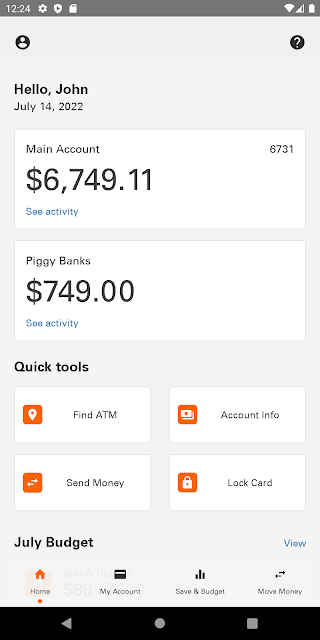
Money Network® Mobile App gives Money Network account holders a way to check balances, review transactions, and manage a few everyday card and budgeting tasks from a phone. I see it as a practical companion for people who already use a Money Network account, rather than a general-purpose banking app. Its quick balance view and alerts are useful touches, though the modest Google Play rating makes expectations worth keeping measured.
A quick money check
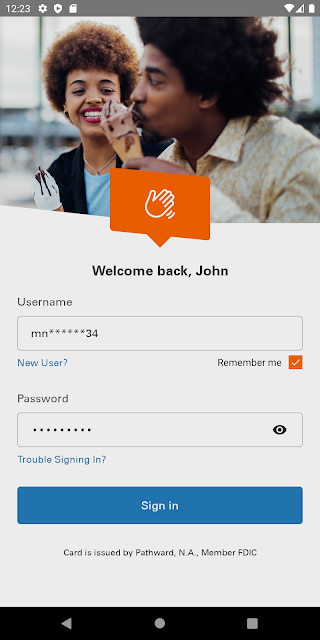
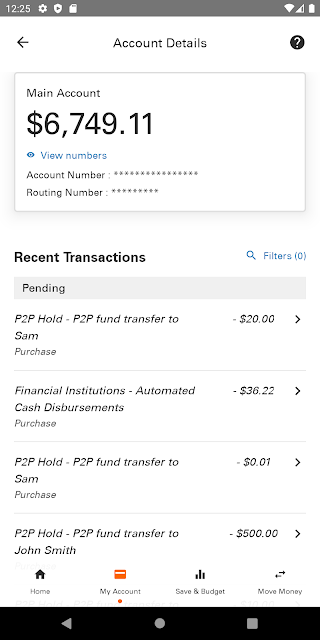
When I first opened the app, I pictured using it during the small pauses when I need to know where my account stands: before buying groceries, after a deposit, or while planning what is left for the week. Quick View is designed to show a balance without logging in, while signing in provides account and transaction details. That keeps the main job focused on checking and tracking money rather than navigating a broad banking suite.
For a typical routine, I would check the balance before heading out, then look at recent transactions later if a purchase or deposit needs a closer look. Alerts can flag activity such as balances, deposits, and withdrawals, which may save repeated manual checks. The app also offers tools for setting money aside and budgeting. Those features make it more useful over the course of a week than a balance-only shortcut.
A companion, not a bank
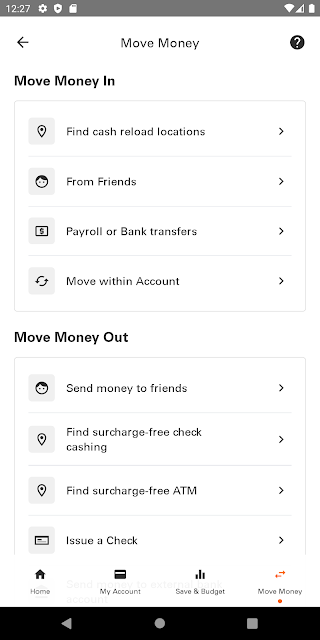
Money Network Mobile App makes the most sense if you already have a Money Network account or are a secondary cardholder. It puts account information and selected card-related tools in one mobile place, including card locking, mobile check deposit, and a locator for in-network ATMs, check cashing locations, and retail reload agents. I would compare it with the account’s existing ways of checking activity, not with a full-featured financial planning service.
This is not a general app for connecting every bank account, nor does the provided feature set describe bill payment or fund transfers. Its usefulness depends on having an eligible Money Network account and on which features are available to that user. If you simply want a standalone budget planner or a way to manage accounts from several providers, this app is unlikely to be the right fit.
Make alerts work for you
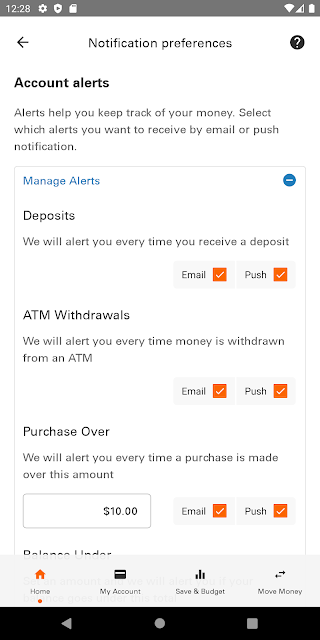
I would start by choosing the account alerts that matter most in everyday life, such as notifications about deposits or withdrawals. That gives the app a clear role: surface relevant activity without turning every check-in into a manual review. Since alerts cover several kinds of account events, they can also help create a simple habit of checking the details when something changes.
A useful routine would be to glance at Quick View before spending, review transaction details after a busy day, and use the budgeting or Piggy Banks tools when setting money aside. The locator is handy to keep in mind when looking for a supported ATM, check-cashing location, or reload agent. Feature availability can differ by account, so I would check the app’s navigation menu before building a routine around a particular tool.
More From Our News Desk

Zoom Meetings, Google Meet, or Teams: Which Is Easiest to Join?

How I Build a Free Streaming Lineup With Tubi

Why Crunchyroll Is the Default Anime App for So Many Fans

YouTube TV: A Practical Guide to Cutting Cable

Rummikub and the Small Comfort of Phone Games

TeamViewer Remote Control or AnyDesk for Helping Family?
Who may find it useful
I would recommend Money Network Mobile App to current account holders who want a quick way to check balances and transactions, keep tabs on deposits and withdrawals, or use supported card tools from a phone. Secondary cardholders aged 14 or older may also be able to use it. The combination of Quick View, alerts, and account details is best suited to people who want practical access between everyday errands.
It may not suit someone looking for a broad banking hub, a standalone budgeting product, or a way to manage unrelated accounts. The Google Play rating is 3.1 stars from about 73,000 ratings, so I would approach it as a functional account companion rather than assuming every experience will be smooth. Some features may not be available to every user, and the app’s value depends on the account and tools offered to them.
Money Network® Mobile App is developed by Fiserv, Incorporated and is available on Google Play for Android. The app has over 5 million installs and a 3.1-star rating from about 73,000 ratings. It is free to download, with no in-app purchases and no ads. Google Play gives it an Everyone content rating.
The current version provided is 20.0.3. The app was released on March 26, 2013, and its most recent update is dated October 18, 2026. A minimum Android version is not included in the supplied details, so check Google Play for device compatibility. Although the download is free, the service description notes that fees may apply to some transactions.
A closer look at everyday account access
A focused first impression
The app’s purpose is easy to understand: it gives Money Network users mobile access to account information and selected account tools. Quick View stands out immediately as a way to check a balance without signing in. For a user who often wants a simple answer before making a purchase, that shortcut could make the app feel more convenient than waiting until they are at a computer.
Getting started is tied to having a Money Network account or being an eligible secondary cardholder. The app description says that available features can vary, so I would take a moment to look through the navigation menu after signing in. That small first step helps set realistic expectations, particularly if a particular tool shown elsewhere is not part of an individual account’s available options.
A steady daily companion
Day to day, the most useful parts are likely to be the balance and transaction views. I would use them in short check-ins rather than treating the app as a place to do every kind of financial task. A quick balance glance can help with an immediate decision, while transaction details are there for a closer look at account activity.
Alerts add a more passive way to keep track of events, including deposits and withdrawals. I like that this can reduce the need to open the app simply to see whether something has changed. Still, an alert is a prompt to check the account, not a replacement for reviewing details when something looks unfamiliar. Keeping that distinction in mind makes the feature more useful and measured.
Tools beyond the balance
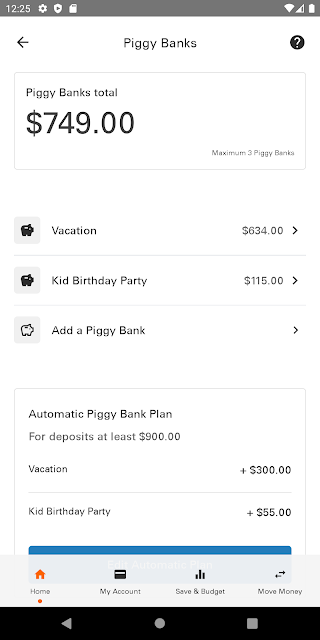
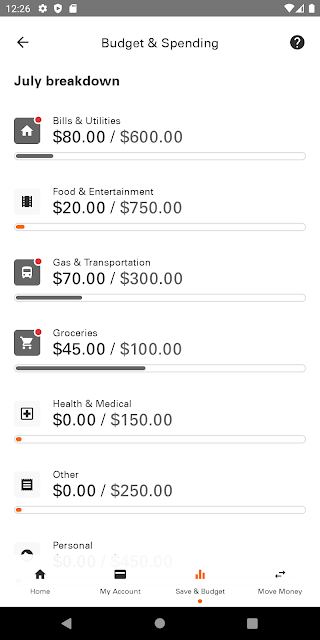
The app includes several features that extend beyond basic account viewing. Piggy Banks let users set money aside, and budgeting and spending tools provide another way to keep an eye on money over time. Mobile check deposit is also part of the feature set. Together, these options make the app more than a read-only account screen, although their availability may vary.
Card Lock and Unlock is a practical feature to have available when a card needs to be controlled through the app. The location tool covers in-network ATMs, check-cashing locations, and retail reload agents, which is more specific than a general map search. I would use it when looking for a supported service rather than assuming every nearby location will work with the account.
A simple weekly routine
One reasonable routine would begin with a Quick View check before a grocery run or other planned spending. After a deposit or a few days of purchases, I would review the transaction details and look at any relevant alerts. That keeps the app tied to real decisions without requiring a constant stream of check-ins.
At the end of the week, the budgeting and spending tools or Piggy Banks can support a more deliberate look at what to set aside. If a check needs depositing, mobile check deposit may save a separate trip, subject to the account’s available features and any applicable fees. This is a modest workflow, but it matches the app’s core purpose well.
Limits to keep in mind
The biggest practical limitation is that the app is built around Money Network accounts. It is not presented as a place to bring in accounts from other financial providers, and the supplied features do not describe bill payment or general fund transfers. People who want those broader functions may need a different service alongside this one.
Feature access can vary by user, and the description directs account holders to check the navigation menu for what is available to them. Fees may apply to some services, while standard message and data rates may apply to app use. I would check the relevant fee schedule and account details before relying on a particular transaction feature.
Money Network Mobile App has a clear, useful role: it gives eligible account holders a convenient way to check balances, review activity, and access selected card, budgeting, and deposit tools. Quick View and alerts are the most appealing everyday features, while varying availability and possible service fees deserve attention.
I would try it if I already used a Money Network account and wanted mobile access to its essentials. I would not choose it as a replacement for a broad banking or budgeting app. It is a focused companion, and it works best when its available features line up with the tasks I actually need.
Money Network Mobile Frequently Asked Questions
What is Money Network Mobile App used for?
Money Network Mobile App is for eligible Money Network account holders and secondary cardholders to check balances and transaction details, receive account alerts, and use available tools such as Piggy Banks, budgeting features, card locking, mobile check deposit, and a locator for supported service locations. The features available can vary by account.
Which devices can run Money Network Mobile App?
The supplied store details are for the Android version on Google Play. The minimum Android version is not included in the information provided, so check the Google Play entry for compatibility with your phone. The app is intended for Money Network account holders and eligible secondary cardholders.
Does Money Network Mobile App cost anything?
The app is free to download and the supplied Google Play details say it has no in-app purchases or ads. The service description notes that fees may apply to some transactions, and standard message and data rates may also apply. Check the account’s fee schedule for details relevant to your use.
What Android version does Money Network Mobile App require?
The minimum Android version is not included in the supplied app details. Requirements can vary as the app is updated, so check the Google Play entry for the current compatibility information before installing it on a device.
Who should use Money Network Mobile App?
It is intended for Money Network account holders and secondary cardholders aged 14 or older. It may suit people who want mobile account access and selected card or budgeting tools. It is less suitable for someone seeking a general banking hub for multiple providers. Feature availability can vary, so check the app and store information for your situation.
Pros
- Quick View can show an account balance without requiring a login.
- Offers transaction details, alerts, card controls, and budgeting tools in one app.
- Includes mobile check deposit and a locator for supported service locations.
- Free to download, with no in-app purchases or ads.
Cons
- Designed for Money Network accounts rather than managing accounts from multiple providers.
- Some features may not be available to every account holder.
- Fees may apply to certain transactions, and message or data rates may apply.
- Category
- Finance
- Version
- 20.0.3