Milestone
- 508
- 3.9
- Installs
- 100.00K
- Price
- Free

Screenshots
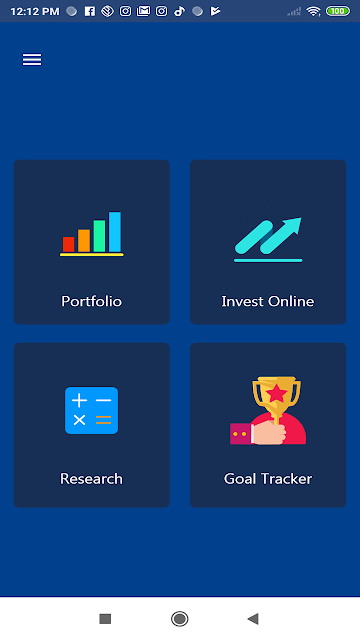
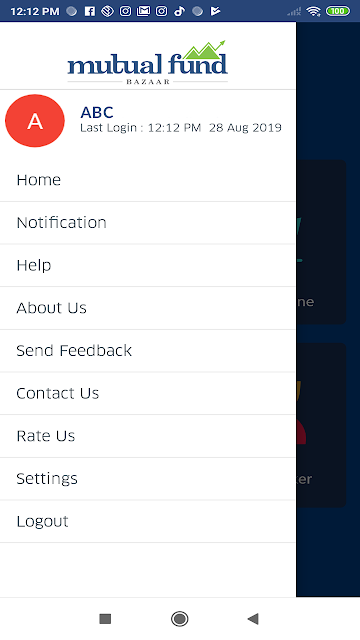
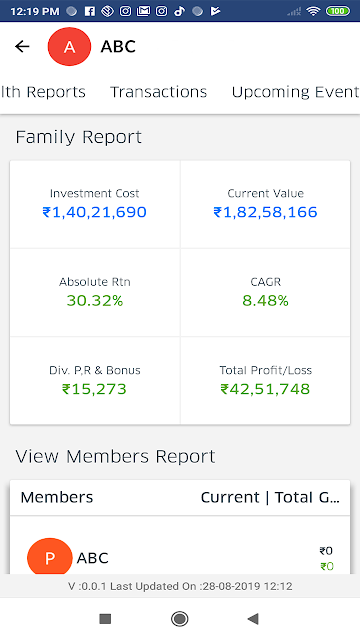
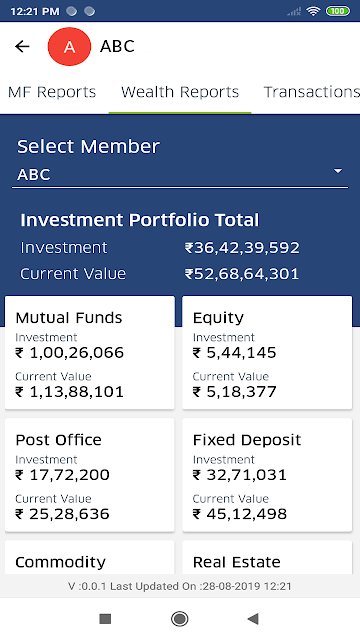
Analysis by Reviewed APKs
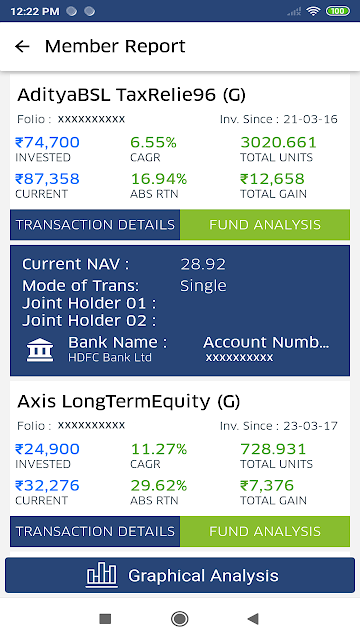
Milestone is a companion app for investors who want to check their portfolio, review wealth reports and use planning tools such as calculators and a goal tracker. It is aimed at people whose financial advisor has registered them to use the service, rather than anyone looking for a standalone investing app. My overall take is that it could make regular portfolio check-ins more convenient, provided your advisor is already part of the setup.
A quick portfolio check-in
Picture a quiet moment between errands: you want to see how your investments are doing, but you do not need to make a decision or dig through a spreadsheet. Milestone is designed for that kind of check-in. It gives registered users a way to view their investment portfolio and wealth reports, putting investment information within reach on a phone rather than requiring a separate visit to a computer.
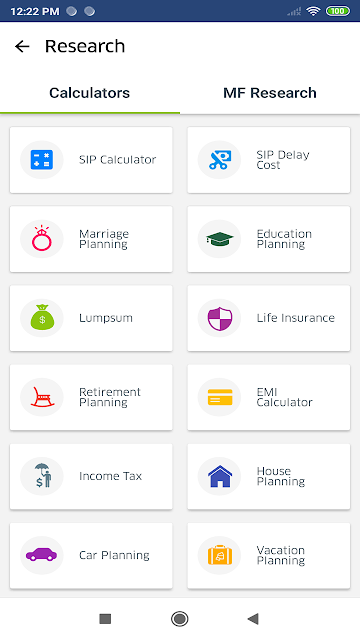
The useful part is having a few related tools in the same app. After looking over a portfolio, you can turn to a calculator or goal tracker as part of a broader planning session. I would treat these as aids for reviewing information and organizing your thinking, not as a substitute for discussing your situation with your advisor. Access depends on registration through a financial advisor, so that relationship is central to the experience.
An advisor-linked companion
Milestone sits in a different lane from a general-purpose budgeting app or a self-directed trading app. Its stated job is to let financial investors view their portfolio, wealth reports and planning tools through an advisor-linked service. That focus may suit someone who already works with a financial advisor and wants a convenient way to check information associated with that relationship.
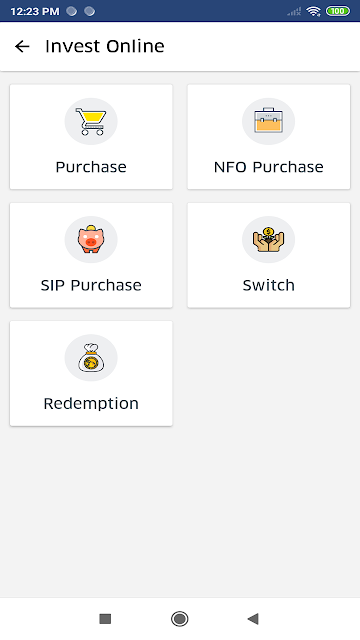
It is not presented as a way to find an advisor, open an investment account independently or trade investments. If you want an app for everyday spending, bill tracking or hands-on market activity, this description does not point to those jobs. I would also not expect it to be useful before an advisor has registered you. The app is best understood as a viewing and planning companion, not a replacement for the wider advisory service.
Make reviews more useful
A small routine can help keep portfolio reviews focused. I would open Milestone when I have a few minutes to look at my investment information, then note any questions that a report or goal tracker brings to mind. That keeps a quick glance from turning into an attempt to interpret every figure on the spot, and it gives a future conversation with an advisor a more concrete starting point.
The calculators and goal tracker are worth approaching with a specific question in mind. For example, you might use a planning session to consider a goal and then review the related portfolio information. The description does not spell out what each calculator covers, so I would explore the available tools after registration rather than assume they fit a particular calculation. A little focus makes the app easier to use as a companion rather than a constant distraction.
More From Our News Desk

Zoom Meetings, Google Meet, or Teams: Which Is Easiest to Join?

How I Build a Free Streaming Lineup With Tubi

Why Crunchyroll Is the Default Anime App for So Many Fans

YouTube TV: A Practical Guide to Cutting Cable

Rummikub and the Small Comfort of Phone Games

TeamViewer Remote Control or AnyDesk for Helping Family?
Who may find it useful
I would recommend Milestone to investors who already have a relationship with a financial advisor and have been registered to use the app. It brings portfolio viewing, wealth reports, calculators and a goal tracker together in one mobile product. That combination could suit someone who wants to check investment information between advisor conversations without treating every check-in as a full planning session.
It may not suit someone who wants a standalone finance app, independent investment access or a tool centered on daily budgeting. Registration through an advisor is a basic part of using it, so people without that connection may not be able to get started. It is also a poor fit for anyone expecting a trading platform: the described purpose is viewing a portfolio and related planning information, not placing trades.
Milestone is developed by Milestone Financial Services and is a finance app for Android. Google Play shows over 100,000 installs and a 3.9-star rating from 508 ratings. It is free to download, with no in-app purchases or ads. Its content rating is Everyone, so the store classifies it as suitable for a general audience.
The app was released on August 28, 2019. Its version is listed as varying with device. The minimum Android requirement and most recent update date are not included in the available app details, so check Google Play for current compatibility information before installing. Access also requires being a registered user through a financial advisor.
A Closer Look at Advisor-Linked Investing
Starting with access
When I first considered Milestone, the main setup question was not which tool to open but whether an advisor had registered me. The app is built as an extension of an advisor portfolio management system, and its description says that registration through a financial advisor is required. That makes the starting point more personal than simply downloading an app and creating an account on your own.
Once access is in place, the stated purpose is straightforward: view an investment portfolio and wealth reports, with calculators and a goal tracker available as additional tools. I would begin by getting familiar with those broad areas rather than assuming the app has a particular dashboard layout or onboarding flow. The available description identifies the tools, but does not detail their screens or how registration is completed.
Checking in day to day
The everyday appeal is having investment information available on a mobile device when you want to review it. A short check-in can be useful when you are preparing for a conversation with your advisor or simply want to revisit your portfolio information. Wealth reports provide another way to look at that information, while the app’s planning tools offer a reason to spend more time than a quick glance.
I would keep those visits purposeful. A phone app can make it easy to check information frequently, but frequent checking is not the same as having a useful plan. Milestone’s described role is to show portfolio and wealth information and provide related tools. It is not described as an automatic recommendation service, so I would use it to review and organize questions rather than expect it to tell me what action to take.
Reports and planning tools
The most notable feature mix is the combination of portfolio access with wealth reports, calculators and a goal tracker. That gives the app a broader planning angle than a simple portfolio viewer, at least in terms of the tools it says it includes. If I were reviewing my investments, I could move from looking at the portfolio to considering a goal without switching to an unrelated app.
The description does not explain the calculations available, how goals are entered or what information appears in each report. I would avoid assuming that the reports are customizable or that the calculators cover a specific scenario. What is supported is the presence of these categories of tools. Their practical value will depend on what your advisor has made available and whether the functions match the questions you bring to them.
A simple review routine
One practical way to use Milestone is to set aside a short, occasional review rather than opening it without a reason. I would look at the portfolio, read the available wealth information and use the goal tracker when I have a planning question to explore. If something raises a question, I could keep that in mind for my next discussion with the advisor who registered me.
That routine keeps the app in its proper role: a place to view investment information and use planning tools, not a substitute for every part of financial planning. The calculators may be useful when you have a specific task, but the app details do not describe their scope. I would try the tools with a clear question and avoid reading more into their results than their actual functions support.
Keep expectations grounded
The biggest limitation is the advisor requirement. Milestone is not described as an open service that any investor can use immediately, and someone who has not been registered through a financial advisor may not be able to access it. That makes it a specialized companion rather than a universal finance app, even if its portfolio and planning tools sound broadly useful.
There are also limits to what can be concluded about the experience from the feature description. It names reports, calculators and a goal tracker, but does not provide their detailed capabilities or explain how information is presented. The app’s store rating is 3.9 stars, based on 508 ratings. I would weigh that alongside whether you already have the advisor relationship the app requires.
Milestone has a clear, fairly focused purpose: give registered investors a mobile way to view portfolio information, wealth reports and a handful of planning tools. I like that the stated feature set reaches beyond a basic portfolio glance, while remaining tied to an advisor relationship rather than presenting itself as a self-directed investing platform.
I would try it if my financial advisor registered me and I wanted a convenient place for portfolio check-ins and goal-related tools. I would skip it if I wanted independent investing, trading or everyday budgeting. Its usefulness depends less on having many features than on whether the advisor-linked access and included tools match your routine.
Milestone Frequently Asked Questions
What is the Milestone app used for?
Milestone is for financial investors who want to view their investment portfolio and wealth reports, with calculators and a goal tracker also included. It is described as an extension of an advisor portfolio management system. You need to be registered through a financial advisor to access the app, so it is intended as a companion to that relationship.
Which devices can I use Milestone on?
Milestone is an Android app available through Google Play. The app details do not specify a minimum Android version, and its version is described as varying with device. Check the Google Play store page on your device for current compatibility and installation requirements before downloading.
Does Milestone cost money?
Milestone is free to download on Google Play. The available app details say it has no in-app purchases and contains no ads. Access to the app still requires registration through a financial advisor. Store information can change, so check Google Play for current download and access details.
What Android version does Milestone require?
The minimum Android version is not specified in the available app details. Requirements can vary as app versions and devices change, so check the Milestone page on Google Play for the compatibility information that applies to your phone or tablet. The app’s version is listed as varying with device.
Is Milestone suitable for someone without an advisor?
Probably not as a starting point: Milestone says users must be registered with their financial advisor to access it. Its described tools cover portfolio viewing, wealth reports, calculators and goal tracking, rather than independent account setup or trading. If you already work with an advisor, ask whether you can be registered to use the app.
Pros
- Combines portfolio viewing with wealth reports, calculators and a goal tracker.
- Free to download, with no ads or in-app purchases.
- Can support convenient portfolio check-ins between advisor conversations.
Cons
- Requires registration through a financial advisor to access the app.
- Not presented as a standalone trading or everyday budgeting app.
- Feature descriptions do not explain the details of reports or calculators.
- Category
- Finance











