Messenger Kids – The Messaging
- 264.22K
- 3.8
- Installs
- 50.00M
- Price
- Free

Screenshots
Analysis by Reviewed APKs
Messenger Kids – The Messaging is a communication app for children to message and video call family and close friends, with parents managing contacts and some usage settings. I see its appeal for families who want children to stay in touch without handing over a phone number or an unrestricted messaging app. Its creative chat tools add a little fun, while the parent controls make it feel more considered than a basic chat app.
A familiar family check-in
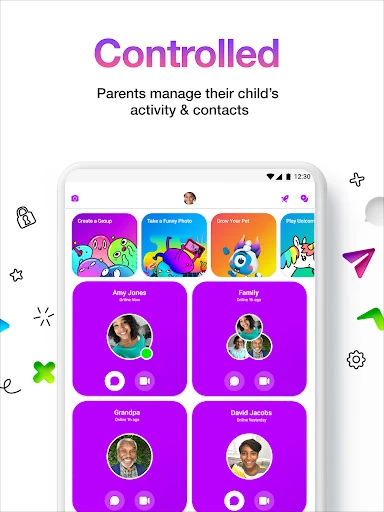
Picture a child wanting to tell a grandparent about a school project after dinner. Messenger Kids gives them a place to send messages or start a video call, while a parent can manage the child’s contact list through the Parent Dashboard. That makes the app useful for small, ordinary moments of connection, rather than only planned calls. Stickers, reactions, and filters can make a quick hello feel more engaging for a younger user.
When I think through that evening routine, the appeal is the balance between a child initiating a conversation and a parent overseeing who is available to contact. The app does not require a phone number, which can make it a practical option when a child does not have their own mobile number. Parents can also set usage limits for bedtime, so the conversation does not have to run indefinitely.
A narrower kind of messaging
Compared with a general-purpose messaging app, Messenger Kids is designed around parent-managed contacts and children’s conversations with family and close friends. That focus is its defining difference. A parent can manage the contact list, monitor messages, and receive a notification when a child blocks a contact. The creative options—such as drawing tools, GIFs, and stickers—give kids expressive ways to chat without changing the app’s basic job.
I would not treat it as a broad social network, a schoolwork tool, or a replacement for a parent’s own messaging app. Its stated purpose is keeping children connected with people their parents manage as contacts. Families looking for an open directory of new people, or adults who simply want a conventional chat app, are likely better served elsewhere. The parent controls are central to the experience, not an optional extra.
Small habits that help
A useful starting habit is to review the contact list together before a child begins using the app. Parents can manage that list, so it is a natural moment to talk through who the child can reach and how to use the messaging and calling features. That kind of shared setup also gives a child a chance to learn the app with an adult nearby, rather than treating it as a private, unsupervised space.
I would also make bedtime limits part of the family’s routine from the beginning. Setting expectations around when chatting should stop is easier than introducing a rule only after a late-night conversation becomes a problem. For everyday use, the stickers, drawing tools, and reactions can be fun ways to share a quick update, while video calls suit the more personal catch-up. Parents can keep an eye on messages through the dashboard.
More From Our News Desk

Zoom Meetings, Google Meet, or Teams: Which Is Easiest to Join?

How I Build a Free Streaming Lineup With Tubi

Why Crunchyroll Is the Default Anime App for So Many Fans

YouTube TV: A Practical Guide to Cutting Cable

Rummikub and the Small Comfort of Phone Games

TeamViewer Remote Control or AnyDesk for Helping Family?
Who may find it useful
I’d recommend Messenger Kids to parents who want their children to message or video call a managed circle of family and close friends. It may be especially handy when a child wants to keep in touch with relatives but does not have a phone number of their own. Contact management, message monitoring, and bedtime usage limits give parents a role in the experience without making the app only about supervision.
It may be a poor fit for families who want a simple adult chat app, or for parents who would rather avoid monitoring a child’s messaging altogether. Its purpose is child-focused communication with parent involvement, and that may feel too controlled for some families or not controlled enough for others. I’d suggest considering how your household handles contacts, screen-time limits, and conversations before making it part of a child’s routine.
Messenger Kids – The Messaging is a free Android communication app from Meta Platforms, Inc. Google Play shows over 50 million installs and a 3.8-star rating from around 264,000 ratings. The app is rated Everyone. Its stated release date is February 14, 2018, and the current version in the supplied app details is 326.0.0.48.165.
The app is free, with no in-app purchases and no ads. The supplied details give August 17, 2026, as its last update date. They do not provide a minimum Android version, so check Google Play for the device requirements that apply to your phone or tablet. Those details are worth checking before installing, particularly on an older device.
A Closer Look at Family Messaging
Getting started with a parent
My first impression is that Messenger Kids is best understood as a shared family decision, not just another app to hand to a child. Its parent dashboard is part of the product’s setup and ongoing use: parents manage contacts and can monitor messages. That changes the feel of the app from an open-ended chat space to a more guided way for a child to reach people the parent has included.
The no-phone-number requirement is a practical point for families setting up a child’s communication options. It avoids making a child’s own number a prerequisite for using this app. I would still take time to discuss the intended contacts and how the family will use calls and messages. A little context at the start makes the parent controls feel like part of the routine, rather than a surprise later.
Everyday chats and calls
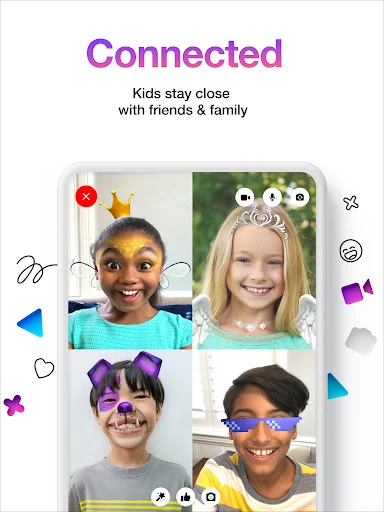
The day-to-day job is straightforward: children can message and video call family and close friends. That covers a quick update after school as well as a longer catch-up with a relative. I like that the calling option and written messaging sit within the same child-focused app, so a family can choose the format that suits the moment rather than relying on separate tools.
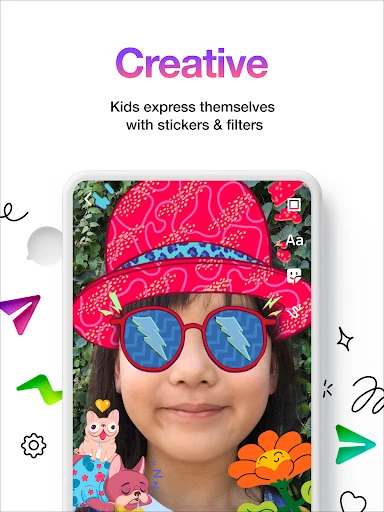
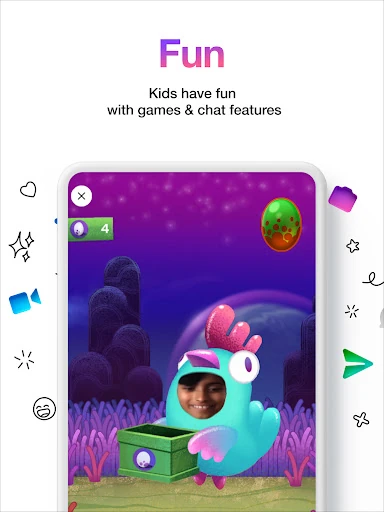
The experience also has room for a bit of play. Reactions, sound effects, and kid-friendly filters can make a video chat less formal, while emojis and stickers add personality to messages. These are small touches, but they give children more ways to express themselves than plain text alone. For a family check-in, that can help a conversation feel more inviting without changing its basic purpose.
Creative ways to say hello
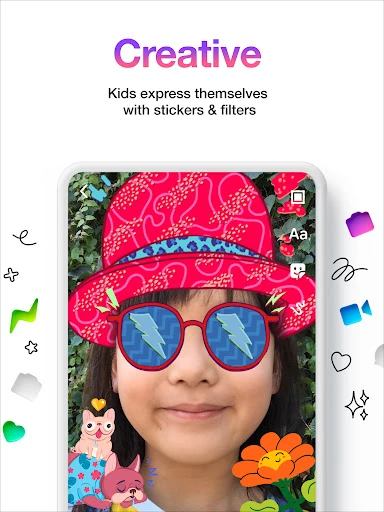
Messenger Kids includes stickers, GIFs, emojis, and drawing tools for conversations. I can see drawing being a particularly nice option when a child wants to send something personal rather than type a full message. These features are not the reason every family will choose the app, but they give a young user a few different ways to communicate and keep a conversation lively.
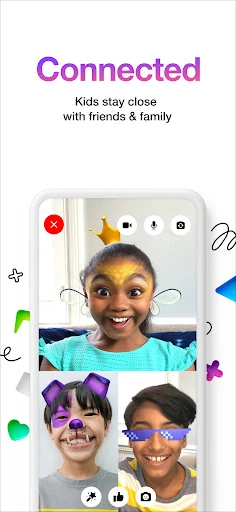
Video calls get their own playful touches, including filters, reactions, and sound effects. The app’s description presents these as kid-friendly additions to calls with friends and family. I’d think of them as seasoning, not the main course: the core value remains messaging and calling a parent-managed group of contacts. The creative options may make children more eager to use it, but they do not replace a parent’s role in managing contacts.
A routine that stays manageable
One practical way to use the app is to keep it tied to regular family moments. A child might send a relative a short message after school, then make a video call when both have more time. Parents can manage the contacts and monitor messages, while children can choose whether a quick note or a call fits. That simple rhythm gives the app a clear place in the day instead of making it an always-on distraction.
Bedtime is another good point to set expectations. Messenger Kids lets parents set usage limits for bedtime, which can support a household rule about winding down without requiring a child to remember the boundary alone. I’d pair that setting with a plain conversation about when messaging is welcome. A technical limit works best when the child also understands the family’s routine and knows what to expect.
Limits to keep in mind
The parent dashboard is a meaningful part of the product, but it also means Messenger Kids is not designed as a private messaging space separate from a parent. Parents can manage contacts and monitor messages, and they are notified when a child blocks a contact. Families should be comfortable with that arrangement and explain it clearly to the child before making the app a regular way to communicate.
The app’s focus is intentionally specific: children messaging and video calling family and close friends. That may not suit a family looking for a general social platform or a wider set of communication features. The supplied details also do not give a minimum Android version, so device compatibility is something to check in Google Play. Overall, it works best when its narrower purpose matches what the family actually needs.
Messenger Kids makes a clear case for itself: child-focused messaging and video calls, parent-managed contacts, and playful tools for conversations. I appreciate that bedtime limits and message monitoring are part of the picture, while the lack of ads and in-app purchases keeps the cost straightforward.
I’d recommend giving it a look if your family wants a managed way for a child to stay in touch with relatives and close friends. It is less compelling if you want an adult-style chat app or prefer messaging without parental oversight. The right fit depends on whether its family-centered approach suits your household.
Messenger Kids Frequently Asked Questions
What is Messenger Kids – The Messaging used for?
Messenger Kids is for children to message and video call family and close friends. Parents can manage the child’s contact list and monitor messages through the Parent Dashboard. Kids can also use stickers, GIFs, emojis, drawing tools, and playful effects during calls. The app does not require a phone number.
Which devices can run Messenger Kids – The Messaging?
Messenger Kids is an Android app available through Google Play. The supplied details do not specify the minimum Android version, so check the app’s Google Play page for compatibility with your particular phone or tablet. Requirements can vary by device and may change over time.
Does Messenger Kids – The Messaging cost anything?
Messenger Kids is free, and the supplied details say it has no in-app purchases and no ads. Store details can change, so it is worth checking Google Play for the current information before installing. The app’s free status does not change its parent-managed approach to contacts and messages.
Can parents manage Messenger Kids – The Messaging?
Yes. Parents can manage a child’s contact list and monitor messages through the Parent Dashboard. They receive a notification if the child blocks a contact, and they can set usage limits for bedtime. Families should be comfortable discussing that level of parent involvement as part of using the app.
Who is Messenger Kids – The Messaging best suited to?
It may suit families who want a child to message or video call a parent-managed group of relatives and close friends. The creative chat options can make those conversations more playful. It may not suit people seeking a general-purpose adult messenger or families who do not want parents involved in managing contacts and monitoring messages.
Pros
- Parents can manage contacts and monitor messages through the Parent Dashboard.
- Children can message and video call family and close friends.
- Creative tools include stickers, GIFs, emojis, and drawing features.
- Free to use, with no ads or in-app purchases.
Cons
- The parent-managed approach may not suit families seeking more child privacy.
- Its child-and-family focus is narrower than a general-purpose messaging app.
- Android compatibility should be checked for older phones and tablets.
- Category
- Communication
- Version
- 326.0.0.48.165