Marcus by Goldman Sachs®
- 22.35K
- 4.9
- Installs
- 1.00M
- Price
- Free

Screenshots

Analysis by Reviewed APKs
Marcus by Goldman Sachs® is a savings-focused finance app for people who want to open and manage eligible savings accounts or certificates of deposit from a phone. I found its appeal in the practical basics: checking balances, arranging transfers, comparing current rates and estimating possible growth. It feels suited to straightforward saving rather than all-purpose banking, and the calculators add a useful planning tool without making the app feel like a budgeting system.
A savings check-in
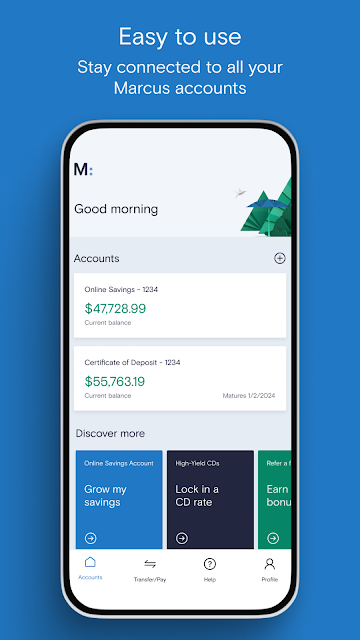
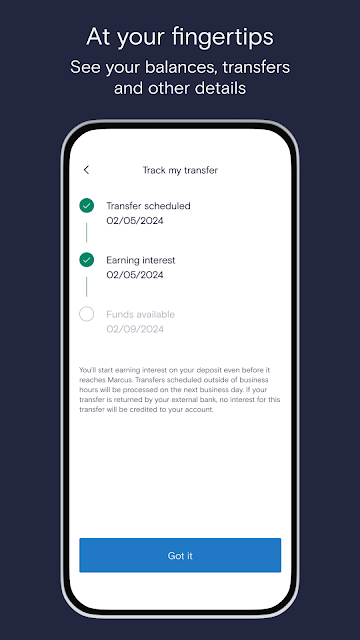
Picture a familiar moment: I have a few minutes between errands and want to see whether my savings have moved, or whether a scheduled transfer is coming up. Marcus is built for that kind of quick check-in. The app lets me view account balances, manage accounts and schedule transfers, so I can handle basic savings tasks without waiting until I am back at a computer.
When I first considered the everyday flow, the useful detail was that the app also lets me check current rates and use calculators to estimate growth. That makes it easier to connect a small action, such as adding funds, with a longer-term goal. The calculator is an estimate, not a promise about future returns, but it gives a savings plan a more tangible shape.
Focused, not all-purpose
Marcus is best understood as a companion for its savings products, including an Online Savings Account and several kinds of CDs. That focus makes it different from a broad personal-finance app whose main job is to pull together spending, budgets and accounts from multiple providers. I would open Marcus to manage savings and review rates, rather than expecting it to map every part of my household finances.
It is also not a general-purpose spending account in the material provided. The app description centers on growing and managing savings, opening accounts, adding funds, transfers and calculators. That makes the product easier to assess: it is for people considering these deposit products, not someone looking for an all-in-one view of bills, daily purchases and investments. For a savings task, the narrower scope can be a plus.
Small saving routines
I would get the most from Marcus by making a short regular check-in part of my routine. I could look at my balance, review the current rate and see whether a planned transfer still fits my goal. Keeping those actions together helps me avoid treating a savings account as something I open once and then forget about. The app supports account management and scheduled transfers, which suit that steady approach.
The calculators are another reason to return before making a decision. I can use one to explore how a savings amount might grow over time, then compare that estimate with my own target. I would keep the exercise simple and revisit it when circumstances change, rather than treating a calculator result as a forecast. It is a small planning habit, but one that can make a long-term goal feel easier to track.
More From Our News Desk

Zoom Meetings, Google Meet, or Teams: Which Is Easiest to Join?

How I Build a Free Streaming Lineup With Tubi

Why Crunchyroll Is the Default Anime App for So Many Fans

YouTube TV: A Practical Guide to Cutting Cable

Rummikub and the Small Comfort of Phone Games

TeamViewer Remote Control or AnyDesk for Helping Family?
Who may find it useful
I would recommend Marcus to someone who wants a mobile way to open or manage the savings products it offers, check balances and arrange transfers. It seems especially relevant to a saver who likes seeing current rates and using a calculator to think through a goal. The Online Savings Account has no minimum deposit to open, according to the app description, which may make it worth considering for people starting with a modest amount.
It may not suit someone seeking one app for daily spending, budgeting or a broad financial dashboard. The described experience is centered on savings and CDs, so the fit depends on wanting those products rather than a wider set of money tools. I would also approach its growth calculators as planning aids, not assurances about what an account will earn. Anyone comparing options should review the account terms and rates before deciding.
Marcus by Goldman Sachs® is developed by Goldman Sachs and is listed as a finance app. Google Play shows over one million installs and a 4.9-star rating from about 22,000 ratings. The app is free to download, with no in-app purchases or ads indicated in the supplied facts. Its content rating is Everyone.
The supplied app facts give version 2.26.0, a release date of March 26, 2020, and a last update date of October 2, 2026. No minimum Android version is provided in those facts, so it is sensible to check the Google Play page for device compatibility before installing. The app description identifies the deposit products as provided by Goldman Sachs Bank USA, Salt Lake City Branch, Member FDIC.
A closer look at savings on mobile
A clear first impression
When I first opened Marcus, I would want to know quickly whether it is meant for everyday banking or a narrower savings job. The emphasis on savings accounts, CDs, balances, transfers and rates answers that question plainly. Rather than suggesting that it covers every financial task, the app presents a defined set of products and tools for people looking to grow or manage savings.
The setup proposition is straightforward on paper: open accounts and add funds in a few taps. The Online Savings Account also has no minimum deposit to open, as described by the app. That is a practical detail for someone who wants to begin without first building up a particular opening balance. I would still read the product details before opening an account, since the app’s broad savings focus does not replace comparing terms.
The everyday account view
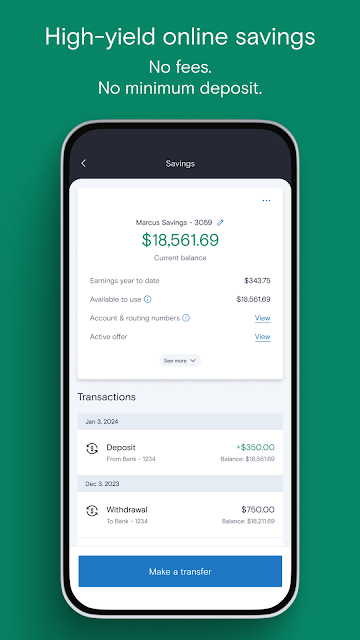
Day to day, the core value is having account management close at hand. I can check balances, manage accounts and schedule transfers from the app, which are the kinds of tasks I might otherwise postpone until I have more time. That simple convenience matters most when a savings habit depends on remembering to check in occasionally, rather than constantly monitoring an account.
I also like that checking current rates is part of the described experience. Rates are relevant when comparing savings options, and having them available alongside account tools makes the app feel more useful than a balance-only companion. I would treat that as a prompt to review the product, not a reason to make a decision on the spot. A quick glance is helpful; the details still matter.
Tools for planning ahead
The standout extras are the growth calculators and the range of deposit products. Marcus describes Online Savings Accounts, High-Yield CDs, No-Penalty CDs and Rate Bump CDs, giving users several savings formats to explore. The available choices are more specific than a single generic savings balance, so it is worth understanding how each product fits a particular goal before opening one.
A calculator can help me turn an abstract target into a rough timeline or estimate. I find that useful for a planned expense or a general savings goal, provided I remember that the result is an illustration. The app does not need to become a full financial planner to offer value here. Checking rates and exploring possible growth are modest tools, but they support more deliberate saving.
A steady savings routine
A practical routine could start with a quick balance check at a regular point in the week or month. I would review any scheduled transfer, make sure the account still fits the goal I had in mind, and check the current rate if I am comparing options. That sequence keeps the app tied to decisions I actually need to make instead of turning a savings account into another source of constant notifications or distractions.
For a longer-term goal, I would use a calculator when setting the target and revisit the estimate occasionally. If I am considering one of the CD options, I would use the app to review what is available and then read the product information carefully. This is a calm, low-effort way to keep saving visible. It suits people who prefer a simple periodic check-in over detailed day-by-day tracking.
Keep the scope in mind
The main limitation is also the app’s defining choice: Marcus is about savings products, not every part of personal finance. I would not pick it expecting expense categorization, spending reports or a complete budget, because those are not among the described features. Someone who wants one place to monitor daily purchases and savings may need a different kind of tool alongside it.
Another sensible limit is to avoid reading too much into a calculator estimate or a current rate viewed in isolation. Rates and product terms can change, and a projection is only a way to explore a scenario. I would check the latest account information before acting. The app can make savings easier to manage, but it does not remove the need to decide whether a particular product suits my needs.
Marcus by Goldman Sachs® makes the strongest case as a focused mobile home for savings accounts and CDs. Balance checks, transfers, rate information and calculators cover useful parts of a saver’s routine without pretending to be a complete money-management suite. I like that the described tools support both quick account tasks and a little forward planning.
I would try it if I were specifically interested in the savings products it offers and wanted to manage them from my phone. I would look elsewhere, or pair it with another tool, if budgeting and everyday spending are my priority. As with any savings decision, I would review current rates and terms before opening an account.
Marcus by Goldman Sachs Frequently Asked Questions
What is Marcus by Goldman Sachs® used for?
Marcus by Goldman Sachs® is used to open and manage savings products, check account balances and current rates, add funds, schedule transfers and estimate growth with calculators. The described products include an Online Savings Account and several CD types. Its focus is saving rather than a full set of spending or budgeting tools.
Which phones and platforms support Marcus by Goldman Sachs®?
The supplied store facts describe Marcus as an Android app available through Google Play. Device compatibility can depend on the phone and its software, so check the Google Play page for current requirements before installing. The app description focuses on managing savings accounts and deposit products on a mobile device.
What Android version does Marcus by Goldman Sachs® require?
The minimum Android version is not included in the supplied app facts. Requirements can vary as the app is updated and across devices, so the Google Play page is the best place to check whether your phone is currently compatible before downloading Marcus.
Does Marcus by Goldman Sachs® cost money?
The app is free to download, and the supplied facts indicate no in-app purchases or advertising. That describes the app itself; it does not answer every question about account terms or product conditions. Review the current information for the savings account or CD you are considering in the app or Google Play.
Is Marcus by Goldman Sachs® a good fit for me?
It may suit you if you want to manage savings products, check rates and balances, schedule transfers or use a calculator to explore a goal. It may be less suitable if you want budgeting, spending tracking or an all-in-one financial dashboard. The app’s described tools are centered on savings and CDs.
Pros
- Combines balance checks, account management and scheduled transfers in a savings-focused app.
- Lets users check current rates and estimate possible growth with calculators.
- Offers several savings and CD product types to explore.
- No minimum deposit is required to open the described Online Savings Account.
Cons
- Its described tools focus on savings rather than budgeting or everyday spending.
- Calculator results are estimates and should not be treated as promises.
- The minimum Android requirement is worth checking on Google Play.
- Category
- Finance
- Version
- 2.26.0











