Kajabi Creator
- 23
- 3.9
- Installs
- 10.00K
- Price
- Free

Screenshots
Analysis by Reviewed APKs
Kajabi Creator is a mobile companion for people who run an online business through Kajabi. It puts business stats, notifications, and contact management on a phone, so I can check activity or make a small customer update without sitting at my computer. My overall take is that it is a useful on-the-go dashboard for existing Kajabi users, rather than a standalone tool for building or running every part of a business.
A quick check between errands
When I imagine using Kajabi Creator during an ordinary workday, the appeal is clear: I can be away from my desk and still check whether sales, sign-ups, or registrations have come in. A notification about a transaction gives me a reason to open the app, while the at-a-glance stats help me get a quick sense of activity. It suits those short gaps in a day when I want an update, not a full work session.
The contact tools make that check-in more useful than simply glancing at numbers. If I need to organize a customer or lead, the app lets me view or edit a contact, add a note, create a tag, and grant or revoke an offer. I like that these are practical follow-ups rather than just read-only information. A few taps can handle a small task before I move on with my day.
A companion, not a replacement
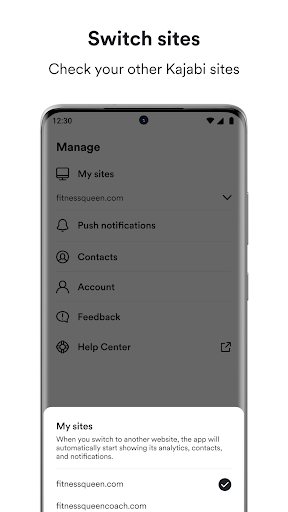
Compared with checking a business from a computer, Kajabi Creator is built around mobile access to selected updates and contact tasks. I would reach for it when I want to see net revenue, opt-ins, page views, or notifications about sales and subscriptions. It also makes sense if I manage more than one Kajabi site, since I can switch between businesses and view their analytics, contacts, and notifications.
I would not treat it as a general-purpose business app or assume it replaces every desktop workflow. Its described focus is monitoring business activity and managing contacts while away from a computer. If I want to do a longer, more involved work session, I would still plan around the broader Kajabi business experience rather than expect this mobile companion to cover every task.
Small habits that help
I would make notifications work for me by treating them as prompts to check in, rather than reasons to keep the app open all day. A quick glance at transaction, sign-up, or registration updates can help me spot activity, then I can decide whether a contact needs attention. That keeps the phone workflow focused and makes the app feel like a useful companion instead of another endless feed.
For contact work, I would add a short note while the context is fresh, then use a custom tag when it helps keep people organized. I would also double-check which Kajabi site is selected before reviewing figures or changing a contact's offer. Those small habits are especially useful if I switch between businesses, since they reduce the chance of mixing up a routine check or follow-up.
More From Our News Desk

Zoom Meetings, Google Meet, or Teams: Which Is Easiest to Join?

How I Build a Free Streaming Lineup With Tubi

Why Crunchyroll Is the Default Anime App for So Many Fans

YouTube TV: A Practical Guide to Cutting Cable

Rummikub and the Small Comfort of Phone Games

TeamViewer Remote Control or AnyDesk for Helping Family?
Who will get the most from it
I would recommend Kajabi Creator to someone who already runs a Kajabi business and wants a convenient way to keep an eye on activity from a phone. It is a particularly natural fit for creators who need occasional visibility into revenue, page views, opt-ins, or customer and lead records while away from their computer. The ability to switch between Kajabi sites adds practical value for people managing more than one business.
It may be less useful for someone who does not use Kajabi, or for anyone looking for a broad mobile platform to build and manage every part of an online business. The app's described strengths are updates, analytics, notifications, and contact tasks. If those are not the things I need to handle on the go, a dedicated mobile companion may not change my routine much.
Kajabi Creator is a business app from Kajabi. On Google Play it has over 10,000 installs and a 3.9-star rating from 23 ratings. The app is free, with no in-app purchases or ads. Its content rating is Everyone, making the store's audience classification straightforward for a general business tool.
The current version shown is 1.5.1. It was released on October 6, 2022, and its most recent update is dated September 24, 2026. The available app details do not give a minimum Android version, so anyone checking device compatibility should refer to the Google Play listing for the requirements that apply to their phone.
A Useful Window Into Kajabi
A focused first impression
When I first opened the idea of Kajabi Creator, what stood out was its narrow, practical job: keep a Kajabi business within reach when I am not at a computer. The description centers on updates, contacts, and notifications rather than a sprawling collection of unrelated tools. That focus makes the app easier to understand. I know it is meant to help me stay informed and take care of smaller business tasks.
The setup expectations are also simple in concept: this is for people with a Kajabi business to manage, not a standalone service that becomes useful on its own. If I already use Kajabi, switching to a phone check-in feels like a natural extension of that routine. If I do not, the app's main purpose may be hard to appreciate, since its stats and contacts relate to a Kajabi business.
The day-to-day check-in
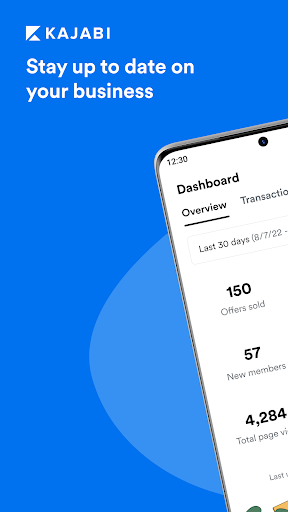
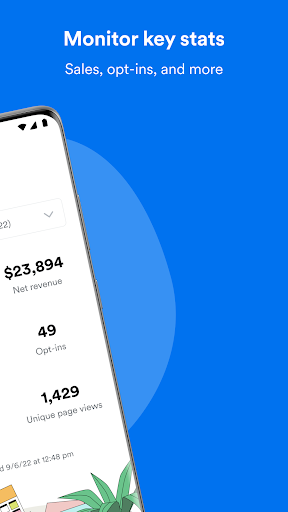
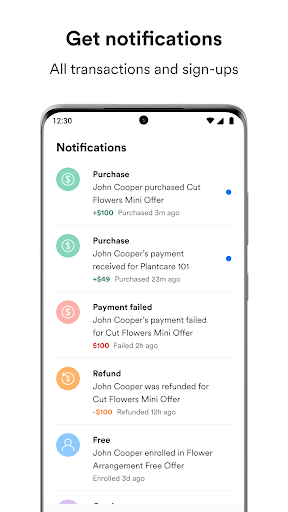
The core experience is about getting a quick read on what is happening. I can monitor net revenue, opt-ins, page views, and other key stats, then use notifications to learn about transactions, sales, subscriptions, email sign-ups, and registrations. Those details turn a spare minute into a useful status check. Instead of waiting until I get back to a computer, I can stay aware of business activity as it happens.
I would still keep expectations realistic: a glance at numbers is not the same as sitting down to study the business. The app is most helpful when I want a timely snapshot or need to follow up on a specific contact. That division works well for mobile use. I can stay informed without asking a phone screen to replace a longer, more deliberate session.
Contact tools with purpose
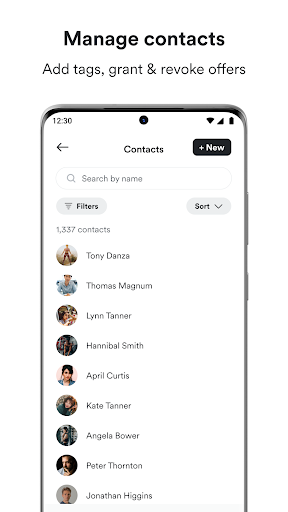
Contact management is the feature that makes Kajabi Creator feel more hands-on than a dashboard alone. I can view, add, manage, tag, and edit contacts, as well as add notes. When a customer or lead needs a bit of context attached to their record, I can keep that information organized while it is fresh instead of telling myself to remember it later.
The ability to grant or revoke an offer from a contact is another specific on-the-go action. I would use it thoughtfully, taking care to confirm the right person and the right Kajabi site before making a change. The app also supports switching between Kajabi sites, so the same mobile routine can cover the analytics, contacts, and notifications associated with another business I manage.
A practical daily routine
A routine I can see working is a short morning check, followed by a glance when a relevant notification arrives. I would review the latest business activity, note anything that needs attention, and then open a contact record only when I have a concrete follow-up to make. This avoids turning routine monitoring into a series of unnecessary phone checks.
If I manage multiple Kajabi sites, I would make site selection part of that routine. I can switch between businesses, but I would want to pause long enough to ensure I am looking at the correct analytics or contact list before acting. At the end of a small task, I would add a note or tag when it helps keep the record useful for the next time I check in.
Keep the mobile role in view
The main limitation is also the app's clearest boundary: Kajabi Creator is presented as a way to monitor activity and manage contacts while on the go. I would not assume that it offers every capability I might use during a full workday at a computer. For detailed work, I would keep the broader business workflow in mind and use the mobile app for the quick checks and contact actions it describes.
Its usefulness also depends on already having a Kajabi business and wanting mobile access to its information. A person who has no need to review business stats or manage leads from a phone may find little reason to build a habit around it. The app makes most sense when quick updates and small contact tasks genuinely fit into the way I work.
Kajabi Creator has a clear purpose: it lets Kajabi business owners check key activity, receive notifications, and handle contact management away from a computer. I like the balance between quick visibility and a handful of useful follow-up actions, especially the ability to add notes or tags and switch between sites.
I would recommend it to existing Kajabi users who want a mobile check-in and occasional contact tools. I would not choose it as a general business platform or expect it to replace every desktop task. If staying aware of sales and customer activity while out and about matters to my routine, it is worth a look.
Kajabi Frequently Asked Questions
What is Kajabi Creator used for?
Kajabi Creator helps people manage a Kajabi business while away from a computer. It provides updates on business stats, notifications about activity such as sales and sign-ups, and contact management. Users can view or edit contacts, add notes and tags, grant or revoke offers, and switch between Kajabi sites.
Which phones or platforms support Kajabi Creator?
Kajabi Creator is listed as an Android app on Google Play. The available details do not specify a minimum Android version, so I would check the Google Play listing to see which requirements apply to a particular device. Its described use is mobile access to Kajabi business information and contacts.
Does Kajabi Creator cost money?
The Google Play details show Kajabi Creator as free, with no in-app purchases and no ads. Store information and availability can change, so it is sensible to check the current Google Play listing before installing if cost is an important consideration.
Does Kajabi Creator replace the full Kajabi experience?
The app is described as a mobile way to monitor stats, receive notifications, and manage contacts while on the go. I would treat it as a companion for those tasks rather than assume it replaces every part of working with a Kajabi business. The particular tasks available can be checked in the current store information.
Who is Kajabi Creator best suited to?
It is best suited to people who already run a Kajabi business and want to check activity or handle contact tasks from a phone. It may be less useful to someone who does not use Kajabi or rarely needs mobile access to business stats and contacts. The app's listed content rating is Everyone.
Pros
- Quick access to revenue, opt-ins, page views, and other business stats.
- Notifications cover transactions, sales, subscriptions, sign-ups, and registrations.
- Contact tools include notes, custom tags, editing, and offer controls.
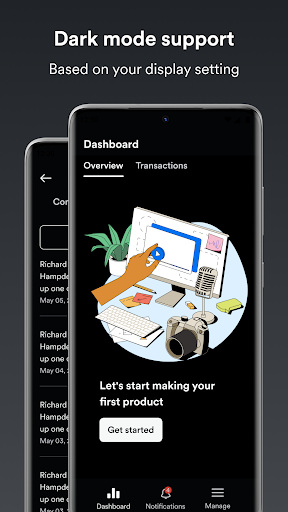
- Switch between Kajabi sites and use dark mode through phone display settings.
Cons
- Its main benefits depend on already running a Kajabi business.
- The mobile focus is monitoring and contact tasks, not every business workflow.
- A minimum Android version is not shown in the available app details.
- Category
- Business
- Version
- 1.5.1