hoopla Digital
Listed on Google Play as “Hoopla: Your Library, Anywhere”
- 220.07K
- 4.7
- Installs
- 5.00M
- Price
- Free
Screenshots
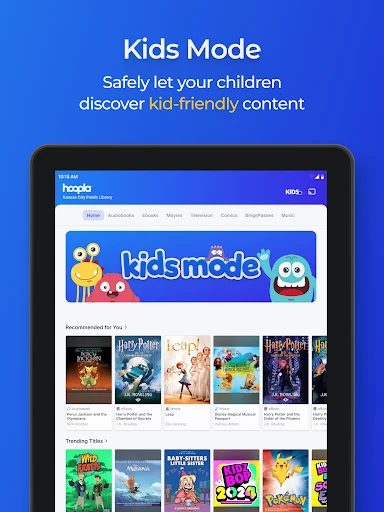
Analysis by Reviewed APKs
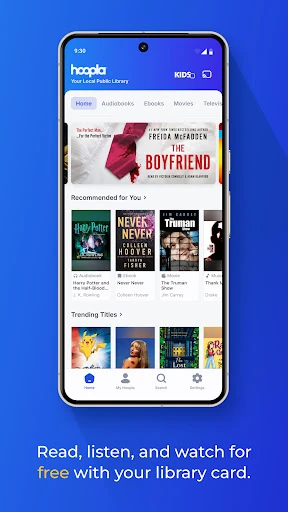
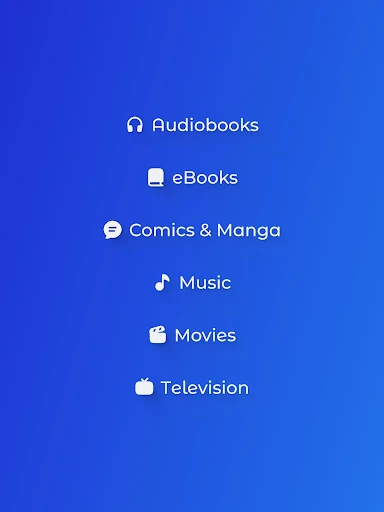
Hoopla: Your Library, Anywhere turns a participating public library card into access to digital books, comics, audiobooks, music, movies, and TV shows. I like the idea of keeping several kinds of library borrowing in one place, especially for people who read on the go or share media at home. It is free to use with an eligible card, though what you can borrow depends on your library.
A library for the commute
On a busy morning, I can see Hoopla fitting neatly into the few minutes between getting ready and heading out. I could borrow an audiobook for the drive, download it before leaving, and listen without relying on a steady connection. If I switch from driving to reading later, the same app also offers eBooks and comics. The appeal is practical: one library account can supply different kinds of entertainment for different parts of the day.
The routine starts with finding a participating public library and signing in with its library card. After that, most titles are available to borrow right away, rather than requiring a waitlist. That changes the feel of borrowing when I want something for tonight or tomorrow's trip. I would still check what my library offers first, since its available titles and monthly borrowing limits shape how useful Hoopla will be.
More than a reading app
Hoopla makes most sense beside a physical library, not as a replacement for it. It brings digital borrowing together across books, comics, audiobooks, music, movies, and television, so I can use one library card for more than reading. Compared with a single-purpose reading or video app, its range is the main distinction. Borrowed titles are licensed and can change, so I would treat the catalog as a library collection, not a permanent personal library.
It is also not a general-purpose streaming subscription that works independently of a library. A card from a participating public library is required, and the library sets the available selection and borrowing limits. That makes Hoopla a poor fit for someone who wants a specific service catalog without checking eligibility, or who expects every title to be available everywhere. For library members who like variety, though, it can complement other apps without adding a subscription bill.
Small habits that help
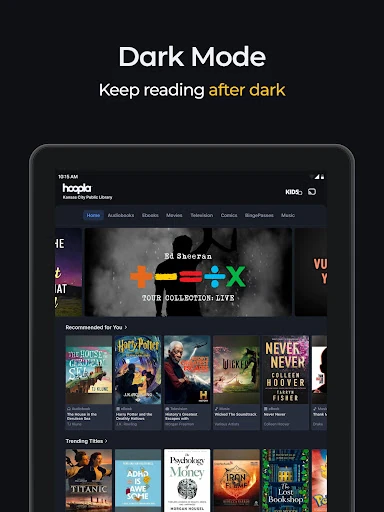
I would make a quick catalog check part of planning a trip or a quiet weekend. If a title is available to borrow, downloading music or an audiobook before leaving helps when Wi-Fi is unavailable. For reading at night, dark mode is a useful option, while the sleep timer can stop an audiobook after I have settled in. These are small conveniences, but they make the app easier to fit around existing routines.
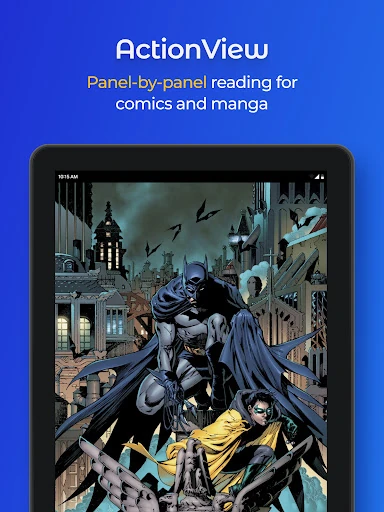
It also helps to think about borrowing limits before spending a monthly allowance on impulse. I would save a few likely picks, then borrow the one I am ready to read, watch, or hear. Since titles return automatically, there is no need to remember a due date or worry about late fees. For comics and manga, I would try the panel-by-panel ActionView and right-to-left manga reading options when they suit the title.
More From Our News Desk

Zoom Meetings, Google Meet, or Teams: Which Is Easiest to Join?

How I Build a Free Streaming Lineup With Tubi

Why Crunchyroll Is the Default Anime App for So Many Fans

YouTube TV: A Practical Guide to Cutting Cable

Rummikub and the Small Comfort of Phone Games

TeamViewer Remote Control or AnyDesk for Helping Family?
Who will get the most from it
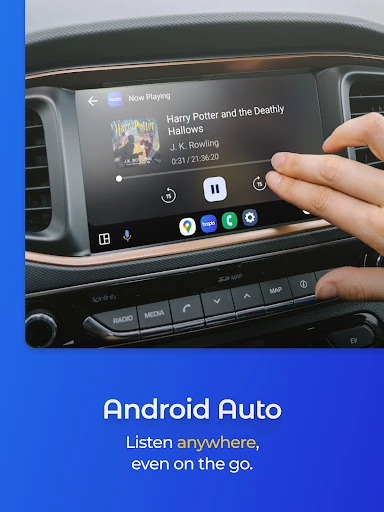
I would recommend Hoopla to people who already have a card from a participating library and enjoy borrowing different kinds of media. It is especially appealing if your routine mixes an audiobook commute, some evening reading, and an occasional movie at home. Families may also appreciate having books, kids' shows, and other entertainment under the same library access, while Android Auto support makes listening in the car more convenient.
It may be less satisfying for someone whose local library does not participate, or for a borrower who needs a particular title to be available in every format. The catalog and monthly limits depend on the library, and licensed titles can change. I would also look elsewhere if I wanted to own a permanent digital collection or subscribe to a service with a consistent, independently managed catalog.
Hoopla: Your Library, Anywhere is developed by Midwest Tape LLC and is listed in Books & Reference. It is free to download and use with a card from a participating public library. Google Play reports more than 5 million installs and a 4.7-star rating from about 220,000 ratings. The app contains no ads and offers no in-app purchases.
Google Play gives the app a Teen content rating. Its version is listed as varying by device, and the release date shown is May 25, 2013. The store records October 21, 2026, as the last update. A participating library's selection and monthly borrowing limits affect the experience, so the library card is an essential part of using the service.
How Hoopla Fits Into Everyday Borrowing
Getting started
My first impression is that Hoopla's biggest hurdle is not the range of media; it is whether my library participates. The setup described is straightforward: find the library, sign in with a library card, and start borrowing. That is a familiar public-library model, translated to a phone. Before settling in, I would confirm the library connection and browse its available collection so I know what the account can actually provide.
Once signed in, the app can serve several different moods without sending me to separate services. A novel for a quiet evening, a comic for a short break, or a film for the weekend all belong to the same broad borrowing experience. I like that breadth, but it also means the collection is best explored with a little curiosity rather than expecting every category to be equally deep.
The everyday experience
Day to day, Hoopla is most useful when I know what kind of media suits the moment. An audiobook can accompany a commute or workout; an eBook works for a quieter stretch; a movie or TV episode can fill an evening. Most titles are ready to borrow without a waitlist, which is a welcome difference when I want to start something promptly rather than add it to a queue.
Offline listening makes planning worthwhile. I would download an audiobook or music before leaving home, then use the built-in player while away from Wi-Fi. If I listen at bedtime, the sleep timer can pause a story on its own. These features are modest, but they address real situations instead of asking me to change how I already use audio.
Features with a library twist
The reading options go beyond plain eBooks. Hoopla includes comics, graphic novels, and manga, with ActionView presenting comics panel by panel and an option to read manga from right to left. Dark mode is another thoughtful touch for late-night reading. Those details give the reading side a distinct library flavor rather than making it feel like a basic file viewer.
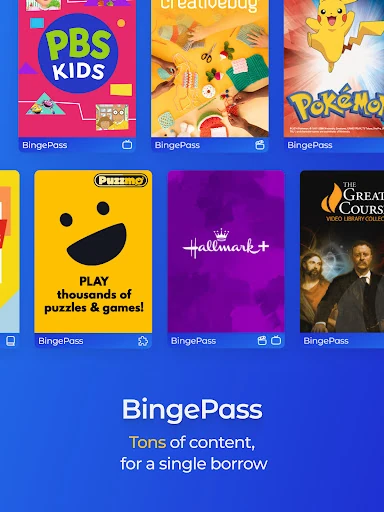
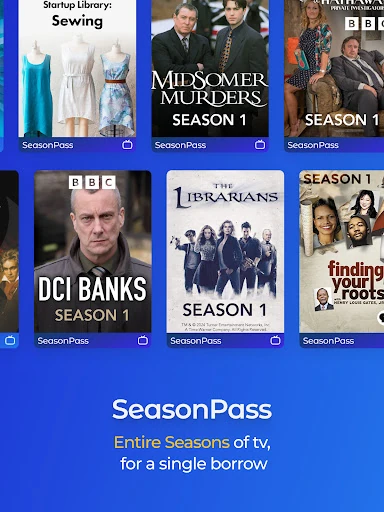
For video, Hoopla offers movies and TV shows, plus BingePass and SeasonPass borrowing that opens collections from partners such as PBS Kids, BBC, and Hallmark+. The app also supports watching on a phone, tablet, or TV. On the audio side, Android Auto support is useful for road listening, and borrowed albums and soundtracks can be shuffled into a personal mix.
A practical weekly routine
A routine I would use is to browse once before the week gets busy. I could choose an audiobook for errands, download it for offline listening, and borrow an eBook for the moments when I have time to sit down. If a family movie night is coming up, I could check the movie and TV selection with the same library card rather than managing another subscription.
I would keep the library's monthly borrowing limit in mind as I make those choices. Since borrowed titles return automatically, there is less housekeeping than with items that require a manual return. But automatic returns also mean I should be realistic about what I can finish. Borrow when I am ready, and use the available catalog as a changing selection rather than a shelf of titles I control.
Limits to keep in mind
The most important limitation is eligibility: Hoopla requires a card from a participating public library. Even with a card, the available titles and monthly borrowing limits vary by library. That means two people can have different experiences with the same app. I would check my own library's participation and catalog before counting on Hoopla for a particular book, show, or audiobook.
The catalog can change because titles are licensed rather than owned by users. A borrowed title may not remain available indefinitely, much like media services with changing selections. Hoopla is also not a substitute for every paid streaming or reading service; it is a library-borrowing option with the choices and limits attached to that model. Those boundaries are manageable when expectations are clear.
Hoopla brings a notably broad set of library media into one app, and the no-wait borrowing, offline listening, and automatic returns make it easy to imagine using in everyday life. I especially like its flexibility: a library card can support reading, listening, and watching rather than just one kind of downtime.
I recommend trying it if your public library participates and you enjoy borrowing digital media. Check the local catalog and limits before making it part of a routine, since those determine how much value you get. If you want permanent ownership or a fixed subscription catalog, Hoopla is probably not the right fit.
hoopla Frequently Asked Questions
What is Hoopla: Your Library, Anywhere used for?
Hoopla lets people with a card from a participating public library borrow digital audiobooks, eBooks, comics, manga, music, movies, and TV shows. Titles can be read, listened to, or watched in the app, and some audio can be downloaded for offline use. What is available depends on the library connected to the account.
Which devices can I use Hoopla on?
Hoopla is an Android app for phones and tablets, and it supports Android Auto for listening in the car. Its description also says video can be watched on a phone, tablet, or TV. The specific device experience may vary, so check the Google Play store details and your device's compatibility before installing.
What Android version does Hoopla require?
The Android requirement can vary with the device and current app release. Check the Google Play store page on the phone or tablet you plan to use for the latest compatibility information. Hoopla requires a participating public library card to borrow media, regardless of the device.
Does Hoopla cost money or have in-app purchases?
Hoopla is free to download and use with a card from a participating public library. Google Play reports no in-app purchases and no ads. Availability and monthly borrowing limits vary by library, so the amount of borrowing you can do depends on your library's rules and collection.
Is Hoopla a good fit for my family?
It may suit households that want library access to books, audiobooks, comics, movies, and TV in one app. The description includes picture books, kids' shows, and family movie options. Suitability depends on the participating library's available titles and borrowing limits, so checking the local collection is a sensible first step.
Pros
- Combines books, comics, audiobooks, music, movies, and TV with one library card.
- Most titles can be borrowed without waiting for a hold to become available.
- Offline audio downloads and a sleep timer support everyday listening routines.
- Automatic returns mean borrowers do not need to manage late fees.
Cons
- Requires a card from a participating public library to borrow media.
- Catalog selection and monthly borrowing limits vary by library.
- Licensed titles can change, so availability is not permanent.
- Category
- Books & Reference











