Frost Bank
- 16.02K
- 4.8
- Installs
- 500.00K
- Price
- Free

Screenshots
Analysis by Reviewed APKs
Frost Bank is a mobile banking app for customers who want to handle everyday account tasks from a phone, from checking transactions to depositing checks and paying bills. I like its practical mix of routine banking and access to a Frost banker, rather than a pile of unrelated financial tools. It suits people who already bank with Frost and want more flexibility between visits to a branch.
A banking day on the go
Imagine getting a paper check while you are away from home, then remembering that a bill is due that evening. Frost Bank brings those two chores into one place: you can deposit the check through the app and make a bill payment from your phone. The description says deposits made before 9 p.m. have next-business-day fund availability, which makes the timing useful to know when planning around an upcoming payment.
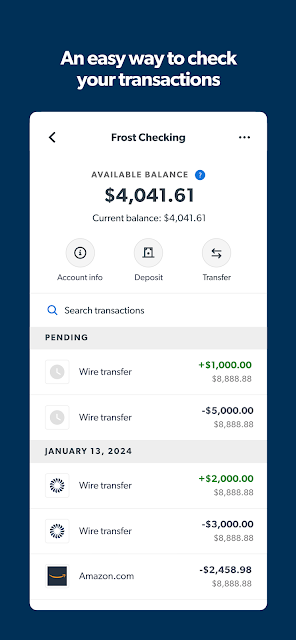
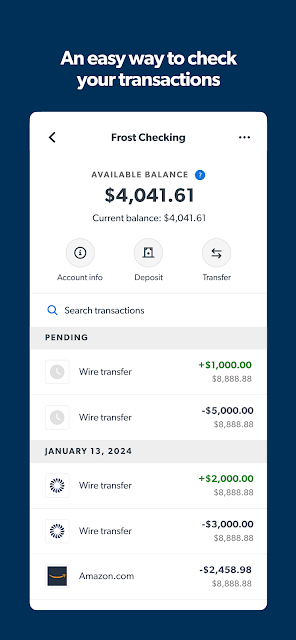
I also see the value in being able to review a running balance and search transactions before deciding whether a payment fits. If a charge needs context, you can add a memo to a transaction; if you need help, the app offers a way to talk directly to a Frost banker. That makes the app feel geared toward ordinary account maintenance, not just checking a number and leaving.
A bank app, not a budget coach
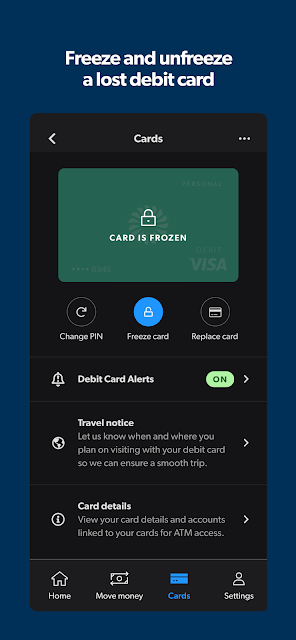
Frost Bank is most compelling when the task is tied to a Frost account: review activity, deposit a check, pay a bill, send money, or temporarily freeze a debit card. It also lets you link external accounts and connect with institutions and apps through Plaid. That combination can put several financial accounts within view, while keeping the central job focused on banking with Frost.
I would not treat it as a dedicated budgeting or financial-planning app. The supplied features cover balances, transaction searches, payments, transfers, and account connections, but do not describe budgeting tools or financial calculators. Nor is this a substitute for visiting a financial center when you need an in-person interaction. It is a handy mobile companion for customers, not a general-purpose money-management suite for everyone.
Small habits that help
A quick transaction check can be useful after a busy day of errands. Frost Bank lets you see running balances and search transactions, so you can review activity without waiting until you are at a computer. Adding a memo to a transaction can also make a purchase easier to recognize later. These are modest tools, but they are the kind that become more useful when they are part of a regular routine.
For people who connect outside accounts, it is worth revisiting the list of institutions and apps with access. Frost says users can view those Plaid connections and cancel access if they change their mind. I would also keep the temporary card-freeze option in mind as a practical response when a debit card is misplaced. These habits make the app more useful without requiring a complicated setup.
More From Our News Desk

Zoom Meetings, Google Meet, or Teams: Which Is Easiest to Join?

How I Build a Free Streaming Lineup With Tubi

Why Crunchyroll Is the Default Anime App for So Many Fans

YouTube TV: A Practical Guide to Cutting Cable

Rummikub and the Small Comfort of Phone Games

TeamViewer Remote Control or AnyDesk for Helping Family?
Who will get the most from it
I would recommend Frost Bank to existing Frost customers who want to handle common banking tasks away from a branch. Check deposits, bill payments, transfers, transaction searches, and account connections cover a useful spread of everyday needs. The option to contact a Frost banker also gives the app a human-help route when a self-service task is not enough.
It may be a poor fit for someone who does not bank with Frost or who mainly wants budgeting, investing, or financial-planning features. The listed tools are centered on account access and payments, rather than those broader goals. People who prefer in-person banking for most tasks may also use the app less often, though Frost provides ATM and financial-center locations within it.
Frost Bank is developed by Frost and is listed in the Finance category on Google Play. The app has more than 500,000 installs and a 4.8-star rating from about 16,000 ratings. It is free to download, with no in-app purchases or ads reported in the supplied app facts. Its content rating is Everyone.
The supplied app facts give version 5.94, a release date of September 12, 2013, and a last update date of October 28, 2026. They do not provide a minimum Android version, so check the Google Play page on your device for current compatibility details. The app description identifies Frost as an FDIC member.
Everyday Banking, Kept Within Reach
A straightforward first impression
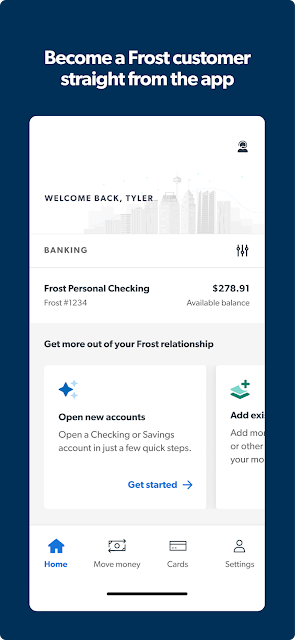
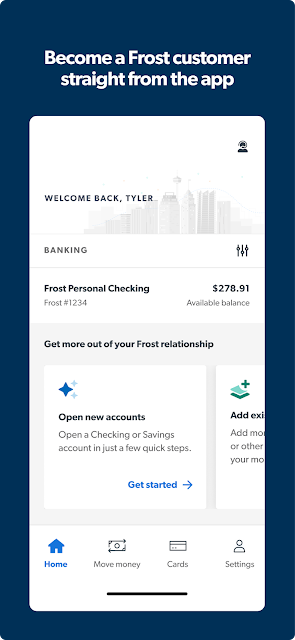
When I first considered what Frost Bank needs to do well, the answer was simple: make the routine tasks easy to reach. The app description puts account opening, check deposits, payments, and account review up front as reasons to use it. New customers can open and fund a checking account in the app, while existing customers have a mobile route for the banking chores that otherwise wait for a branch or computer.
The sign-in options are a four-digit PIN unique to the device or fingerprint login on phones running OS 6.0 and above. I appreciate that the app describes both a simple PIN option and a biometric one, without making the latter the only route. The available setup depends on the phone and operating system, so it is sensible to use the option that works comfortably on your device.
Useful through the week
Day to day, the app’s strongest appeal is having account information and common actions close together. You can view balances, inspect and search transactions, check upcoming payment and transfer activity, and make payments on the go. That is a practical set for a quick check during a lunch break or a payment before heading out, without suggesting that every banking task has to become a full sit-down session.
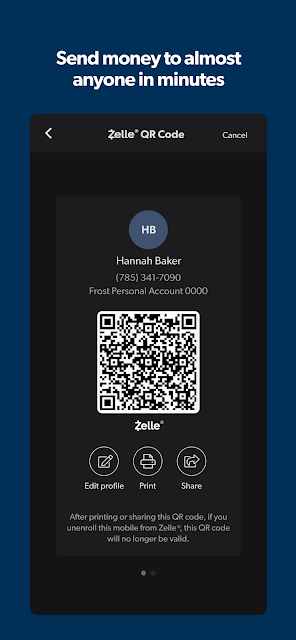
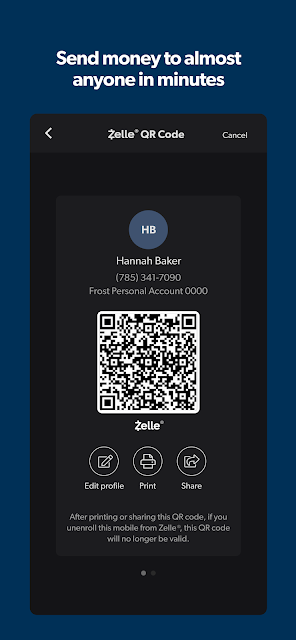
Sending money is another everyday convenience. The app says you can send money using someone’s mobile number or email, selecting them from your contacts rather than asking for account information. It supports sending money anywhere in the U.S., according to the description. As with any money movement, I would take a moment to confirm the recipient details before completing a transfer.
Connections and control
The Plaid connection features are among the more distinctive parts of Frost Bank. The app says users can securely connect a Frost account with more than 18,000 financial institutions and 4,500 apps on the Plaid network. It also provides a list of connected institutions and apps, with the ability to cancel access. That visibility is useful when you want a clearer picture of which services remain linked.
Linking accounts from other financial institutions gives the app a broader view of your finances in one place. I like that the description pairs linking with a way to manage existing connections, rather than presenting account aggregation as a one-way setup. Still, account linking is optional, and someone who only wants to check a Frost balance or deposit a check can focus on those simpler tasks.
A simple weekly routine
A workable routine might be to check the balance and recent transactions a few times during the week, then review upcoming payments when planning bills. If a paper check arrives, the deposit feature can save a trip, with the stated next-business-day availability applying to deposits made before 9 p.m. I would keep that cutoff in mind instead of assuming every deposit will be available immediately.
At the same time, you can use transaction memos to add context to purchases that might be hard to identify later. If you have connected outside accounts, periodically reviewing the access list can help you decide whether those connections are still useful. This is not a demanding system; it is a handful of small checks that can make everyday account management feel more orderly.
Keep expectations practical
The biggest limitation is also a matter of focus: Frost Bank is built around banking services, not an expansive set of personal finance tools. The supplied feature list does not describe budget categories, spending plans, or financial calculators. If those are the main reasons you are looking for an app, this one may leave you wanting a separate service. Its value is strongest for customers who need access to Frost banking tasks.
The app’s usefulness also depends on being a Frost customer for its central account features. Some conveniences, such as fingerprint login, depend on a compatible phone and operating system; the description specifies OS 6.0 and above for that option. For check deposits, the stated next-business-day availability has a before-9-p.m. condition. Keeping those practical boundaries in view makes the app easier to judge on its own terms.
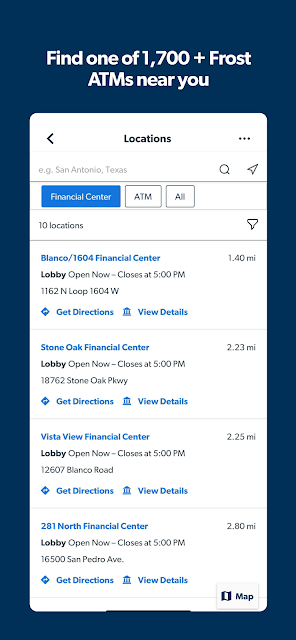
Frost Bank makes a sensible mobile companion for customers who want to check activity, deposit checks, pay bills, send money, and manage connected accounts without building a complicated workflow. The banker contact option and the ability to locate Frost ATMs and financial centers add useful support around those routine tasks.
I would recommend it to Frost customers who value practical banking access from a phone. If you want a dedicated budgeting or planning app, look elsewhere for those tools. For everyday account management, though, Frost Bank covers the essentials with a helpful range of payment, deposit, and account-control features.
Frost Bank Frequently Asked Questions
What is the Frost Bank app used for?
Frost Bank is a mobile banking app for managing Frost accounts. Its listed features include checking balances and transactions, depositing checks, paying bills, sending money, linking external accounts, and temporarily freezing a debit card. It also lets users locate Frost ATMs and financial centers and contact a Frost banker.
Which devices can run the Frost Bank app?
Frost Bank is available for Android through Google Play. The supplied facts do not give a minimum Android version, so check the Google Play page for the current requirement before installing. Fingerprint login is described for phones running OS 6.0 and above; other device and compatibility details may vary.
Does Frost Bank cost anything to use?
The app is free to download on Google Play, and the supplied app facts report no in-app purchases or ads. That describes the app itself, not every possible banking charge or account condition. Check Frost’s current information and the Google Play page for details that may vary.
Can I deposit checks with Frost Bank?
Yes. Frost Bank describes mobile check deposits, with next-business-day fund availability when a check is deposited before 9 p.m. The description also mentions a daily deposit limit but does not give its amount. Check the app or Frost’s current information for the applicable limit and deposit details.
Who is the Frost Bank app best suited to?
It is best suited to Frost customers who want to handle regular banking tasks from a phone, including transfers, bill payments, check deposits, and transaction review. People looking primarily for budgeting or financial-planning features may prefer another tool, since those features are not included in the supplied description.
Pros
- Covers useful everyday tasks, including check deposits, bill payments, transfers, and transaction searches.
- Lets users review and cancel Plaid connections to institutions and apps.
- Offers both a device-specific PIN and fingerprint login on supported phones.
- Includes banker contact and Frost ATM and financial-center locations.
Cons
- Its central account features are most useful to people who bank with Frost.
- The supplied feature list does not describe budgeting or financial-planning tools.
- Fingerprint login and check availability have specific device or timing conditions.
- Category
- Finance
- Version
- 5.94











