Fintwist
- 3.32K
- 3.2
- Installs
- 500.00K
- Price
- Free

Screenshots
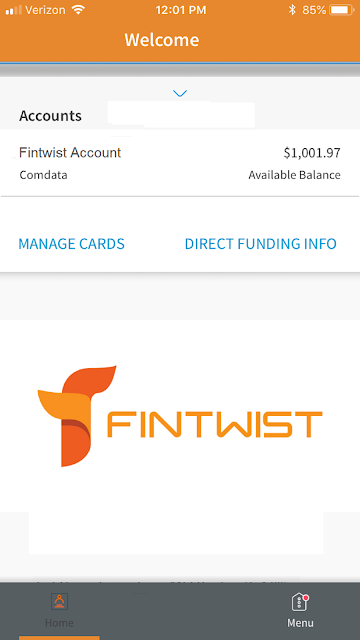
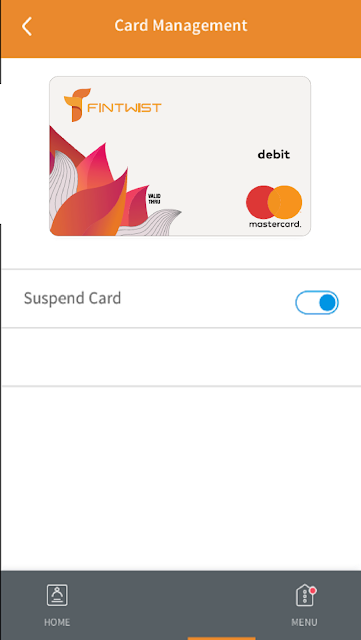
Analysis by Reviewed APKs
Fintwist is a mobile account companion for people whose employer has provided a Fintwist or Comdata Payroll Card. It focuses on a few practical jobs: checking a balance, reviewing transactions and keeping an eye on spending. I like that narrow purpose; it is easier to understand than a full budgeting suite. If you rely on one of these cards, Fintwist can make routine account checks more convenient, though it is not a general-purpose money manager.
A quick balance check
Picture the everyday question: how much is left on the payroll card before I decide what I can spend? Fintwist is built for that moment. I can use it to check the account balance on a phone or tablet, then review transactions when I want more context. That makes it useful between paydays or before a routine purchase, without needing to turn the check into a larger budgeting session.
The transaction view also gives a simple way to follow recent activity and track spending. When I want to remember whether a charge has already appeared, being able to review account transactions is more useful than relying on memory. The app's job is not to tell me what I should buy; it is to make the balance and recorded activity easier to keep in view.
A focused card companion
Fintwist makes the most sense beside a general budgeting app, not as a replacement for one. A budgeting tool may be designed to organize a broader financial picture, while Fintwist is specifically for people who have received a Fintwist or Comdata Payroll Card through an employer. Its advantage is that its core purpose is direct: check this account, review its transactions and follow spending tied to it.
That narrow focus also sets a boundary. I would not choose Fintwist expecting a complete household budget, savings goals, or a place to manage unrelated bank accounts. Those capabilities are not part of the described role. If your financial routine centers on this employer-provided card, the focused approach can be convenient; if you need an all-in-one finance hub, it may feel limited.
Make account checks a habit
A useful way to get more from Fintwist is to check the balance at moments when the information can help: before a purchase, after expecting activity on the account, or when planning everyday spending. I would keep the check brief and practical rather than treating the app as a reason to monitor money constantly. The value is in having account information available when a real question comes up.
I would also make occasional transaction reviews part of a regular routine. Looking over recorded activity can help me keep track of spending and notice what has appeared in the account history. Pairing that with a balance check gives the app's two main jobs a natural rhythm. It is a small habit, not a complicated system, and suits a cardholder who wants a clearer view of one account.
More From Our News Desk

Zoom Meetings, Google Meet, or Teams: Which Is Easiest to Join?

How I Build a Free Streaming Lineup With Tubi

Why Crunchyroll Is the Default Anime App for So Many Fans

YouTube TV: A Practical Guide to Cutting Cable

Rummikub and the Small Comfort of Phone Games

TeamViewer Remote Control or AnyDesk for Helping Family?
Who will find it useful
I would recommend Fintwist first to someone whose employer has issued a Fintwist or Comdata Payroll Card and who wants a phone-based way to check its balance and transaction history. It suits people who prefer quick account visibility over a deep set of financial tools. If you have found yourself checking an account only when you need to make a decision, this app's straightforward purpose may fit your routine.
It is less suited to someone looking for a broad budgeting workspace or a way to manage every part of their finances in one place. The described functions center on a specific payroll card, so the app has little reason to be part of a routine if you do not have one. I would also look elsewhere if your main goal is detailed planning rather than balance checks and spending awareness.
Fintwist is made by Comdata Mobile Apps and is a finance app for Android. Google Play shows over 500,000 installs and a 3.2-star rating from about 3,300 ratings. The app is free to download, with no in-app purchases or ads indicated in the provided store facts. Its content rating is Everyone.
The current version is 1.52.0. The app was released on January 2, 2019, and its last update is dated September 23, 2026. The minimum Android version is not included in the available facts, so check Google Play for the device requirement that applies to your phone or tablet.
Keeping a Payroll Card in View
A clear first impression
When I first considered what Fintwist is for, the audience stood out more than any broad promise of money management. It is aimed at people who have received a Fintwist or Comdata Payroll Card through an employer. That makes the app's purpose easy to grasp: use a phone or tablet to check the account, look at transactions and follow spending.
Getting started is best understood as using the app with the relevant card account, rather than signing up for a general finance service. I would approach it with the card details and account access I already use, then make a balance check the first practical task. The useful first impression is the focused scope, not a long list of tools to configure.
The everyday account view
The core experience revolves around two questions: what is the balance, and what transactions have been recorded? Fintwist brings those account checks into a mobile setting, which is handy when I am away from a computer or simply want to consult the card as part of an ordinary day. That kind of convenience matters most when the information is needed quickly.
Reviewing transactions helps add context to the balance. A number by itself tells me what is available in the account, while the activity view helps me follow spending over time. The app describes these features as a way to manage money better, but the practical benefit is modest and concrete: account visibility in one place for the card it supports.
Features with a clear purpose
The standout features are balance checks and transaction review, with spending tracking as the connective tissue between them. I appreciate that these functions support a basic routine without requiring me to build a detailed budget first. If I just want to see where the account stands and keep an eye on recorded activity, that is a useful level of detail.
There is no need to dress those features up as a complete financial plan. Fintwist is tied to an employer-provided card, and the described feature set stays close to that account. That focus can be a strength for a cardholder who wants straightforward visibility. It also means people seeking broader planning tools should treat it as a companion for this card, rather than their only finance app.
A simple weekly routine
One practical routine would be to check the balance before a planned purchase and review transactions at a regular point in the week. I like this approach because it gives each feature a reason to be used. The balance check answers an immediate question; the transaction review helps me keep a broader eye on what has been recorded.
For example, I might look at the account before heading out, then make a quick activity review later when I have a quiet moment. I would keep expectations realistic: this is a way to track the card's activity, not a substitute for thinking through a larger budget. A light, repeatable habit is likely a better fit than opening the app without a specific reason.
Limits to keep in mind
The main limitation is the app's narrow audience. Fintwist is useful when you have the particular payroll card it supports; without one, its central purpose does not apply. Even for a cardholder, the described experience concentrates on balance, transactions and spending awareness. Someone who wants a broad financial dashboard may need a separate app for that wider job.
It is also worth keeping the store rating in perspective. Google Play shows a 3.2-star average from around 3,300 ratings, which gives prospective users a useful snapshot but does not tell me how the app will behave on every device or account. I would check the current store details and decide based on whether the core card-management functions match my needs.
Fintwist has a straightforward role: help eligible cardholders check a balance, review transactions and keep track of spending from a phone or tablet. I value that focus, especially for quick account questions that come up during an ordinary day. Its limits are just as clear: it is not presented as a complete budgeting or financial planning app.
If your employer has provided a Fintwist or Comdata Payroll Card, I would give it a try as a convenient account companion. If you need tools for a wider set of accounts or deeper planning, look for those elsewhere and use Fintwist only for the card-related checks it is designed to handle.
Fintwist Frequently Asked Questions
What do people use the Fintwist app for?
Fintwist is for people who received a Fintwist or Comdata Payroll Card through their employer. The app lets cardholders check their balance, review transactions and track spending. It is focused on visibility into that account, rather than serving as a general-purpose budgeting tool.
Which phones and devices support Fintwist?
Fintwist is an Android app available through Google Play, and its description says it can be used on a phone or tablet. For the Android version and device requirements that apply to your particular device, check the current Google Play details, since requirements can vary.
What Android version does Fintwist require?
The minimum Android version can vary with the app's current compatibility details, so check Google Play before installing it. The app is intended for Android phones and tablets, and the store is the best place to verify whether a particular device meets its current requirements.
Does Fintwist cost money or include purchases?
Fintwist is free to download. The provided store facts indicate that it has no in-app purchases and contains no ads. Availability and store details can change, so it is worth checking the Google Play page for the latest information before you install it.
Is Fintwist useful if I do not have its payroll card?
Probably not for its main purpose. Fintwist is described as a tool for people who received a Fintwist or Comdata Payroll Card through an employer, with features for checking that account's balance and transactions. If you do not have one of those cards, the app may not suit your needs.
Pros
- Makes balance checks and transaction reviews available from a phone or tablet.
- Keeps its purpose focused on Fintwist and Comdata Payroll Card users.
- Free to download, with no ads or in-app purchases indicated.
Cons
- Its main features are relevant only to people with a supported payroll card.
- The described tools do not make it a broad budgeting or planning app.
- Google Play shows a 3.2-star rating from around 3,300 ratings.
- Category
- Finance
- Version
- 1.52.0











