Threads
- 2.66M
- 4
- Installs
- 500.00M
- Price
- Free

Screenshots
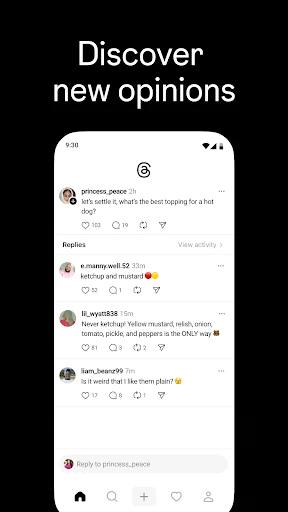
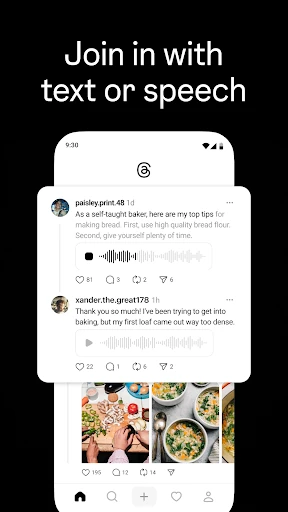
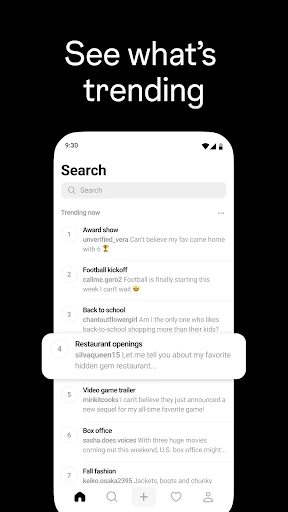
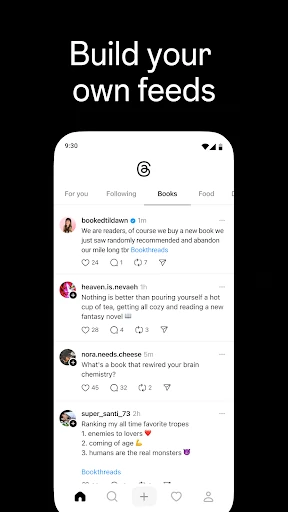
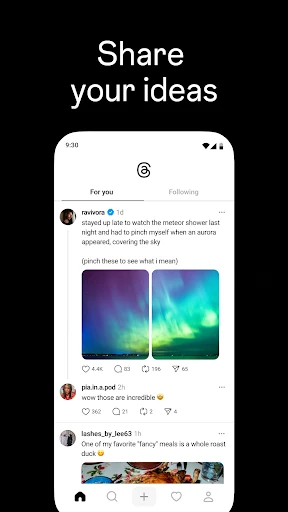
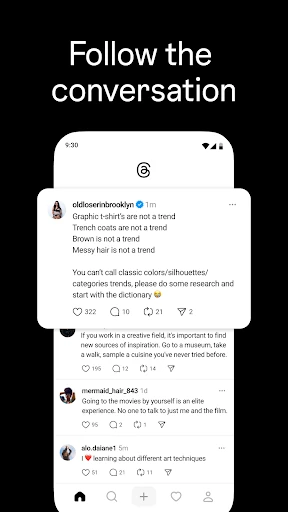
Analysis by Reviewed APKs
Threads is Instagram’s text-based conversation app, built for sharing short ideas and following discussions with friends, creators, and people who share your interests. I found it most appealing as a place to dip into current conversations rather than a social network that demands a polished post every time. Its connection to Instagram makes getting started feel familiar, though the experience still depends on finding discussions you actually want to follow.
A Quick Check-In
When I first opened Threads, I pictured checking it during a short break: scan a few conversations, see what people are saying about a show or a current event, then reply if I have something useful to add. That suits the app’s central job. Threads gives people a place to post their thoughts, respond to other people, and follow topics or creators they care about.
The Instagram connection can make that first visit less of a cold start. Threads lets you use your Instagram username and follow accounts you already follow there, then find new people. I like that path for someone who already has a lively Instagram circle. It is also possible to build a following around your own ideas, rather than treating the app only as a place to watch other people post.
Conversation, Not a Photo Feed
Compared with a photo-first social app, Threads puts conversation and text-based posts in the foreground. Its appeal is easy to understand when I want commentary, recommendations, opinions, or a quick exchange instead of concentrating on images. Replies are part of the experience, not an afterthought: I can jump into a discussion and react to what other people have added.
I would not choose Threads as a dedicated news service, a private messaging tool, or a place solely for carefully edited visual portfolios. The description focuses on public conversation, following creators, and communities built around interests. That makes it a better fit for people who enjoy reading and responding to shared ideas. If I only want to post photos, another kind of social feed may suit me better.
Make the Feed Yours
A useful first habit is to follow a handful of accounts that genuinely match my interests rather than following everyone at once. Threads can bring over accounts I follow on Instagram, and I can discover others as I go. Starting with a manageable group gives conversations a better chance of feeling relevant, whether I am looking for entertainment recommendations, work-related ideas, or discussion about a hobby.
I would also take a moment to consider who can see my posts, reply to them, or mention me. Threads provides controls for those choices, and lets users control who can reply to a thread. I’d check notifications for profiles I especially want to keep up with, too. That way, a routine visit can be intentional instead of turning every new post into an interruption.
More From Our News Desk

Zoom Meetings, Google Meet, or Teams: Which Is Easiest to Join?

How I Build a Free Streaming Lineup With Tubi

Why Crunchyroll Is the Default Anime App for So Many Fans

YouTube TV: A Practical Guide to Cutting Cable

Rummikub and the Small Comfort of Phone Games

TeamViewer Remote Control or AnyDesk for Helping Family?
Who Might Enjoy Threads
I’d recommend Threads to people who like following creators and taking part in informal, topic-based conversation. It works especially naturally for someone who already uses Instagram and wants to carry familiar accounts into a text-centered space. Readers who enjoy seeing opinions, jokes, recommendations, and responses unfold around shared interests have a clear reason to try it.
It may be less appealing to someone who prefers social media to stay quiet, who wants a tool focused on private one-to-one conversations, or who mainly shares polished visual work. Threads is built around people posting and responding, so the experience depends on finding discussions that feel worthwhile. Conversation controls help shape participation, but they do not change the app’s basic social, public-facing character.
Threads is a social app from Instagram. On Google Play, it has over 500 million installs and a 4.0-star rating from around 2.7 million ratings. The app is free to download and contains in-app purchases priced from $0.99 to $131.99 per item. Google Play marks it as suitable for Teen audiences.
The current listed version is 453.0.0.56.79. Threads was released on May 1, 2023, and its listed last update is November 2, 2026. The supplied store details do not give a minimum Android version, so I’d check the Google Play page on the device before installing.
How Threads Fits Into a Daily Scroll
A Familiar Starting Point
My first impression of Threads is that it makes a simple promise: bring people together around posts and replies. It is described as Instagram’s text-based conversation app, so the emphasis is clear from the start. Rather than asking me to compose a full visual update, it gives me room to share a thought, opinion, or bit of creativity and see how others respond.
The Instagram connection is practical during setup. I can keep my Instagram username and verification badge, follow the same accounts in a few taps, and look for new accounts as well. That does not mean every conversation will be interesting immediately, but it gives existing Instagram users a familiar starting set of people to follow.
The Everyday Conversation
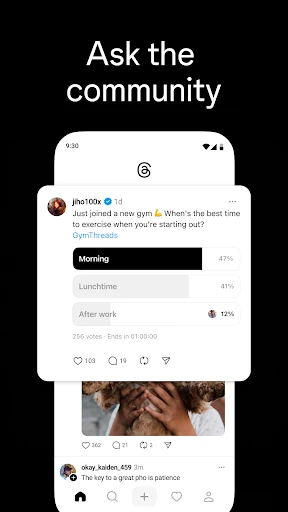
The daily rhythm Threads describes is straightforward: read a post, open its replies, and contribute if I have something to say. A thread can be a place for quick commentary or a longer back-and-forth around an interest. I can also start my own thread when I want to share an idea, then choose who is allowed to reply.
What I like about that setup is that it supports both listening and participating. I might check what a creator has posted during a spare moment, then return later to see how people have responded. The app also lets users receive notifications when favorite profiles start a thread, which can help keep a particular creator’s posts on my radar.
Controls and Community
The conversation controls are among the more useful details in the app’s description. Users can manage who sees their content, who can reply, and who can mention them. For me, those options matter because an open discussion can be enjoyable while still needing boundaries. I appreciate being able to shape participation around a particular post instead of treating every thread the same way.
Threads also carries over accounts blocked on Instagram and follows the same Community Guidelines. Those details connect the app to the broader Instagram experience, especially for people already using both. Threads is also part of the fediverse, described as a network of independent servers that share information so people can connect and discover across them.
A Simple Daily Routine
A practical way I’d use Threads is to check it once during a break, look for conversations tied to a few interests, and reply only when I have something worthwhile to add. For instance, I could scan discussion around a TV recommendation or a new release, then save my attention for the posts that lead to a genuinely useful exchange. The app’s described uses include entertainment, career advice, and other shared questions.
I would keep my follows focused and use notifications for profiles I do not want to miss. That makes the app feel more like a collection of conversations I chose than an endless obligation to keep up with everything. If I start a thread, I can decide who may reply and then check back when it suits my day.
Keep Expectations Grounded
Threads is only as engaging as the people and topics I find there. A large install base does not mean every niche interest will have the kind of conversation I want, and a feed built around shared ideas can still include plenty of posts I would rather skip. I’d give myself time to follow relevant accounts before deciding whether it belongs in my regular routine.
It is also worth remembering what the app is centered on: social posts, creators, replies, and community discussion. The listed description does not position it as a standalone private chat service or a dedicated source of expert answers. For questions that matter, I would treat crowd-sourced conversation as conversation, not as a replacement for checking dependable sources.
Threads makes sense for people who want a text-centered place to follow creators, share thoughts, and take part in discussions. Its Instagram links make the first steps more convenient for existing users, while reply and mention controls give conversations some useful boundaries. I found its strongest appeal in small, intentional check-ins rather than trying to follow every topic at once.
I’d try Threads if I already enjoy social conversation and want more room for posts and replies alongside Instagram. If I want a quiet utility, a private messaging app, or a primarily visual portfolio, I’d look elsewhere. For the right reader, it is an approachable way to connect around shared interests, with the quality of the experience depending on the accounts they choose.
Threads, an Instagram app Frequently Asked Questions
What is Threads used for?
Threads is Instagram’s text-based conversation app. People use it to share ideas and opinions, follow creators and other accounts, and respond to discussions around topics they care about. The app also supports controls over who can see posts, reply, or mention an account, so users can shape how their conversations work.
Which devices can run Threads?
Threads is available as an Android app on Google Play. The supplied details do not specify a minimum Android version, and device compatibility can vary, so check the Google Play page from the device you plan to use. The app is also described as part of Instagram’s social experience, including the option to bring over followed accounts.
What Android version does Threads require?
The minimum Android version is not provided in the supplied app details. Requirements can vary as the app is updated and across devices, so the most practical step is to check the current Google Play page before installing. The listed version is 453.0.0.56.79, with a last update date of November 2, 2026.
Does Threads cost money?
Threads is free to download on Google Play and offers in-app purchases priced from $0.99 to $131.99 per item. It is listed as containing no ads. Individual purchase details may vary, so check the store page for the current options and prices before making a purchase.
Is Threads a good fit for me?
Threads may suit you if you like reading and joining conversations, following creators, and sharing thoughts with people who have similar interests. The Instagram account connection can make it a natural option for existing Instagram users. If you mainly want private messaging or a visual-only social space, its focus on public-facing posts and replies may not match what you want.
Pros
- Instagram account connections make it easier to follow familiar people and discover new accounts.
- Conversation controls let users manage replies, mentions, and who can see their content.
- Threads supports discussion around interests, creators, trends, and live events.
- The app is free to download and contains no ads.
Cons
- The experience depends on finding accounts and conversations that match your interests.
- Its text-and-reply focus may not suit people who mainly want visual sharing.
- The supplied store details do not state a minimum Android version.
- Category
- Social
- Version
- 453.0.0.56.79