Bigo Live - Live Streaming App
- 6.35M
- 4.5
- Installs
- 500.00M
- Price
- Free

Screenshots
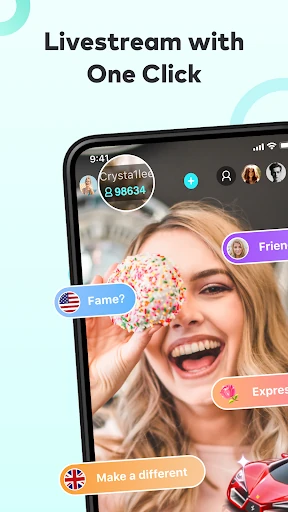
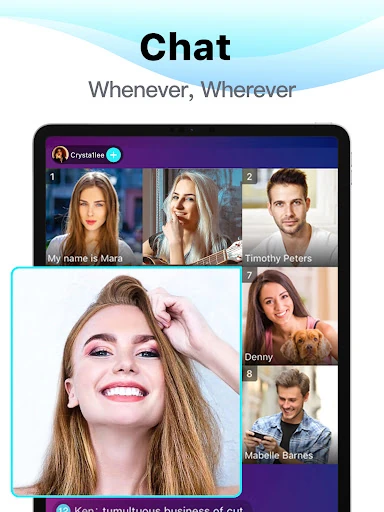
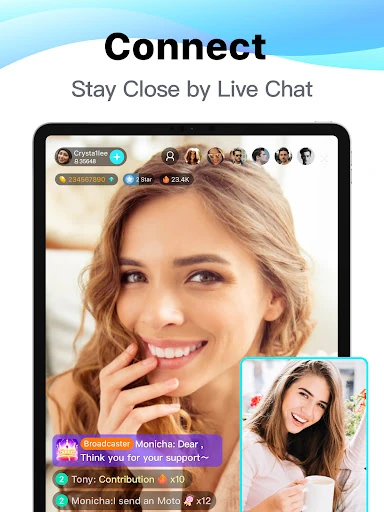
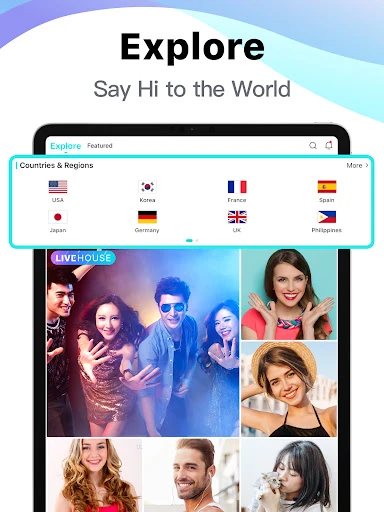
Analysis by Reviewed APKs
Bigo Live is a social app for watching live broadcasts and joining conversations, or starting a stream of your own. It suits people who enjoy unscripted entertainment and meeting other viewers in real time. After looking at its range of live formats, my take is that it offers plenty to explore, but it is a busy social space rather than a quiet, on-demand video library.
A Live Break in the Day
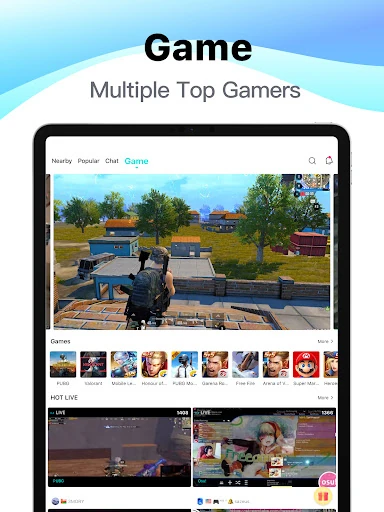
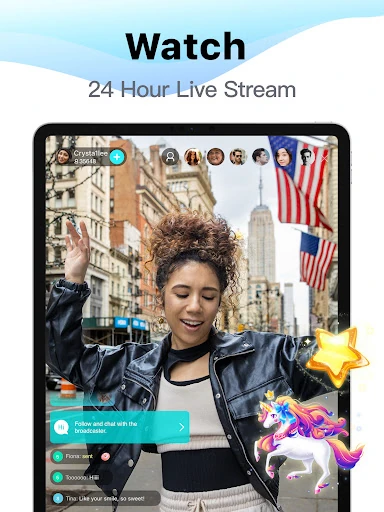
When I want something more immediate than a prepared video, Bigo Live’s live rooms are the main draw. I can browse broadcasts covering conversation, singing, dancing, gaming, and other subjects, then join a room and take part in its live chat. The appeal is the sense that something is happening right now: a host can respond to viewers as they arrive, and the conversation can shift while I watch.
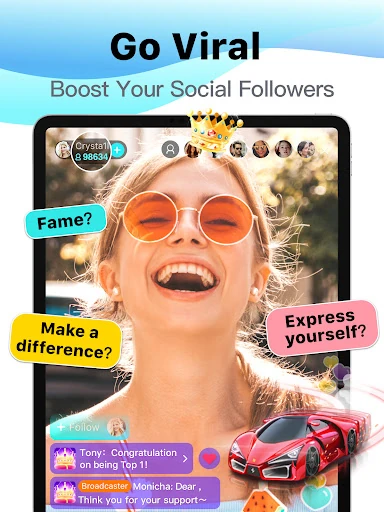
That makes the app an easy fit for an unplanned break. I might open it while winding down in the evening, look through a few live streams, and stay where the people or topic hold my attention. Viewers can interact using chat and virtual gifts. I would treat that as optional participation, though; watching and listening are also central ways to use the app.
More Social Than On-Demand
Compared with a conventional video service, Bigo Live is built around live interaction, not a catalog of finished episodes. It also goes beyond simply watching broadcasts: its description includes audio conversations, video chats, multi-guest rooms, and live challenges. If I want a polished film or a specific episode that I can pause and resume, this is not the tool I would reach for.
The closest everyday comparison is a social hangout that happens to center on live video. That distinction matters because live rooms are less predictable than edited content, and the experience depends on what people are broadcasting at the time. I see Bigo Live as a place to discover people and spontaneous moments, not as a focused learning app or a replacement for a traditional streaming library.
Small Ways to Make It Easier
I get more from a live-streaming app when I approach it with a loose idea of what I want to watch. Bigo Live offers streams across different interests, so browsing with a topic in mind can make a short visit feel less random. If I come across a room I enjoy, live chat gives me a way to respond instead of treating the broadcast as background video.
It also helps to decide in advance whether I want to watch or participate. For a low-key visit, I can stick to viewing streams or try an audio-only conversation. When I feel like being more involved, I can explore multi-guest live rooms or consider starting a broadcast. Keeping that choice deliberate makes the app’s many social formats feel more manageable.
More From Our News Desk

Zoom Meetings, Google Meet, or Teams: Which Is Easiest to Join?

How I Build a Free Streaming Lineup With Tubi

Why Crunchyroll Is the Default Anime App for So Many Fans

YouTube TV: A Practical Guide to Cutting Cable

Rummikub and the Small Comfort of Phone Games

TeamViewer Remote Control or AnyDesk for Helping Family?
Who Might Enjoy Bigo Live
I would recommend Bigo Live to people who like live entertainment, casual conversation, and the possibility of meeting other viewers around a shared room. It has options for watching, chatting, audio conversations, and joining a multi-guest session, so it can suit someone who wants more interaction than a standard video feed provides. It may also appeal to people interested in trying a live broadcast themselves.
It may be a weaker fit if you prefer carefully edited videos, a predictable viewing schedule, or a narrowly focused app with little social interaction. Live content can be variable by nature, and the range of formats may feel like a lot if you only want one simple activity. I would also be mindful that virtual gifts are part of the experience and involve optional in-app purchases.
Bigo Live - Live Streaming App is made by Bigo Technology Pte. Ltd. On Google Play it has over 500 million installs and a 4.5-star rating from around 6.3 million ratings. It is free to install and contains in-app purchases, with listed items ranging from $0.07 to $399.99 each. The app is rated Teen, and Google Play says it contains no ads.
The Android version requires Android 6.0 or later. The current version listed is 6.43.2. Bigo Live was released on March 10, 2016, and was last updated on February 9, 2026. Those details are useful context, particularly if you are checking whether the app will run on an older phone or comparing its purchase options before installing.
What Using Bigo Live Feels Like
Opening the App
My first impression is that Bigo Live is less about settling into one channel and more about finding a room that catches my eye. The variety of live formats gives me several ways to spend a visit, from watching a host to looking for a conversation. That breadth is useful, although it also means the app’s appeal depends on being comfortable with a social, live setting.
Getting started can be as simple as browsing streams and choosing one to watch. The app also presents ways to participate, including chat and live formats for broadcasting or talking with others. I like having a path from casual viewing to active involvement, rather than being pushed toward hosting immediately. A newcomer can take time to see how the different kinds of rooms work.
The Everyday Experience
The central loop is straightforward: explore live streams, enter a room, and decide whether to watch or join the conversation. Since the material is live, the experience has a different rhythm from scrolling through a queue of finished clips. I can spend a few minutes in one room or move on when its subject is not for me.
Real-time chat is what gives the viewing experience its social character. Rather than just seeing a performance or discussion, I can react in the room, and the host and other viewers may be part of that interaction. That can make an ordinary evening more engaging, though it is not the same as a private conversation or a carefully structured show.
Formats Beyond Video
The app’s range of formats is one of its clearest strengths. Alongside regular live streams, it offers audio live conversations for people who would rather talk without appearing on camera. There is also multi-guest live, where up to 11 friends can join, and the description mentions shared YouTube viewing, topic discussions, and games such as Draw and Guess.
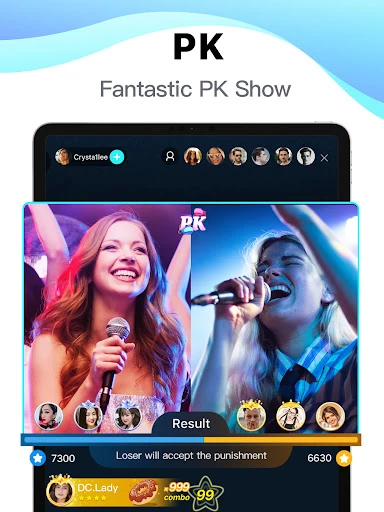
Live PK adds a competitive option: users can take part with friends or watch a challenge, including playful penalties for the losing side. For someone who wants to broadcast, the available choices include Game LIVE, Audio LIVE, and Multi-guest LIVE. These formats give the app more variety than a single-camera broadcast service, without making every visit depend on hosting.
A Simple Evening Routine
A practical way I would use Bigo Live is to open it with a small window of time and a rough interest in mind. I could browse until I find a stream that fits, stay for the conversation, and use chat if I have something to add. If I would rather listen than watch, an audio live room offers another way to join in.
On a different evening, I might choose a multi-guest session or a live challenge instead of watching alone. And if I have something I want to share, the app provides several ways to go live. I would keep those options separate in my mind: browsing is a low-commitment habit, while starting a stream means making myself part of the live room.
Things to Keep in Mind
Bigo Live’s emphasis on live interaction is also a limitation for some people. A broadcast is happening in real time, so the experience is less controlled than watching a finished video. The app is most appealing if I am open to browsing what is available and spending time around other people; it is less suited to someone who wants a specific, fixed piece of content.
Virtual gifts are part of how viewers can interact, and the app has in-app purchases. I would keep that in mind before treating gifts as a routine part of watching. The range of formats can also take a little exploration to understand. If all I want is passive entertainment, I may find the social options more prominent than necessary.
Bigo Live’s strongest point is the choice between watching and joining in. Live streams, audio rooms, multi-guest sessions, and challenges give it a more social feel than a standard video app. I like that a casual viewer can simply browse, while someone more outgoing can explore ways to take part or broadcast.
I would try it if live conversation and spontaneous entertainment sound appealing, and I would be more cautious if I prefer edited content or minimal social features. Its free download makes a first look accessible, but in-app purchases are worth keeping in view. Overall, it is a flexible live hangout, best for people who enjoy the unpredictability.
Bigo Live Frequently Asked Questions
What is Bigo Live used for?
Bigo Live is used to watch live streams and interact with hosts and other viewers. Its formats include live chat, audio conversations, multi-guest video rooms, and live challenges. Users can also start streams in options such as Game LIVE, Audio LIVE, or Multi-guest LIVE, making it a social entertainment app rather than an on-demand video library.
Which devices support Bigo Live?
Bigo Live is available for Android through Google Play. The provided app details specify Android 6.0 or later as the minimum requirement. Device compatibility can depend on the phone and its software, so it is worth checking the Google Play store entry on the device you plan to use before installing.
How much does Bigo Live cost?
Bigo Live is free to install on Google Play, and it offers in-app purchases. Listed purchase prices range from $0.07 to $399.99 per item, so the total cost depends on whether you choose to buy anything. Prices and available purchase options can vary, and the store listing is the best place to check current details.
Does Bigo Live have in-app purchases?
Yes. Bigo Live offers in-app purchases, including virtual gifts that viewers can use to interact with live streams. The app is free to install, but purchases are optional. The listed price range is $0.07 to $399.99 per item; check Google Play for the current options and prices in your region.
Is Bigo Live suitable for casual viewers?
It can suit casual viewers who enjoy live entertainment and want the option to chat or simply watch. Its Teen content rating and social focus are worth considering, especially for younger users and families. People who prefer edited videos, predictable programming, or little interaction may find a conventional video service a better fit.
Pros
- Offers live video, audio conversations, multi-guest rooms, and interactive challenges.
- Viewers can browse and watch without having to start their own broadcast.
- Multiple go-live formats give prospective hosts different ways to participate.
- Free to install, with a large established audience on Google Play.
Cons
- Live content is less predictable than a library of finished videos.
- The social features may feel busy for people seeking passive viewing.
- Optional in-app purchases have a wide listed price range.
- Category
- Social
- Version
- 6.43.2