EGW Writings 2
- 2.42K
- 4.7
- Installs
- —
- Price
- Free
Screenshots
Analysis by Reviewed APKs
EGW Writings 2 is a reading, search and listening app for the published work of Ellen G. White, alongside Bible translations and reference tools. It suits readers who want a substantial Adventist library close at hand, whether they are studying a passage or settling in for longer reading. I found its range impressive, though the breadth of the collection makes it feel more like a study library than a lightweight reader.
A Library for a Quiet Evening
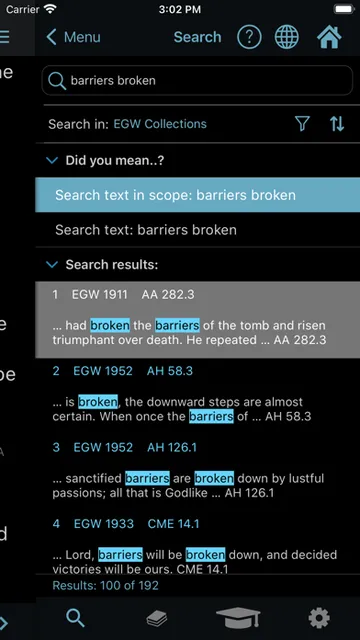
When I imagine using EGW Writings 2 in an ordinary routine, it is easy to picture opening it after dinner to follow up on a topic from a sermon or a question that came up during the day. I could search a word or phrase across the library, then read the matching passages in context. The app also includes Bible versions and dictionaries, so a session can move between a book, a verse and a definition without changing apps.
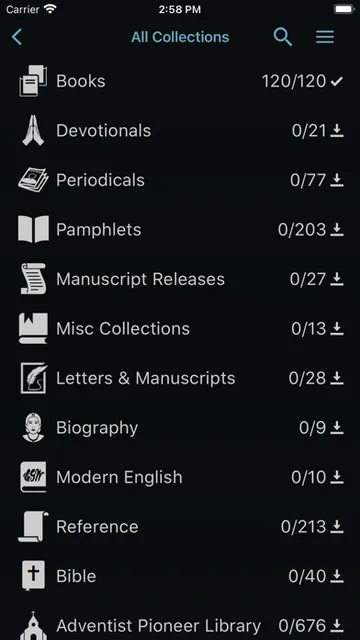
The collection is unusually broad for a phone or tablet reader: it includes Ellen G. White books, devotionals, periodical articles, letters and manuscripts, along with Bible translations. If I have only a few minutes, a direct reference search can take me to a book, page or paragraph; if I have more time, I can continue reading and listen to material. That flexibility makes it useful for both quick lookups and longer study sessions.
More Study Shelf Than E-Reader
Compared with a general ebook app, EGW Writings 2 is focused on a particular author and a closely related set of study resources. Its appeal is not a broad commercial book catalogue, but the ability to search Ellen G. White’s published writings alongside Bible texts and reference material. For readers who regularly consult this collection, having the books, articles and study tools together is a practical advantage over keeping separate references open.
It is also not simply a Bible app or a general-purpose note-taking tool. The Bible translations are part of a larger library, and the Study Center features support work with the texts rather than replacing a dedicated notebook. Someone looking for novels, a wide range of authors or an uncomplicated reading app may find this specialized approach too narrow. Its strongest fit is readers who know they want this particular body of writing.
Small Habits That Help
A useful way to approach a library this large is to begin with a specific question, title or reference rather than browsing without a destination. Search can look through the library or the KJV Bible, and reference shortcuts can take you to a known book, page or paragraph. In the Bible, abbreviated book codes and chapter-and-verse references provide another quick route. These options make short study breaks more manageable than paging through a long catalogue.
For ongoing study, bookmarks, highlights and notes can keep useful passages together, while topic folders offer a way to organize saved material. I would make a habit of saving a passage when I find it, rather than expecting to remember where it was later. Reading and listening history can also help resume a session, and EGW Cloud sync supports study data and history across use of the app.
More From Our News Desk

Zoom Meetings, Google Meet, or Teams: Which Is Easiest to Join?

How I Build a Free Streaming Lineup With Tubi

Why Crunchyroll Is the Default Anime App for So Many Fans

YouTube TV: A Practical Guide to Cutting Cable

Rummikub and the Small Comfort of Phone Games

TeamViewer Remote Control or AnyDesk for Helping Family?
Who Will Get the Most From It
I would recommend EGW Writings 2 to readers who regularly study Ellen G. White’s work and want a searchable collection on an iPhone or iPad. It should also suit people who like to compare a passage with Bible translations, check a dictionary definition or keep notes and highlights beside their reading. The range of materials makes it particularly useful for a study habit that revisits books, articles and references over time.
It may be less appealing if you want a simple reader with only a few books, or if this author’s writings are not part of your reading. The many collections and tools can feel like more than a casual reader needs, especially when all you want is a straightforward page-turning experience. I would also keep the platform in mind: this version is for Apple devices, with iOS 15.0 or later required.
EGW Writings 2 is developed by Ellen G. White Estate, Inc. On the Apple App Store, it has a 4.7 rating from about 2,400 ratings. The app is free. Its content rating is 12+, and the listed minimum operating system is iOS 15.0. The collection is aimed at reading and studying Ellen G. White’s published writings, with Bible and reference resources included.
The current version is 7.7.6. EGW Writings 2 was released on May 27, 2015, and its most recent update is dated September 18, 2026. It supports iPhone, iPad, iPad Pro and iPod touch, according to the app description. The description also notes that reading and searching can be done online or offline, and that study information and history can sync through EGW Cloud.
A Closer Look at the Study Experience
Opening the Library
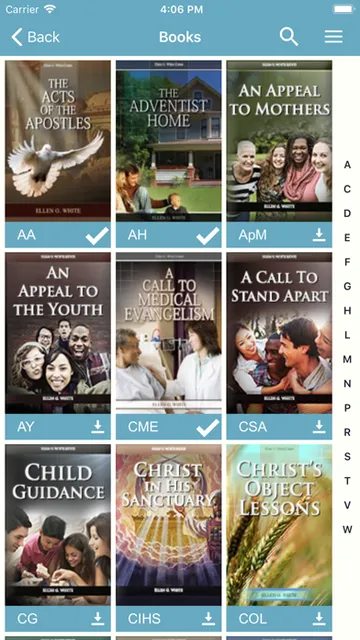
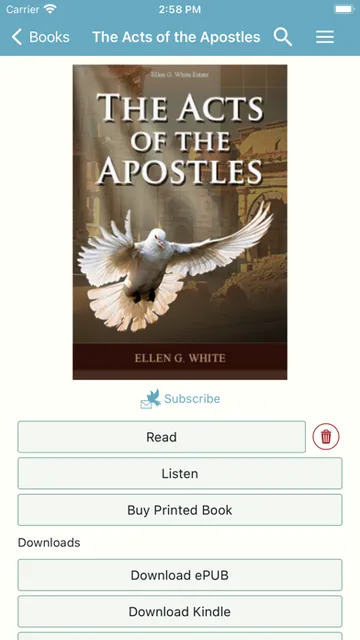
My first impression is of an app designed around a sizeable collection, not a single book. The updated bookshelf groups materials into color-coded collections, including EGW works, reference material and Bible content. That organization gives the library some structure before I begin searching. There is also a customizable bookshelf display, which matters when the collection is large enough that the way titles are presented can affect how quickly I find my way around.
The description outlines a broad set of materials, from books and devotionals to periodical articles, letters and manuscripts. That breadth is appealing, but it also means a new user may need a little time to understand what is available and how the collections relate. I would start with a familiar title or a specific reference, then explore the shelves once I had a feel for the layout.
Reading and Searching Daily
The core experience combines reading with several ways to locate a passage. Searches can cover the EGW library or the KJV Bible, with results designed to be easy to scroll and open in the surrounding chapter. A reference such as a book abbreviation followed by a page or paragraph can serve as a shortcut. In Bible reading, abbreviated book names and verse references offer a similarly direct route to a passage.
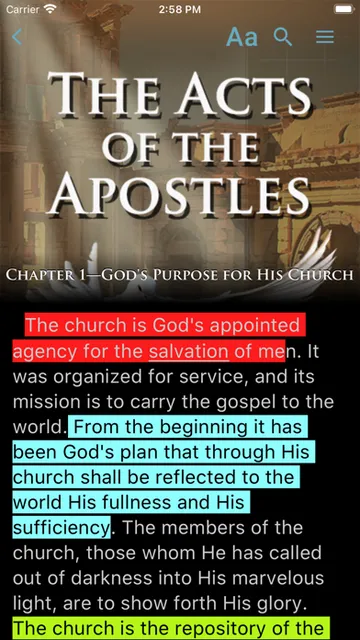
Once a passage is open, the app supports vertical or horizontal reading views, and horizontal swipes can move between chapters. Bible references in EGW books are hyperlinked, while the location remains visible in the title bar. Those details are practical during study: I can keep track of where I am and follow a cited verse without having to rely only on memory or repeat the search from scratch.
Tools Beyond the Page
The standout is the combination of a large author-specific library with supporting references. The app includes 14 Bible translations and dictionaries, including Noah Webster’s 1828 American Dictionary. That makes it possible to check a Bible passage or a word definition as part of the same study session. The library also includes devotionals, pamphlets, periodical articles and manuscript materials, giving readers several kinds of source material to consult.
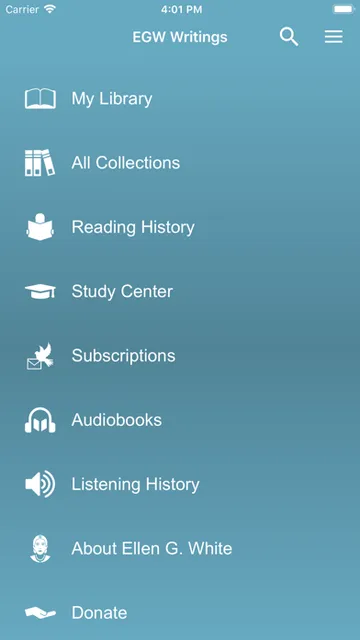
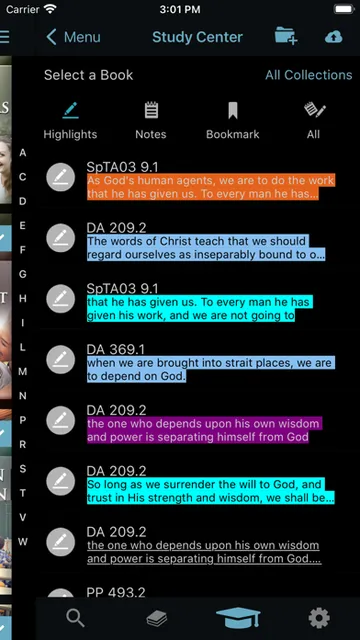
The Study Center provides bookmarks, highlights and notes, with highlights available in a wide range of colors. Saved bookmarks and highlights can be placed in topic folders. These are useful features for a reader who returns to recurring themes or wants to gather passages for later review. The app also supports copying and sharing text, and it can keep reading and listening history to make it easier to pick up where a session left off.
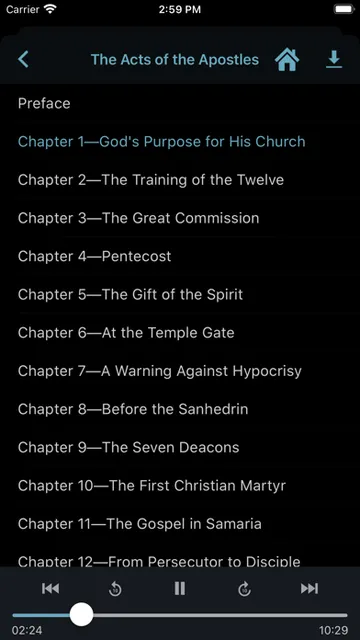
Listening is part of the app’s purpose too, alongside reading and searching. The description says listening history can sync through EGW Cloud, as can Study Center data. That makes the app more than a text shelf, while still keeping its focus on the same body of writings and study resources.
A Repeatable Study Routine
For a practical routine, I would start with a question or a passage reference, search the collection, and open a result in its chapter for context. If the passage points to Scripture, I could follow the hyperlink or jump to a verse in one of the available Bible translations. If a word needs clarification, the included dictionary can help keep the lookup within the same reading session.
After reading, I would save the useful paragraph with a bookmark or highlight, add a note if I need to remember why it mattered, and place it in a topic folder if I expect to revisit it. On another day, the saved material and reading history can provide a starting point. It is a simple routine, but it makes a large library feel more personal and less like a stack of references I have to search anew each time.
Keep the Scope in Mind
The biggest limitation is also the app’s defining choice: it is built around Ellen G. White’s writings and related Adventist study material. That focus makes the collection coherent for its intended readers, but it does not make the app a general ebook store or an all-purpose reference library. If you do not expect to use these particular works, its wealth of specialized material may not translate into everyday value.
There is also a learning curve to the collection and its search shortcuts. Direct references and multiple resource types are powerful once they make sense, but a reader who wants a very plain interface may prefer something less feature-rich. I would treat it as a study companion that rewards repeat use, rather than expecting every tool to be immediately necessary on a first visit.
The app is for Apple devices and requires iOS 15.0 or later. That is worth checking before making it part of a routine, especially if you intend to read across more than one device. The description says EGW Cloud can sync study data and history, but the app’s central strength remains access to its own substantial collection.
EGW Writings 2 offers a lot for readers who want Ellen G. White’s writings, Bible translations and study tools in one place. Its search, saved passages and reading history support a steady study habit, while its specialized scope keeps it from being a universal reader. I like the idea of a library that can serve both quick lookups and deeper sessions.
I would try it if this collection is already part of your reading or study life, particularly on an iPhone or iPad running iOS 15.0 or later. If you want a general book app or only occasional casual reading, the breadth and focus may feel like too much. For its intended audience, though, it is a substantial and practical resource.
EGW Writings 2 Frequently Asked Questions
What is EGW Writings 2 used for?
EGW Writings 2 is used to read, search and listen to the published writings of Ellen G. White. It also includes Bible translations and reference resources such as dictionaries. Readers can search for passages, follow Bible references, and use bookmarks, highlights and notes to support study.
Which devices can run EGW Writings 2?
EGW Writings 2 is available for Apple devices, including iPhone, iPad, iPad Pro and iPod touch. It requires iOS 15.0 or later. For details about compatibility with a particular device or operating-system release, check the app’s App Store page, since requirements can vary.
Does EGW Writings 2 cost anything?
EGW Writings 2 is free on the Apple App Store. The available information does not give details about in-app purchases, so those may vary and are worth checking on the store page before you download or use the app.
Can I read offline with EGW Writings 2?
The app description says you can read or search either online or offline. It also describes syncing study information and reading or listening history through EGW Cloud. If offline access or syncing is important for a particular device or setup, check the App Store information for current details.
Is EGW Writings 2 right for casual readers?
It can suit casual readers who want to explore Ellen G. White’s work, but its strongest fit is people who regularly consult those writings and related study resources. The large, specialized collection and its study tools may feel excessive if you only want a simple general-purpose ebook reader.
Pros
- A broad collection of Ellen G. White writings, articles, devotionals and manuscripts.
- Search, Bible translations and dictionary resources support connected study.
- Bookmarks, highlights, notes and topic folders help organize passages.
- Reading and listening history can sync through EGW Cloud.
Cons
- Its specialized Adventist focus will not suit readers seeking a general book library.
- The breadth of collections and study tools may take time to learn.
- Requires an Apple device running iOS 15.0 or later.
- Category
- Books & Reference
- Version
- 7.7.6











